

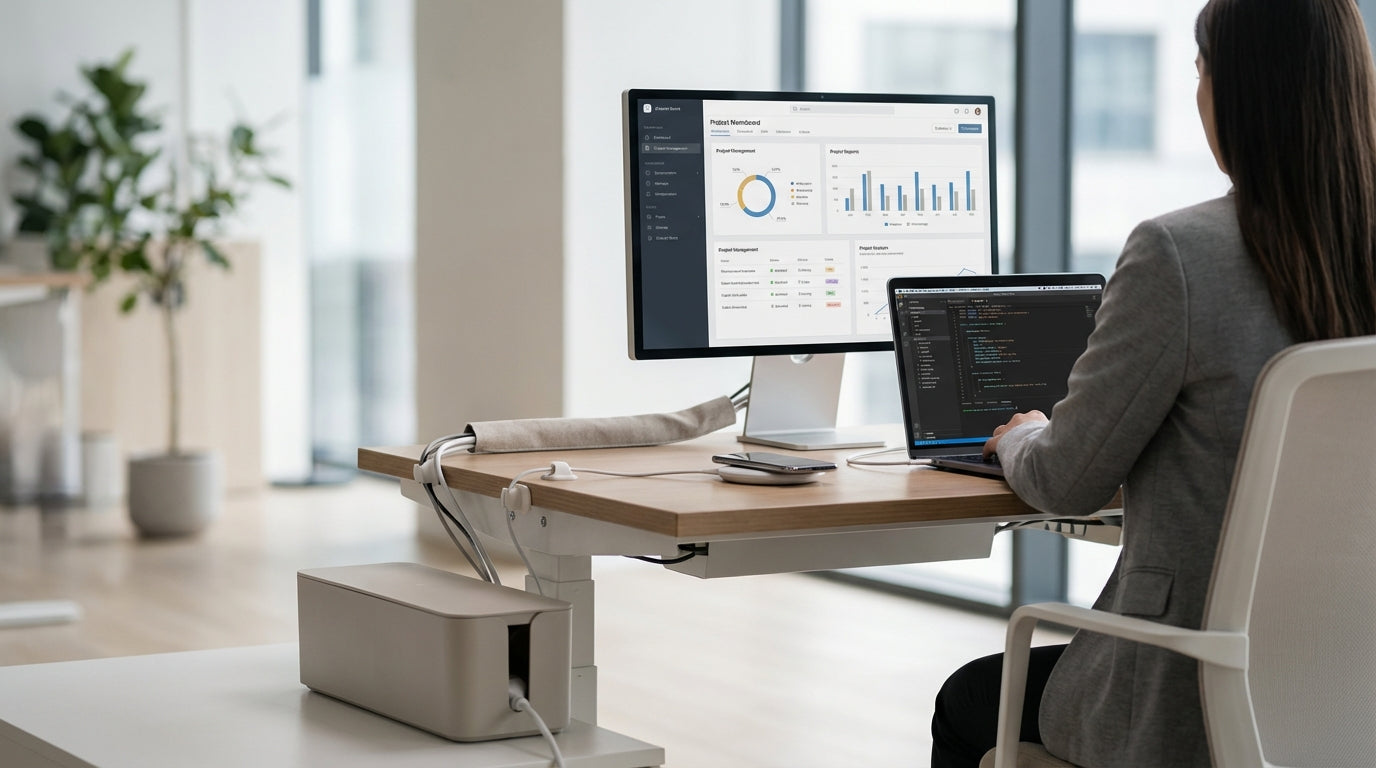
Why Cable Management Matters More Than You Think
A tidy desk is about more than just looks; it directly impacts focus, comfort, and productivity. Good cable organisation also reduces trip hazards and keeps your tech safer for longer.
Cluttered leads running across a desk or floor can tug on ports, damage devices, and make it painful to clean or move your setup. By using dedicated Cable Management accessories, you can route cords so they’re out of sight but still easy to access when you need to swap gear. This is especially useful in shared offices, where multiple people use the same workstations and need a consistent layout.
Thoughtful cable routing is also essential when choosing desks and workstations. Many modern Home Office Desks, Straight Desks, and L-Shaped Desks come with cable ports, scallops, or modesty panels designed to hide wiring. Matching the right accessories to the right desk style means you can keep chargers, monitor cables, and power boards off the floor and away from your feet.
In open-plan or collaborative environments, messy cables can quickly turn fresh Corner Workstations and Height Adjustable Workstations into a tangle of cords. Standardising on a few simple accessories, like cable trays and under-desk baskets, keeps setups consistent and reduces the time IT teams spend untangling and labelling cords. Over time, that translates into a safer, quieter, and more professional-looking workspace.
Under-Desk Solutions: Trays, Raceways and Mounts
Under-desk solutions are the backbone of a clean workstation. They keep power boards, adaptors, and long leads neatly contained and off the floor.
Cable trays and baskets mount underneath your desktop to hold power rails, chargers, and excess cord length. When paired with well-designed Single Person Workstations or compact Workstation Components, these trays prevent cables from hanging down and catching on your legs or chair. Many trays have open mesh designs, making it easy to see what’s plugged in and improve airflow around power adaptors.
Raceways are enclosed channels that guide cables along the underside of the desk or down legs and walls. They’re ideal if you want a minimal look and don’t want to see individual cords at all. These channels can run from the desktop to the floor, delivering a neat pathway from your Home Office Desks or Straight Desks to power points without exposed cords looping across the room.
Under-desk mounts for power boards are another simple but effective accessory. By securing a power board directly to the underside of Height Adjustable Workstations or Corner Workstations, you reduce cord strain when the desk moves and avoid plugs being pulled out accidentally. Combined with quality Cable Management clips and ties, these mounts create a structured system instead of a spaghetti of cables.
On-Desk Accessories for a Cleaner Surface
Once the underside of your desk is sorted, the desktop itself needs attention. Smart on-desk accessories guide cables from devices to the under-desk system without clutter.
Desk grommets and scallops are small openings at the back of the desktop that let cables drop neatly below. Many L-Shaped Desks and Corner Workstations include these cut-outs as standard, so you can group monitor, keyboard, and laptop cables in one tidy channel. This keeps the rear of the desk clear while still giving quick access to ports for docking stations and hubs.
Cable clips and organisers that attach to the desktop edge stop chargers from sliding onto the floor. These are especially handy in home offices, where phones, tablets, and headphones are constantly being plugged in and unplugged. Pairing them with streamlined Home Office Desks helps maintain a minimalist look, even if you’re juggling multiple devices for work and personal use.
Integrated power modules are another premium option. These units sit flush in the desktop of Single Person Workstations or cluster-style setups and combine power, USB charging, and sometimes data ports in one place. Instead of stretching cables across your work area to reach a wall socket, you plug in at the desk, then send a single tidy bundle through your Cable Management system beneath.
Monitor Arms and Vertical Cable Routes
Vertical cable routing is often overlooked but makes a big difference to how streamlined your setup feels. Monitor arms are one of the most effective tools for achieving this.
Quality Monitor Arms not only free up desk space and improve ergonomics but also include channels or clips for monitor leads. By running cables along the arm and down the back of the desk, they keep power and display cords out of your immediate line of sight. This is particularly useful with multi-screen setups on larger Straight Desks or project-heavy Height Adjustable Workstations, where each screen can mean two or three extra cables.
Vertical cable spines are flexible conduits that run from the underside of the desk down to the floor, especially popular with sit-stand workstations. These spines protect and group cables from movement as the desktop rises and falls. When used under Single Person Workstations or shared pods built from modular Workstation Components, they create a professional, finished look that feels more like a fitted office than a makeshift setup.
Combining monitor arms with a structured vertical path keeps cables from dangling in mid-air or dragging on the floor. This reduces wear on cords and lowers the risk of someone catching a foot on a loose lead when walking past your Corner Workstations or L-Shaped Desks. The result is a cleaner, safer, and more flexible workstation you can reconfigure easily as your tech changes.
Planning Your Setup: Matching Desks and Accessories
The best results come from planning cable organisation at the same time as your furniture. Choosing the right desk style makes managing cords much easier.
Start by thinking about how many devices you use daily and where power points are located. If you run multiple screens, a docking station, and a desktop tower, wider Straight Desks or spacious Corner Workstations give you room for both equipment and discreet routing. For compact spaces, Home Office Desks or dedicated Single Person Workstations with pre-drilled grommets and modesty panels provide clear paths to mount trays and raceways.
If you’re moving to an active workspace, make cable control part of your plan from the start. Height Adjustable Workstations need enough slack in the cables to move freely without snagging, but not so much that loops hang below the desk. Pairing them with vertical spines, under-desk power mounts, and well-designed Cable Management trays keeps everything in place at both sitting and standing heights.
For teams or shared areas, modular Workstation Components can be combined to create pods, banks, or back-to-back setups. Linking desks and running shared cable pathways between them reduces duplication of power boards and keeps wiring neat as people move seats. Whether you choose L-Shaped Desks for corner offices or streamlined Home Office Desks for remote staff, planning cable routes early ensures every workspace stays tidy, safe, and easy to maintain over time.


