

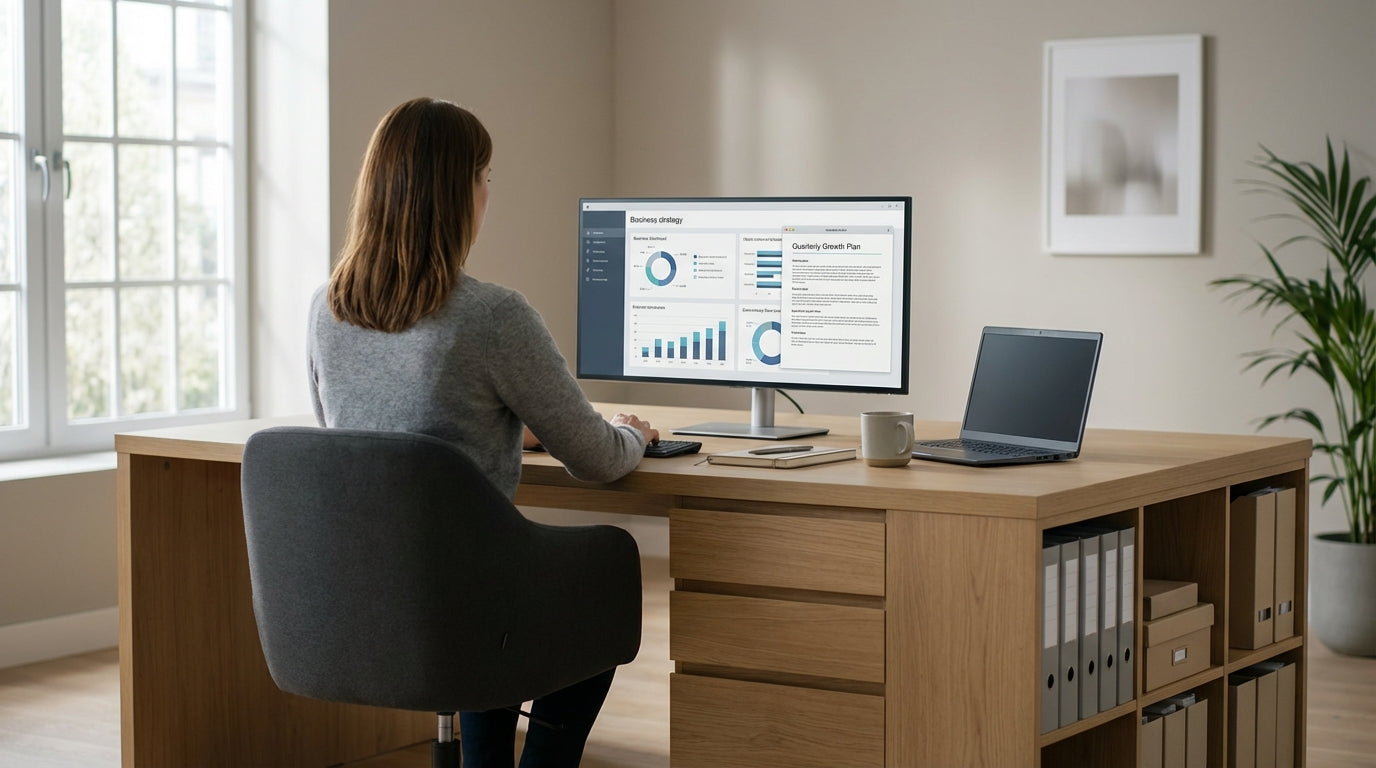
Why Storage-Focused Desks Matter in a Home Office
A clutter-free desk makes it easier to focus, especially when you work from home. Built-in storage helps you keep everyday essentials close without crowding your workspace.
When you’re choosing from modern home office desks, integrated drawers, shelves, and cable management can make a huge difference to productivity. Instead of juggling piles of paperwork, tech accessories, and stationery, a storage-rich design lets everything live in its own spot. This is particularly useful in smaller Australian homes and apartments, where your study area might double as a living or dining space.
Good storage also protects your gear. Files sit safely in dedicated drawers instead of under laptops, and power boards and chargers can be tucked away from accidental spills. Desks with smart organisation features support better posture too, because you’re not leaning over clutter or working around stacks of documents. Over time, that adds up to a more comfortable and professional work setup.
If you share your space with kids, pets, or flatmates, having closed storage under the desktop can also reduce distractions. You can pack away sensitive work documents at the end of the day, helping you switch off mentally and keep your home from looking like a permanent office.
Choosing the Right Layout for Your Space
The layout of your desk shapes how efficiently you can use storage. Think about the room size, light, and where power points sit before deciding.
For compact study nooks or bedrooms, streamlined student desks with slim drawers or shelves can offer just enough storage without overwhelming the room. In slightly larger spaces, a simple rectangular design from the range of straight desks can be paired with mobile storage to create a flexible setup that moves as your needs change.
If you work with multiple screens or need room to spread out paperwork, it’s worth exploring L-shaped desks or dedicated corner office desks. These options maximise unused corners and often include extra legroom, which is ideal for adding under-desk drawers or a small filing cabinet. Corner layouts are popular in open-plan homes because they borrow space from two walls while leaving the centre of the room open.
Where more than one person uses the same room, defined zones can prevent clutter from spreading. Configurations drawn from single person workstations and corner workstations allow each user to have their own storage, so supplies don’t get mixed up. This can be especially helpful if adults are working from home alongside high-school or uni students.
Built-In vs Add-On Storage: Drawers, Hutches and More
Desk storage falls into two main categories: built-in and add-on. Both can work well, depending on how often you move furniture and how your work changes.
Built-in drawers underneath the desktop are ideal for everyday items like notebooks, chargers, and stationery. Many contemporary home office desks include shallow top drawers for small accessories and deeper ones for folders or tech. Deeper storage is especially handy if you still rely on physical documents and need them close at hand during the workday.
If you want more flexibility, mobile pedestal drawer units slide neatly under most straight desks, L-shaped desks, and compact student desks. Because they’re not fixed, they can move with you if you reconfigure the room or upgrade your workstation. Lockable drawers are also a simple security upgrade if you handle sensitive paperwork or expensive tech accessories.
Vertical storage is another powerful way to keep surfaces clear. Hutch storage units sit above the desktop to create shelves and cupboards for books, files, and decor without using extra floor space. Pairing a hutch with corner office desks or compact single person workstations can transform a plain wall into a highly organised command centre, ideal for busy professionals or students with multiple subjects.
Ergonomic Workstations with Smart Storage
Comfort is just as important as capacity. An ergonomic desk with thoughtful storage can improve posture and reduce strain across the workday.
Height adjustable workstations let you move between sitting and standing, which can relieve pressure on your back and neck. When these designs incorporate or pair well with under-desk storage, you get a healthier setup that stays tidy at any height. Look for slim pedestal units or compact shelves that won’t interfere with legroom or the lifting mechanism.
Many modern home office desks also integrate cable ports and modesty panels to hide cords and power boards. Keeping cables out of the way limits tripping hazards and prevents your workspace from feeling messy, especially if it’s visible from living areas. Combined with mobile pedestal drawer units, this creates a flexible layout where everything has a place but can still be rearranged easily.
For users who need multiple monitors or share a desk between tasks, modular elements from corner workstations and single person workstations can offer tailored solutions. You might divide the surface into a “computer zone” and a “paperwork zone,” each with its own storage nearby, so you’re not constantly shifting equipment just to make space.
Planning and Maintaining an Organised Home Office
A good desk is only part of the equation. Planning how you’ll use each storage area helps keep your work zone organised long term.
Start by mapping out what you actually need at arm’s reach during a normal day. Everyday essentials, like your keyboard, mouse, notebook and phone, should live on the desktop or in the top drawers of home office desks. Less frequently used items, such as archived files or spare peripherals, can move to lower drawers in pedestal drawer units or into cupboards within hutch storage units.
If multiple people share your workspace, consider assigning specific drawers or shelves. Children using student desks can have their own storage section, while adults working from corner office desks or straight desks reserve drawers for business essentials only. Labelling shelves or using simple organisers inside drawers reduces the temptation to “dump and run,” which can quickly undo your efforts.
Finally, set a regular time each week to reset your workspace. Clearing surfaces, filing loose papers into your chosen corner workstations or single person workstations, and checking that everything is still in a logical spot will keep your home office efficient. With a considered layout, the right combination of storage solutions, and a simple routine, your desk can stay organised, comfortable, and ready for whatever your workday brings.


