

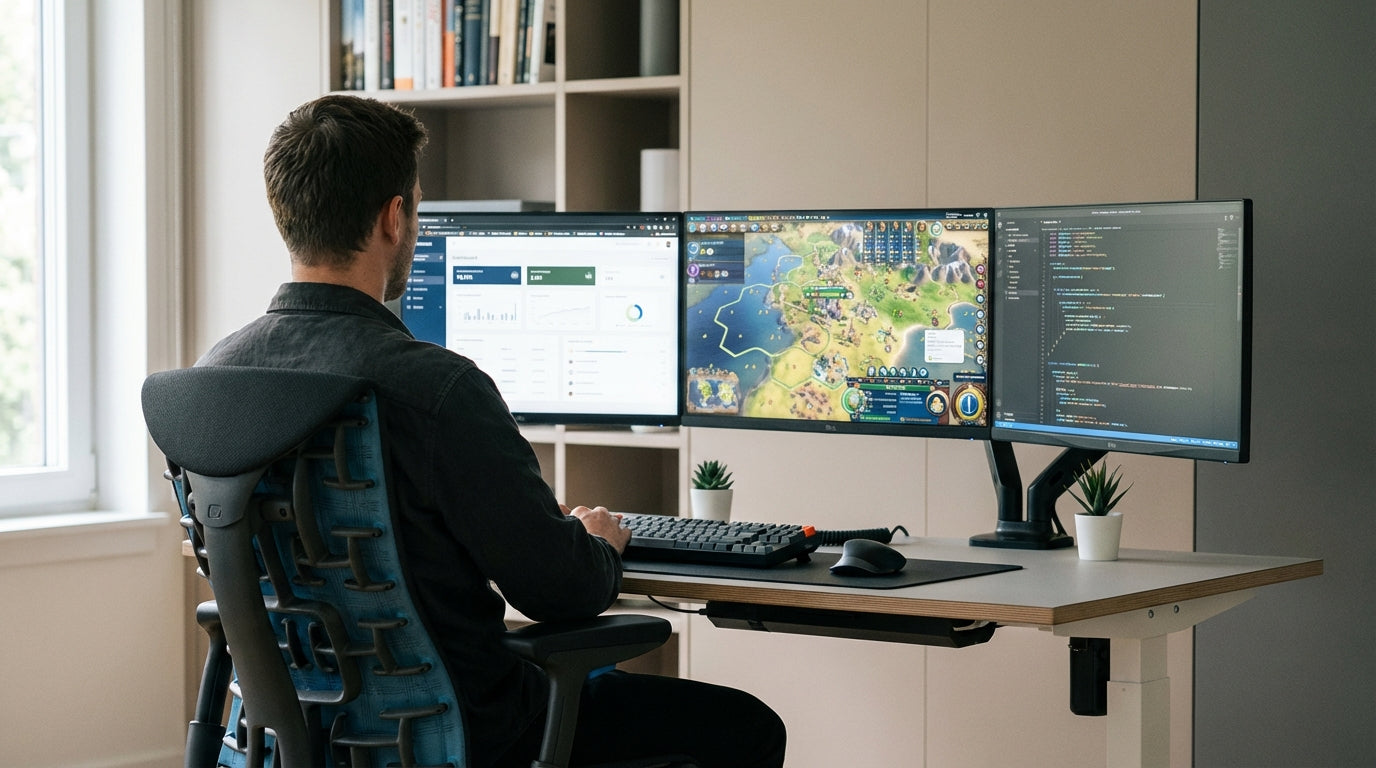
What To Look For In a Hybrid Gaming–Work Chair
Choosing a chair that works for both gaming and productivity starts with support and adjustability. You’re often in the same position for hours, so every feature needs to keep your body in a neutral, relaxed posture.
The most important factor is ergonomics – how the chair supports your body’s natural alignment. Look for adjustable lumbar support, a backrest that follows the curve of your spine, and a seat that lets your feet sit flat on the floor. Simple controls for height, tilt, and armrests make it easier to swap from an intense gaming session to focused work without strain.
Breathable materials matter, especially in Australia’s warmer climate. Fabric or mesh office chairs reduce heat build-up and help you stay comfortable over long stretches. If you prefer a more premium look and feel, quality leather chairs with perforation or ventilation panels can balance style and comfort.
Finally, consider overall build and stability. Solid metal bases, smooth-rolling casters, and a sturdy gas lift are worth the investment when you’re moving between your desk, multiple displays, and different tasks all day and night.
Ergonomic Features That Matter For Long Sessions
When you’re alternating between spreadsheets and shooters, ergonomics stops you from feeling wrecked at the end of the day. A good setup spreads pressure evenly across your body so no single area cops all the load.
Start with seat height and depth. Your knees should sit at roughly a 90-degree angle, with your thighs parallel to the floor and your feet grounded. A seat that’s too deep can dig into the back of your knees, while one that’s too shallow won’t support your thighs properly. Many quality task chairs include a sliding seat pan so you can dial in the right depth for your leg length.
Next, look at the backrest and lumbar support. A contoured back with adjustable lumbar helps keep your lower spine slightly curved, which reduces fatigue over long gaming or work marathons. Synchro-tilt mechanisms – where the seat and back move together in a set ratio – encourage gentle movement instead of holding you in one rigid position, which is better for circulation and focus.
Armrests are often overlooked but crucial. Height- and width-adjustable arms let you keep your shoulders relaxed while typing or using a controller, reducing neck and upper-back tension. Combined with a well-positioned screen on a sturdy monitor arm, your elbows can stay close to your body and your eyes level with the top of the display, whether you’re working or raiding.
Chair Types: Mesh, Leather, Task and Heavy Duty
Different chair styles suit different bodies, rooms, and play styles. Think about how you sit, not just how the chair looks.
Mesh office chairs are ideal if you tend to run hot or live in a warmer part of Australia. The breathable backrest promotes airflow and prevents that sticky feeling you get from long hours at a desk. They’re usually lighter in appearance too, which helps smaller home offices feel more open instead of cramped around your gaming rig.
For a more executive style that still works for late-night sessions, explore premium leather chairs. High-grade leather or leather-look finishes provide a sleek aesthetic that fits easily into living rooms or multi-use spaces. Look for models with thick, high-density foam that won’t flatten out quickly, and ensure the tilt and lumbar adjustments are on par with quality ergonomic task seating.
If you need something built to handle regular, all-day use, consider task chairs or specialised heavy duty chairs. Task styles focus on precise ergonomics, often with multiple adjustment points suited to active work. Heavy duty models are designed for higher weight ratings and more robust components, which is useful if several people share the same setup or if you prefer a more solid, substantial feel under you.
Matching Your Chair With The Right Desk Setup
A supportive chair does its best work alongside the right desk and accessories. The goal is to keep your hands, shoulders, and eyes in neutral positions no matter what you’re doing.
Begin with the desk itself. If your space is tight or you’re sharing a room with other furniture, corner office desks can maximise usable surface without eating into walkways. For simpler layouts or along a wall, streamlined straight desks pair well with both work monitors and oversized gaming displays. Those working from small apartments or spare rooms might prefer compact home office desks that still leave enough space for peripherals and speakers.
Height is another key factor. Your elbows should sit at around a 90-degree angle when typing, with your wrists straight. height adjustable workstations make this far easier, allowing you to shift between sitting and standing throughout the day. That movement helps reduce stiffness from long gaming queues or back-to-back meetings, and pairs well with chairs that support an active sitting posture.
To complete the setup, a quality monitor arm lets you place screens exactly where they should be: roughly an arm’s length away, with the top of the display at or just below eye level. This limits neck craning and works nicely when you recline slightly in an ergonomic chair for relaxed gaming, then move upright for focused work. Balancing these elements means your chair can genuinely support both roles instead of fighting against a poor desk layout.
How To Choose The Right Chair For Your Space and Style
Your setup needs to fit your room, your body, and how you actually use it day to day. A considered choice will feel natural for both focused work and casual play.
Start by measuring your available space and considering how the chair will move around your desk. In compact rooms, a slimmer task chair or ventilated mesh office chair often makes more sense than an oversized, racing-style model. Pairing these with space-efficient home office desks or L-shaped corner office desks can free up room for consoles, storage, and a clean cable run.
Next, match the chair to your build and daily schedule. If you’re online or at your workstation for most of the day, invest in models rated for intensive use, such as robust heavy duty chairs. Those who alternate between laptop work and lighter gaming might be comfortable in a more compact, mobile style that’s easy to roll between a straight desk and a secondary setup.
Finally, think about how the chair looks in your home. Sleek leather chairs blend well with living areas or open-plan spaces, while mesh and fabric options can feel more casual and modern. Whichever direction you choose, prioritise adjustable ergonomics first, then narrow down by finish and colour. That way, your chair won’t just match your gaming rig – it will support healthy posture and productivity for years.


