

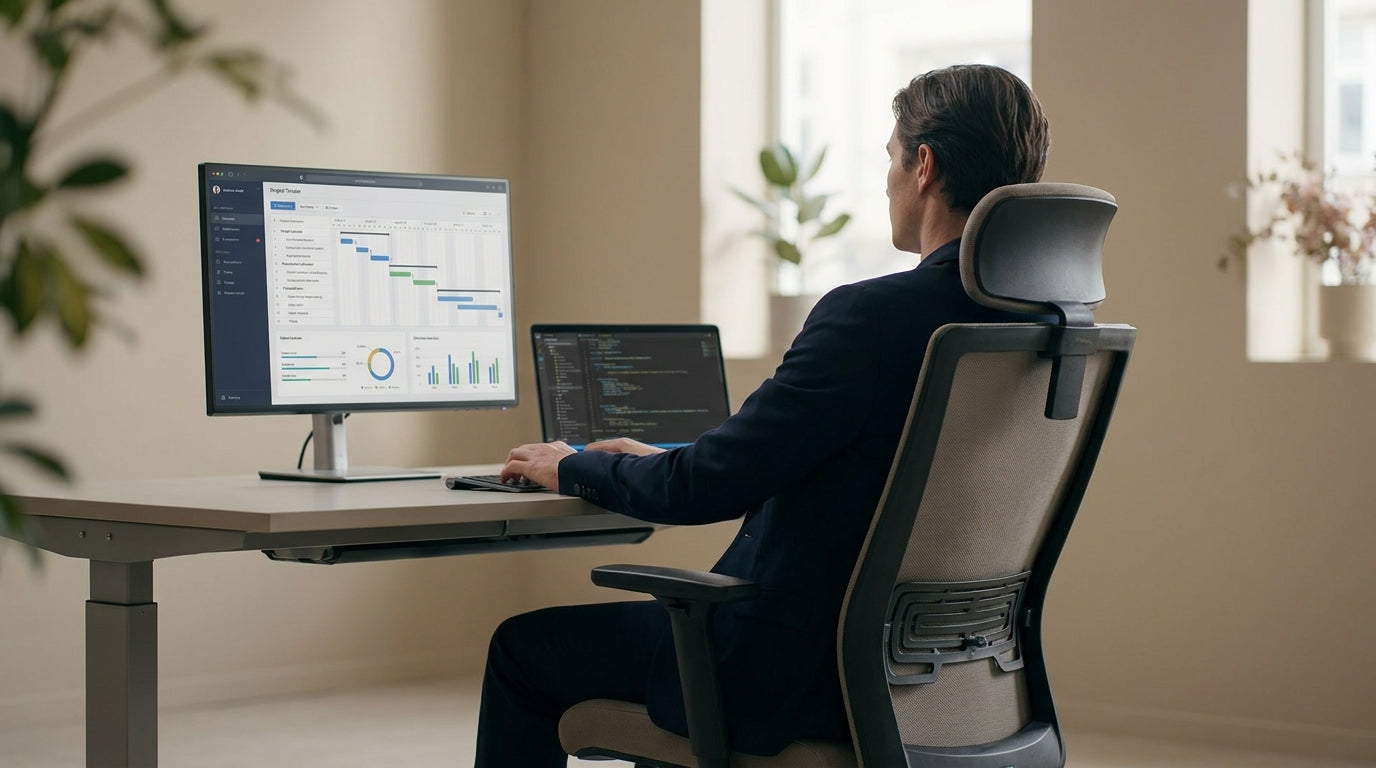
Why Forward-Tilting Office Chairs Matter
Forward-tilt seating is designed to support you when you lean towards your desk, rather than forcing you to hunch your back and shoulders. For many office workers, this can mean less strain, better posture, and more comfort across a full workday.
Traditional office chairs are usually built around a recline mechanism that favours leaning back. That’s great for short breaks, but when you’re typing, sketching, or working at a keyboard, you naturally tip forwards. Without a seat that can follow that movement, your spine bends, your neck cranes, and pressure builds up in your lower back and hips.
A chair with a forward-tilt function lets the seat pan angle slightly down at the front, so your pelvis can stay in a neutral position while you lean in. This encourages a more open hip angle and keeps your spine closer to its natural S-shape. When combined with adjustable lumbar support and armrests, it reduces the subtle micro-strain that adds up to discomfort over months and years.
Australian workers who spend most of the day at a computer, drafting table, or lab bench can benefit in particular. Whether you’re in a home office or a corporate fit-out, choosing a supportive, ergonomic chair that moves with your body is one of the simplest ways to cut fatigue and boost concentration.
Key Ergonomic Features To Look For
A forward-tilting seat is only one part of an ergonomic chair setup. To get the full benefit, it needs to work alongside other adjustable features.
Start with seat height. Your feet should sit flat on the floor, with your knees roughly at hip height or slightly lower when the seat is tilted. If you’re using a higher workstation or standing desk, consider specialised designs like Drafting Chairs, which offer extra height while still allowing forward support. Seat depth adjustment is also important, so the front edge doesn’t dig into the backs of your legs.
Next, look for a synchronised tilt mechanism that lets the backrest and seat move together in a controlled ratio. Many quality Task Chairs use this kind of system, allowing fine-tuning of tension so the chair supports you as you rock, lean, and shift position. Lockable positions can help if you prefer a specific forward angle for focused tasks but want to release it for more relaxed work.
Finally, don’t overlook breathable materials, especially if you work in a warm climate or a shared office. A supportive frame combined with a ventilated back like those found in many Mesh Office Chairs can keep you cooler and more comfortable without sacrificing ergonomic benefits. Armrests that adjust in height and angle round out the setup, letting your shoulders relax while you type or use a mouse.
Choosing the Right Chair for Your Workspace
The best forward-tilting option for you depends on where and how you work. Different workstyles and environments call for slightly different chair designs.
For focused computer work in a home office or commercial setting, look at adjustable Task Chairs with multiple ergonomic settings. These are designed for long stretches at a desk and typically offer the combination of seat angle adjustment, lumbar support, and tilt tension that knowledge workers need. If you regularly host internal catch-ups or quick stand-ups, it can be worth matching your main seat with complementary Meeting Chairs that still offer good posture support for shorter sessions.
In collaborative spaces or reception areas, forward-leaning support still matters, but aesthetics and footprint come into play. Here, consider pairing a main ergonomic chair with stylish but supportive Visitor Chairs so guests and clients are also comfortable, even if they’re not sitting for hours. This keeps a consistent standard of comfort throughout the office without compromising on visual design.
For specialist roles, such as technical drawing, research labs, or healthcare, you may need higher seats, foot rings, or wipe-clean materials. This is where purpose-built Lab Chairs & Stools and Drafting Chairs can be a better match than a standard office model. Many of these still offer supportive forward postures; they’re just engineered around specific tasks and surfaces.
Specialised Seating for Demanding Use
Not all office seating is used in the same way. Some workers put far more hours and load through their chairs than others, and their seating needs to be built accordingly.
If you’re on the heavier side or your chair will be used intensively every day, look for models with reinforced frames and higher weight ratings. Dedicated Heavy Duty Chairs are engineered to handle these demands without compromising on adjustability or comfort. When that robust construction is combined with forward-tilt capability, you get support that feels stable and secure even when you lean towards your desk or workstation.
For users with mobility challenges or those transitioning from sitting to standing more frequently, powered assistance can make a real difference. Power Lift Chairs can gently raise and tilt the seat to help you stand, reducing strain on hips and knees. While often associated with home environments, they are increasingly considered for accessible office fitouts where inclusive design is a priority and where maintaining an ergonomic forward-leaning posture is still important.
In some workplaces, supporting local manufacturing and sustainability is a key factor alongside ergonomics. In these cases, exploring Australian Made Chairs can give you access to robust, repairable seating that’s designed for local conditions and standards. Many locally produced models offer advanced adjustability, letting you dial in a comfortable, task-focused posture that suits both your body and your work.
Practical Tips for Setting Up Your Chair
Once you’ve selected a chair with forward-tilt, correct setup is essential. Small adjustments can make a big difference to comfort and long-term health.
Begin by setting the seat height so your feet are flat on the floor and your knees are slightly lower than your hips. If your desk is particularly high and you need extra elevation, a footrest can help maintain stability and reduce pressure on the backs of your legs. Workers using high benches, design tables, or standing desk hybrids might find that a combination of a height-adjustable desk and a well-chosen Drafting Chair gives them the most comfortable range.
Next, adjust the forward tilt so you feel supported when you lean towards your keyboard or writing surface, without sliding off the seat. Your lower back should stay in contact with the backrest, and the chair should follow your movement rather than fighting it. If your model has a tension control, tweak it so the tilt feels smooth and controlled, not loose or overly stiff.
Finally, set armrests just high enough that your shoulders can relax, with elbows close to 90 degrees while typing. Combine your primary ergonomic chair with purpose-fit seating around your space—such as breathable Mesh Office Chairs in hot-desking zones or supportive Visitor Chairs in reception—to create a consistent standard of comfort for everyone using the office.


