

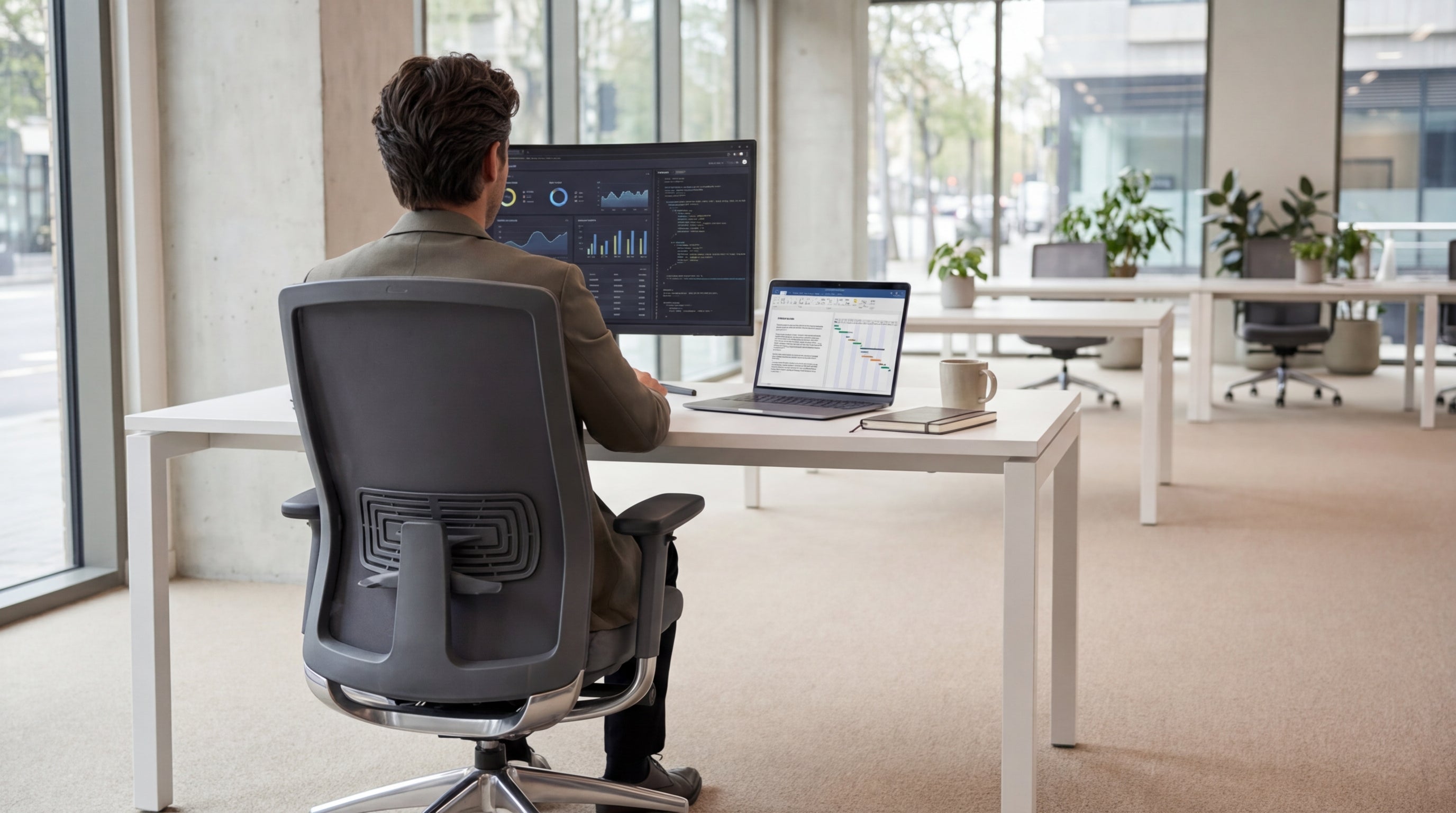
Why Adjustable Lumbar Support Matters for Aussie Workspaces
Lower back pain is one of the most common complaints for people who sit all day. That’s where proper lumbar support becomes non‑negotiable rather than a luxury.
The lumbar region is the natural inward curve of your lower spine. When you sit for long stretches without supporting that curve, your back muscles work overtime to keep you upright. Over time this can lead to stiffness, fatigue, and in some cases, chronic pain that follows you home long after you’ve logged off for the day.
Adjustable support in this area lets you fine‑tune the chair to your body shape instead of forcing your spine to adapt to the chair. Whether you’re tall, short, or somewhere in between, being able to move the support up, down, or in and out keeps your posture neutral and your weight evenly distributed. This is especially important in Australian offices where hybrid work often means people spend intense blocks of time at their desks.
Many modern ergonomic designs combine lumbar features with breathable backs, as seen in quality mesh office chairs. The mesh material contours to your back while the adjustable pad or tension mechanism supports the lumbar curve, helping reduce heat build‑up in warmer climates and keeping you more comfortable over long workdays.
Key Features to Look For in a Lumbar-Friendly Chair
A good chair with lumbar adjustment should do more than just feel soft. It needs the right mechanisms and build quality to support you all day.
Start with height and depth adjustability. Height adjustment lets you align the lumbar pad with the natural curve of your lower spine, not the middle of your back. Depth (how far the support protrudes) is just as important; some people need a more pronounced curve, while others prefer a gentler push. Ideally, you can fine‑tune this rather than simply switching between “on” and “off”.
Next, consider overall ergonomics, not just the backrest. A stable base, smooth gas lift, and a seat that allows your feet to rest flat on the floor all contribute to proper posture. Well‑designed task chairs often combine adjustable lumbar support with seat depth sliders, tilt tension, and lockable recline, so you can move between focused typing and relaxed reading without straining your back.
If you’re sitting for extended periods or you’re a heavier user, frame strength and weight rating become crucial. In that case, look at heavy duty chairs with reinforced components and high‑density foam. These models are built to last under intensive daily use, maintaining their support over time rather than sagging after a few months.
Finally, think about materials and feel. Leather‑look or genuine leather chairs offer a more executive aesthetic, while fabric or mesh can be cooler and more forgiving in shared spaces. The key is ensuring the lumbar mechanism still allows easy adjustments no matter which covering you choose.
Matching Chair Styles to Different Work Tasks
Not every role needs the same type of chair, even when lumbar support is a priority. How you work should guide the style you choose.
For focused desk work, adjustable task chairs are often the best balance of support and flexibility. They’re designed for people who spend hours at a screen, offering features like adjustable arms, seat height, and reclining functions that complement the lumbar support. These options make it easier to maintain healthy posture across different tasks such as typing, video calls, and reading documents.
Creative roles or standing‑height workstations may benefit from specialised seating. drafting chairs are built for higher desks and sit‑stand setups, usually including footrings and extended gas lifts. When these chairs also offer lumbar adjustment, they help you maintain spine alignment even when you’re perched higher than a standard workstation, reducing pressure on your lower back while giving you the extra reach you need.
In collaborative spaces, you might not get full customisation for every user, but you can still choose supportive designs. Well‑padded meeting chairs and stackable training chairs with contoured backs can encourage better posture during shorter sessions. For reception areas, thoughtfully designed visitor chairs offer comfort and a professional look, helping guests feel at ease while still subtly guiding them into a healthy seated position.
Who Benefits Most from Advanced Lumbar Adjustments?
Some people will feel the difference from a basic upgrade, while others genuinely need advanced lumbar systems. Understanding your needs helps you invest wisely.
Anyone with existing lower back sensitivity, a history of disc issues, or sciatica should prioritise fine‑grained adjustability. A chair that lets you tweak lumbar height and firmness can help reduce pressure on problem areas and support the spine where it’s weakest. In combination with adjustable seat tilt and backrest recline, this can encourage what physiotherapists call “dynamic sitting” – small posture shifts throughout the day that keep joints and muscles from seizing up.
Larger or taller users often struggle with generic, one‑size‑fits‑all office furniture. Reinforced heavy duty chairs not only offer higher weight ratings but frequently have broader backrests and more robust lumbar pads. This combination provides stable, targeted support without the feeling that you’re perched on something too small or flimsy for your frame.
People with limited mobility or those recovering from surgery may need more specialised assistance. Motorised power lift chairs are designed to help you get in and out of a seated position with less effort, and many incorporate structured lumbar cushioning. While they’re more common in home offices or aged‑care settings than in corporate spaces, they can be invaluable when standard office chairs are difficult or unsafe to use.
Finally, if you’re regularly moving between spaces—say from your main desk to a collaborative area or a training room—look for consistent support across the different seating you use. Choosing ergonomically shaped mesh office chairs for workstations and well‑designed meeting chairs for shared rooms can help protect your back even when you’re not in “your” usual seat.
Practical Tips for Getting the Most Out of Your Chair
Even the best chair won’t help if it’s poorly adjusted. A few simple tweaks can dramatically improve comfort and support.
Start by setting seat height so your feet rest flat on the floor and your knees are roughly at hip level or slightly below. Then adjust the lumbar support so it sits in the small of your back where the natural inward curve is most noticeable. You should feel gentle, consistent contact—not a hard jab. If your chair has recline functions, set the tension so you can lean back smoothly without feeling like you’ll tip.
Once your main settings are dialled in, don’t forget armrests and seat depth. Armrests should allow your shoulders to relax with elbows close to a 90‑degree angle; this takes pressure off both your neck and lower back. If your chair includes a sliding seat, ensure there’s a few centimetres of space between the front edge and the back of your knees. Many contemporary task chairs and premium leather chairs include these adjustments, helping you fine‑tune the fit like you would a car seat.
For flexible or hot‑desking environments, it helps to standardise on user‑friendly designs that adjust quickly. Selecting intuitive mesh office chairs for primary workpoints and supportive training chairs for learning spaces makes it easier for staff to sit well without needing a full ergonomic assessment every time they move. Pair these with ergonomic visitor and visitor chairs in reception and breakout zones so comfort and good posture are built into every part of the office.
Finally, remember that no chair can replace movement. Aim to stand, stretch, or walk for a couple of minutes every half hour, even if it’s just to refill your water. A well‑chosen combination of supportive drafting chairs, collaborative meeting chairs, and everyday task chairs can support these healthy habits by making every seated position more sustainable—but your body will still thank you for those regular breaks.


