

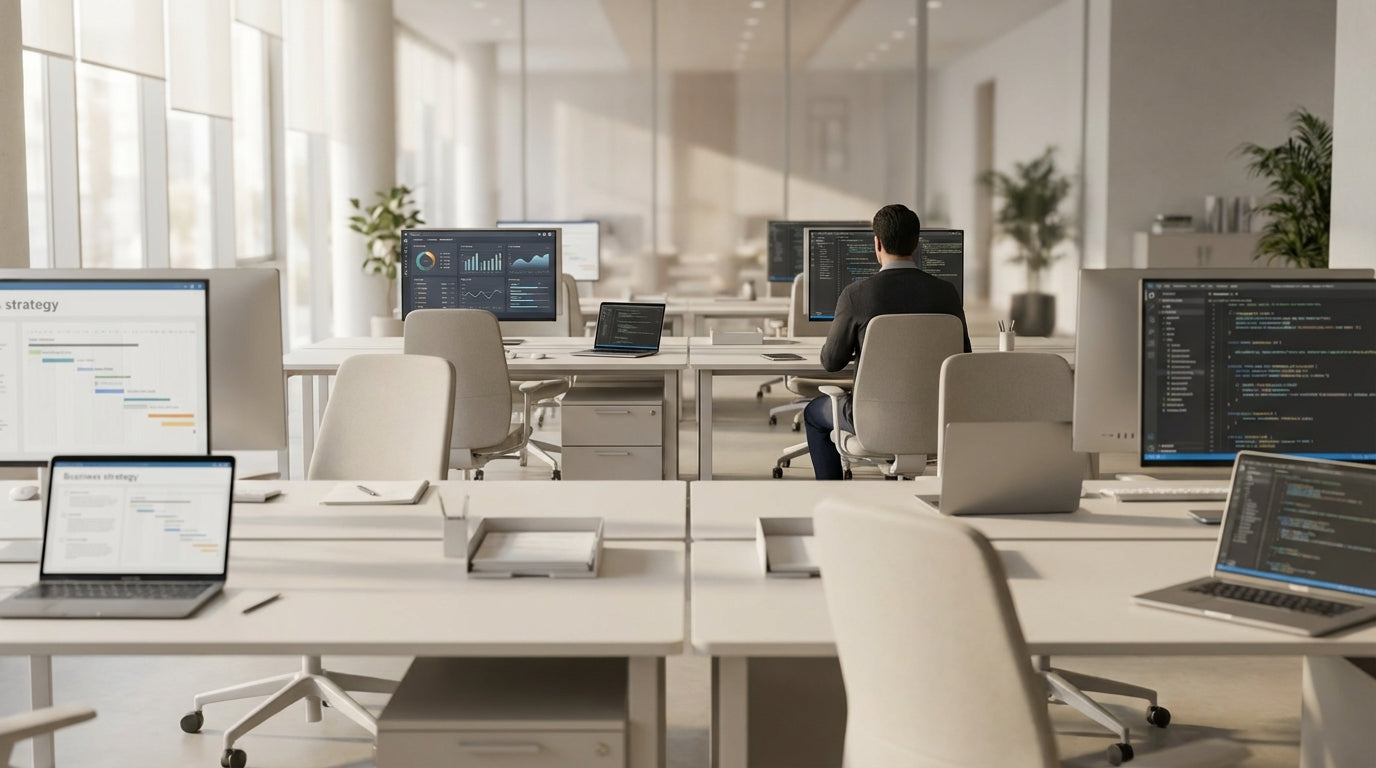
Understanding team needs before you plan the layout
Before choosing a workstation configuration for eight people, start by understanding how your team actually works. The best setup balances collaboration, privacy, and comfort in your available floor space.
List the core tasks your team handles each day and note how much they need to talk, focus, and move around. For example, a sales or customer service group will benefit from easy communication and visibility across pods, while developers, designers, or accountants may need more acoustic and visual privacy to concentrate. Clarifying these needs helps you decide between open benching, pod-based layouts, or more enclosed styles such as Partition Workstations.
Measure your room carefully, including windows, doors, power points and data outlets. This will influence whether you select straight desks, Corner Workstations, or compact pods of four joined together to support eight staff. Don’t forget space for circulation, storage and shared equipment like printers or filing cabinets, as cramped layouts quickly harm productivity and safety.
Finally, think ahead. If you plan to grow beyond an eight-desk cluster, look for modular systems and compatible Workstation Components that let you add more positions without redoing the entire office. A flexible plan now can save you time, money and disruption later.
Popular configurations for eight-person desk pods
There are several proven ways to arrange a workstation cluster for eight team members. Each configuration offers different advantages for communication, privacy, and space efficiency.
A straight-line benching system using a purpose-built 8 Person Workstations setup is ideal for long, narrow rooms. Desks are linked into a single shared structure, often with central cable channels to keep power and data tidy. This style maximises floor space and creates a very open feel, making it easy for managers to supervise and for colleagues to collaborate quickly.
Where you want more structure, four-person pods mirrored back-to-back can form a compact block of eight. This creates a natural “neighbourhood” for a single team, reducing walking distance between colleagues who work together frequently. You can enhance this block with central storage, shared monitor arms, or acoustic screens to control noise.
In tight or awkward rooms, combining smaller Corner Workstations in an L-shape around the perimeter can also support eight people comfortably. This arrangement keeps the centre of the room open for meeting areas or extra storage, while each person has a defined corner with good surface space. Pairing these with selected Workstation Components such as CPU holders and under-desk storage can help keep the footprint lean but functional.
Balancing privacy, acoustics, and collaboration
Getting the right mix of openness and privacy is critical in any eight-person workstation cluster. Too open and the team gets noisy; too closed and communication suffers.
Desk screens are a simple way to introduce privacy without isolating staff. Low or mid-height Desk Mounted Partitions allow people to focus visually while still talking easily over the top when needed. If noise is a concern, adding a combination of fabric screens and acoustic panels helps reduce distracting sound without turning the workstation into a cubicle farm.
For teams that need occasional separation, flexible screening is useful. You can combine fixed desk screens with Floor Partitions to separate pods of four within an eight-person section, giving each mini-team its own “zone”. For changing project groups or hot-desking, consider Mobile Partitions that can be rolled into place around the pod to create temporary breakout areas or focused work zones.
Think about line of sight as well. Stagger monitors or position screens so people aren’t facing high-traffic walkways or entry doors directly, which can be distracting. By planning where partitions, desks and people sit in relation to each other, you can maintain a sense of team connection while still supporting deep, focused work.
Ergonomics, movement, and wellbeing for groups of eight
Good workstation design is not just about how desks fit the room; it’s also about how well they fit your people. Supporting healthy movement and posture goes a long way to keeping an eight-person cluster productive.
Height flexibility is a major consideration. Incorporating some or all Height Adjustable Workstations in your eight-desk arrangement allows staff to alternate between sitting and standing, reducing fatigue and discomfort over the day. These can be grouped in pairs or integrated into existing bench systems, so you don’t have to redesign the entire layout to gain the benefits.
Allow adequate depth for monitors, keyboards and document space on each station. Chairs should move freely without bumping into neighbours or walls, and there should be clear access paths around the pod so people aren’t squeezing past each other constantly. Matching the right ergonomic chairs and accessories with your core 8 Person Workstations will help maintain comfort, especially in teams that spend long hours at their desks.
Also consider the shared environment. Good lighting, access to natural light where possible, and air flow around the cluster all influence wellbeing. By combining ergonomic furniture choices with thoughtful spacing, your eight-person workstation layout can support both health and high performance.
Cable management, add-ons, and future flexibility
Once your basic workstation shape is set, the details make the difference. Smart cable management and accessories keep an eight-person cluster efficient and easy to adapt.
Untidy cords quickly become a hazard and a visual distraction, especially when you multiply them across eight desks. Use integrated troughs, power rails, and dedicated Cable Management solutions to route leads neatly under or between desks. This makes it easier to clean, swap equipment, and troubleshoot IT issues without disrupting the whole team.
Modular Workstation Components such as modesty panels, CPU holders, monitor arms, and under-desk storage can be added or removed as roles change. Combine these with suitable Desk Mounted Partitions or nearby Floor Partitions to fine-tune privacy and storage around the cluster without buying a whole new system.
When you build your layout around modular 8 Person Workstations, it’s easier to scale up or reconfigure for new teams, projects, or hybrid working patterns. With the right structure in place and well-planned Cable Management, you can add more pods, shift a group to hot-desking, or integrate extra Height Adjustable Workstations without starting from scratch.


