

Understanding Interactive Whiteboards in Modern Workspaces
Interactive whiteboards have become a core tool for hybrid work, replacing static whiteboards and old-school projectors. Choosing the right model starts with knowing how your team actually collaborates day to day.
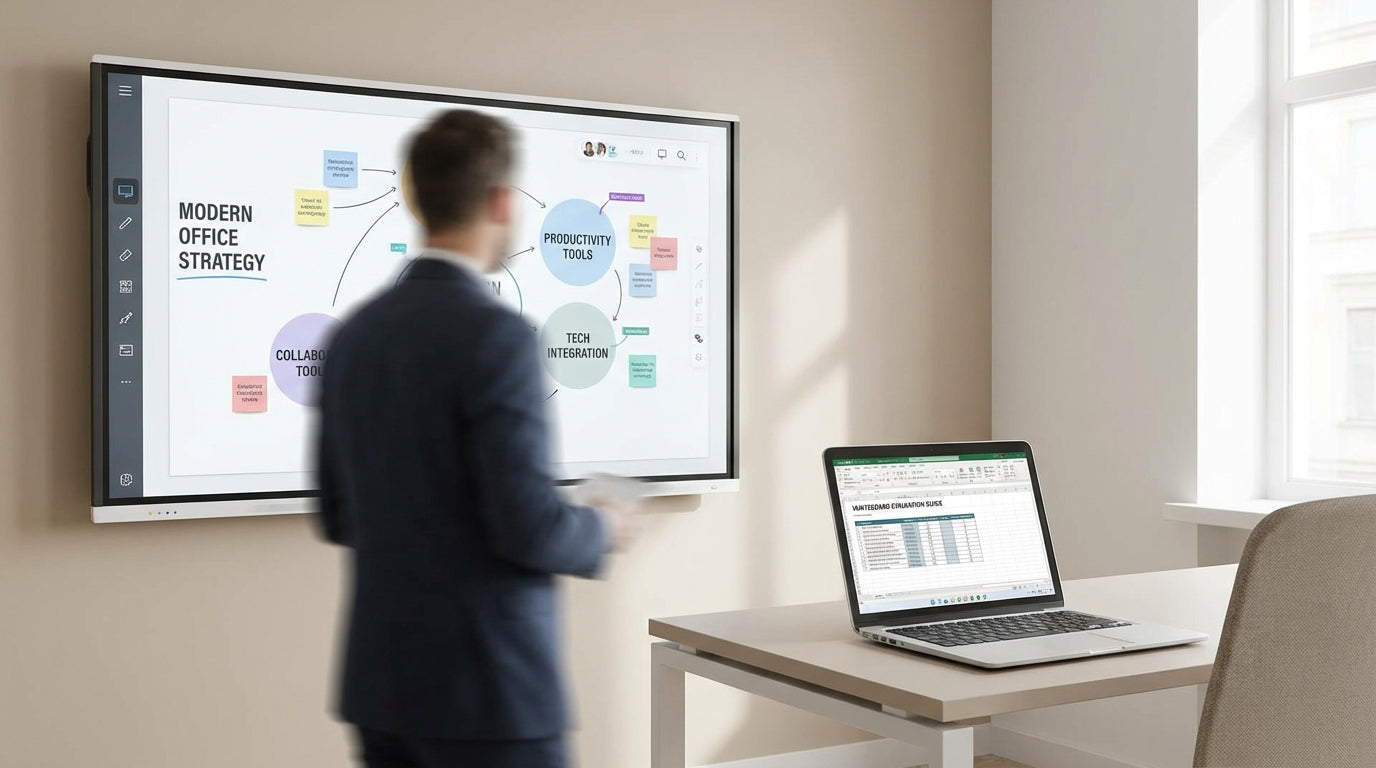
At the most basic level, an interactive whiteboard is a digital screen that lets multiple users write, draw and control content directly on the surface. Unlike traditional magnetic whiteboards or porcelain whiteboards, these boards connect to computers, video conferencing platforms and cloud apps so your team can share content in real time. This makes them ideal for workshops, agile stand-ups, brainstorming sessions and client presentations where interaction and visual communication are critical.
Modern electric models go a step further. Many electric interactive whiteboards include features like height adjustment, built-in operating systems, wireless screen sharing and integrated speakers. These aren’t just “big touchscreens” – they’re collaboration hubs that bring laptops, tablets and remote participants onto one shared digital canvas.
It’s also worth considering how interactive boards will work alongside other writing surfaces in your office. Some teams still prefer traditional glass whiteboards for quick sketching, or planner & specialty whiteboards for scheduling and task tracking. A good office setup often combines digital and analogue tools so people can use the right surface for the job.
Key Features to Compare Before You Buy
Not all interactive whiteboards are built the same. Focus on the features that actually support your meeting style and technology stack.
Start with screen size and resolution. For standard meeting tables and huddle spaces, a 65–75 inch screen usually works well; for larger boardroom tables, you may need 86 inches or more so people at the back can read fine text. A 4K display delivers crisp detail for spreadsheets, UX designs and engineering drawings, which is especially important when sharing complex content over video calls.
Touch technology and responsiveness are equally important. Look for multi-touch capability so several people can write or move objects at the same time without lag. Some electric interactive whiteboards support both pen and finger input, palm rejection (so resting your hand doesn’t draw) and quick switching between annotation and navigation modes. These details make a huge difference in real-world workshops, where fluid interaction keeps sessions moving.
Connectivity should match your current devices and conferencing tools. USB-C, HDMI, Wi-Fi and Bluetooth are common, but check support for wireless screen sharing from Windows, macOS, Android and iOS. If you already use projection in some rooms, you may benefit from integrating the board with existing projection boards & presentation accessories to maintain consistency across spaces.
Finally, look at the software ecosystem: whiteboarding apps, cloud storage integration, browser access and annotation tools over web pages and documents. Some boards mirror familiar interfaces, while others come with purpose-built collaboration suites. Aim for tools your team can pick up quickly, backed by local support and training where possible.
Matching Board Types to Different Office Spaces
The best interactive whiteboard for a large boardroom won’t necessarily suit a flexible project space. Think room by room rather than buying one model for the entire office.
In formal meeting and executive rooms, a wall-mounted digital board paired with a quality boardroom table creates a clean, permanent setup. Here, built-in cameras and microphones, strong presentation tools and seamless video conferencing matter most. You may also want to complement the interactive panel with adjacent glass whiteboards or porcelain whiteboards for overflow notes or longer-term reference information that stays on the wall between meetings.
For agile project rooms and training spaces, flexibility is key. Teams often reconfigure furniture and tech to suit workshops, breakouts or stand-ups. In these areas, pairing an interactive panel with mobile whiteboards gives you the best of both worlds: a digital hub for shared content plus movable surfaces for group work. You might also incorporate planner & specialty whiteboards to track sprints, deadlines and team capacity alongside interactive sessions.
Smaller huddle rooms or hybrid “phone booth” spaces can use compact interactive boards or all-in-one screens. Because these areas often host quick check-ins rather than long workshops, focus on instant-on performance, easy wireless casting and compatibility with laptops. A simple setup with an interactive display, a modest meeting table and well-chosen whiteboard accessories such as markers, erasers and cleaning kits is often enough.
Open-plan collaboration zones benefit from a mix of tech. You might use a centrally located interactive board for team updates and dashboards, surrounded by traditional magnetic whiteboards for pinning printouts, and glass whiteboards for quick sketches. This layered approach encourages spontaneous collaboration without forcing every conversation onto a screen.
Ergonomics, Accessibility and Ease of Use
A powerful interactive whiteboard is only valuable if people are comfortable using it. Ergonomics and accessibility should be part of your selection criteria from the start.
Height adjustment is one of the biggest usability factors. Many electric interactive whiteboards come with motorised lifts so users of different heights, including people in wheelchairs, can reach all parts of the screen. If you’re installing a fixed-height board, measure carefully against the typical standing and seated positions around your meeting tables or boardroom tables to avoid neck strain and awkward writing angles.
Glare, lighting and viewing distances also matter. High-gloss surfaces can reflect overhead lights, making content hard to read; matte or low-glare finishes minimise this problem. If your rooms already use other writing surfaces such as porcelain whiteboards or glass whiteboards, try to keep viewing heights and sightlines consistent so people can move between surfaces without constant refocusing.
From a usability standpoint, simple controls, clear menus and reliable pens are essential. Keep spare styli, cleaning solutions and microfibre cloths on hand through dedicated whiteboard accessories. Clear instructions near the board, brief training sessions and quick-reference guides help staff feel confident using features like annotation, screen capture and video call integration, rather than defaulting back to passive presentations.
Don’t forget your remote team members. The board’s camera placement, microphone array and integration with projection boards & presentation accessories will influence how clearly off-site participants can see both content and in-room collaborators. Testing typical meeting scenarios before a full rollout can uncover small, fixable issues that otherwise frustrate remote staff.
Planning Your Investment and Future-Proofing
Interactive whiteboards are a long-term investment, so think beyond the immediate purchase price. Consider total cost of ownership and how easily the system can evolve with your business.
Upfront, factor in installation, wall reinforcement, cabling, training and any optional mounts or carts. Some organisations choose a mix of premium boards for high-use rooms and simpler displays in secondary spaces, supplemented by traditional magnetic whiteboards or mobile whiteboards where digital features are less critical. Aligning board capabilities with room importance helps you stay on budget without compromising key spaces.
Future-proofing is largely about compatibility and modularity. Look for boards that receive regular software updates, integrate with current and emerging conferencing platforms, and support standard connections rather than proprietary-only accessories. If you already rely on projection boards & presentation accessories, ensure your new interactive solution can either replace or work alongside them during a transition period.
Finally, think about how the interactive board ecosystem fits into your broader office layout and collaboration strategy. Blending digital panels with planner & specialty whiteboards, glass whiteboards and the right mix of meeting tables and boardroom tables creates a cohesive environment where ideas can move easily from sketch to screen. By planning for growth, upgrades and changing work patterns now, you’ll end up with interactive technology that supports your team well into the future.


