

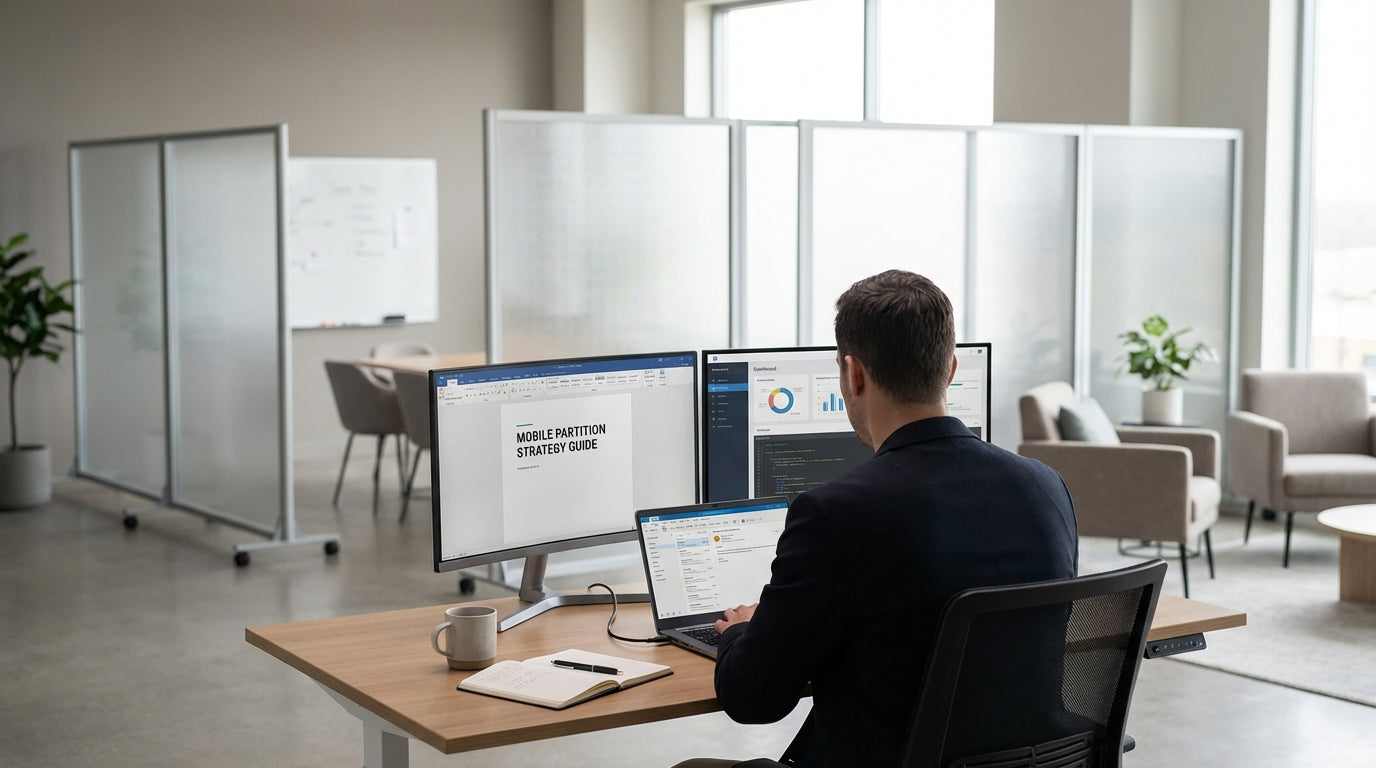
Understanding Mobile Partitions and Flexible Workspaces
Modern workplaces need to adapt quickly to changing teams, projects, and privacy needs. Mobile partitions make it easy to reshape your layout without expensive fit-outs.
Unlike fixed plasterboard walls, mobile room dividers are free-standing panels on wheels or stable feet that can be moved, folded, and reconfigured. They help you carve out quiet zones, collaboration areas, and walkways in open-plan offices, schools, and coworking hubs. When combined with flexible furniture such as Mobile Tables and Mobile Whiteboards, they create agile spaces that can be rearranged in minutes.
For businesses moving away from traditional cubicles, mobile partitions provide a middle ground between total openness and private offices. You can support individual focus with options like Office Pods and Single Person Workstations, while still keeping the layout fluid. This approach helps you respond to growth, hybrid work patterns, and changing project teams without committing to permanent construction.
Flexible workspace design is also about future-proofing your office fit-out. By investing in high-quality Mobile Partitions and complementary items such as Partition Workstations, you retain control over your floor plan even as your organisation evolves.
Key Features to Look For in Mobile Partitions
Choosing the right panels starts with understanding the features that matter most to your team. Focus on durability, acoustic performance, and ease of movement.
Frame and panel materials directly affect longevity and stability. Powder-coated steel or aluminium frames resist knocks and daily movement, while fabric, laminate, or polycarbonate panels offer different levels of sound absorption and light transmission. Heavier, fabric-wrapped panels tend to provide better acoustic privacy, especially when used alongside Floor Partitions and Desk Mounted Partitions for extra noise control around desks.
Castors are another critical detail. Lockable, smooth-rolling wheels make it easy to reposition dividers without damaging carpets or hard floors. Look for partitions that can be linked together in straight or angled configurations, so you can create nooks for 2 Person Workstations or larger banks of 4 Person Workstations. If you frequently host workshops, combining mobile dividers with Mobile Whiteboards gives you both visual privacy and a writable surface.
Height and width options should match your intended use. Taller units offer more privacy for focus areas and Office Pods, while lower screens are ideal for visually defining zones without blocking natural light. Check that panels can be folded or nested for compact storage when you need to open up the floor for events or team days.
Planning Layouts for Different Work Styles
A good partition layout supports multiple work modes: focus, collaboration, and informal catch-ups. Start by mapping how your people actually use the space day to day.
For focus work, consider creating quiet corridors of desks using a mix of Floor Partitions and Partition Workstations. These can be paired with individual options like Single Person Workstations for staff who need deep concentration. Position these zones away from main thoroughfares, and use taller Mobile Partitions to block noise and visual distractions from meeting areas or break spaces.
Collaboration zones benefit from more open layouts. Use mobile dividers to define an informal project area around 2 Person Workstations or clusters of 4 Person Workstations. Pair these with Mobile Tables that can be pushed together or separated for workshops, daily stand-ups, or client presentations. Incorporating Mobile Whiteboards lets teams brainstorm and keep project information visible while still being able to wheel everything aside when the space is needed for another purpose.
Don’t overlook semi-private areas for quick calls or one-on-ones. Combining an Office Pod with surrounding mobile panels can form a mini quiet zone inside an open-plan floor. Because everything is movable, you retain the ability to re-balance the ratio of quiet to collaborative spaces as team sizes and work patterns shift over time.
Balancing Acoustics, Privacy, and Light
Open-plan offices can be noisy and visually busy. The right mix of partitions will control sound and sightlines without making the space feel boxed in.
Acoustic performance matters in areas where people take calls, run online meetings, or need uninterrupted focus. Fabric or acoustic-core Mobile Partitions help absorb sound, especially when arranged in clusters around Single Person Workstations and Office Pods. Adding Desk Mounted Partitions at workstation level further breaks up noise pathways, reducing the “echo chamber” effect that’s common in large, hard-surfaced rooms.
Privacy doesn’t always mean full visual separation. Frosted or semi-transparent panels can screen monitors and reduce distractions while still allowing natural light to pass through. This is useful in banks of 4 Person Workstations where you want team members to feel connected but not exposed. In meeting and training zones, combining floor-standing dividers with Mobile Whiteboards gives you both a privacy barrier and a practical tool for sharing information.
Light is a major factor in staff comfort and productivity. When you’re placing Floor Partitions, avoid blocking windows or key sightlines entirely. Lower panels or those with glazed sections allow daylight to travel deeper into the office while still defining boundaries. In flexible areas with Mobile Tables and hot-desking setups, this balance helps the whole environment feel open and inviting rather than cramped.
Integrating Mobile Partitions with Existing Furniture
To get full value from your dividers, integrate them with the workstations and meeting furniture you already use. Think of them as part of a single, flexible system.
Start by assessing your current workstation mix. If your office relies on shared 2 Person Workstations and 4 Person Workstations, use mobile panels to create neighbourhoods for different teams or functions. For roles that require more privacy, supplement with Partition Workstations or add Desk Mounted Partitions to existing desks. This layered approach lets you enhance privacy without replacing all your furniture at once.
Meeting and project spaces benefit from highly mobile solutions. Pair Mobile Partitions with Mobile Tables so you can switch between a boardroom-style setup, workshop clusters, or open floor space for events. Mobile Whiteboards can be parked alongside partitions to form pop-up presentation walls or temporary focus rooms. For staff who need deep-focus zones, integrate enclosed Office Pods into these layouts, using dividers to provide a softer transition between open and enclosed areas.
Over time, you can refine your configuration based on how people actually work. Because Mobile Partitions, Floor Partitions, and modular workpoints are easy to relocate, you can trial different layouts without committing to permanent changes. This ongoing flexibility is what turns a static office into a truly adaptable, activity-based environment that supports both current and future ways of working.


