

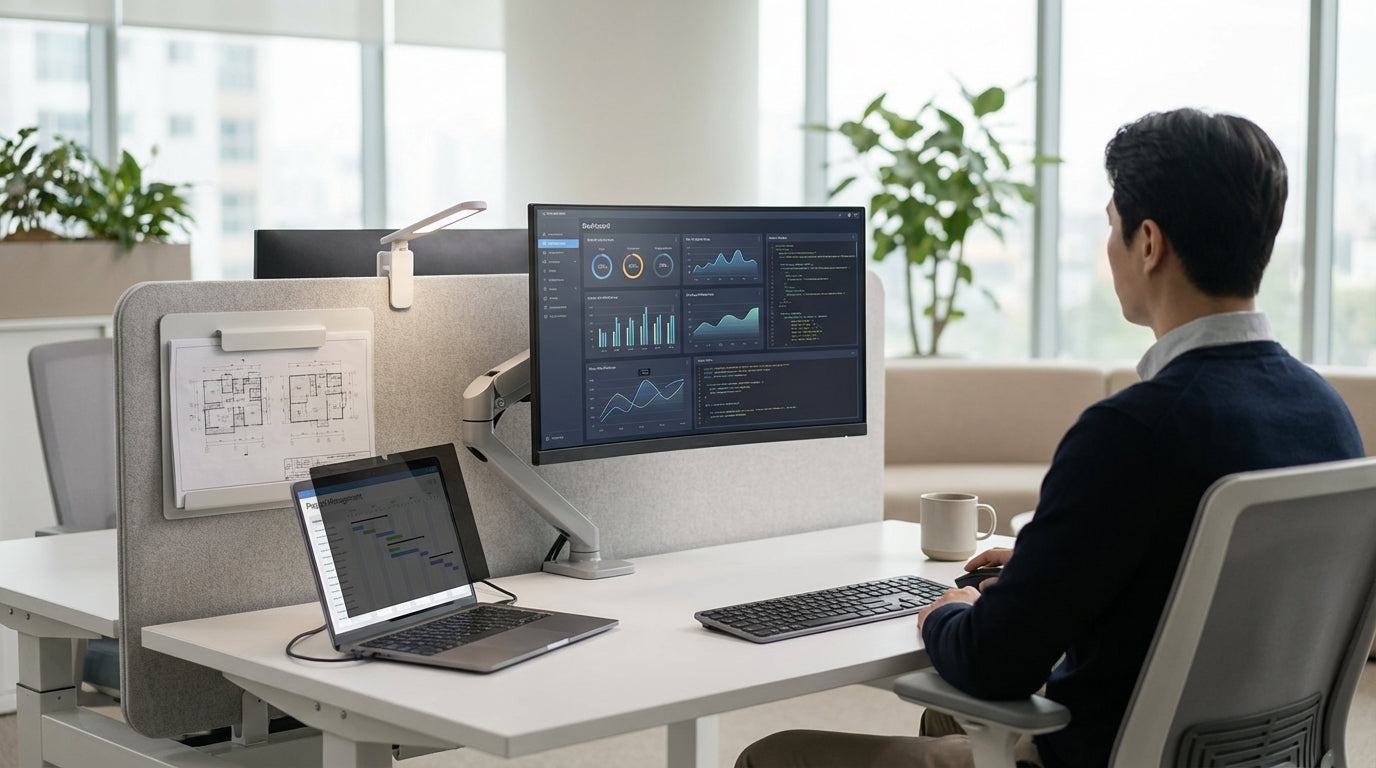
Understanding Your Workspace and Screen Types
Before choosing accessories, you need to be clear about the type of screen and workstation you’re working with. Different layouts and materials call for different attachment methods and accessory styles.
The first step is to map out your workstation layout and screen configuration. For example, a bank of Corner Workstations will have very different needs compared with open-plan Partition Workstations. Take note of the screen height, thickness, and material (fabric, acoustic panel, acrylic, glass or metal), as these details determine which brackets, clamps and rails will be compatible.
It also helps to consider how permanent or flexible your setup needs to be. If you often reconfigure teams, pairing accessories with Desk Mounted Partitions or even fully reconfigurable Mobile Partitions will give you more freedom. In more fixed environments, such as call centres or focused work pods, you might combine desk-mounted screens with taller Floor Partitions to create layered privacy and use accessories to fine-tune each workstation.
Don’t forget the broader environment beyond the desk. Wall-mounted acoustic treatments such as Acoustic Wall Tiles and freestanding screens can reduce noise and visual distraction before you even start adding trays or rails. Knowing how your screens sit within this bigger picture helps you select accessories that complement, rather than clash with, your existing Workstation Components.
Prioritising Function: Storage, Privacy and Organisation
Desk screen accessories should solve practical problems first, not just look tidy. Start by listing what’s always getting in your way or cluttering the surface.
If paperwork piles are a constant headache, consider tool rails and hanging trays that clip to your dividers. Many Screen Accessories are designed to keep notebooks, files and stationery off the desk but within arm’s reach, freeing up valuable space on Corner Workstations and straight desks alike. Pen cups, paper trays and whiteboard modules that hook into a rail system are ideal if you share desks or hot-desk, because they’re easy to rearrange.
For privacy, think vertically. Adding higher clip-on panels or modesty screens to existing Desk Mounted Partitions can create a more enclosed feel without rebuilding the workstation. Where hygiene or face-to-face interaction is a concern, such as reception or shared project spaces, combining solid screens with Acrylic Screens gives staff separation while keeping sight lines open.
Organisation isn’t just about storage; it’s also about cable management and equipment placement. When evaluating Workstation Components, look for screen-mounted options for monitor arms, headset hooks and cable clips so cords don’t dangle across the desk or floor. The right combination of accessories means each workstation—whether part of a bank of Partition Workstations or a single office—stays consistent and easy to keep tidy.
Matching Accessories to Screen Materials and Fixings
Not every accessory suits every screen. The way items attach to your dividers is critical for safety and durability.
Fabric and acoustic panels commonly used in Partition Workstations generally work best with clamp-on or rail systems rather than screw-through fixing, which can damage the core. Many modern Screen Accessories are designed with universal clamps that adjust to different thicknesses, making them suitable for both soft panels and solid frames. If your office uses thicker acoustic or pinboard-style panels, check the maximum opening of clamps to ensure a firm grip.
With glass and acrylic, you need non-invasive fixings. Accessory systems that can attach to the top edge of Acrylic Screens or hang from uprights are ideal, as drilling into transparent materials can cause cracking and void warranties. For areas where screens double as hygiene barriers, such as between neighbouring desks, look for accessories that sit beneath or alongside the divider rather than piercing it.
When screens form part of a broader system—combining Floor Partitions with Desk Mounted Partitions and wall treatments like Acoustic Wall Tiles—choose accessory ranges that can be used consistently across the lot. This makes it easier to relocate accessories if the layout changes or when upgrading to new Workstation Components. Ensuring your accessories are compatible with the material and fixings of your dividers will save costly replacements and keep everything stable over time.
Considering Acoustics, Lighting and Wellbeing
The right screen accessories can improve more than storage; they can enhance comfort, focus and overall wellbeing. Think about sound, light and how people actually work across the day.
In busy open-plan offices, pairing sound-absorbing dividers with thoughtfully chosen Screen Accessories can significantly reduce noise and distractions. For example, accessory rails mounted on higher acoustic screens or alongside Acoustic Wall Tiles can hold whiteboards, planners and project boards, keeping collaboration tools available without adding hard, sound-reflective surfaces. This is especially effective in pods built from Floor Partitions or enclosed banks of Partition Workstations.
Lighting is another key factor. Screen-mounted accessory rails that support task lights help reduce shadows created by high desk dividers, particularly around Corner Workstations where natural light may be blocked. Having the light anchored to the screen rather than the desktop frees space and makes it easy to direct illumination exactly where it’s needed for reading, drawing or keyboard work.
Wellbeing extends to visual clarity and cleanliness. In customer-facing or shared areas, clear Acrylic Screens with integrated document holders or sign frames can communicate information without clutter. In agile spaces that rely on Mobile Partitions, choosing lightweight accessories that can move with the screen—such as clip-on hooks or portable caddies—helps staff personalise their space quickly, supporting comfort while maintaining a clean, professional look.
Planning for Flexibility, Growth and Future-Proofing
Office layouts change as teams grow, shrink or switch to hybrid work. Your screen accessories should adapt just as easily as your partitions and workstations.
Start by choosing modular systems that work across different divider types, from Desk Mounted Partitions to taller Floor Partitions. When your business reorganises, you can move tool rails, trays and holders from one zone to another without buying everything new. This is particularly useful in offices that mix permanent desks with flexible pods built from Mobile Partitions, where reconfiguration is frequent.
If you expect to scale up, make sure the accessory range you select offers add-ons and extensions. A system that integrates cleanly with a wide variety of Workstation Components gives you room to introduce new technology, extra storage or acoustic upgrades over time. Pairing these accessories with robust dividers in your Partition Workstations or Corner Workstations means you can update function without replacing the core furniture.
Finally, consider how your accessories support different work styles. Teams focused on deep concentration may benefit more from acoustic enhancements like Acoustic Wall Tiles and higher privacy screens, while collaborative groups may lean on writable surfaces, shared document rails and visible dividers such as Acrylic Screens. By planning for flexibility from the outset and choosing well-designed Screen Accessories, you can create workstations that evolve easily with your staff, technology and ways of working.


