

Choosing a sit-stand workstation for your home office can feel overwhelming with so many options on the market. A bit of planning upfront will save you money, frustration, and potential aches and pains later.
Start by measuring your space and noting any fixed features such as windows, power points, and doors. This helps you decide whether a compact straight desk, corner layout, or full workstation will suit best. Think about how you actually work: do you need room to spread out papers, or is your setup mostly digital with a laptop and one monitor? Matching the desk footprint to your workflow prevents clutter and keeps movement comfortable when you transition between sitting and standing. Also consider noise levels if you’re sharing a house; some electric frames are quieter than others, which matters in small apartments or open-plan living areas.
Budget is another early filter. Manually adjustable models are generally cheaper but require you to use a crank or pins to change height, which can be annoying if you switch positions often. Electric desks cost more but offer push-button convenience and better precision, especially useful if multiple people share the workstation. It’s also worth checking local warranty support and replacement part availability in Australia, as cheaper imports can become costly if anything breaks.
Getting the right height range is critical for comfort and avoiding strain. A suitable desk should allow your elbows to sit roughly at a 90-degree angle while typing, both when you’re seated and when you’re standing.
Check the minimum and maximum height specifications rather than relying on “standard” sizing. If you’re particularly tall or short, you may need a frame with an extended range or to pair the desk with an adjustable chair and footrest. Many people in shared households look for a desk that suits both partners, so opt for a model that comfortably covers the extremes in your family’s height. Don’t forget to factor in the thickness of your desktop, external keyboard, and any desk mats when you calculate the total working height.
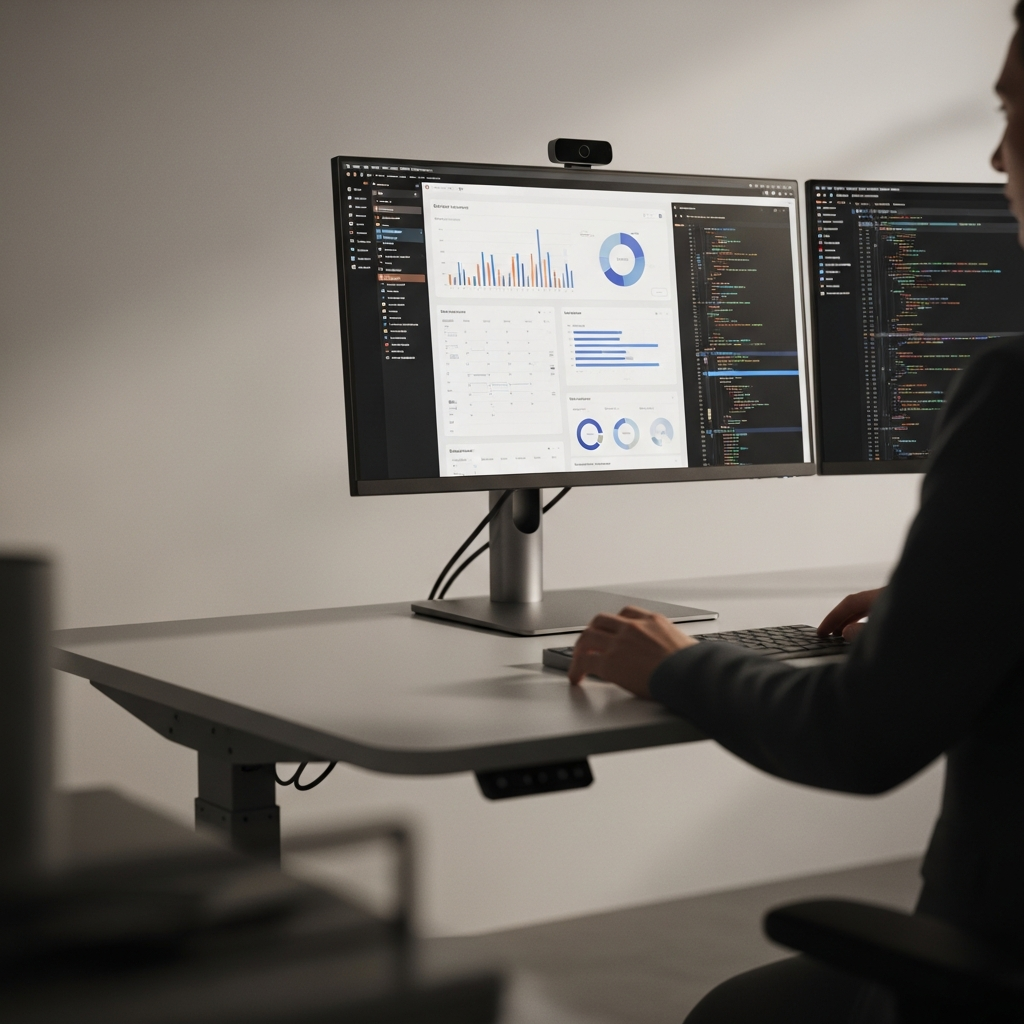
Stability is just as important as height. A desk that wobbles when raised will make typing uncomfortable and can cause monitor shake, which quickly leads to eye strain. Look for dual- or triple-stage legs (these refer to how many segments the leg is built from) and a solid crossbar or robust frame design. If you plan to use multiple monitors, consider pairing your setup with sturdy Monitor Arms that are rated for the weight and size of your screens.
Your desktop size and shape determine how well your workspace supports your daily tasks. Think about what you need within arm’s reach and what can live further away.
For simple laptop-based work, a smaller straight desktop can be enough, especially in tight spaces like studio apartments or student rooms. If you juggle multiple screens, notebooks, and reference material, a wider or deeper top makes life easier and reduces the temptation to pile items on top of each other. Corner or L-shaped configurations provide generous space while using the corner of a room efficiently, letting you dedicate one side to computer work and the other to paperwork or devices like printers.
Also consider edge shape and finish. A rounded or chamfered front edge is more comfortable on your forearms, particularly when you spend hours at the keyboard. Melamine tops are common and affordable, while solid timber or bamboo offer a more premium look; just ensure any material is moisture-resistant and easy to wipe down. Colour matters too: lighter surfaces reflect more light and can brighten darker rooms, whereas darker tops may hide marks better but show dust more easily.
The lifting mechanism and electronics are the heart of a modern standing desk. Reliability, speed, and noise level all matter for day-to-day use.
Electric models typically use dual motors (one in each leg) or a single motor with a drive shaft. Dual-motor setups generally lift faster and handle more weight, which is handy if you run heavy equipment like multiple monitors, speakers, and a desktop PC on the surface. Pay attention to the quoted weight capacity but also how the desk behaves near its maximum load; user reviews often reveal whether a frame slows down, strains, or becomes unstable with heavier gear.
Noise is another practical consideration, especially in small homes or if you’re working while kids are asleep. Look for decibel ratings or descriptions like “whisper-quiet” paired with videos or independent reviews to verify the claim. Memory presets are extremely useful: they let you save ideal sitting and standing heights, so you can switch positions with one button press rather than constant fiddling. Safety features such as anti-collision sensors, soft start/stop motion, and child locks are worth having, particularly in family homes or shared spaces.
Cable management can make or break a clean, functional workstation. As the desk moves, poorly routed cables can snag, disconnect, or pull on devices. Plan for power boards mounted under the desktop, flexible cable chains, and purpose-built accessories like those available in dedicated Cable Management ranges. A tidy setup not only looks better on video calls but also reduces trip hazards and accidental damage.
A sit-stand desk only works well if the entire setup supports good posture and healthy movement. Consider your chair, monitor position, and accessories alongside the desk itself.
Your chair should still be ergonomic, with adjustable height and back support, even if you plan to stand frequently. Standing desks don’t replace proper seating; they simply allow you to vary your posture throughout the day. Many Australians find a rhythm of alternating between sitting and standing every 30–60 minutes works well, rather than trying to stand all day. An anti-fatigue mat can significantly reduce pressure on your feet and lower back while you stand.
Monitor height is crucial: the top of your screen should sit roughly at eye level so you’re not constantly craning your neck. Adjustable arms or risers are ideal because you can change height as you move between sitting and standing without stacking books or boxes under your screens. Keep your keyboard and mouse close, with relaxed shoulders and neutral wrists; a separate keyboard tray can help if your desk height is shared with other users.
Rotation and movement also matter. Use your new setup as a prompt to introduce short stretch breaks, a quick walk around the house, or a few calf raises while waiting on a download. Over time, you’ll find a balance of sitting and standing that feels natural and keeps you productive, rather than turning the desk into an expensive fixed-height table you never adjust.


