

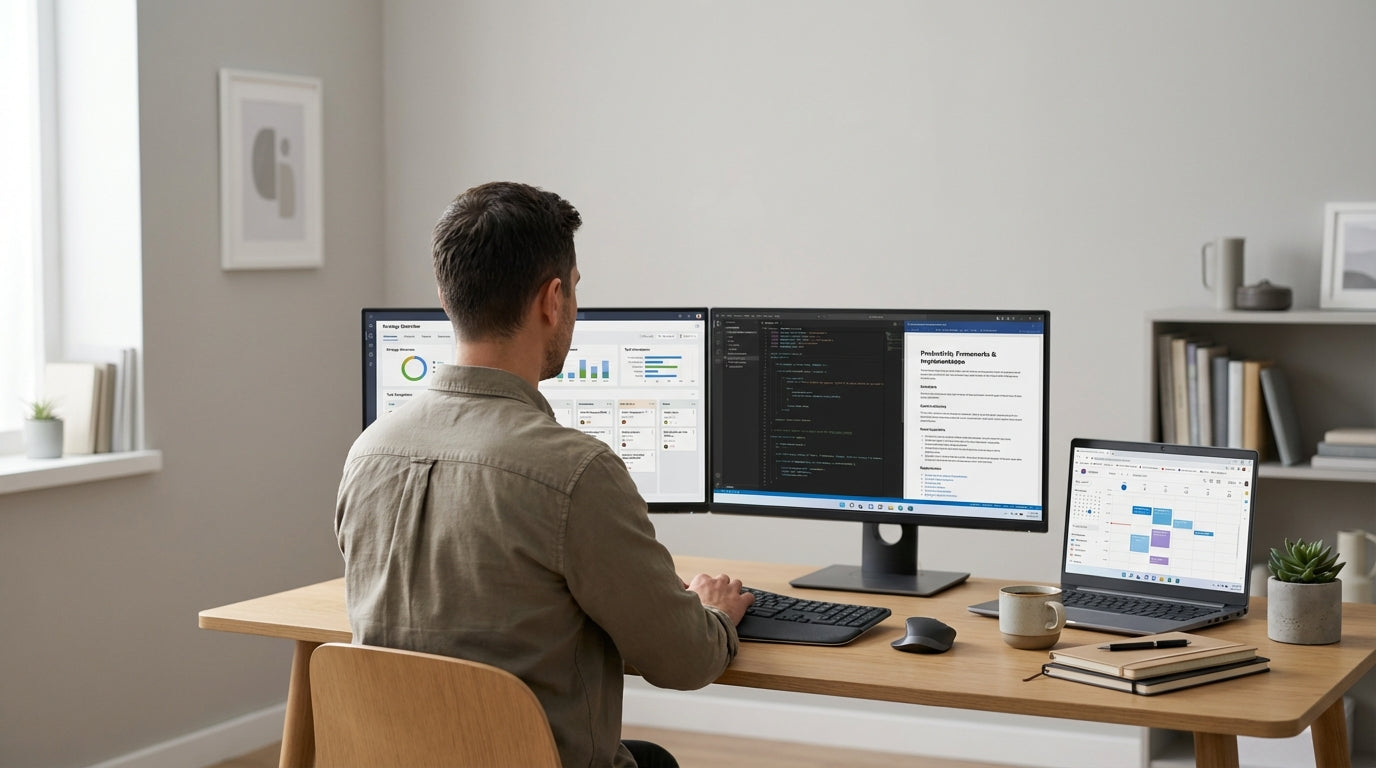
Plan Your Space and Budget First
Before buying anything, get clear on what you actually need from your workspace. A little planning stops impulse purchases and helps you stretch your budget further.
Start by measuring your room and noting where power points, windows and doors sit. This will guide whether a compact workstation, a corner layout or a simple straight desk fits best, and how much storage you can realistically add. Once you know your space, list your essentials: a computer, desk, chair, lighting and somewhere to store paperwork or accessories.
Set a realistic spending limit and divide it by priority. Invest the largest share in a solid work surface and a supportive chair, then allocate smaller amounts to storage, organisation and accessories. This prevents your budget being eaten up by décor while you still don’t have a comfortable seat or enough desk space.
Finally, think about how often you work from home and what tasks you do most. If you’re at your desk eight hours a day, ergonomic comfort matters more than decorative extras. If you only use the space occasionally, you might lean toward compact, flexible furniture that can double as a study zone or family workstation.
Choose the Right Desk for Your Room
Your desk is the centrepiece of your workspace, so choosing the right style makes a big difference to comfort and productivity. The good news is you don’t need to overspend to get a professional look.
Start with the basics: size, shape and surface. Standard work surfaces are around 700–750 mm high, which suits most adults with a standard chair. If you’re short on room, compact Home Office Desks or streamlined Student Desks can give you a tidy, professional setup without dominating the room. Look for a simple, neutral finish like white, oak or walnut that blends with the rest of your home.
The shape of the worktop affects how efficiently you use your space. Straight Desks work well along a wall and are usually the most budget-friendly choice. If you’re working in a corner or want to divide your workspace from the rest of a room, Corner Office Desks or larger L-Shaped Desks can provide extra surface area for files, printers or dual monitors without wasting floor space.
Consider future needs too. If your role might expand, choose a desk with enough width for a second screen or extra equipment. It can be cheaper to buy a slightly larger, versatile worktop now than to replace everything later. Keep cable cut-outs and frame strength in mind as well, especially if you’ll be using heavier monitors or all-in-one PCs.
Invest Wisely in Seating and Ergonomics
A good chair is one of the smartest places to spend your budget. Poor seating can lead to back pain, fatigue and lower productivity over time.
Look for adjustable features such as seat height, back tilt and lumbar (lower back) support. A basic ergonomic chair doesn’t need to be expensive, but it should let you sit with your feet flat on the floor and your knees at roughly a right angle. A breathable mesh back can help you stay comfortable during long days at the computer, so consider dedicated Mesh Office Chairs or more general Task Chairs that balance comfort with cost.
Ergonomics simply means designing your setup to suit your body. Aim to keep your screen at eye level so you’re not hunching over; using adjustable Monitor Arms is an affordable way to raise and position your monitor correctly. Your keyboard and mouse should sit so your elbows are close to your body and your wrists are straight, which reduces strain on your shoulders and hands.
If a top-tier ergonomic chair isn’t in your budget right now, add low-cost accessories to improve comfort. A small lumbar cushion, footrest or even a folded towel behind your lower back can help maintain a healthier posture. The aim is to reduce awkward positions that you hold for hours a day, not to buy every accessory on the market.
Keep Tech, Cables and Clutter Under Control
Tidy tech makes any workspace look more professional and is surprisingly affordable to achieve. Organising cables and accessories also saves time hunting for chargers or documents.
Start by mapping out where your devices will sit: laptop or PC, monitor, printer and any charging stations. From there, plan how cables will run to power points and data ports. Inexpensive Cable Management solutions such as cable trays, clips and under-desk channels keep cords off the floor and out of sight, helping to prevent tripping hazards and accidental unplugging.
Screen height and placement matter for both comfort and desk space. Using Monitor Arms lets you float one or more screens above the desktop, freeing up room underneath for your keyboard or documents. This is especially helpful if you’re working on a smaller surface or sharing the area with another person who needs to adjust the setup quickly.
Finally, tackle paperwork and accessories before they pile up. Compact Small Storage & Organisers such as drawer inserts, desktop caddies and document trays keep everyday items within reach while maintaining a clear work surface. Combined with a simple digital filing habit for your documents, this helps your workspace stay clear and client-ready with minimal effort.
Style Your Workspace Without Overspending
A polished look doesn’t need a designer budget. Focus on simple upgrades that improve both appearance and day-to-day usability.
Begin with lighting. Natural light is ideal, so position your desk near a window if possible, but avoid direct glare on your screen. Add a desk lamp with a warm-white LED globe so you can work comfortably in the evening. Good lighting not only looks more professional on video calls, it also reduces eye strain and headaches when you’re reading documents or working with fine details.
Next, choose a cohesive colour palette. Stick to two or three main colours across your walls, desk, chair and storage. Neutrals like white, grey and soft timber tones create a calm backdrop, while a small amount of colour in artwork, a plant pot or a pinboard keeps the space from feeling flat. This approach makes even budget furniture look more intentional and “put together”.
Bring in personality with a few carefully chosen extras rather than lots of small decorations. A single plant, framed print or neat pinboard can have more impact than cluttered shelves. Use your Home Office Desks or Student Desks as the base, then let matching storage and a quality chair tie everything together. By prioritising comfort, organisation and a consistent style, you’ll create a space that feels professional and supports focused work, without stretching your budget.


