

Planning Your Workspace Layout
Before buying anything, take a moment to map out how and where you’ll work. A bit of planning makes your space more comfortable, productive, and easier to keep tidy.
Start by measuring your room or allocated area and noting fixed elements such as power points, windows, and doors. This helps you decide whether a straight desk, corner set‑up, or compact station will fit best without blocking walkways. Consider natural light for your screen position, but avoid placing your monitor directly in front of a bright window to reduce eye strain and glare.
If you’re working in a small or shared room, look for furniture that defines a clear “work zone”. Products like dedicated Single Person Workstations make it easier to keep all your essentials within arm’s reach and separate from household clutter. In a larger room, you might combine a main desk with extra shelving or a storage return to keep paperwork and tech organised.
Think about how you move while working: where your chair will roll, where you’ll stand, and how often you’ll need to access files or a printer. This ergonomic flow—how your body moves around your workstation—matters as much as the furniture itself. Good planning here can reduce awkward twisting, reaching, and the feeling of being cramped in your own office.
Choosing the Right Desk Style
The desk is the foundation of any workstation, so it needs to match your tasks and your available space. Shape, size, and adjustability all play a role.
For straightforward computer and paperwork duties, a simple rectangular option such as the range of Straight Desks often does the job perfectly. They’re easy to position against a wall or in the middle of a room, and they work well in both home offices and commercial spaces. If you need more surface area for multiple screens, drawing, or layout work, a wrap‑around solution may serve you better.
When you want to maximise a corner of a room or create a more immersive work area, consider Corner Workstations or more traditional Corner Office Desks. These designs give you extra depth and width, which is handy for separating computer gear from paperwork or reference materials. They’re also a clever way to keep cables tucked away and make the most of awkward room angles.
If you’re setting up at home, compact and stylish Home Office Desks can strike the right balance between function and aesthetics. In a more flexible set‑up, Height Adjustable Workstations let you switch between sitting and standing to support better posture across the day. Whatever you choose, check that the desk depth allows you to place your monitor at least an arm’s length away and still have room for a keyboard, mouse, and a bit of writing space.
Prioritising Ergonomics and Comfort
A comfortable workstation helps you stay focused and reduces the risk of aches and strains. Ergonomics is simply the science of fitting your work environment to your body, not the other way around.
Start with your chair, as it supports you for hours at a time. Look for supportive Task Chairs with adjustable seat height, backrest, and armrests so you can fine‑tune the fit. Many people prefer breathable Mesh Office Chairs, which allow air flow and provide firm lumbar (lower back) support—essential if you’re on calls or at your computer most of the day.
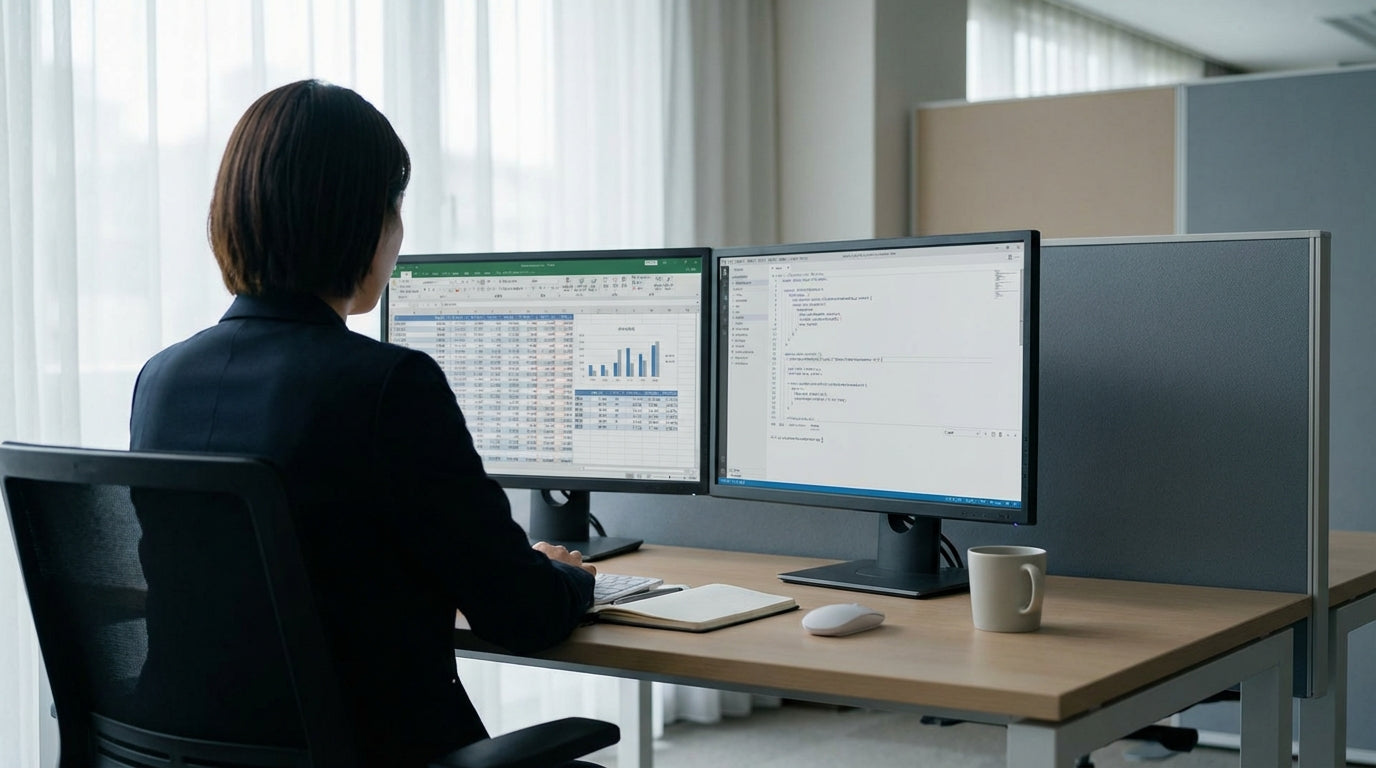
Next, position your monitor so the top of the screen is roughly at eye level and directly in front of you. Using dedicated Monitor Arms makes this easier, as you can raise, tilt, and bring the screen closer without stacking it on books. An arm also frees up valuable desk space and allows for neat dual‑screen layouts, which is handy if you manage email, documents, and web research at the same time.
Desk height matters as well. Your elbows should sit at about a 90‑degree angle when typing, with your shoulders relaxed and wrists in a neutral, straight position. Height Adjustable Workstations make these adjustments simple by letting you raise or lower the entire surface. Combine this with a well‑set‑up chair and you’ll reduce the likelihood of neck, shoulder, and lower back discomfort over long workdays.
Essential Components and Accessories
The right accessories turn a basic desk into a productive, organised workstation. Focus on items that improve comfort, efficiency, and cable management.
Core Workstation Components such as cable trays, modesty panels, and CPU holders help you keep your set‑up clean and professional. A cable tray collects power boards and loose leads under the desk, while a CPU holder keeps your computer tower off the floor and out of the way. These small additions reduce trip hazards and make cleaning much simpler, which is particularly useful in compact spaces.
Lighting is another often overlooked component. Aim for a mix of natural light and a quality desk or floor lamp to reduce eye strain. Position any lamp so it illuminates your work without shining directly on your screen, and choose bulbs with a soft, neutral colour temperature that’s easy on the eyes during long sessions.
You can also tailor your layout with extras like monitor risers (if you’re not using Monitor Arms), keyboard trays, and document holders. These keep frequently used items in a comfortable, reachable zone, cutting down on constant stretching and twisting. With the basics in place, you can then add personal touches—like a plant or photo frame—so the space feels inviting without becoming cluttered.
Adapting for Home, Hybrid, or Office Use
Different work patterns call for slightly different workstation choices. Whether you’re full‑time at home, hybrid, or office‑based, you can tailor your set‑up to suit.
For home workers, flexibility and footprint are key. Compact Home Office Desks or streamlined Single Person Workstations help contain your gear in one defined area, which makes it easier to “switch off” at the end of the day. If your workspace doubles as a living area, choose neutral finishes and simple lines so the furniture blends with your décor.
Hybrid workers who split time between home and a shared office might prioritise a simple, easy‑to‑adjust desk such as Straight Desks or compact Corner Office Desks in both locations, along with consistent seating through supportive Task Chairs. Matching your set‑up in each place can reduce the physical adjustment your body has to make mid‑week. Adding Height Adjustable Workstations in at least one location gives you some extra flexibility to stand and move when you’re desk‑bound for longer stretches.
In a traditional office, you may have more room to expand your layout with larger Corner Workstations or additional Workstation Components such as screens and returns. Whatever the environment, make sure your chair, desk height, and monitor set‑up still follow basic ergonomic principles. A well‑planned single‑user workstation, tailored to your work style and space, will support productivity and comfort whether you’re based at home, in a shared office, or somewhere in between.


