

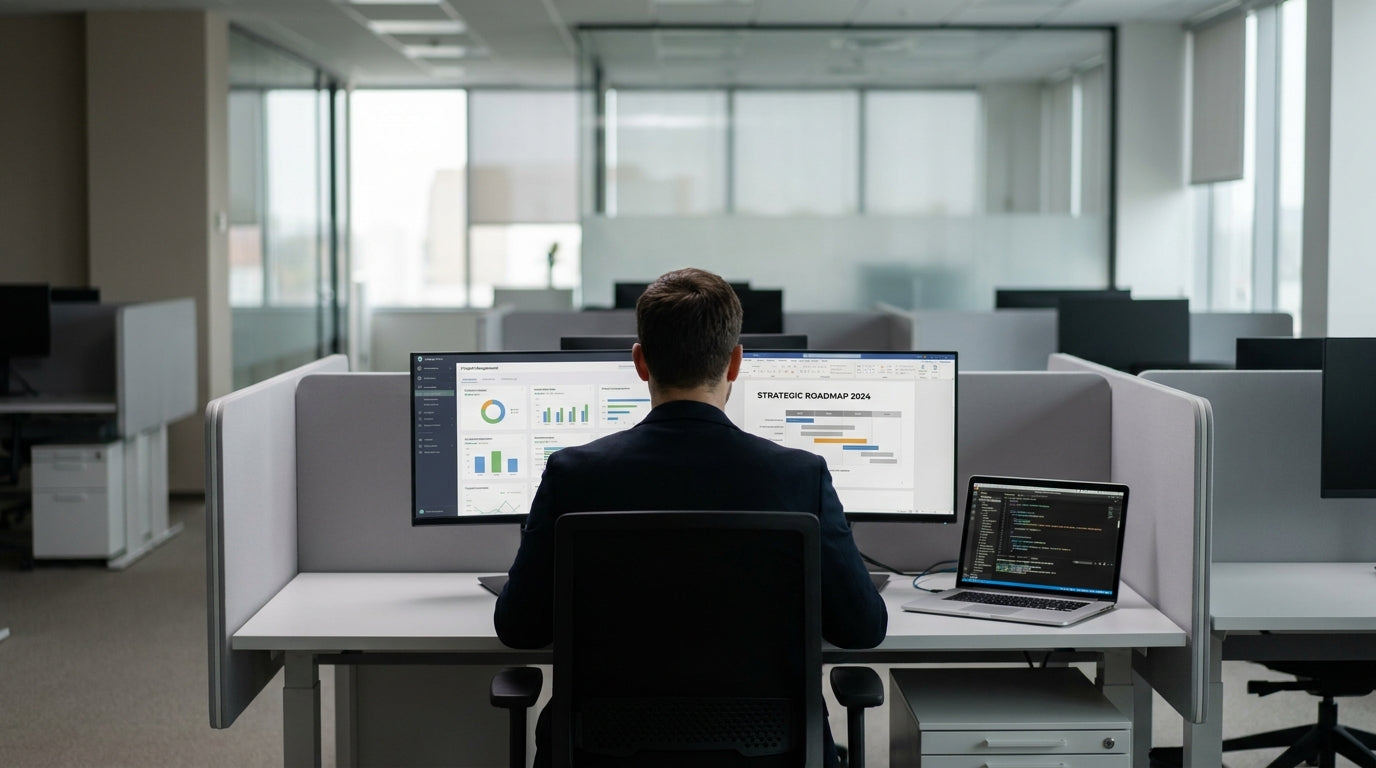
Why Privacy Matters in Modern Workspaces
Privacy at work isn’t just about keeping conversations quiet; it’s about helping people focus, feel comfortable, and protect sensitive information. A well-planned workstation layout can dramatically reduce distractions and improve productivity.
Open-plan offices are popular across Australia, but they often come with noise and visual interruptions that impact concentration. By using well-designed partition workstations, you can maintain the benefits of collaboration while giving staff their own defined space. This balance is especially important in roles that involve confidential data, detailed reporting, or frequent phone calls with clients.
Privacy also supports employee wellbeing. When workers have a semi-enclosed or clearly defined desk area, they feel more in control of their environment and less “on display”. This can reduce stress, improve job satisfaction, and encourage people to stay focused on complex tasks rather than constantly filtering out background activity.
Another aspect of privacy is managing visual clutter. Screens, paperwork, and personal items can quickly make an office feel chaotic if everything is on show. Thoughtful use of partitions allows you to hide messy cabling and storage while keeping the overall office aesthetic clean, professional, and aligned with your brand.
Planning the Right Layout for Your Office
Before buying any screens or desks, it’s worth spending time on layout planning. The goal is to separate different types of work while keeping movement around the office smooth and logical.
Start by mapping out how people actually work in your space. Who needs quiet focus most of the day? Who is on the phone regularly? Which teams collaborate constantly? For staff who require uninterrupted concentration, Single Person Workstations with higher partitions can create a sheltered, low-distraction zone. Team-based roles may be better suited to shared settings such as 2 Person Workstations or 3 Person Workstations, which keep colleagues nearby without placing everyone in a single open bank of desks.
It’s also important to think in zones rather than rows. You might have a quieter “concentration” zone, a collaborative project area, and a more active client-facing section. Grouping similar activities together makes it easier to manage noise and traffic. For teams that regularly expand or contract, flexible combinations like 4 Person Workstations can be arranged in pods to keep conversations contained and define team boundaries on the floorplan.
Corner areas are often underused, yet they’re ideal for semi-private settings. Integrating Corner Workstations into the layout helps you turn dead space into functional, tucked-away desks. These are particularly effective for staff who need visual privacy from passing foot traffic, such as HR, finance, or anyone handling sensitive documentation.
Choosing Between Desk-Mounted and Floor Partitions
The type of partition you choose will determine how private and flexible your workstations feel. Two common options are desk-mounted screens and full-height floor partitions.
Desk Mounted Partitions attach directly to the desktop and create a seated-height barrier between workspaces. They’re ideal if you want to reduce line-of-sight distractions and give computer users a defined personal area without enclosing them completely. These screens can help block glare, reduce the visual impact of neighbouring monitors, and provide pin-board or acoustic properties depending on the finish. They’re a practical choice for 2 Person Workstations and larger shared pods where staff still need to see and speak to one another easily.
In contrast, Floor Partitions reach closer to full height and sit on the ground independently of the desk. These panels are useful when you want stronger acoustic separation or a clear boundary between zones, such as between a reception waiting area and a bank of Single Person Workstations. Floor-mounted screens also help with privacy at standing height, which is essential in offices with sit-stand desks or where staff often work while moving around.
A blended approach often works best. For example, you might use desk-mounted screens within a pod of 3 Person Workstations to separate individual desks, then place taller floor partitions at the ends of the pod to block sightlines from corridors. This combination delivers privacy where it’s needed most, without making the office feel boxed in.
Maximising Flexibility with Mobile Solutions
Office needs change over time, so it’s smart to include movable elements in your privacy setup. Mobile partitions are especially helpful in multi-purpose spaces.
Mobile Partitions are freestanding screens on wheels that can be moved, rotated, and reconfigured as requirements shift. They’re ideal for creating temporary meeting corners, blocking noise during busy periods, or giving extra privacy to specific desks on certain days. For example, if a team is running a confidential project, you can quickly position mobile panels around their 4 Person Workstations to create a semi-enclosed project hub. When the project finishes, the same screens can be relocated to support training sessions or hot-desking areas.
Flexible partitions also complement hybrid work arrangements. In offices where people don’t sit at the same desk every day, you may not want to commit to permanent full-height walls. Mobile screens can be used to give extra privacy to whoever is on-site, especially around Corner Workstations or clusters of partition workstations that double as touchdown spots. This makes it easier to support different work styles without redesigning the entire floorplan whenever team structures shift.
Another benefit is that mobile screens can help manage visual privacy in open areas. For instance, positioning a screen behind Single Person Workstations that back onto a walkway stops passers-by from reading screens or documents over someone’s shoulder. Because they move easily, you can trial different setups and refine your layout based on actual day-to-day use rather than guesswork.
Practical Tips for a Comfortable, Private Desk
Once your partitions and workstations are in place, small details will determine how private and comfortable each desk actually feels. A few targeted adjustments can make a big difference.
First, position monitors so they face away from main walkways or shared areas wherever possible. This is easier when using defined systems like partition workstations, because the screens naturally create a backdrop for your technology and paperwork. For highly confidential roles, pair this with higher Desk Mounted Partitions around Single Person Workstations so only the user has a direct line of sight to the screen. Cable trays and under-desk storage also help keep clutter out of view and reduce the sense of being exposed.
Next, consider the balance between privacy and communication. If partitions are too high around 2 Person Workstations or 3 Person Workstations, staff may feel isolated and find it harder to collaborate. A good rule of thumb is seated-eye-level screens for shared areas and slightly higher panels for roles that need more confidentiality. Supplement these with Floor Partitions in key spots to control noise from busy corridors or printers rather than surrounding every desk completely.
Finally, review your setup regularly. Check in with teams to see whether their 4 Person Workstations, Corner Workstations, or hot-desking areas are giving them enough privacy to focus. Use Mobile Partitions and extra Desk Mounted Partitions to fine-tune the layout, and don’t hesitate to rearrange pods or swap workstation types as your business grows. A well-planned, flexible partition system makes it much easier to keep your office both private and productive over the long term.


