

Understanding Natural Light in Your Workspace
Natural light does more than make an office look nice; it affects mood, focus, and even sleep. Setting up your workstation to capture daylight can reduce eye strain and reliance on harsh artificial lighting.
In simple terms, natural light is the daylight that comes through windows, skylights, or glass doors. Unlike many overhead office lights, it changes gently through the day, helping regulate your body clock. For people working long hours at a computer, this can mean fewer headaches, less fatigue, and better concentration.
The direction your windows face matters. North-facing windows in Australia usually provide softer, more consistent light, while west-facing windows can create strong afternoon glare. Before moving furniture, spend a day noticing where the sun falls and when it becomes too bright or too dim in your current layout.
It’s also important to consider reflection and contrast. Glossy screens, glass partitions, and bright white walls can bounce light directly into your eyes. By understanding how daylight interacts with surfaces, you can plan a workstation layout that uses natural light without creating an uncomfortable, washed-out environment.
Positioning Desks for Comfortable Daylight
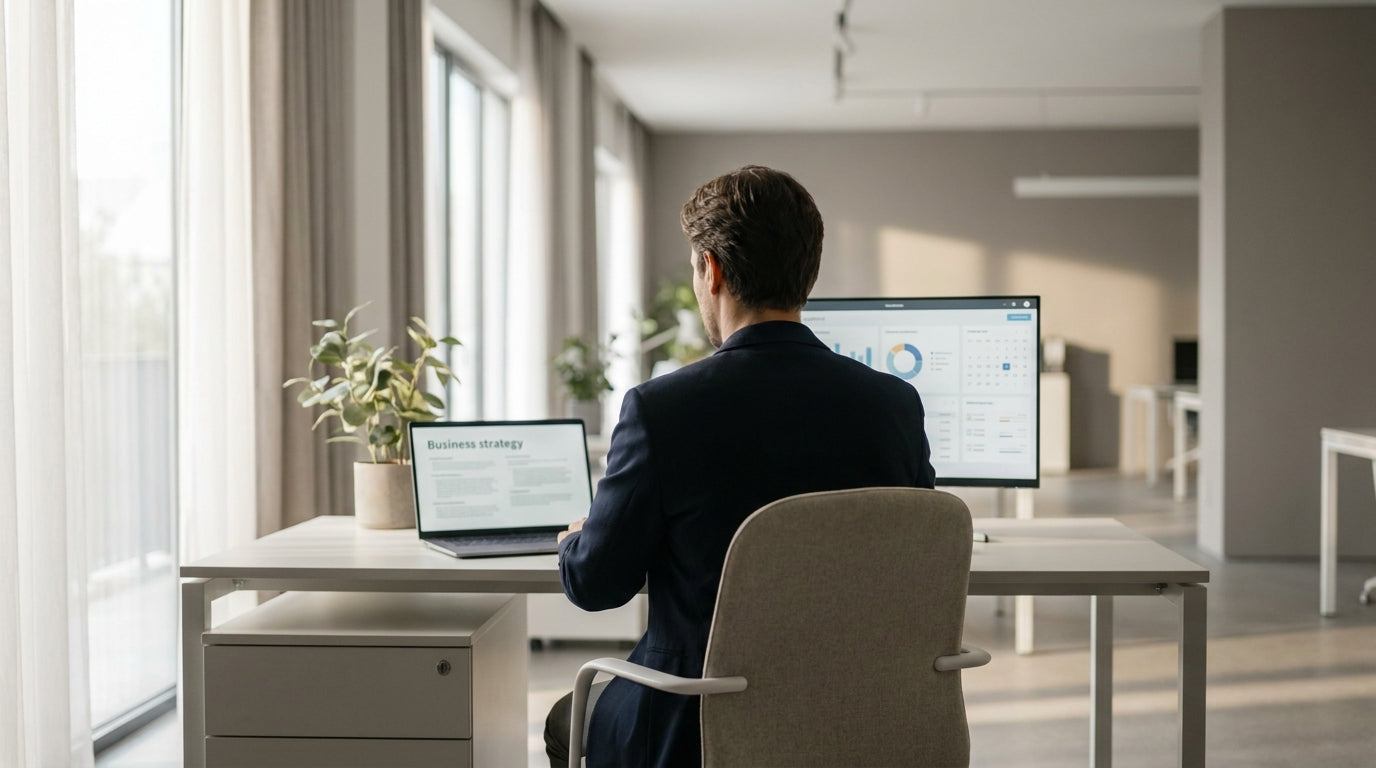
The way you position your desk relative to windows will decide whether natural light is helpful or distracting. Aim to sit side-on to a window rather than facing directly toward or away from it.
When your monitor faces a window, strong light behind the screen makes it hard to see, forcing your eyes to work harder. If the window is directly behind you, the light can reflect off your screen and create glare. Placing your workstation at a right angle to the window usually offers the best balance, allowing you to enjoy daylight in your peripheral vision without it hitting your screen directly.
Different desk shapes can help you make the most of awkward spaces around windows. A well-placed Corner Office Desk or dedicated Corner Workstation can tuck neatly beside a window, using the natural light on one side while leaving room for a monitor on the other. In a more open room, Straight Desks make it easy to line multiple workstations along a wall with evenly spaced daylight.
If you’re sharing space, consider pairing or grouping desks so everyone benefits from windows. 2 Person Workstations and 4 Person Workstations can be arranged in “pods” near glazing, with each person sitting side-on to the light. This works especially well in open-plan offices where natural light can otherwise get blocked by partitions or storage units.
For home offices, flexibility is key. A compact Home Office Desk or L-Shaped Desk lets you create a small work zone near the best window, while still leaving space for other furniture. Try a few layouts before settling: even shifting your desk by half a metre can dramatically change how daylight falls on your screen and keyboard.
Reducing Glare and Eye Strain
Natural light is valuable, but unmanaged glare can make screens hard to read and cause sore eyes. The goal is soft, indirect light rather than strong beams on your monitor or face.
Start by looking at your screens during the brightest part of the day. If you see strong reflections or need to squint, adjust your setup. Tilting your monitor slightly down, moving it a little closer or further from the window, or rotating your desk a few degrees can break up harsh reflections. Matte screen filters are another simple way to cut down on glare without blocking natural light.
Window treatments are just as important as desk placement. Sheer blinds or light-filtering curtains soften daylight and reduce contrast between your monitor and the background. In offices with large west-facing windows, layered blinds give you more control, so you can block harsh afternoon sun while still letting some natural light through the rest of the day.
Height and distance also play a role in comfort. Your monitor should generally be an arm’s length away, with the top of the screen at or just below eye level. Using Height Adjustable Workstations makes it easier to fine-tune both your eye level and the angle of incoming light, reducing the need to hunch or crane your neck to see clearly.
In smaller spaces where your layout options are limited, look for flexible workstation designs. A slim Single Person Workstation can be rotated or slid along a wall until glare is under control, without dominating the room. Combining these adjustments with balanced artificial lighting gives you a comfortable, well-lit desk all day long.
Choosing Workstations That Maximise Daylight
The style and size of your workstation can either help or hinder access to natural light. Choose pieces that work with your windows, not against them.
In open-plan offices, lower profiles and open-leg frames allow daylight to travel further into the room. Long rows of bulky cupboards or tall screens close to windows can block light from reaching the rest of the team. Consider using open storage or positioning higher units away from key glazing. Workstations like 4 Person Workstations or bench-style 2 Person Workstations can sit perpendicular to windows, keeping sightlines clear and letting light spill deeper into the floor.
Desk configuration matters too. L-Shaped Desks and Corner Office Desks are ideal when you want one surface for your computer and another for paperwork or devices. You can place the computer arm further from the window to reduce glare, while the side surface sits closer to the light for reading and writing. Similarly, Corner Workstations help you wrap your desk around a light source without wasting space.
Individual needs are also important. Not everyone wants the same amount of daylight, especially in mixed-use or hybrid work environments. Providing a mix of Single Person Workstations, collaborative benches, and flexible Height Adjustable Workstations allows people to move to the area that feels most comfortable for them. Some may choose a brighter spot by a north-facing window, while others prefer a softer, more shaded corner.
At home, compact and multi-purpose desks work best. A streamlined Home Office Desk or narrow Straight Desk can turn a sunlit nook, spare bedroom, or even part of the living area into a productive workspace without blocking circulation or natural light for the rest of the household.
Balancing Natural and Artificial Lighting for All-Day Comfort
Daylight changes throughout the day, so even the best workstation layout needs support from artificial lighting. The aim is even, consistent light without harsh shadows.
Use a mix of general (ambient) lighting and task lighting to complement natural light. Ambient lighting is the overall background light in a room, often from ceiling fixtures, while task lighting targets specific areas like your desk. When daylight fades in the afternoon, desk lamps or under-shelf lighting can fill in the gaps without overpowering what’s left of the natural light. Choose warm-to-neutral white bulbs to avoid a harsh, clinical feel that clashes with softer daylight.
If you use Height Adjustable Workstations, remember that changing from sitting to standing can shift the way light hits your eyes and screen. Adjustable monitor arms, movable task lights, and dimmable fixtures help you adapt quickly. For shared settings with 2 Person Workstations or 4 Person Workstations, try to keep overhead lights consistent, and rely on personal lamps so each person can tweak brightness to suit their needs.
Reflective surfaces affect both natural and artificial light. Light-coloured walls, ceilings, and desktops help bounce light around the space, making it feel brighter without adding more lamps. However, try to avoid shiny, mirror-like finishes directly near screens. On work surfaces like Straight Desks or Single Person Workstations, a matte or low-sheen finish will reflect less glare, helping maintain visual comfort.
Finally, review your setup at different times of day and in different seasons. Morning sun in an east-facing room feels very different to low winter afternoon light. Small adjustments—shifting a Home Office Desk a little further from the window, angling an L-Shaped Desk, or slightly repositioning a Corner Workstation—can keep your workstation comfortable year-round while still making the most of natural light.


