

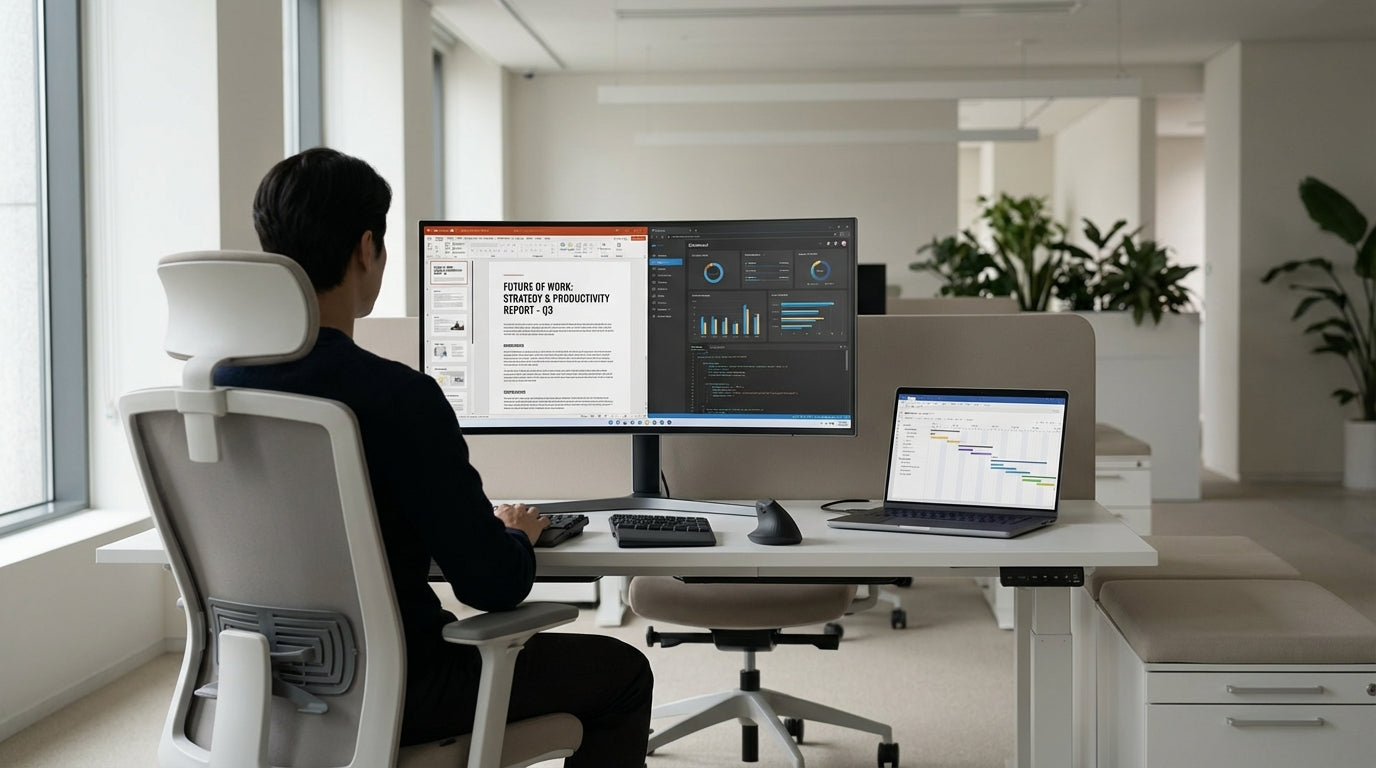
Why Ergonomics Matters for Your Workday
Ergonomics is about fitting your workstation to your body, not forcing your body to fit the furniture. Done properly, it can reduce pain, boost focus, and help you work longer without fatigue.
At its core, ergonomic office furniture aims to support your natural posture: neutral wrists, relaxed shoulders, and a spine that keeps its gentle S‑shape. Poorly set up desks and chairs encourage slouching, craning your neck towards the screen, or hunching over a laptop. Over time this can lead to neck strain, lower back pain, headaches and even longer‑term musculoskeletal issues.
Whether you’re working from home or in a commercial office, the same principles apply. The goal is a workstation that lets you move easily, keeps your screen and keyboard in the right place, and supports you throughout the day. Carefully chosen items like Task Chairs, well‑sized desks and supportive accessories are the foundation of a safer, more comfortable work environment.
For many Australians, hybrid work means switching between home and office setups. That’s why it’s important to understand the basics: seat height, desk height, and monitor placement. Once you get these right, you can build a workspace that feels good from the first hour to the last.
Choosing the Right Desk Layout and Size
Your desk is the anchor of your workstation, so its size and shape matter. It needs to fit your space, your equipment, and the way you work.
If you like to spread out with multiple screens, documents and peripherals, corner and wrap‑around options can help. A well‑planned layout using Corner Office Desks or larger L-Shaped Desks gives you more surface area within easy reach, reducing the need to twist or over‑stretch. This supports a more neutral posture and keeps frequently used items in your primary reach zone, roughly within a forearm’s length.
For focused, single‑screen setups or compact offices, streamlined Straight Desks or dedicated Home Office Desks are usually enough. Look for a depth that allows your monitor to sit at arm’s length while leaving space in front for your keyboard and a soft wrist position. A desk that’s too shallow pushes the screen too close to your eyes and often encourages you to lean forward.
In shared or open‑plan environments, modular options like Single Person Workstations keep each worker in their own ergonomic zone without wasting floor space. Pairing these with Height Adjustable Workstations lets teams move between sitting and standing through the day. Make sure cables and power access are planned from the start, so you’re not twisting around the desk to plug things in or stepping over cords.
Desk Height, Sitting vs Standing, and Movement
Getting desk height right is one of the simplest ways to improve comfort. Your forearms should rest parallel to the floor, with your elbows bent at about 90 degrees.
Traditional fixed desks can work well if the chair is adjusted correctly, but a sit‑stand approach offers more flexibility. With Height Adjustable Workstations, you can alternate between sitting and standing, which helps circulation and prevents stiffness. When standing, keep your shoulders relaxed, elbows by your sides, and wrists straight, not bent upwards to reach the keyboard.
Standing all day isn’t the goal either; the healthiest posture is “the next one” you move into. Aim to change position regularly: sit for a while, stand for a while, and take short walking breaks. An ergonomic setup makes these transitions easy rather than disruptive. If you’re tight on space, a compact Home Office Desk paired with a height‑adjustable frame can still give you this flexibility.
For multi‑screen or equipment‑heavy setups, consider how your layout supports movement. A well‑designed Corner Office Desk or L-Shaped Desk lets you pivot between zones (computer, paperwork, phone) without straining or twisting excessively. Keep the items you use most close to your main sitting or standing position to minimise reaching.
Chair Support, Posture, and Breathable Seating
Your chair does most of the heavy lifting in supporting your spine. A good model should adjust to you, not the other way around.
Look for a seat with adjustable height, backrest tilt, and lumbar (lower back) support. Quality Task Chairs are designed with these controls so you can fine‑tune the fit. Your feet should rest flat on the floor (or on a footrest), hips slightly higher than your knees, and your back supported along its natural curve. If the seat edge presses into the back of your knees, it’s too deep; leave a few fingers’ width between the seat and your legs.
For warm Australian offices or long days at the desk, breathable options like Mesh Office Chairs help prevent overheating and discomfort. Mesh backs typically flex with your movements while still providing firm support, which encourages micro‑movements rather than stiff, static sitting. This kind of subtle motion can reduce fatigue and make it easier to stay in a healthy posture.
Once your chair is adjusted, revisit your desk height. You may need to tweak the height of a Straight Desk or Single Person Workstation so your arms land comfortably on the surface. When your chair and desk work together, you’ll notice reduced shoulder tension, fewer mid‑afternoon aches, and less temptation to hunch forward.
Screen, Keyboard, and Daily Setup Tweaks
Even the best chair and desk won’t help if your screen and keyboard are in the wrong place. Small adjustments here can dramatically improve neck and shoulder comfort.
Position your monitor so the top of the screen is roughly at eye level, about an arm’s length away. If you use laptops or multiple screens, Monitor Arms are an easy way to get each display to the correct height and distance. They also free up space on Corner Office Desks, Straight Desks, and Home Office Desks, giving you more room for notes or peripherals without clutter.
Keep your keyboard and mouse close enough that your elbows stay by your sides, not reaching forward. Your wrists should be straight, not bent up or down, with your hands hovering lightly rather than resting heavily on the desk edge. On larger surfaces, such as L-Shaped Desks or Height Adjustable Workstations, resist the temptation to push your keyboard too far away; that’s a common cause of shoulder and upper‑back strain.
Finally, build quick checks into your day. Each morning, make sure your Task Chair is at the right height, your monitor hasn’t drifted, and your main tools are within comfortable reach. With a well‑planned setup using the right combination of workstations, chairs, and accessories, good ergonomics becomes automatic, so you can focus on your work instead of your aches and pains.


