

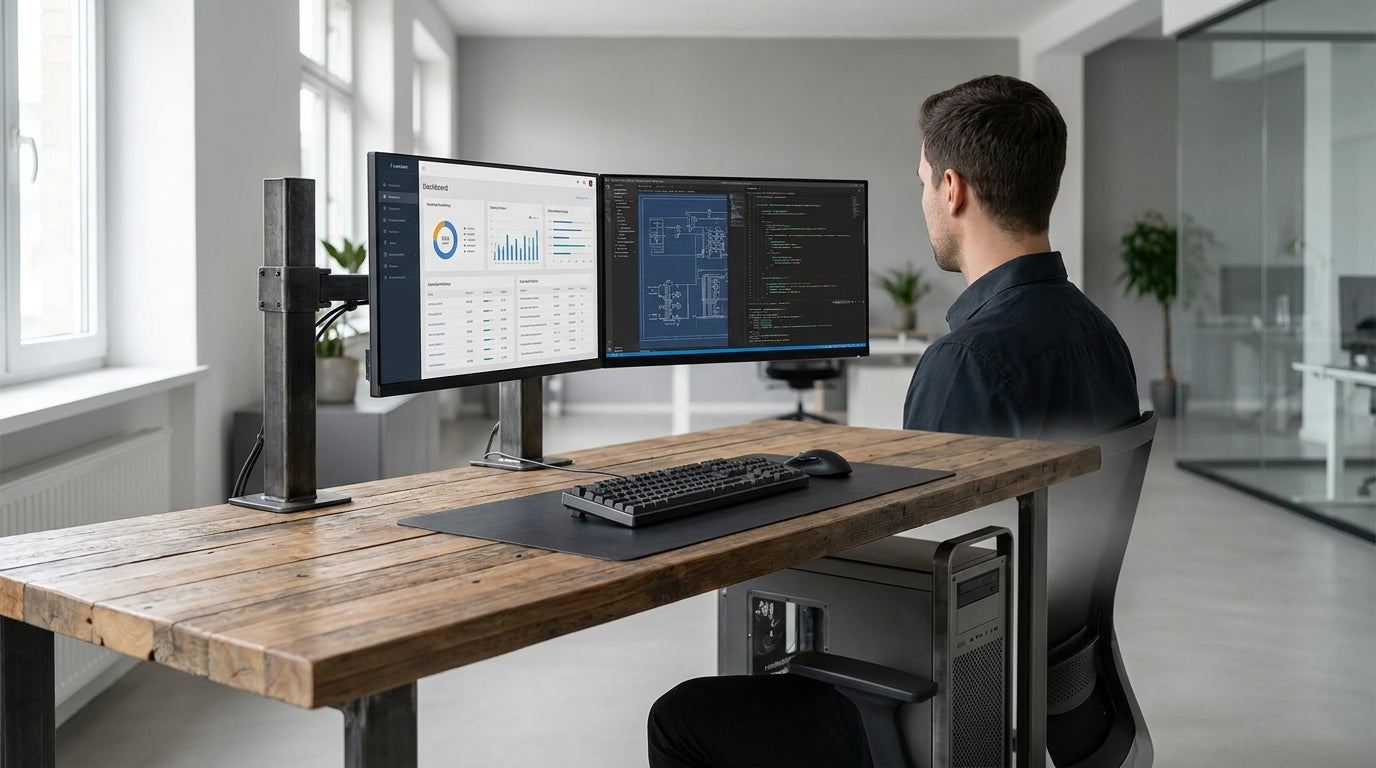
Understanding Load Requirements and Desk Strength
Heavy equipment can put serious stress on a workstation, so the first step is understanding how much weight your desk actually needs to handle. This includes static weight (what just sits there) and dynamic load (movement and vibration).
Start by listing the items that will live on the desk: multiple monitors, desktop towers, oversized printers, audio racks, test instruments or production gear. Add their approximate weights and then include a safety margin of at least 30–50 per cent to cover future upgrades or extra devices. A solid frame and a strong desktop should comfortably support this total without flexing, bowing or wobbling.
Engineers sometimes talk about load ratings, usually expressed in kilograms. If a desk top is rated at 80 kg but your audio interface, dual screens and tower PC already sit at 70 kg, you’re too close to the limit. In these situations, it’s worth considering robust Straight Desks or dedicated Single Person Workstations that are specifically designed with higher load capacities in mind.
Weight distribution also matters. Concentrated loads, such as a heavy printer in one corner, are more likely to cause damage than evenly spread equipment. Look for wide support frames, strong cross‑beams and thick tops so the structure carries weight consistently across the full surface, reducing the risk of warping or joint failure over time.
Comparing Common Desktop Materials
The material you choose for the desktop will determine how well it handles weight, impact and daily use. Not all surfaces are suited to bulky gear or long hours in front of multiple screens.
Commercial laminate is one of the most common options in Australian offices. Built around particleboard or MDF, it offers a hard, scratch‑resistant surface with good value for money. When paired with a strong metal underframe and modest spans, laminate can easily handle mixed office setups and dual monitors. For simple layouts, many people use laminate Home Office Desks or compact Corner Office Desks and get years of reliable use.
Solid timber is more expensive but provides excellent rigidity and a premium feel. A thick hardwood top, properly sealed, copes well with heavy computing hardware and lab equipment, while also dampening vibration better than lighter boards. Pairing timber tops with steel frames is a popular approach for executive spaces that still need to support substantial gear, such as high‑end Manager Desks with multiple screens and docking stations.
Steel and metal composite tops are the strongest but are usually reserved for industrial or technical environments rather than general offices. They tolerate very high loads, impacts and tool use, which is ideal for service benches or workshop‑adjacent workstations. If your needs are more typical—such as three monitors, a tower, and accessories—a high‑quality laminate or timber desktop on a properly engineered frame will be more than sufficient while keeping costs under control.
Frame Construction, Stability, and Ergonomics
Even the toughest desktop can fail if the frame underneath isn’t up to the task. Frame design is what makes a workstation feel rock‑solid rather than shaky when you type or move equipment around.
Look for steel frames with cross‑bracing or integrated beams that run the length of the desk. This reduces flex and twist, especially on longer spans common in L-Shaped Desks and larger Corner Workstations. Thicker legs and proper fasteners—not just small wood screws—help maintain rigidity over time, even when the desk is reconfigured or moved. Adjustable feet are also important, letting you keep the structure level on uneven floors so the weight is shared correctly.
If you’re using heavy monitors, audio gear or measurement instruments, the last thing you want is wobble. Workstations with central support spines and multiple connection points spread the load more evenly. Modular Workstation Components such as cable trays and monitor arms should be mounted to load‑bearing sections rather than thin edges, so they don’t introduce flex or stress at weak points in the top.
Ergonomics also comes into play. Height‑adjustable frames are no longer just for light laptops; many modern Height Adjustable Workstations are engineered to lift significant weight. When comparing models, check not only the maximum load rating but also how smoothly they move at near capacity. A good sit‑stand frame should raise and lower heavy setups without jerking, and it should lock firmly in place so your monitors don’t slowly drift or shake during use.
Choosing the Right Layout for Heavy Setups
The shape and layout of your workstation can make heavy gear safer and easier to manage. Certain desk configurations naturally distribute weight better than others.
Linear layouts are simple and effective for straightforward gear placements. Long Straight Desks work well for side‑by‑side monitors, audio racks and printers, provided the frame has adequate support along the full span. They’re easy to position against a wall, which can also help with cable runs and extra anchoring for monitor arms or wall‑mounted accessories.
When you need more surface area without increasing reach distance, corner‑based designs come into their own. An L-Shaped Desk or a purpose‑built Corner Workstation allows you to spread weight across two sides, supported by multiple legs and beams. This is particularly handy for users running multiple towers, UPS units or test equipment, as heavy devices can be positioned near frame junctions where the structure is strongest.
For private offices or control rooms, larger footprints such as dedicated Manager Desks or more enclosed Corner Office Desks give extra flexibility for stacking and racking equipment. If you work from home with serious hardware, mix practicality and space efficiency by pairing a robust corner configuration with one or two complementary Home Office Desks to create a multi‑zone setup for computing, paperwork and peripherals.
Practical Tips for Buying and Maintaining Heavy-Duty Desks
Once you know your load requirements and preferred layout, a few practical checks will help you narrow down options and keep your workstation in top condition. Paying attention to details at purchase time can save you repairs and downtime later.
When evaluating a desk, inspect the thickness of the top and the way it joins to the legs. A quality heavy‑duty product will have sturdy fixings and minimal flex when you press down or lean across the surface. Match the frame style to your workflow: single‑user environments often suit focused Single Person Workstations, while shared or expanding teams may benefit from modular systems where extra Workstation Components can be added later.
For sit‑stand users running heavier setups, verify that your chosen Height Adjustable Workstation has a motor and column design rated for more than just a laptop and monitor. Check the load rating, the number of lifting columns and whether weight needs to be centred or can be offset. If your configuration is asymmetrical—for example, a tower on one side and storage on the other—discuss this with the supplier so you’re not unknowingly exceeding capacity on one end of the frame.
Ongoing maintenance is straightforward but important. Periodically tighten all visible bolts and fixings, especially after moving or reconfiguring your desk. Use protective mats under very heavy items and ensure cables aren’t pulling unevenly on equipment. With the right materials, a strong frame and a sensible layout—whether that’s simple Straight Desks or more complex Corner Workstations—your desk should stay stable, safe and functional for many years of heavy use.


