

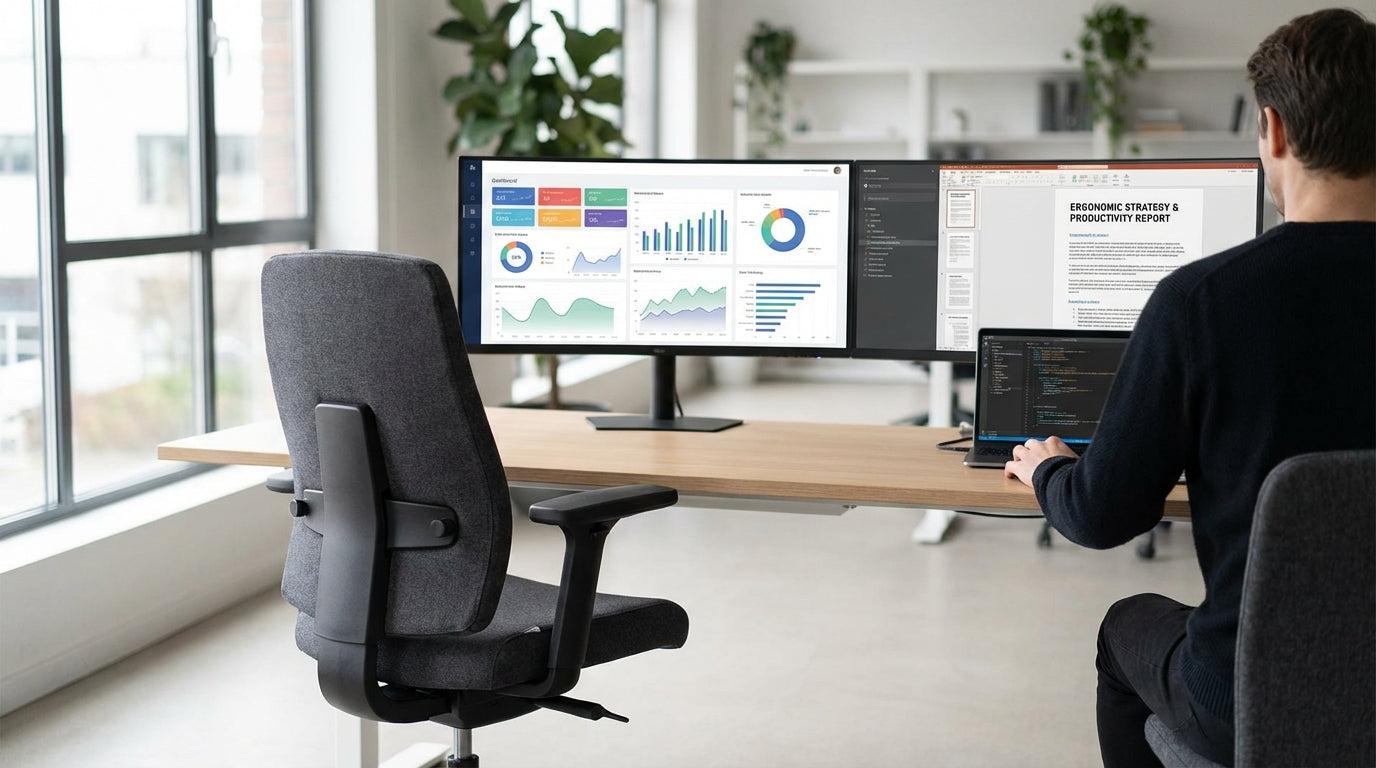
Understanding Sciatica and How Office Chairs Can Help
Sciatica is more than just a sore back – it’s nerve pain that can shoot from your lower spine down your leg. The right office chair can ease pressure on the sciatic nerve and support healthier posture throughout the day.
Sciatica usually occurs when the sciatic nerve is compressed, often by a slipped disc, tight muscles, or prolonged sitting in a poor position. That’s why spending hours at a desk on an unsupportive chair can make symptoms much worse. A supportive ergonomic chair redistributes your body weight, reduces strain on your lower back, and encourages a neutral spine so the nerve has more “space” and less irritation.
Key ergonomic features to look for include adjustable seat height, a backrest that supports the natural curve of your spine, and a seat that doesn’t dig into the backs of your thighs. People with sciatica often benefit from a waterfall seat edge (a gently sloping front of the seat) to maintain good blood flow down the legs. Pairing the right chair with an appropriate desk setup, such as Single Person Workstations that fit your body and workflow, can significantly improve comfort over a full workday.
It’s also useful to consider the rest of your workstation. Even the best ergonomic chair can’t fix poor screen or keyboard positioning. Using Monitor Arms to keep your monitor at eye level, and adjusting your desk height or investing in Height Adjustable Workstations, helps you sit in a position where your hips, knees, and shoulders are all aligned. This reduces twisting and slouching, two common triggers for sciatic pain.
Key Chair Features That Reduce Sciatic Pain
Not every “ergonomic” chair suits people with nerve pain. Certain features are especially important when you’re managing sciatica.
First, prioritise lumbar support. Your lower back has a natural inward curve, and when that curve collapses, the discs and joints can compress the sciatic nerve. A good chair will have either built-in adjustable lumbar support or a contoured backrest that follows your spine. Many high-quality Task Chairs allow fine-tuning of lumbar height and depth, so you can position support exactly where your back needs it most.
Seat depth and angle matter just as much. If the seat is too deep, you’ll tend to slouch; if it’s too shallow, your thighs won’t be supported. Look for seat-slide adjustment so you can sit back against the backrest while keeping two to three fingers’ space between the seat edge and the back of your knees. A slight forward tilt option can help some sciatica sufferers by opening the hip angle and reducing pressure on the lower spine. On long days, chairs from the Heavy Duty Chairs range are designed to maintain support and cushioning without “bottoming out”, which is crucial for consistent pressure relief.
Another feature to consider is the backrest material and breathability. Warm, sweaty backs can lead to subtle fidgeting and poor posture. Selecting supportive yet breathable Mesh Office Chairs can keep you cooler and more comfortable, making it easier to maintain a neutral, sciatic-friendly posture. Adjustable armrests that move up, down, in, and out are equally important, as they allow your shoulders to relax and stop you from leaning or twisting to one side – both common patterns that aggravate nerve pain.
Comparing Chair Types for Sciatica Relief
Different chair styles offer different benefits for sciatic pain. Matching the chair type to your body, job, and medical advice is essential.
For desk-based professionals who spend most of the day typing or on calls, ergonomic Task Chairs are often the most practical choice. They typically offer multi-level adjustment, good lumbar support, and a balanced seat design suited to long sitting sessions. If you run hot or work in a warmer climate, Mesh Office Chairs can be ideal. The tensioned mesh back supports your spine without trapping heat, and many models still include adjustable lumbar features suitable for people managing sciatica.
Larger users or anyone sitting for extended shifts, such as call centre workers or remote staff, may benefit from the robust build of Heavy Duty Chairs. These are designed to support higher weight ratings and constant use, with denser foam and stronger mechanisms that maintain their shape and support over time. Consistent cushioning is important; once a seat sags, pressure points increase and sciatic pain often flares.
For home offices or executive setups, comfort-focused Leather Chairs can still work well for sciatica if they include proper ergonomics. Look for models with adjustable lumbar, seat depth, and tilt tension rather than purely aesthetic designs. Combining such chairs with a well-sized workstation – for instance, pairing them with Single Person Workstations suited to your room – can deliver a professional look without sacrificing spinal health. If mobility is an issue on top of sciatica, specialised Power Lift Chairs may help you move from sitting to standing with less strain, reducing the risk of sharp pain when getting up.
Setting Up Your Workstation for Sciatica-Friendly Posture
Even the best chair won’t fix a poorly arranged workstation. Positioning your desk, screen, and accessories correctly is just as important.
Start by adjusting your chair so your feet rest flat on the floor and your knees are roughly level with or slightly below your hips. This open hip angle reduces pressure on the lower spine and helps protect the sciatic nerve. Then, set your desk height so your forearms are parallel to the floor when typing. If your existing desk isn’t the right height, upgrading to Height Adjustable Workstations gives you the flexibility to fine-tune your setup or switch between sitting and standing during the day.
Your monitor position has a big impact on posture. If the screen is too low, you’ll crane your neck and round your shoulders, which can cascade down the spine into your lower back. Using Monitor Arms lets you raise and angle your screen so the top is at or just below eye level. This encourages you to sit upright against your chair’s backrest, maintaining the lumbar curve that protects against sciatic irritation.
Finally, think about workspace layout and movement. Keep frequently used items within easy reach to avoid twisting, and consider a simple “movement plan” – standing, stretching, or walking for a few minutes every hour. Pairing a supportive chair with a well-planned workstation – for example, combining Mesh Office Chairs or Australian Made Chairs with a quality desk – creates an environment that supports your back instead of fighting it all day.
Choosing a Chair That Suits Your Body, Work, and Budget
Selecting the right seat for sciatica is personal. You’ll need to balance features, comfort, and what you can realistically spend.
Begin by listing your must-haves: adjustable lumbar, seat height and depth, and armrests that move enough to support your shoulders. If you sit for long stretches, prioritise quality mechanisms and durable materials, such as those found in many Australian Made Chairs. Locally made options often provide better after-sales support and replacement parts, which is valuable if you rely on one specific chair for pain relief.
Next, match the chair style to your environment and tasks. If you need a sleek corporate look with genuine support, certain Leather Chairs can deliver both aesthetics and ergonomics. For flexible home or shared offices, highly adjustable Task Chairs or breathable Mesh Office Chairs are usually more adaptable. For users with additional mobility concerns, integrating Power Lift Chairs into a home workspace can make standing up safer and less painful.
Finally, consider how your chair works with your overall setup. Investing in suitable desks, like Single Person Workstations for compact spaces or Height Adjustable Workstations for flexibility, and accessories such as Monitor Arms, ensures your body is properly aligned from head to toe. With the right mix of ergonomic features and workstation design, you can turn your office into a space that actively supports sciatica management rather than making it worse.


