

Why Desk Shape Matters on Camera
Your desk layout has a bigger impact on your video calls than you might think. It affects how you look on screen, how tidy your background appears, and how comfortably you can work for long stretches.
When you’re on Zoom, Teams, or Google Meet all day, the right desk shape helps position your camera at a flattering angle, control light from windows, and keep cables and clutter out of view. A well-chosen workstation also supports good posture, so you’re not hunched over in every meeting. For many professionals in Australia working hybrid or fully remote, desk design has effectively become part of their personal brand.
It’s also about workflow. The distance between your keyboard, monitor, notebook, and any extra screens or devices influences how smoothly you can present, share documents, and take notes. Whether you choose a minimalist setup or a more expansive workstation, planning the shape of your desk around your video call habits will pay off in comfort and confidence.
Straight Desks for Simple, Professional Setups
Straight, rectangular desks are a reliable choice if you want a clean, straightforward video call backdrop. They suit bedrooms, studies, and living areas where space is at a premium.
A key advantage of a straight desk is predictable camera placement. With your screen directly in front of you and the wall behind, it’s easier to control what appears in frame and avoid visual distractions. Many people pair a compact surface with a quality monitor arm to reclaim space; using a dedicated Monitor Arm also helps you position your camera at eye level, which looks more natural on calls.
If you’re building a small home office, consider streamlined Home Office Desks that offer cable management and modesty panels, so power boards and cords don’t dominate the shot. In shared office environments, individual Single Person Workstations with straight fronts make it easy to arrange a professional background wall or acoustic panel behind you.
For people who mainly use one screen and occasionally a notebook or tablet, Straight Desks strike a good balance between cost, footprint, and video call performance. Add simple Desk Mounted Partitions if you’re in a busy space and want to block visual noise at the edge of your frame.
L-Shaped and Corner Desks for Multi-Screen Work
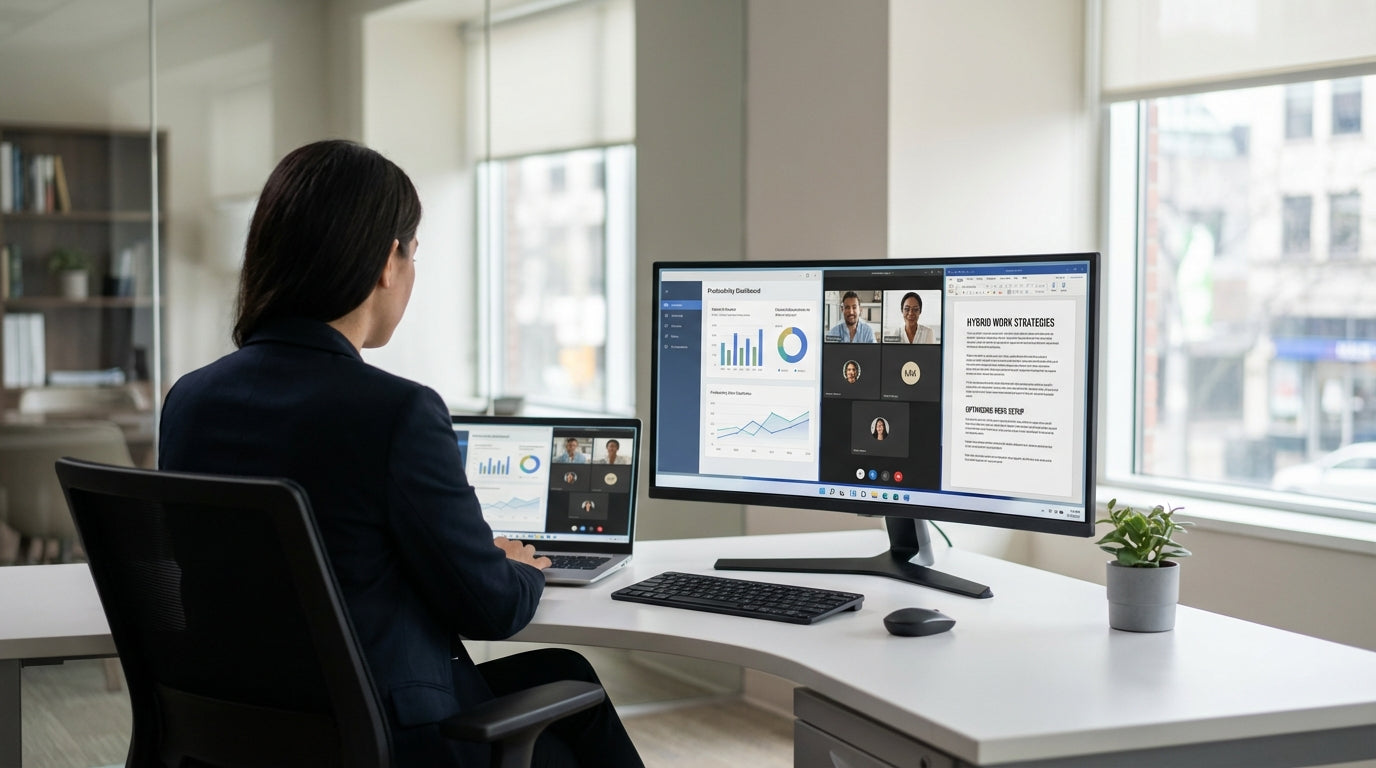
If you juggle several apps, screens, or reference documents while presenting, an L-shaped or corner-style desk can make you look more polished on camera. These shapes give you more surface without pushing your monitor too far away.
L-shaped layouts are ideal for sales teams, managers, and creatives who need a main side for calls and a secondary side for planning or paperwork. With an L-Shaped Desk, you can keep your video call monitor directly in front of you, while the return holds a second screen, laptop, or documents just off to the side. That way, you can glance at notes without obviously looking away from the camera.
Corner-style setups can also help you maximise tight rooms, putting you diagonally to the walls. By using dedicated Corner Office Desks or more integrated Corner Workstations, your background can be styled with shelves or artwork, rather than a door or walkway. This angled position often improves lighting too, reducing harsh backlight from windows behind you.
For open-plan offices or shared areas, corner or L-shaped workstations combined with Desk Mounted Partitions offer more privacy when taking video meetings. The extra depth and side surface allow you to keep equipment out of frame, so your on-screen presence remains uncluttered, even when your workday is not.
Height-Adjustable and Pod-Based Solutions for Frequent Callers
If you spend hours each day in virtual meetings, comfort and flexibility become just as important as desk shape. Adjustable workstations and office pods can transform how you feel and look on calls.
Sit-stand furniture lets you vary your posture through the day, which can improve focus and help you look more energetic on camera. With Height Adjustable Workstations, you can dial in the perfect screen height whether seated or standing, and fine-tune your webcam angle to maintain eye contact. Pairing an adjustable frame with a Monitor Arm gives you even more control over tilt and distance, so you’re never straining your neck during long calls.
For people in busy households or open offices, acoustics and privacy can matter more than surface shape alone. Self-contained Office Pods create a dedicated zone for meetings, combining sound control, lighting, and space for your preferred desk style. Inside a pod, a compact straight desk or corner workstation works well, especially if you also install a partition or acoustic panel behind you to soften sound and create a consistent background.
Team leaders and client-facing staff often benefit from combining a height-adjustable base with an L-shaped or corner configuration. This gives a primary “camera-ready” side and a separate working side, without sacrificing ergonomics. The key is to set your main monitor so the camera is at or just above eye height, then build the rest of your workstation around that position.
Choosing the Right Configuration for Your Space
The best desk shape for video calls depends on your room, how often you meet, and how much equipment you use. Start by mapping where your camera will sit and what your background will show.
In compact home offices, sleek Home Office Desks or modest Straight Desks are usually easiest to position so a solid wall or styled shelf sits behind you. If you share space with others, consider adding Desk Mounted Partitions on the sides to reduce visual and audio distractions during meetings. Single-user layouts like Single Person Workstations offer a tidy, defined boundary between your workspace and the rest of the room.
For larger spare rooms or dedicated offices, corner and L-shaped setups shine. By using Corner Office Desks or Corner Workstations, you can angle your desk so natural light falls from the side rather than behind you, which looks much better on camera. Professionals who rely on multiple displays can anchor their main call screen in front, then spread supporting screens along the return, keeping your gaze relatively close to the camera while you multitask.
If wellness and movement are high priorities, frame your decision around adjustability first, then shape. You can integrate Height Adjustable Workstations with straight, corner, or pod-based setups, and then refine your layout with accessories like Monitor Arms to get the most from your investment. Whatever you choose, aim for a configuration that supports your body, keeps your background calm, and lets you focus on the conversation instead of the furniture.


