

Designing the Ideal Desk Setup for Recording
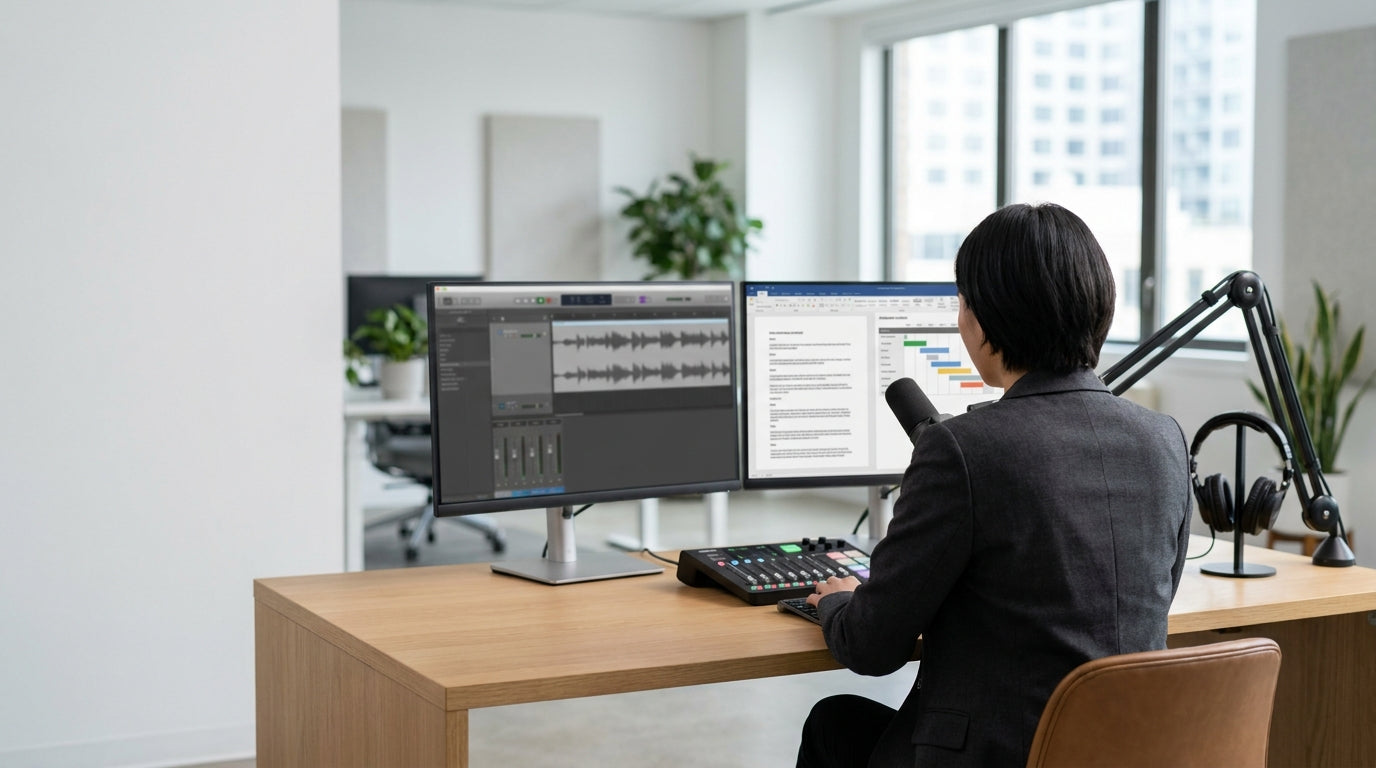
Your desk is the anchor of any podcast studio, whether you’re working from home or sharing a commercial space. It needs to support microphones, mixers, monitors, and notes without feeling cramped or cluttered.
For smaller spaces or spare rooms, a dedicated studio surface from a range of Home Office Desks can keep your recording gear organised while still looking professional on camera. If you prefer a more traditional layout with clear separation between recording gear and admin tasks, compact Single Person Workstations provide enough depth for boom arms and audio interfaces, while leaving room for notepads and reference material.
Podcasters who like to spread out with scripts, guests’ bios and multiple screens often benefit from an L-shaped surface. This is where Corner Workstations work well, giving you one side for recording equipment and another for editing or live chat monitoring. It also helps keep potentially noisy gear, like external hard drives, away from sensitive microphones.
Ergonomics matters, even in creative studios. Adjustable furniture – especially Height Adjustable Workstations – lets you move between sitting and standing, which can improve energy and vocal projection during long sessions. A solid, wobble‑free frame is crucial so your desk doesn’t transmit vibrations to the mic every time you type, tap, or shift position.
Choosing the Right Chair for Long Recording Sessions
A good chair keeps you comfortable, focused, and sounding your best on the mic. Poor seating can lead to slouching, shallow breathing, and fatigue in your voice.
Padded, adjustable seating from a curated selection of Task Chairs is usually the best starting point for podcast studios. These chairs are built for extended use, with features like lumbar (lower back) support, seat height adjustment, and tilt control so you can sit upright without straining. Sitting slightly forward and open through the chest generally gives clearer, more consistent audio than slumping into a lounge chair.
If you record in a warm climate or under bright studio lights, airflow becomes important. Lightweight Mesh Office Chairs help keep you cool and reduce the chance of squeaks or creaks that can be picked up by sensitive microphones. Look for a stable base and smooth rolling casters, so you don’t generate unwanted noise when you shift position between takes.
Consider how your chair works with your desk and mic placement. You want to be able to move closer to the desk without armrests constantly bumping into it, especially when you’re using a boom arm or desk‑mounted mic stand. Test your recording posture: feet flat on the floor, shoulders relaxed, and mouth consistently aligned with the microphone, with your chair adjusted to support this position.
Optimising Monitor and Equipment Layout
Where you place your screens and hardware affects both your workflow and your recording quality. A tidy, efficient layout helps you stay focused on the conversation instead of wrestling with cables and controls.
Mounting your screens with dedicated Monitor Arms frees up desk space for audio gear while putting displays at eye level to reduce neck strain. Being able to quickly swing a screen towards a co‑host or guest is handy when you’re reviewing notes or checking levels mid‑recording. It also keeps your line of sight clear, which is useful if you’re filming video as well as recording audio.
Good Cable Management keeps power leads, USB cords and XLR cables under control, improving safety and appearance. Cable trays, clips and under‑desk channels reduce trip hazards and stop leads dragging on the floor, which can transmit noise or cause accidental disconnections. A clean, routed cable path also makes it easier to troubleshoot issues while you’re live or on a tight recording schedule.
Position audio interfaces, mixers and controllers so controls and meters are within easy reach without forcing you to twist away from the microphone. Aim to keep noisy gear, such as external drives or computer towers, off the desktop and away from the mic pickup zone. Ordering the layout logically – computer and screens in front, mixer to one side, notes to the other – can make your studio feel intuitive even to guests who’ve never sat in front of a microphone before.
Improving Sound and Privacy with Specialist Furniture
The physical setup of your studio has a big impact on echo, background noise, and how confident guests feel. Thoughtful furniture choices can improve both acoustics and privacy without needing heavy construction.
Self‑contained Office Pods are an increasingly popular option for podcasters who share open‑plan offices or coworking spaces. These enclosed booths create a quieter recording environment by blocking out general office noise and limiting distractions. They’re particularly useful for interviews, voiceovers, and video calls where you need consistent sound quality without booking a separate studio.
On walls, soft surfaces help absorb reflections (sound bouncing around the room) that can make audio sound boxy or hollow. Installing Acoustic Wall Tiles behind and beside your recording position can significantly reduce echo and improve clarity. These tiles work by converting some of the sound energy into a tiny amount of heat, rather than letting it bounce straight back into the microphone.
You don’t need to cover every surface; focus on the areas directly in front of and beside you, plus any hard, parallel walls. Combining acoustic tiles with fabric furniture, rugs, and well‑filled bookcases often produces a natural, balanced sound that still feels like a real room. This approach is ideal for conversational shows where you want warmth and presence instead of a completely “dead” studio sound.
Planning for Growth and Flexible Use
A podcast studio often starts small, then needs to adapt as your show gains momentum. Choosing furniture with flexibility in mind saves time and money as your production evolves.
Modular desks such as Single Person Workstations or L‑shaped Corner Workstations make it easier to add extra microphones, screens, or a co‑host position later. Starting with a Height Adjustable Workstation also future‑proofs your studio, as you can reconfigure it for standing video intros, product demos, or live streams without buying a new desk.
If you record from a multipurpose room, such as a spare bedroom or shared office, portable pieces matter. Lightweight Task Chairs and mobile storage units can be moved aside when you’re not recording, keeping the space versatile for day‑to‑day work. Similarly, freestanding Acoustic Wall Tiles panels or screens can be repositioned around guests or instruments as needed.
Finally, consider how your furniture will look on camera if you’re creating video content alongside audio. Clean lines, coordinated surfaces, and concealed wiring using proper Cable Management contribute to a professional backdrop without extensive set design. By thinking ahead about comfort, acoustics, and adaptability, your studio furniture can support both current recording needs and any future projects you choose to launch.


