

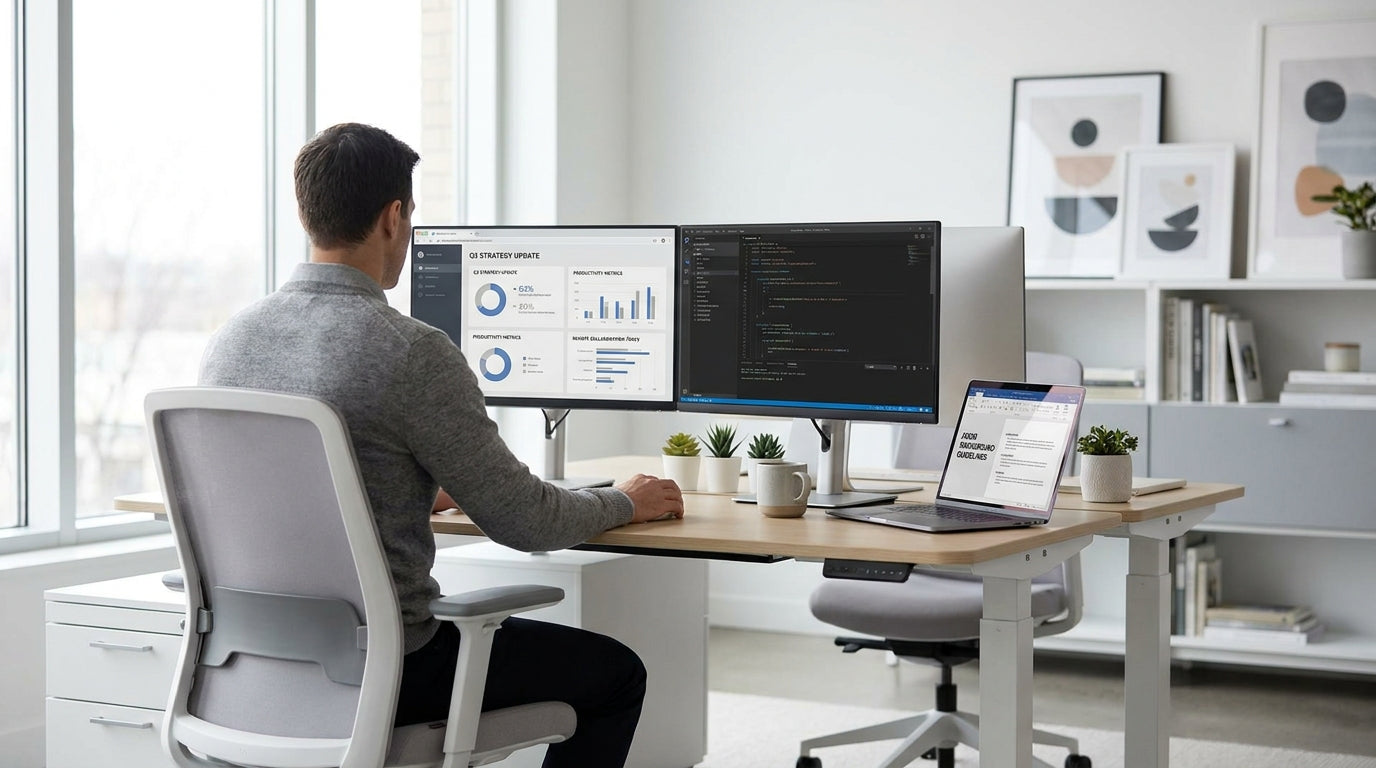
Designing a Professional Home Office Backdrop
Your Zoom background sends a message about your professionalism before you even speak. The right furniture layout can make a spare bedroom or corner of the lounge look like a polished office.
Start with the desk, as it’s usually the hero of the frame. A clean, modern workstation sets the tone, whether you choose purpose-built Home Office Desks or a more corporate-style option. Keep the visible surface as clutter-free as possible: one laptop, a notepad, perhaps a plant or lamp is usually enough. Too many accessories distract your audience and make the space feel cramped on camera.
Think about camera angles before you lock in the furniture layout. Ideally, your desk should face a wall or shelving unit rather than an open doorway or busy hallway. Simple changes, like shifting a desk 90 degrees or moving a bookcase behind you, can dramatically upgrade how your background looks in video meetings. It’s worth doing a few test calls or recordings to see what appears in the frame and adjust your setup accordingly.
If you regularly meet with clients or senior stakeholders, a more executive aesthetic can help. Installing a larger workstation or one of the streamlined Manager Desks can create a sense of authority without feeling over the top in a home environment. Choose neutral finishes such as white, oak, or walnut, which are reassuringly familiar on screen and easy to style.
Choosing the Right Desk Shape and Style for Video Calls
The shape of your desk affects how much of your workspace appears on camera. It also influences cable management, lighting, and how easily you can keep things tidy.
If you’re working from a smaller room or shared space, streamlined Straight Desks offer a compact footprint and a clean line behind your shoulders. These rectangular designs make it easy to position the camera so that only a neat section of the desk and wall is visible. For most remote workers who simply need a laptop and a monitor, a straight workstation is both cost-effective and visually simple, which translates very well on Zoom.
For people who spread out paperwork, use multiple monitors, or need extra storage, an L-Shaped Desk or Single Person Workstation can be a smarter choice. These offer more surface area while still letting you dedicate one “clean” zone as your on-camera area. You can keep everyday clutter, chargers, and documents on the off-camera side and pivot slightly when you need extra room, keeping your background consistently tidy.
Consider the finish and colour of your desk as part of your visual branding. Lighter timber tones read warm and approachable, while black and deep walnut can feel more formal. Matching your main workstation with complementary storage pieces such as Credenzas / Buffets creates a cohesive look that feels intentional rather than improvised. This uniformity is particularly noticeable on HD webcams, which tend to exaggerate mismatched furniture.
Don’t forget ergonomics while you focus on looks. A desk at the correct height, enough depth for your keyboard and monitor, and smart cable routing all help you sit comfortably through long calls. When you’re not constantly readjusting your posture or wrestling wires, you appear calmer and more confident on screen, which is ultimately the impression most professionals want to give.
Using Storage Furniture to Style Your Background
What sits behind you matters as much as the desk in front of you. Smart storage doubles as decor, giving you a neat background and somewhere practical to put your files.
Open Office Shelving is ideal when you want a curated, “styled” backdrop. You can mix reference books, awards, and a few personal items to create a professional but human look. Leave some breathing space between objects so the shelves don’t appear cluttered on camera; webcams tend to compress depth, making busy shelves look even messier. Grouping items in threes and sticking to a simple colour palette helps maintain visual order.
If you prefer a classic office aesthetic, tall Bookcases work beautifully as a full-height background. Rows of neatly arranged books convey focus and expertise, especially in advisory, legal, education, or consulting roles. You can keep work binders and reference material on the lower shelves and place decorative pieces, framed certificates, or plants at eye level where they’re visible in your Zoom frame.
For those who don’t want everything on display, a low-line Credenzas / Buffets behind your chair provide hidden storage as well as a clean, horizontal surface for styling. A table lamp, a single piece of art, or a plant on top is usually plenty. These pieces are especially handy in multi-use spaces because you can tuck away kids’ toys, tech accessories, and home items between calls and still appear as though you’re working from a dedicated office.
Combining closed and open storage often gives the best result on video. For example, a bookcase on one side and a credenza on the other adds balance and depth to your background. This layered look feels intentional, while the closed units keep cables, documents, and personal clutter safely out of sight during important meetings.
Seating and Layout that Look Good on Camera
Your chair and room layout influence both comfort and how polished your setup appears. Aim for a seating arrangement that supports good posture and frames you clearly.
An ergonomic office chair is still the best foundation, but think about what else appears in the shot. If part of your room is visible behind you, subtle Reception Seating can make the space look like a professional studio rather than a spare room. A small lounge chair or visitor chair in the background, angled slightly, gives the impression of a thoughtfully designed office where clients could comfortably sit if they were there in person.
Position your main chair so your face is centred on screen and there’s a small amount of headroom above you. Too much empty space above your head or too little space around your shoulders can make the shot feel awkward. If your backrest is visible, choose neutral upholstery and avoid busy patterns that can distort on camera. Consistency between your chair and nearby pieces, such as matching the fabric to the colour of your Home Office Desks or storage units, also helps.
Layout also affects lighting, which is crucial for video calls. Whenever possible, arrange your desk so natural light comes from in front or at a slight angle, not directly from behind. Backlighting will turn you into a silhouette and highlight everything in your background instead of your face. If you must sit in front of a window, consider sheer curtains and a desk lamp to balance the light so both you and your furniture look crisp and clear.
For hybrid workers who occasionally host in-person visitors, combining a primary workstation with a small seating zone keeps the space flexible. A compact Single Person Workstation near the window and a chair or two along the opposite wall ensures that both the on-camera view and real-life use feel considered. This dual-purpose approach maximises smaller Australian homes and apartments without sacrificing professionalism.
Styling Tips for a Clean, On-Brand Zoom Background
Once furniture is in place, thoughtful styling ties your Zoom background together. The goal is a space that looks professional, personal, and free of distractions.
Start by limiting what you keep in frame. Surfaces of Straight Desks, Manager Desks, and low credenzas should hold only a few items: a lamp, a plant, perhaps a framed print. This negative space gives the eye somewhere to rest and keeps the focus on you. Hide paperwork, chargers, and stationery inside drawers or cupboards so they’re close at hand but not stealing attention during calls.
Add greenery to soften hard lines and bring some life to the frame. A plant on a credenza or at the end of a run of Office Shelving breaks up verticals and makes the room feel more welcoming. Just choose low-maintenance varieties that won’t droop visibly between meetings. Similarly, a small piece of art or a neutral print behind you can add personality without clashing with your company’s colours or logo, if you use a branded virtual background overlay.
Think about colour coordination across your storage pieces and display items. Matching the tones of your Bookcases, Credenzas / Buffets, and desk creates a unified visual line that cameras pick up immediately. If you work for a brand with strong colours, echo those subtly in book spines, folders, or a cushion on any visible Reception Seating rather than painting the whole wall. This keeps the space versatile if your role or employer changes.
Finally, test your setup regularly as your needs evolve. As you add equipment, swap out furniture, or move between different L-Shaped Desks or workstations, jump on a quick video call with yourself and see what’s changed in the frame. Small tweaks—like sliding a bookcase 10 centimetres or decluttering a shelf—can produce a big improvement in the overall impression your background makes to colleagues, clients, and stakeholders.


