

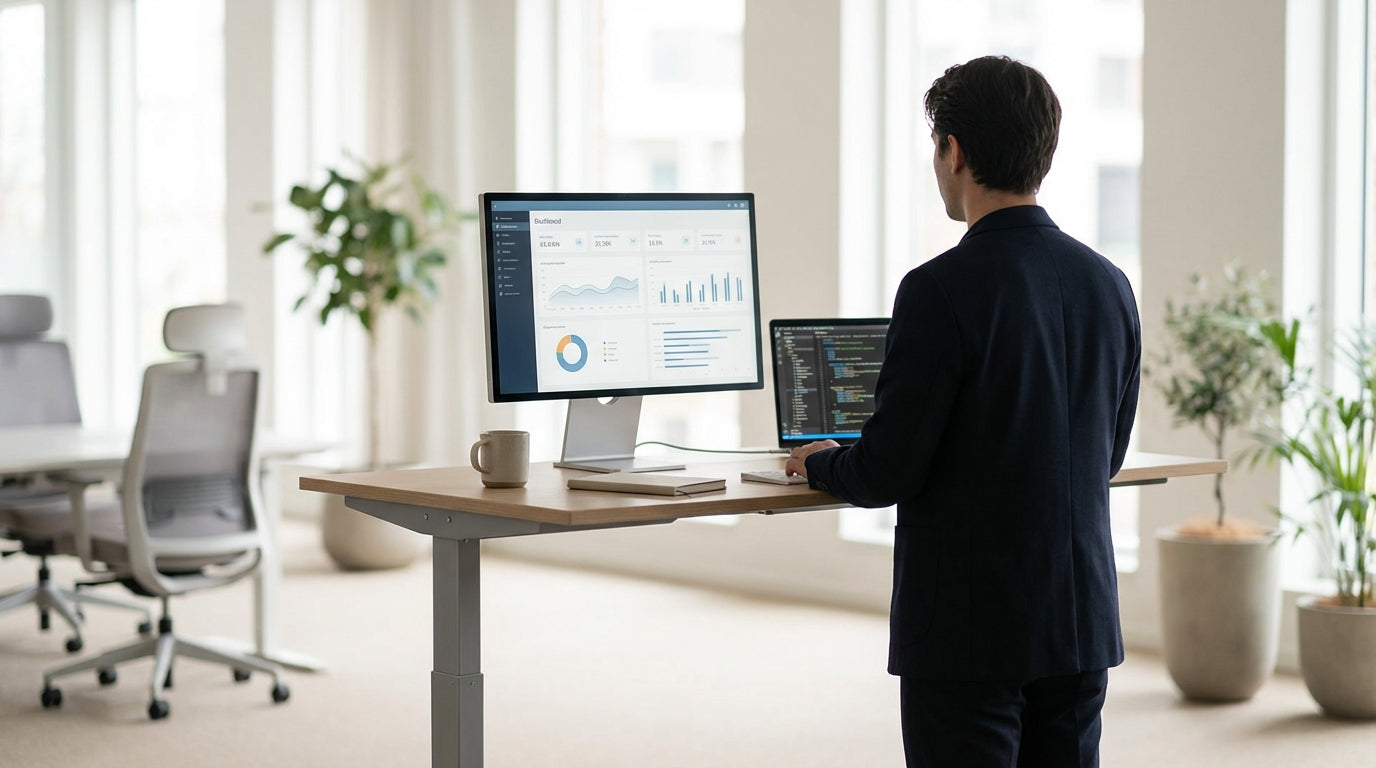
Understanding Typical Standing Desk Heights
Standing desks are not one‑height‑fits‑all, but there are useful ranges you can rely on. Most people will sit comfortably between these common measurements with only minor adjustments.
For adults, the usual standing desk height range runs from about 90 cm to 125 cm. This spread covers most users from roughly 155 cm to 195 cm tall, especially when the desk is electric and easy to fine‑tune. Many quality height adjustable workstations ship with presets in this band so you can switch between sitting and standing quickly during the day.
In a typical office fit‑out, fixed desks often sit around 72–75 cm high for seated work. A sit–stand setup needs to rise at least 20–30 cm higher than that to be genuinely useful for standing. Selecting electric frames that move smoothly within this range helps limit wobble and keeps heavy monitors, laptops, and accessories stable.
It’s also important to think beyond the desk surface. Accessories like monitor arms expand the usable height range because you can fine‑tune screen position without having to over‑adjust the desktop itself. This becomes especially handy when multiple people share the same workstation over different shifts.
How to Measure the Right Height for Your Body
The most accurate desk height is the one matched to your body, not a one‑size chart. A quick set of measurements can get you very close.
Start by standing naturally with shoulders relaxed and arms by your side. Bend your elbows to about 90 degrees, as if you were typing. The ideal desk height is roughly level with the underside of your forearms or just below your elbows. This position helps keep wrists straight and reduces strain through your shoulders and neck over long periods.
If you already own a fixed desk, you can reverse‑engineer your best position. Stand at the desk, rest your forearms on the surface, and check whether your wrists bend upwards or downwards. If your wrists are kinked, you may need to raise or lower your desk or alter your keyboard height. A single person workstation with adjustable framing or a sit–stand converter can help bridge the gap without replacing all your furniture.
Don’t forget your screen height: the top of your monitor should generally sit at or slightly below eye level. If you find yourself tilting your head forward, that’s a cue to adjust the monitor rather than pushing your whole desk higher. Using flexible monitor arms allows individual users to set their own viewing angle while leaving the desk height optimised for typing and mouse use.
Recommended Desk Heights for Different Users
Different workstyles and body types call for slightly different desk height setups. Matching the surface to the person and the task makes a noticeable difference in comfort.
For most adults in office roles, a standing height somewhere between 95 cm and 115 cm works well, depending on stature. Shorter users may be closer to the low 90s, while taller users often need 115 cm or more. Electric frames used in straight desks and corner workstations typically include a digital panel so each person can store their preferred height, removing the guesswork each morning.
For home setups, it’s common to share a space between partners or family members. In these cases, versatile furniture such as home office desks with sit–stand frames and memory settings are ideal. Each user can program a sitting and standing height, switching with a single button press. When space is tight, choosing a compact frame with a broad height range is more effective than trying to compromise with a fixed, mid‑range height that suits no one properly.
Specialist roles need tailored heights. For example, designers and architects often work on larger prints or technical drawings and may prefer slightly higher surfaces to allow for leaning over plans. Purpose‑built drafting tables accommodate this by offering extra height and angled tops, which reduce the need to hunch. In contrast, a standard standing desk set to office‑task height might be too low and uncomfortable for extended drawing sessions.
Desk Shapes, Layouts and Their Impact on Height
The right height also depends on how your desk fits into the room and what shape you choose. Different layouts position your gear in different ways, which affects your posture.
With simple rectangular workstations, it’s straightforward: you adjust the entire top to suit your standing posture. Many people favour clean straight desks because they’re easy to position against a wall and pair well with desk mounted partitions for privacy and sound control. The uniform depth keeps keyboard, mouse, and monitor on the same plane, making height adjustments predictable.
Corner layouts add a layer of complexity. Corner workstations and corner office desks wrap around the user, which can change how far you reach to different zones of the desk. When setting height, base it on the main working zone where your keyboard and mouse sit, not the return where you might store paperwork or a printer. If the desk is L‑shaped and only one side is height adjustable, prioritise the side you stand at most of the day.
Open‑plan offices often combine layouts, using a mix of height adjustable workstations for shared hot‑desking and fixed‑height corners for storage or collaboration spaces. In this environment, having independent height control for each seat is vital. Privacy screens can be mounted to the surface, but ensure any desk mounted partitions are compatible with the full travel range of your frame so they don’t clash with under‑desk storage, cable trays, or neighbouring desks when you move between sitting and standing.
Practical Setup Tips for Everyday Comfort
Getting the height right is only one piece of a healthy workstation setup. Small tweaks to your accessories and habits will determine how comfortable standing feels over a full day.
Once you’ve dialled in your ideal height, lock it in with memory settings if your frame allows. Many electric height adjustable workstations feature at least two presets, so you can save a sitting and standing position. Use them regularly instead of hovering at one compromise height. Aim to alternate between sitting and standing every 30–60 minutes, rather than standing all day, which can lead to tired legs and feet.
Consider what sits on top of your desk. If you use dual monitors or a heavy ultrawide screen, quality monitor arms make it easier to keep screens at eye level as you move. For smaller home setups, combining a compact home office desk with a single monitor arm can free up surface space and keep your neck in a more neutral position. Pairing this with a supportive anti‑fatigue mat and comfortable footwear will make longer standing sessions feel more natural.
Finally, match the desk type to your work pattern. Solo professionals who mostly work independently might appreciate dedicated single person workstations, while creatives may benefit from blending an adjustable desk for computer work with separate drafting tables for sketching and reviewing designs. In every case, use height as a starting point, then refine screen, keyboard, and accessory placement so your body stays relaxed whether you’re sitting or standing.


