

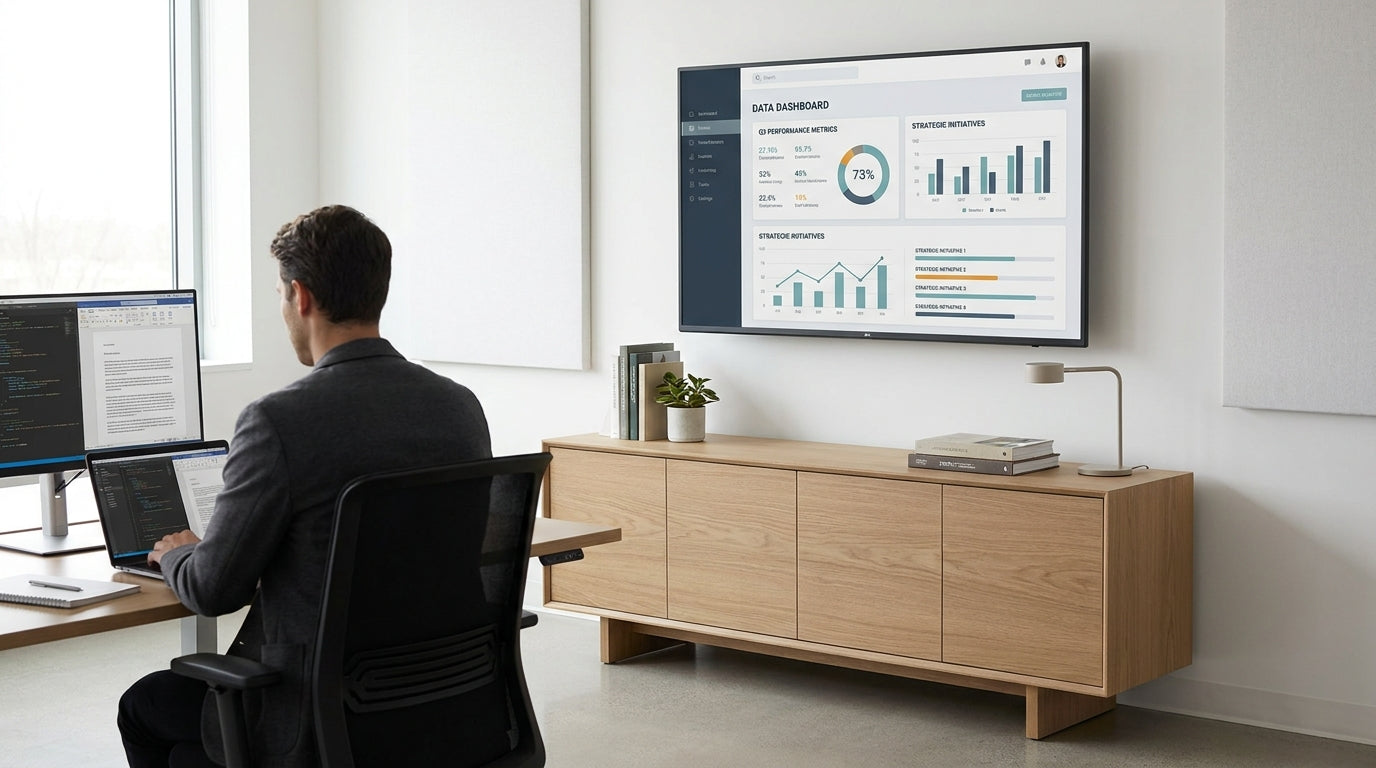
Measuring Your TV and Wall Space Correctly
Getting the size right starts with accurate measurements. A credenza that’s too small or too large can throw off the balance of your office and make storage less efficient.
Begin by measuring the width of your TV from edge to edge. As a rule of thumb, the unit should be wider than the screen by at least 15–20 cm on each side. This gives the display a stable visual base and reduces the risk of anyone bumping the corners. Also note the TV’s height and the height of its stand, especially if you’re placing devices or décor in front.
Next, measure the wall space where you’ll place the unit. Check for power points, data ports and skirting boards that might affect depth or placement. Make sure doors, walkways and office chairs won’t clash with the front of the unit when they’re in use. If you’re tight on space, consider slimmer options like sliding door cabinets, which don’t need extra room for doors to swing open.
Don’t forget cable clearance. Leave enough width to route leads behind the credenza without cramming them against the wall. This is especially important if you’re running power to a printer, docking station or charging hub stored inside. A tidy cable plan helps keep the whole set‑up looking intentional rather than improvised.
Matching Credenza Width and Height to Your TV
The proportions between the TV and storage unit are just as important as the raw measurements. Good proportions keep your office feeling calm and well organised.
For width, many workplaces aim for the unit to be 20–40 cm wider than the TV overall. So if your TV is 140 cm wide, a credenza around 160–180 cm tends to look balanced. Wider screens used for collaborative presentations or video calls may need a longer base to avoid appearing top‑heavy. Browse wider credenzas / buffets if you’re fitting out a boardroom or creative studio.
Height depends on how you use the screen. If staff view the TV mainly while seated at desks or in visitor chairs, aim for the centre of the screen to sit roughly at seated eye level (around 100–110 cm from the floor for most adults). This often means choosing a unit between 65 and 80 cm high. For standing collaboration zones, you might go slightly higher and combine with open office shelving nearby for easy access to resources.
Always factor in any extra riser or soundbar under the TV. If you’re wall‑mounting, confirm where the bracket will sit before committing to a height. That way, the top of the credenza lines up neatly with the bottom of the screen, with enough clearance for a keyboard, remote caddy or small speaker without blocking the view.
Choosing Depth and Internal Storage Layout
Depth determines how much you can store and how comfortable it is to move around the unit. It also affects how neatly you can hide technology and cabling.
Standard office credenzas usually range from about 40 to 50 cm deep. Shallower options are ideal for narrow corridors or compact study nooks where every centimetre counts. For a shared workspace where the TV doubles as a monitor for video conferences, a deeper unit can house AV gear, routers and power boards out of sight. If you need flexible internal space, look at adjustable shelves and compatible bookcases to expand vertical storage nearby.
Think about what you plan to store under the TV: ring binders, printer paper, cables, headsets, sample packs or personal items. For general office supplies, pairing your unit with dedicated stationery cupboards keeps small items from cluttering the main shelves. If you rely on printed documents, integrating a matching filing cabinet alongside the credenza can handle archive storage while the unit itself holds tech and meeting materials.
Internal configuration matters too. Fixed shelves are sturdy for heavier equipment, but adjustable shelves or a mix of drawers and doors make the space more adaptable. Where possible, choose a unit with cable ports or space at the back so you can keep power packs hidden. If you’re building a more premium front‑of‑house area, coordinate with feature pieces from a luxe storage range for a consistent look across all cabinetry.
Balancing Style, Materials and Existing Office Furniture
The right storage unit should look like it belongs with your other office furniture. Matching finishes and lines makes your TV wall feel intentional, not cobbled together.
Start by noting the colours and materials already in your space. If your desks and cupboards are melamine in a light timber or white finish, choose a similar tone so the TV wall blends in. Darker veneers or black frames can work well in executive offices, especially when paired with complementary pieces such as office cupboards on adjacent walls. Keeping hardware (handles, legs and frames) consistent across units helps everything tie together visually.
Consider how the front of the unit opens. Hinged doors give full access but need clear space in front; this suits larger rooms and boardrooms. In tighter corners or corridors, units with sliding fronts—similar to dedicated sliding door cabinets—reduce the risk of doors getting in the way of traffic. Glass fronts can showcase reference books or awards, while solid doors are best for hiding cables, chargers and less attractive equipment.
If your office already features a particular design family, such as coordinated pieces from an Athens storage collection, stick with it under the TV as well. This creates a unified line along the wall, especially when you extend the same style into nearby office shelving or matching low units. A cohesive fit‑out looks more professional to visitors and makes the space easier to plan as your needs change.
Planning for Growth and Multi‑Purpose Use
Your under‑TV storage will work harder if you plan for future needs. A bit of extra capacity today can save a full refit later.
Think beyond the TV itself. Many workplaces gradually add streaming devices, soundbars, webcams and wireless presentation kits. Choosing a slightly longer or deeper unit gives you room for new equipment without cluttering the top surface. If your team uses physical reference materials, backing up your credenza with vertical bookcases or modular office shelving can keep everything within reach of the screen for quick collaboration.
Consider whether the unit needs to double as general storage or a mini refreshment station for meetings. In shared offices, it’s common to store mugs, tea and coffee alongside presentation gear. You can pair the main credenza with matching credenzas / buffets elsewhere in the room to distribute storage more evenly. For teams with higher security needs, add lockable office cupboards for sensitive items and leave the main unit for everyday use.
Finally, check how your chosen unit will integrate with the broader storage system. Coordinating with specialist pieces—like secure filing cabinets for documents, dedicated stationery cupboards for consumables and matching options from a luxe storage range for client‑facing areas—ensures your TV wall doesn’t have to handle every storage task. The result is a cleaner, more flexible workspace that can adapt as your technology and team evolve.


