

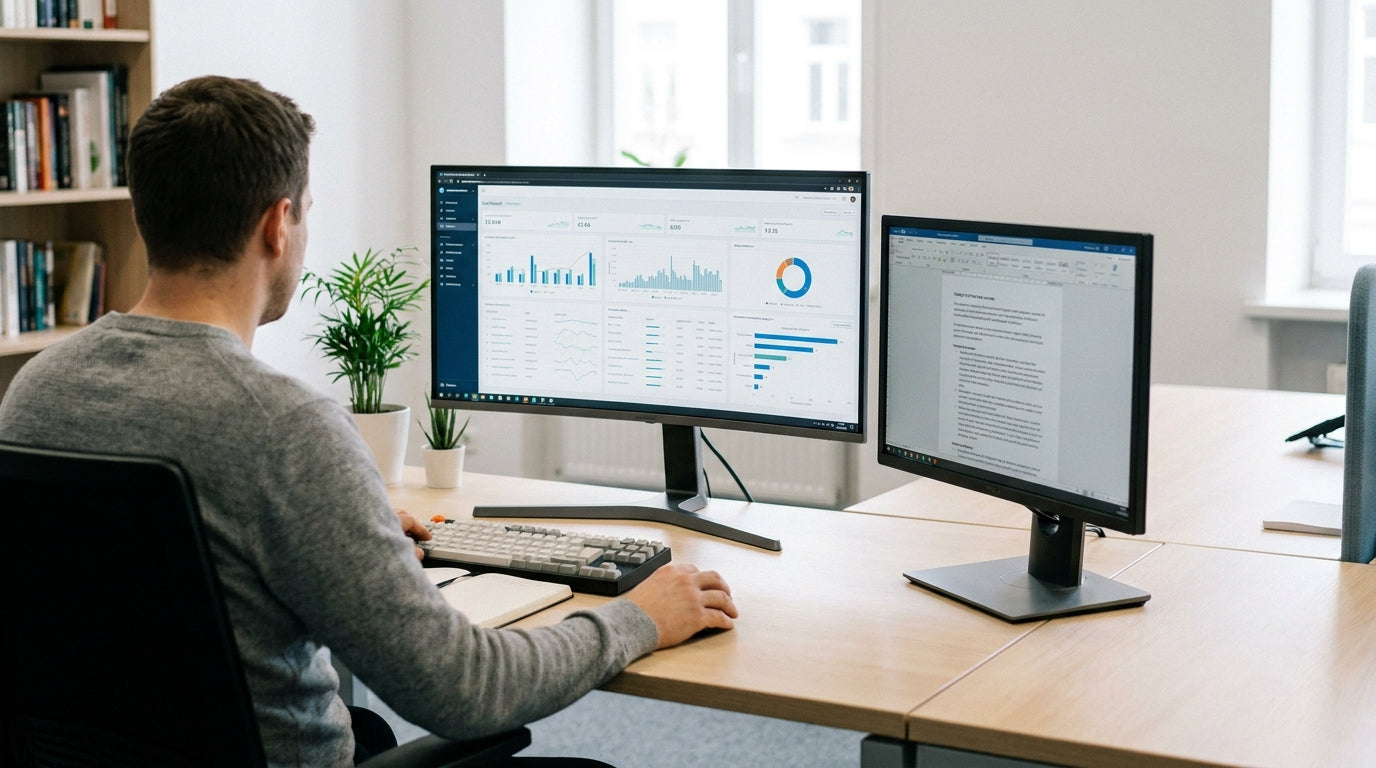
Understanding the space a corner monitor layout really needs
A corner monitor layout can save space, but only if the desk is sized correctly. Before shopping, it helps to understand how desk depth, width, and shape affect your setup.
Most corner layouts use two or more screens angled towards you, which naturally needs more depth than a basic laptop station. As a rule of thumb, aim for at least 700–800 mm of depth on each side so your monitors can sit far enough away for comfortable viewing. Desks with a chamfered or curved corner, like many dedicated corner office desks, make it easier to centre your chair and keyboard while still keeping screens within arm’s reach.
Width is just as important. For a dual-monitor arrangement, each side of the desk should typically be at least 1200–1500 mm wide, especially if you want room for speakers, documents, or a docking station. Larger ultrawide displays or triple-monitor arrays will push that requirement closer to 1500–1800 mm per side to avoid a cramped feel.
Shape also plays a role. Traditional 90-degree corners can feel tight, whereas L-shaped desks and curved corner workstations provide a more natural arc for multiple screens. Thinking through these dimensions early helps you narrow your options before you start comparing finishes and storage.
Minimum desk dimensions for dual and triple monitors
The number of screens you use is the biggest driver of desk size. Plan for width and depth first, then fine‑tune around your room.
For two 24–27 inch monitors in a corner, a practical minimum is about 1400 mm per side and 750 mm deep. This gives you enough room to angle both screens towards your seating position with a comfortable viewing distance of 500–700 mm. If your space is tight, a compact corner or home office desk with a slightly deeper central section can compensate for shorter side runs.
Triple-screen or ultrawide gaming and productivity layouts need more breathing room. Aim for at least 1500–1800 mm on each wing for three 24–27 inch panels, or a 34–38 inch ultrawide plus a secondary display. This extra span helps avoid having displays pushed right to the edge where they’re easier to knock or bump, and leaves space for peripherals like tablets or reference documents.
If you prefer a simpler workstation with one main display and a laptop, a quality 1200–1500 mm straight desk can still work in a corner. Pairing it with adjustable monitor arms lets you float screens above the surface, freeing up desk depth and improving your overall ergonomics.
Ergonomics, viewing distance, and desk depth
Desk size is not just about fitting screens; it is also about protecting your neck, eyes, and posture. Correct depth and monitor height make a big difference over long workdays.
For most adults, a viewing distance of 500–800 mm is ideal for typical 24–32 inch monitors. To achieve this in a corner configuration, the desk should be deep enough that your keyboard and mouse sit comfortably in front of you, with the screens a little further back. A depth of 750–800 mm at the centre of the corner, or slightly more on single person workstations, is usually enough to maintain that distance without leaning forward.
Height is the next factor. Your eye line should fall roughly at the top third of the main display, which is easier to fine-tune on height adjustable workstations. Being able to raise or lower the entire surface means you can keep neutral wrist angles whether sitting or standing, and still maintain a consistent distance to your monitors in the corner.
Flexible mounting hardware completes the picture. Using quality monitor arms in a corner lets you curve multiple screens around your natural field of view, rather than forcing you to twist your neck. This is particularly helpful on deeper corner workstations where you might otherwise place displays too far back or at awkward angles.
Choosing between desk shapes for a corner layout
Different desk shapes suit different types of corner monitor layouts. Matching the desk style to your room and workflow matters as much as raw size.
Traditional corner office desks are purpose-built to occupy a corner and typically offer a central working zone with two return wings. They work well for users who want the primary monitor or pair of monitors centred, with storage or secondary devices along the sides. If you handle paperwork or spread out multiple devices, the extra surface on each wing can be more valuable than a very long straight run.
L-shaped desks are highly versatile, especially in home offices where one side may need to stay clear for writing or creative work. You can dedicate one leg of the “L” to a multi-monitor rig and use the other as a clean surface for notebooks, sketch pads, or printers. In smaller spaces, they provide a tidy way to tuck your setup into a corner while still feeling open.
For compact rooms and simple digital workflows, a well-proportioned home office desk or long straight desk pushed into a corner can still handle dual monitors. The key is to confirm both depth and clearance for your chair so you can sit square to the main screen. If your work is mostly on one display, this option can save money and floorspace while remaining comfortable.
Practical layout tips for a tidy, efficient corner setup
Once you know the right size desk, the final step is planning how everything will sit on it. A thoughtful layout keeps your space tidy and productive.
Start by mapping your main working zone: where your keyboard, mouse, and primary monitor will be. In corner configurations, place the primary monitor directly in front of you at the apex, then angle any additional screens along each wing. Using monitor arms instead of stands clears valuable depth, which matters on narrower single person workstations and compact home office desks.
Cable clutter can quickly overwhelm even a generously sized desk. Build in routing from the start with under‑desk trays, grommets, and clips from a dedicated cable management range. This keeps power boards and adapters off the floor and stops cords from eating into the usable surface area on corner workstations and L-shaped desks.
Finally, think vertically as well as horizontally. Pairing height adjustable workstations with arms and mounts lets you stagger displays at different heights or stack a laptop beneath a larger monitor without extending the footprint. Whether you choose a dedicated corner office desk or a versatile straight desk, planning the layout carefully ensures your corner monitor setup feels spacious, ergonomic, and easy to work in every day.


