

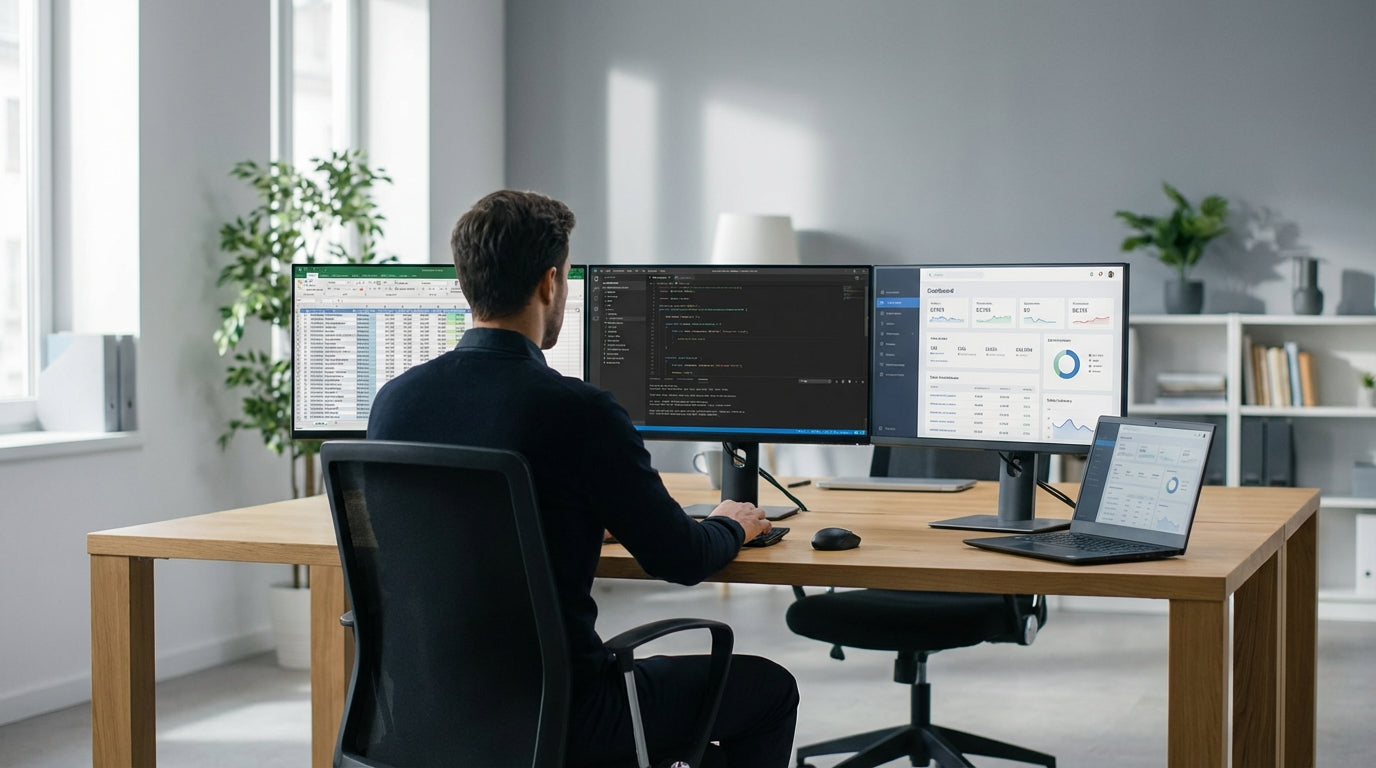
Understanding how much desk space three screens really need
Three monitors take up more room than many people expect. Before you buy a new workstation, it helps to understand how screen size, stands and accessories affect the space you’ll actually use.
Most triple-screen setups in Australia use 24–27 inch displays. Lined up side by side with their stands, this usually needs at least 140–160 cm of width on a standard rectangular surface. If your screens have thick bezels or bulky bases, you may need closer to 180 cm to avoid overhang and awkward angles.
Depth matters just as much as width. To keep your eyes roughly an arm’s length from the panels, aim for 70–80 cm of usable depth, especially if you’re using deeper gaming or curved monitors. A shallow top can force you to sit too close, which is uncomfortable over a full workday.
If you’re planning a more compact solution, a triple monitor arm setup can reduce the footprint of the screens themselves. By lifting the displays off the surface and overlapping them slightly, you can fit three monitors more comfortably onto a 120–140 cm option, particularly common with small home office desks.
Choosing the right desk shape for a triple-monitor layout
Desk shape has a huge impact on how comfortable and efficient your three-screen layout will feel. Different shapes suit different rooms, tasks and body positions.
Traditional rectangular or straight desks are the most common choice. For three monitors, look for at least 150 cm in width and 75 cm in depth to avoid a cramped layout. This style works well if you sit centred with one screen directly in front and the other two angled in, or if you prefer the middle monitor as your main focus with the side screens slightly pushed back.
If you need more wrap‑around space, an L-shaped desk or a dedicated corner office desk can be more ergonomic. You can place two monitors on the main side and the third on the return, or arc all three across the inner corner to create a cockpit-style arrangement. This gives you extra room for paperwork, speakers and storage without sacrificing clear sightlines to each display.
For dedicated work zones in a business setting, single person workstations and corner workstations are designed to maximise usable surface while keeping a compact footprint. These are ideal when you’re rolling out multi-monitor setups across a team and need consistent sizing, cable access and privacy screens that still accommodate three displays.
Minimum and ideal desk dimensions for three monitors
There’s a difference between what will “just fit” and what will feel good to use all day. Thinking in terms of minimum and ideal dimensions helps you choose wisely.
As a rough minimum, many users can make three 24 inch monitors work on a 120 cm wide top if they use a triple monitor arm and allow some overlap. However, this is a tight fit and leaves limited space for speakers, a laptop, or documents. For 27 inch panels, 140 cm is a more realistic minimum, especially if you don’t want the outer screens angled too sharply.
For a more comfortable everyday experience, aim for 160–180 cm in width. This gives you room to centre your chair, keep the main display directly in front of you, and position the two side screens within your natural field of view. Depth of 75–80 cm lets you place the monitors far enough back to maintain good posture, especially if you’re working long hours or gaming intensely.
If you’re going with a sit–stand setup, check that your chosen height adjustable workstation can handle both the width and weight of three displays plus your accessories. Wider electric frames tend to be more stable at full height, which is important when you’re moving multiple monitors up and down frequently.
Ergonomics, viewing angles and monitor mounting
Monitor layout isn’t only about what fits on the surface. Good ergonomics reduce neck strain, eye fatigue and shoulder tension when using three screens.
Ideally, the top of each display should be at or just below eye level when you’re sitting upright. The centre monitor should sit directly in front of you, with the side panels angled in slightly so you can see them with a gentle turn of the head, not a constant twist of the neck. Many people find that using the centre screen as the main work area and the side panels for reference, chat or tools keeps movements natural.
Using individual or triple monitor arms makes this much easier. Arms allow you to fine‑tune height, tilt, distance and curvature, so you can position the outer screens closer or further back to create a smooth arc. They also free up a surprising amount of desk depth by removing the bulky factory bases, giving you more breathing space for your keyboard and mouse.
Finally, think about the rest of your setup in relation to the screens. A quality chair, the right desk height (especially with electric height adjustable workstations), and a keyboard that sits directly in front of your main monitor all contribute to better posture. When everything lines up, you can focus on your work or games instead of constant micro‑adjustments.
Managing cables and expanding your setup over time
Three monitors mean three times the cables, power bricks and accessories. Planning for neat cable control and future expansion will keep your workspace usable and safe.
Without a plan, a triple-screen configuration can quickly turn into a tangle of power leads, HDMI or DisplayPort cables, and USB hubs. Proper cable management—such as trays, clips and grommets—keeps cords off the floor and out of your legroom. This not only looks cleaner but also makes it easier to clean, move the desk, or troubleshoot a device without pulling the entire setup apart.
If you expect your needs to grow, consider workstation components that let you add modesty panels, extra returns, or storage later. Modular systems are especially useful in shared offices where staff may move from two to three monitors or change hardware regularly. Pairing a solid base with flexible home office desks or business-focused single person workstations lets you reconfigure without replacing everything.
When you combine an appropriately sized rectangular, L-shaped or corner workstation with quality mounting hardware and cable solutions, your three‑monitor environment becomes much easier to live with. The right foundation now will give you the flexibility to upgrade screens, add peripherals and change how you work—without needing to rethink your whole desk every time.


