

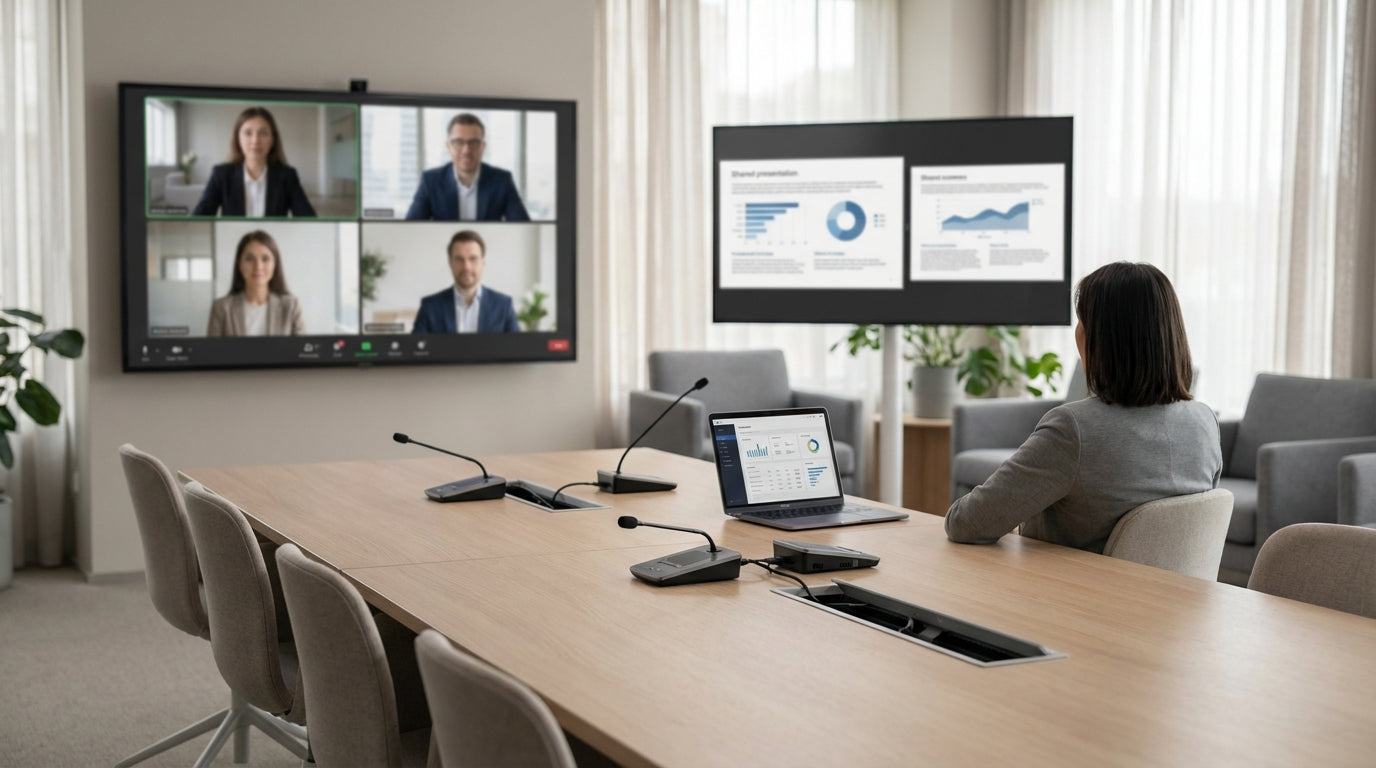
Designing a Room Around Your Video Calls
Getting video meetings right starts with the room, not just the tech. The table you choose shapes how people sit, look and sound on camera.
Begin by mapping out how the space is actually used: formal board meetings, client presentations, hybrid catch-ups or workshops. This will guide whether you lean towards large executive Boardroom Tables or more flexible Meeting Tables. Measure the room carefully, allowing clear walkways and space for chairs to slide back without hitting walls or cabinets.
Think about how people appear on screen. A layout that keeps everyone within the camera’s field of view reduces constant adjustments and awkward reshuffling. Consider whether a central table, U-shape, or two smaller tables pushed together will give the best line of sight to screens and cameras. The goal is to make eye contact feel natural for both in-room and remote participants.
Finally, factor in future changes. Hybrid work patterns, larger teams or new AV equipment may require reconfiguring the space. Choosing from a broader range of Office & Meeting Tables with modular or expandable options can help your room evolve without a complete redesign.
Choosing the Right Shape, Size and Layout
Shape and size decide how well people can see and hear each other. They also influence camera angles and whether everyone feels included.
Rectangular and boat-shaped tables remain popular for formal boardrooms because they give a clear “front” of room for screens and presenters. Boat-shaped designs are slightly wider in the middle, helping those seated along the sides face the camera more directly, which improves visibility for remote attendees. For smaller spaces, compact rectangular or round Meeting Tables can prevent the camera from feeling too far away from participants.
Consider seat numbers and elbow room. Plan for at least 700–800 mm width per person, plus space for notebooks and devices. If the table is too long, microphones at one end may struggle to pick up voices at the other. In this case, a second mic or a slightly shorter, wider table can provide better audio coverage without crowding.
Layouts that angle participants gently towards the main screen reduce neck strain and improve engagement. Pairing your chosen surface with ergonomic Meeting Chairs that swivel easily helps people turn naturally towards cameras and colleagues. When possible, leave a clear line of sight from the farthest seat to the display to minimise awkward leaning or shifting during key discussions.
Surfaces, Power and Cable Management for Clean Installs
A clutter-free table looks professional on camera and makes the tech easier to use. Surface finishes and cabling solutions play a major role here.
Opt for durable, low-glare finishes so overhead lighting does not bounce into the camera or cause eye strain. Lighter timber tones or matte laminates often work well in Australian offices, keeping spaces bright without reflecting every light source. If your room is used intensively, select commercial-grade surfaces from the broader Office & Meeting Tables range that resist scratching and staining over time.
Power and data points should be built into, or immediately around, the table. Integrated boxes and flip-tops paired with dedicated Cable Management systems keep leads out of view and off the floor. This not only looks neater on screen but also reduces trip hazards and accidental disconnections mid-call.
Mounting displays on walls and pairing them with adjustable Monitor Arms allows you to fine-tune screen height and angle to match the table layout. When monitors, microphones and cameras are positioned to suit the seating plan, participants can plug in quickly, maintain a natural posture and focus on the conversation instead of wrestling with cords.
Managing Acoustics and Privacy in Hybrid Spaces
Good sound is as important as a sharp picture. Poor acoustics can make even the best furniture feel like a bad investment.
Hard surfaces like glass, concrete and bare walls bounce sound around, causing echo and muddiness. Introducing soft materials helps absorb this noise. Consider surrounding the meeting area with Acoustic Wall Tiles to cut reflections and keep speech clear on both ends of the call. This is especially useful in open-plan offices where sound travels further.
For high-stakes meetings or confidential discussions, semi-enclosed solutions can be invaluable. Acoustic Pods offer excellent sound isolation and can house smaller Meeting Tables, turning underused corners into focused video spaces. In more flexible environments, Mobile Partitions can create a temporary acoustic buffer around your main boardroom setting without permanent construction.
Balancing openness and privacy is key. You want enough separation to minimise background noise but not so much enclosure that participants feel boxed in. By combining the right table with targeted acoustic treatments, you create a room where people can speak at a normal volume and still be heard clearly on every call.
Creating a Flexible, Future-Proof Meeting Environment
Meeting spaces need to adapt as teams, technology and work styles change. Flexibility should be built into your furniture choices from the start.
Look for modular Boardroom Tables and reconfigurable Meeting Tables that can be rearranged for workshops, training days or client presentations. Tables on lockable castors or with detachable sections let you move between traditional boardroom layouts and collaborative group setups without hiring extra furniture. Pairing these with stackable or mobile Meeting Chairs makes the room far easier to reset between sessions.
Technology will continue to evolve, so keep screens, cameras and other AV gear as non-permanent as possible. Adjustable Monitor Arms and accessible Cable Management channels allow you to upgrade equipment with minimal disruption. This approach avoids ripping up joinery or replacing entire tables when new standards or devices appear.
Finally, consider how additional zones like breakout areas, standing tables or nearby Acoustic Pods can complement your main room. Creating a small ecosystem of meeting settings around a central space with well-chosen Office & Meeting Tables means your workplace can support quick video check-ins, longer strategy sessions and everything in between with equal ease.


