

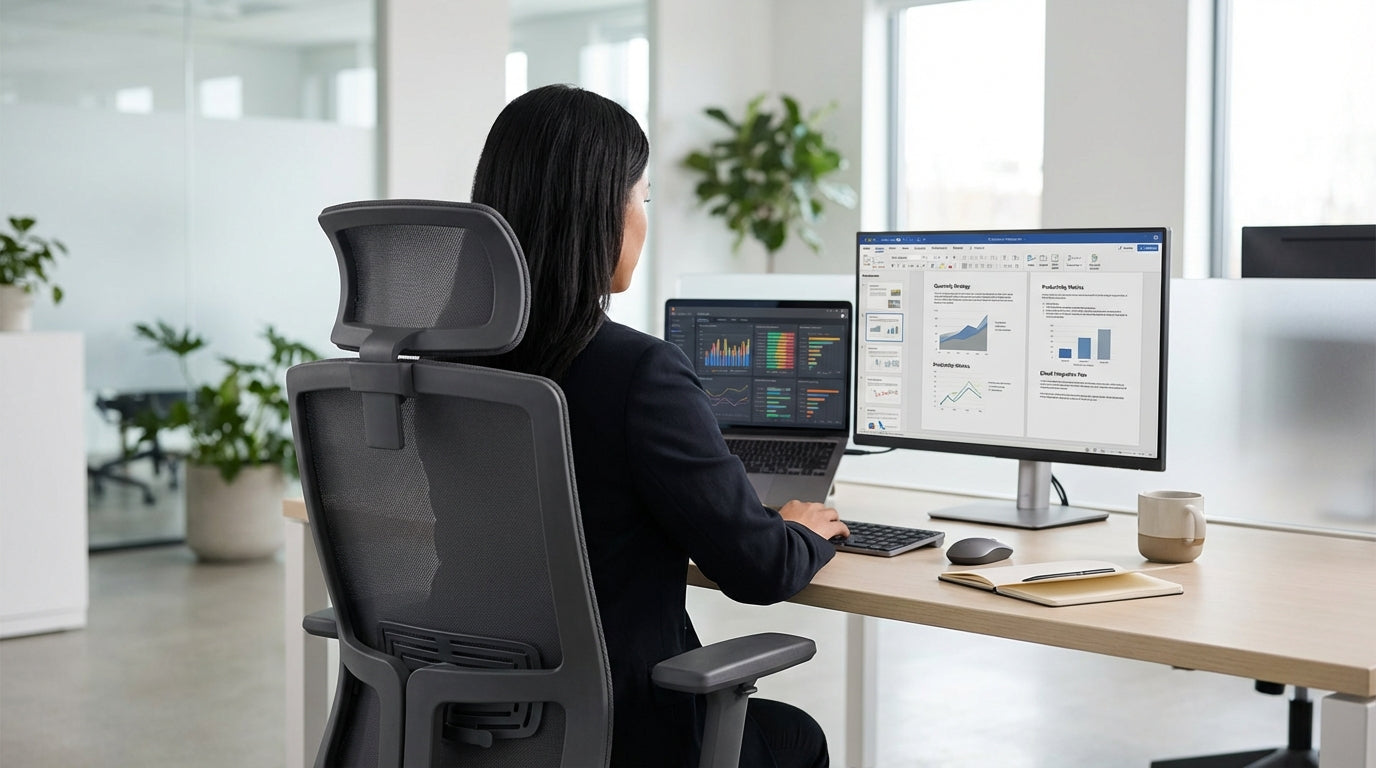
Why Long-Hour Seating Needs Extra Attention
Spending eight or more hours at a desk isn’t unusual in modern Australian workplaces. The longer you sit, the more crucial proper support and adjustability become.
Extended sitting without the right chair can contribute to back pain, tight hips, stiff neck and even fatigue-related mistakes at work. Over time, poor posture places extra load on the spine, shoulders and wrists, increasing the risk of repetitive strain injuries. That’s why chairs designed for all‑day use typically offer multiple adjustments, higher quality cushioning, and better lumbar (lower back) support than basic models.
It’s also important to think about how your chair works with the rest of your setup. A supportive seat is only one part of an ergonomic workstation; pairing it with suitable single person workstations or height adjustable workstations and properly positioned screens on monitor arms can significantly reduce strain. For people who need quiet or privacy in open-plan offices, combining the right chair with dedicated office pods also helps create a healthier, more focused environment.
Ultimately, a well-chosen chair for long shifts isn’t just about comfort; it’s about productivity and long-term wellbeing. When your body is properly supported, it’s easier to stay alert, concentrate on complex tasks, and recover more quickly at the end of the day.
Key Ergonomic Features to Prioritise
When you’re seated for most of the day, the details of a chair’s design matter. Focus on fit and function rather than looks alone.
Start with adjustability. At a minimum, look for seat height adjustment that lets your feet rest flat on the floor, with knees at roughly a right angle. A sliding seat pan (often called seat depth adjustment) helps ensure your thighs are supported without the front edge of the seat pressing into the back of your knees. Adjustable armrests allow your shoulders to stay relaxed while keeping your forearms level with your desk or keyboard.
Lumbar support is another non‑negotiable for long stints. Some task chairs include a built‑in curve that matches the natural shape of your spine, while others have adjustable lumbar pads you can move up or down. For heavier users or people who like a firmer sit, consider purpose-built heavy duty chairs, which often have stronger frames, higher weight capacities and more robust padding to stay comfortable over extended periods.
Breathability and materials also affect how you feel throughout the day. Mesh office chairs promote airflow, which is ideal in warmer climates or for those who tend to overheat. For a more traditional aesthetic, high-quality leather chairs can offer excellent support with a premium finish, provided the foam density is sufficient to avoid flattening after long usage. If local production and support matter to you, exploring Australian made chairs can be a reliable way to get ergonomically sound designs matched to local standards.
Choosing the Right Chair Style for Your Workday
Different roles demand different seating. Think about how you actually work before deciding on a chair style.
If your day involves focused computer work with frequent short tasks, versatile task chairs are often the best starting point. They generally come with multi‑tilt mechanisms, tension control and a range of adjustments so you can fine‑tune your posture throughout the day. Pairing a task seat with a compact single person workstation keeps everything within easy reach, helping you avoid excessive twisting or stretching.
For hot-desking environments or shared spaces, breathable mesh office chairs work well over long stints, as they suit a wide range of body types and stay cooler across long periods. In executive offices or client-facing roles, leather chairs deliver a more formal look without sacrificing comfort, especially when combined with a quality tilt mechanism that allows gentle movement across the day.
Where staff are on the heavier side, or the seating is used intensively by multiple people across extended hours, investing in heavy duty chairs is wise. These models are engineered for higher weight ratings and continuous use, which helps maintain performance and safety over time. For businesses wanting to support local manufacturing while maintaining durability, ranges of Australian made chairs offer robust options built with commercial environments in mind.
Pairing Your Chair with the Right Workstation Setup
A supportive chair only works properly if the rest of your workstation is set up to match. Chair, desk and monitor height should all work together.
Height plays a central role in reducing strain. If your desk is too high or low, even the best chair can’t prevent awkward shoulder or wrist positions. Combining a quality seat with height adjustable workstations allows you to fine‑tune the desk height to your body, and even alternate between sitting and standing. This change in posture throughout the day can relieve pressure on the lower back and hips during lengthy shifts.
Monitor placement is just as important. Screens that are too low or too far away cause you to crane your neck or lean forward, undermining your chair’s support. Using adjustable monitor arms lets you position your display so the top of the screen is roughly at eye level and your head remains in a neutral position. In open offices, pairing ergonomic seating with dedicated office pods gives staff a quieter, more controlled space in which the chair and workstation can be set up once and then left in an optimal position.
For individuals working primarily on their own for extended stretches, dedicated single person workstations provide consistency. When the desk, monitor and chair are all tailored to one user, it’s easier to maintain healthy posture habits and minimise constant readjustments. Over time, this consistency can reduce cumulative strain on joints and muscles, making long seated hours more sustainable.
Practical Tips to Stay Comfortable Through Long Shifts
Even with an excellent chair and workstation, your habits matter. Small changes in how you sit and move can make long days much easier on your body.
Firstly, make the most of your chair’s settings. Adjust the backrest tilt so you can recline slightly rather than sitting bolt upright, as a small recline helps distribute pressure more evenly along the spine. Ensure the lumbar support sits in the curve of your lower back and tweak the armrests so your shoulders stay relaxed. On models like advanced task chairs or specialised heavy duty chairs, don’t be afraid to experiment with tilt tension and seat depth to find a position you can comfortably maintain for long periods.
Secondly, move regularly. Stand up, stretch your hips and shoulders, and walk for a minute or two every hour. If you have access to height adjustable workstations, alternate between sitting and standing several times a day to change which muscles are bearing your weight. This movement supports circulation and reduces the risk of stiffness building up over a full day at your desk.
Finally, think about the whole environment, not just the chair. In open-plan offices, using office pods can cut distractions and allow you to focus on posture instead of constantly shifting from fidgeting or noise. If you value a cooler seat for long stints, mesh office chairs can help maintain comfort, whereas leather chairs paired with quality cushioning offer a supportive feel many people find suits lengthy sessions at a desk. Whichever style you choose, prioritising proper setup and regular movement will help your chair support you effectively throughout every long shift.


