

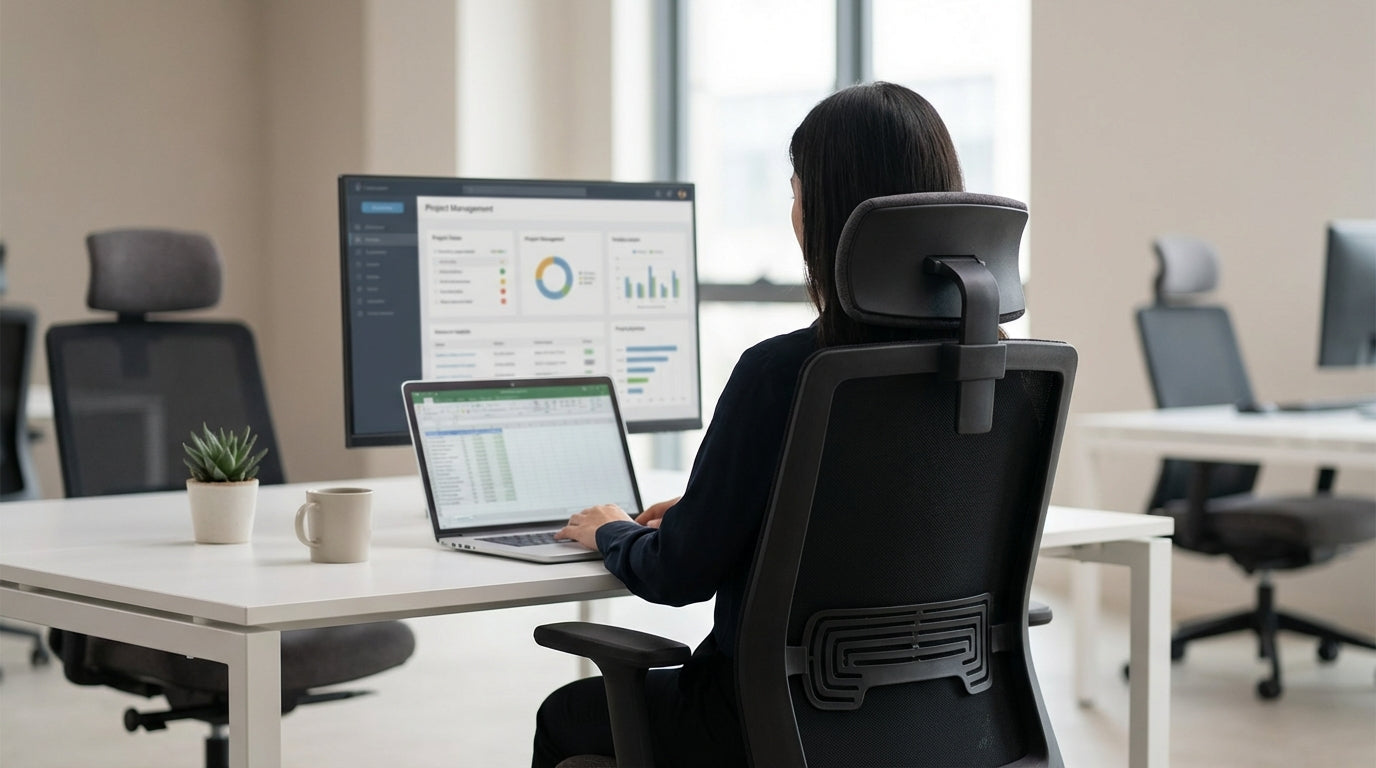
Why a Supportive Headrest Matters for Office Workers
Neck and shoulder pain are among the most common complaints for people who sit at a desk all day. A properly designed headrest can significantly reduce strain and help you maintain a healthier posture.
Most of us unconsciously crane our necks forward when looking at a screen, which increases pressure on the cervical spine. A height- and angle-adjustable headrest supports the base of your skull, encouraging a neutral spine position and reducing muscle fatigue. Paired with correctly positioned monitor arms, it helps keep your eyes level with the top of the screen so you’re not constantly looking down.
In the long term, this kind of support can minimise headaches, tension across the shoulders, and that familiar end-of-day stiffness. For people who spend extended hours at their workstation, it’s not just about comfort – it’s about preventing repetitive strain and ongoing musculoskeletal issues. Investing in a chair with a quality headrest is a simple change that can improve your daily productivity and general wellbeing.
Key Features to Look for in a Headrest Chair
Not all headrests are created equal, so it pays to know what to look for. Focus on adjustability, support, and how the chair works with the rest of your workspace.
Adjustability is the first box to tick. A good chair should let you move the headrest up and down to suit your height, and ideally tilt it forwards or backwards so it meets the natural curve at the base of your head. Without these adjustments, the headrest can actually push your neck into an awkward angle, doing more harm than good.
The material also matters. Breathable options such as mesh office chairs help with airflow, which is useful in warmer Australian climates or for people who run hot while working. If you prefer a more executive look, high-quality leather chairs with padded headrests can offer plush comfort, provided they still allow for fine-tuning the position.
Think about how the chair will be used in your day-to-day tasks. If you regularly move between focused computer work and online meetings, models that combine a supportive backrest, synchronised tilt, and a well-positioned headrest will make long video calls far more comfortable. This is especially true when paired with ergonomic accessories like height-adjustable monitor arms that keep your screen at the right level while you lean back.
Choosing the Right Chair for Your Body Type and Work Style
Your ideal chair depends on your build, the hours you sit, and the tasks you perform. Matching the chair design to your body and work style is crucial for real ergonomic benefits.
For all-day desk work, look for ergonomic task chairs with integrated or optional headrests. These typically provide detailed adjustability: seat depth, lumbar support, armrest height, and recline tension. When these settings are dialled in correctly, the headrest becomes the final piece that supports your head and neck when you lean back between tasks or during calls.
If you’re taller, heavier, or simply prefer something more robust, consider heavy duty chairs designed for higher weight ratings and extended sitting periods. Many of these models include stronger frames, denser foam, and larger headrests that better match broader shoulders and longer torsos. Choosing a chair built for your proportions improves both comfort and durability over time.
For offices and home workspaces that value local craftsmanship, Australian made chairs often offer custom options, including add-on headrests and tailored upholstery. This can be useful if you need a specific combination of features – for example, a high back, adjustable neck support, and a particular fabric to suit a coastal or regional environment. Matching your chair to your exact requirements means you’re more likely to use all its ergonomic features properly.
Integrating Headrest Chairs into Different Office Spaces
Chairs with neck support aren’t just for individual workstations. They can be used strategically across the office to support different types of work and visitors.
In collaborative areas and boardrooms, higher-back meeting chairs with subtle headrests can keep participants comfortable through long strategy sessions or training days. These spaces often involve a lot of screen sharing and presentations, which encourages people to lean back and look upwards – exactly when proper neck support makes a difference. Matching these chairs with flexible monitor arms or large displays at the correct height completes the ergonomic setup.
For reception and waiting zones, well-designed visitor chairs provide a better experience for clients and guests. While they may not need as much adjustability as a full task chair, a gentle headrest or taller back can help anyone waiting for appointments feel more at ease, especially in medical, legal or allied health environments where people often spend longer in the waiting area.
If you support team members or clients with mobility challenges, adding a few power lift chairs in private offices, consultation rooms or break-out spaces can make standing up and sitting down much safer. Many of these models incorporate cushioned neck and head support, giving users extra stability as they change position. Thoughtful placement of these specialised chairs shows a genuine commitment to accessibility and comfort in the workplace.
Practical Tips for Setup, Adjustment, and Daily Use
Once you’ve chosen a chair, correct setup is what delivers the actual ergonomic benefits. A few small adjustments can significantly improve neck support throughout the day.
Start with your seat height so your feet are flat on the floor and your hips are slightly above your knees. Then adjust the backrest and lumbar support so your lower spine maintains a gentle curve against the chair. Only after that should you set the headrest height: it should sit at the base of your skull, not pushing directly into the back of your head, and should lightly support you when you lean back rather than forcing your neck forward.
Next, align your screen with your posture. Using quality monitor arms, position the top of your monitor roughly at eye level, at about an arm’s length away. This allows you to keep your head in a neutral position most of the time, using the headrest mainly when you’re reclined, on calls, or taking micro-breaks. If you often switch between typing, reading, and video conferencing, consider setting up presets on your chair and monitor arm so it’s quick to move between positions.
Finally, remember that even the most supportive chair can’t replace movement. Stand up regularly, stretch your neck and shoulders, and walk for a minute every hour to keep your muscles active. Used in combination with an ergonomic chair – whether you prefer breathable mesh office chairs, robust heavy duty chairs, or premium leather chairs – these habits will help you maintain healthier posture and reduce neck strain over the long term.


