

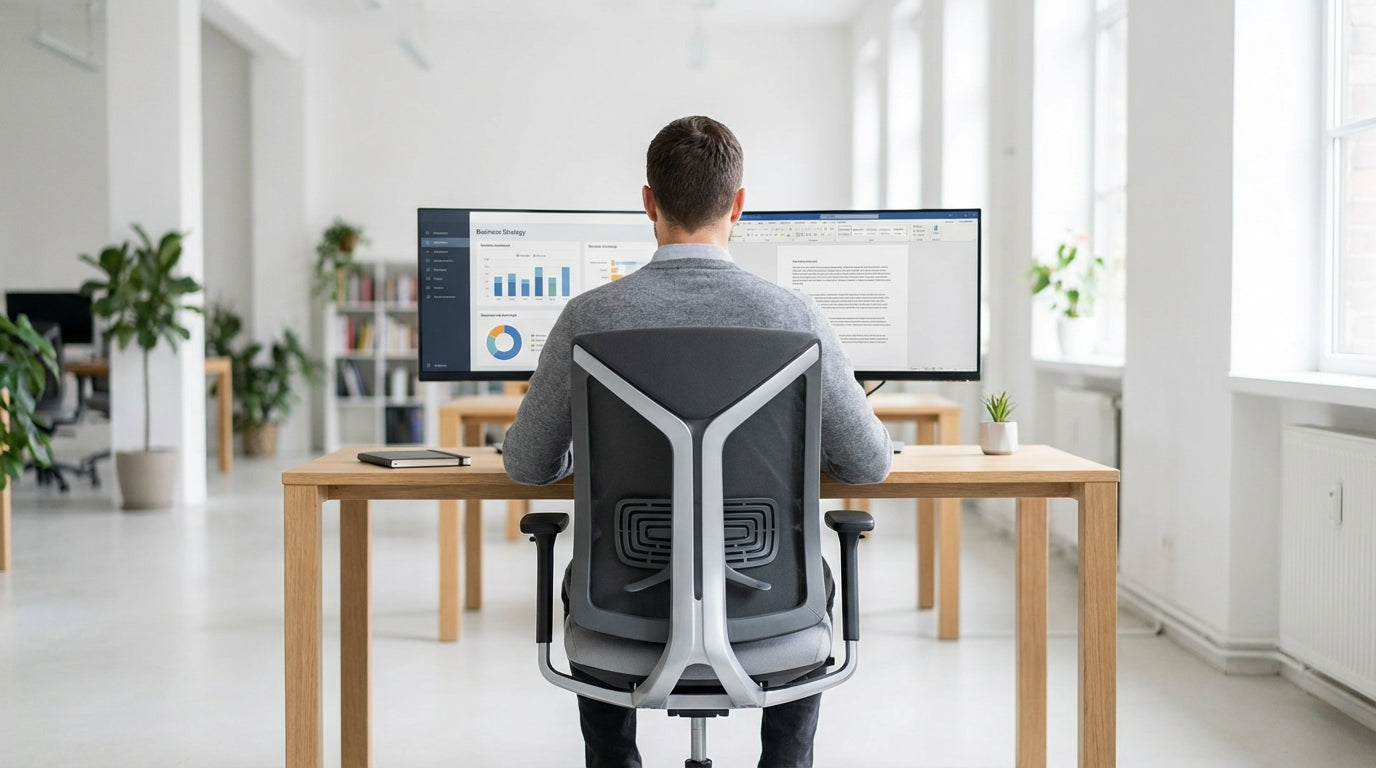
Why Proper Back Support Matters When You’re Sitting All Day
Spending hours at a desk can quickly take a toll on your back. That’s why a well-designed chair with targeted lower-back support is essential, not a luxury.
Lumbar support refers to the way a chair supports the natural curve of your lower spine. When this curve collapses, your muscles and discs work harder to keep you upright, which often leads to stiffness, headaches, and long-term pain. A supportive chair keeps your pelvis and spine in a neutral position, helping you stay comfortable for longer and reducing the risk of injury.
For many Australians working from home or in open-plan offices, upgrading the chair is the easiest ergonomic win. Compared with standing desks and full office refits, a supportive seat is relatively affordable and immediately noticeable. Pairing a quality chair with a suitable workstation, such as well-sized single person workstations, can dramatically improve your daily comfort and focus.
The right seating also helps you maintain better posture without constant effort. Instead of “forcing” yourself to sit straight, the chair gently guides your back, hips, and shoulders into alignment. Over time, this reduces fatigue, helps prevent slouching, and makes long workdays much easier on your body.
Key Features to Look for in a Supportive, Affordable Office Chair
Not all desk chairs protect your back in the same way. Focusing on a few core features will help you get strong support without overspending.
First, look for adjustable lumbar support. This can be a movable cushion, a sliding plastic support, or a flexible backrest that naturally follows the curve of your lower spine. Height and depth adjustment let you fine‑tune the fit so the support sits exactly where you need it, rather than pressing too high or too low.
Seat height and depth should also be adjustable. Your feet need to rest flat on the floor, with your knees roughly at hip height or slightly lower. If the seat is too deep, it can cut into the back of your legs and push you forward; too shallow and you lose thigh support. Ergonomic task chairs often include these adjustments as standard, making them a solid option for most body types.
Consider the backrest material as well. Breathable mesh office chairs allow airflow, which is especially helpful in warmer Australian climates, while padded or leather chairs offer a different style and feel. Whichever you choose, check that the backrest supports your shoulder blades and encourages you to sit back, rather than perching on the edge.
Finally, think about durability and weight ratings. If you need extra robustness or are seating a wide range of users, heavy duty chairs with higher load capacities and stronger frames provide better long-term reliability. This can save you money over time by avoiding frequent replacements, while still keeping your budget under control.
Popular Chair Types That Support Your Lower Back
Different chair styles offer different kinds of support. Understanding the main types makes it easier to choose what suits your body, space, and work.
Ergonomic task seating is a go‑to choice for most home and corporate offices. These are designed for everyday use at a computer, with multiple adjustments for height, tilt, and back support. Modern task chairs usually include contoured backrests and built-in lumbar shaping, giving you reliable lower‑back protection without a huge price tag.
Mesh-back designs are popular for users who run warm or sit for long stretches. The flexible back of many mesh office chairs can adapt to your movement and maintain contact with the curve of your spine. This combination of breathability and dynamic support makes mesh a strong option if you’re trying to balance comfort and cost.
If you prefer a more traditional corporate look, you might lean towards padded or leather chairs. Many of these include moulded lumbar zones and thicker cushioning, which can feel more substantial under your back. For larger or intensive-use environments, including call centres or shared offices, consider heavy duty chairs that are built to handle longer sitting times and higher weight limits.
Shared spaces need supportive seating too. In meeting rooms, purpose-designed meeting chairs and visitor chairs can still offer shaped backs and comfortable cushioning, even if they’re used for shorter periods. Training rooms benefit from stackable or mobile training chairs that balance space-saving design with sensible lumbar support, keeping participants more engaged and less distracted by discomfort.
Getting the Best Value for Money Under $400
Sticking to a budget doesn’t mean compromising your back. It does mean being selective about what matters most.
Within this price range, focus on core ergonomics instead of extra bells and whistles. A chair with height-adjustable lumbar, a smooth gas lift, and a tilt mechanism that lets you lean back safely is usually a better buy than one with flashy styling but minimal support. Many well-priced task chairs and mesh office chairs fall squarely into this category: practical, supportive, and cost‑effective.
Also think about how the chair will be used. If you’re setting up a home office workstation for one person, invest in a model that fits your body specifically and pairs well with your desk or single person workstation. For workplaces fitting out multiple staff, consistency across seating makes it easier for employees to move between desks, and choosing good-value meeting chairs or visitor chairs can help keep costs manageable.
Locally produced options are also worth considering. Many Australian made chairs offer excellent ergonomics and solid build quality, often with better lead times and service support. Because they’re designed with Australian workplaces in mind, they typically balance durability, comfort, and price in a way that suits local conditions.
Finally, think about total cost over the life of the chair, not just the price tag. A slightly more expensive but well-built option can outlast a bargain chair several times over, especially in higher-use environments or where heavy duty chairs are more appropriate. Spreading the investment over years of daily use usually works out cheaper than replacing a sub‑par chair every year or two.
How to Set Up Your Chair for Maximum Lumbar Support
Buying a good chair is only half the job. Setting it up correctly is what actually protects your back.
Start with the seat height. Adjust it so your feet rest flat on the floor (or a footrest) and your knees are roughly at a right angle. Your hips should be level with or slightly above your knees, which helps maintain the natural S‑shape of your spine. Then, slide the seat depth so there’s a small gap, about three fingers wide, between the front of the seat and the back of your knees.
Next, position the lumbar support. Whether you’re using a mesh model, a padded leather chair, or a fully ergonomic task chair, the pronounced curve in the backrest should sit in the small of your back, just above your belt line. If your chair allows, adjust the firmness or depth to feel supported without being pushed forward too aggressively.
Recline and tilt settings are often overlooked but make a big difference. A slight recline (around 100–110 degrees) usually feels most natural and reduces pressure on your spine. Ensure the tilt tension is set so you can lean back smoothly but still return to an upright position without effort. Pairing this with a correctly positioned desk and suitable single person workstation height helps you keep your shoulders relaxed and your elbows at about 90 degrees while typing.
Finally, remember that even the best Australian made chairs or heavy duty chairs can’t replace movement. Get up regularly, change positions, and use different spaces in your office, such as rooms with meeting chairs or breakout areas equipped with visitor chairs. Combining a well-set-up chair with short, frequent breaks is the most effective way to look after your back throughout the workday.


