

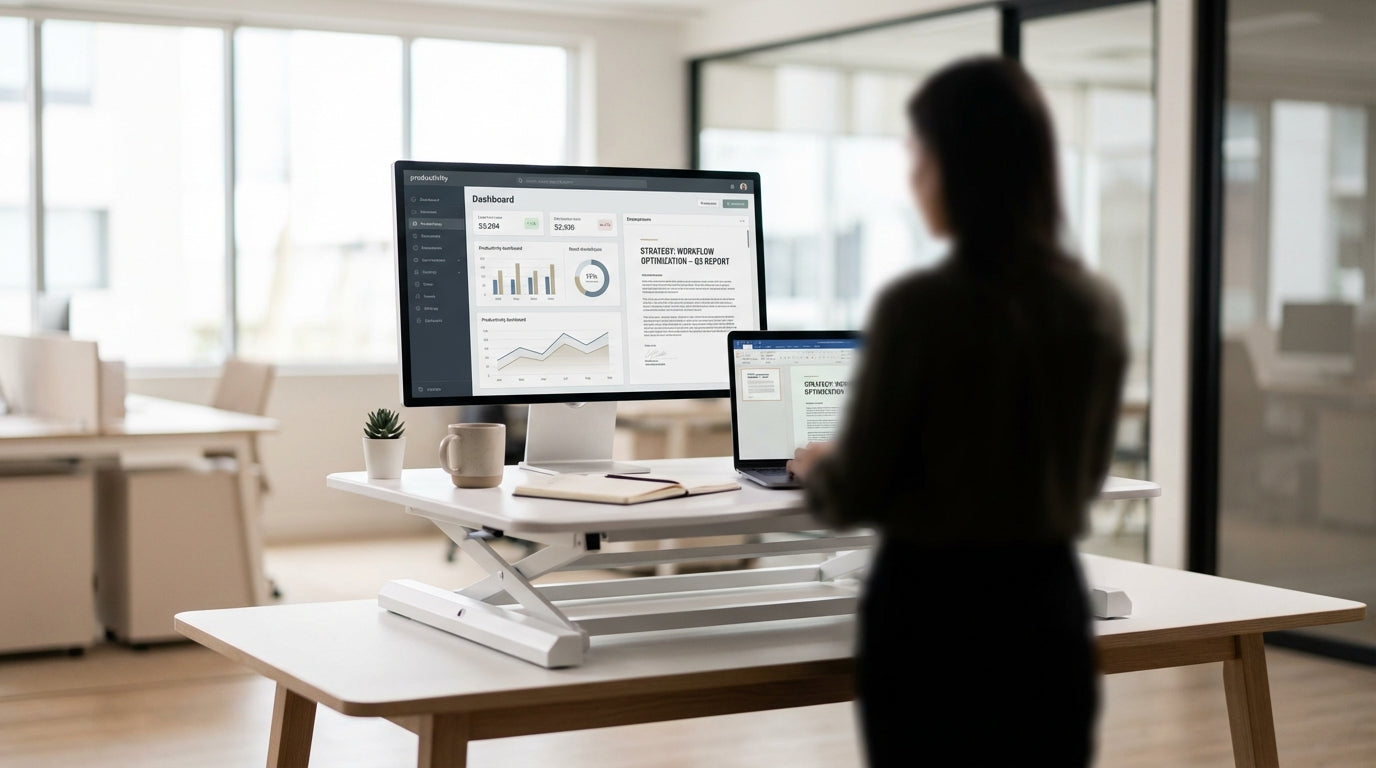
Why Aussies Are Re‑thinking Their Office Setups
Long hours at the desk are taking a toll on posture, energy and overall health. That is pushing many Australians to look beyond a traditional fixed desk and explore more flexible workstations.
Two of the most popular options are desk converters that sit on top of an existing surface and full electric or manual sit-stand frames. Both aim to help you move between sitting and standing through the day, reducing stiffness and helping you stay focused. The right choice depends on your space, budget, type of work and how much adjustability you really need.
If you are starting from scratch and want a coordinated layout, it is worth looking at complete Height Adjustable Workstations or compact Single Person Workstations built for one user. Home-based professionals may prefer more streamlined Home Office Desks that integrate sit-stand capability without crowding the spare room. Understanding how each option fits into your environment is the first step before you dive into specs and prices.
What Is a Desk Converter and Who Is It Best For?
A standing desk converter is a platform that sits on top of your current desk and raises your screen and keyboard. It lets you alternate between sitting and standing without replacing the furniture you already own.
Most converters use a gas spring or manual lift so you can grab the handle and bring your workstation up to standing height in one movement. They are ideal if you have a solid fixed desk you like, such as classic Straight Desks or compact Corner Office Desks, and simply want more flexibility. For renters or hot‑desking staff, converters are easy to move, require no drilling and can travel between locations if needed.
However, desk risers do add height and weight to the surface, which can make a smaller top feel crowded. If you plan to run dual screens or use ergonomic Monitor Arms, check that the converter has enough depth, cable cut‑outs and load capacity. Pairing a converter with tidy Cable Management clips or trays will also help prevent cords getting caught when adjusting height.
Converters suit users who want a fast, low-commitment upgrade, particularly in shared spaces or when office layouts may change. They are also a smart way to trial more active working before investing in a full sit-stand frame across an entire team.
How Full Sit-Stand Desks Change the Way You Work
A full standing desk replaces your existing furniture with a frame and top that move together. Most Australian workplaces now favour electric sit-stand bases because they are smooth, quiet and simple to use.
Unlike converters, a complete unit gives you a consistent surface height for everything on the desk, from your laptop and external monitor to paperwork and accessories. This is especially helpful in larger Corner Workstations, where you may spread out across multiple zones during the day. With a full system you can also match your top to existing furniture using coordinated Workstation Components like modesty panels, screens and storage.
Most frames offer pre-set memory buttons so different users can save their preferred heights in millimetres, which is useful in hot-desk environments. This level of precision supports better ergonomics, as you can fine‑tune elbow angle, monitor eye line and keyboard reach instead of working around fixed steps in a converter’s mechanism. When paired with adjustable Monitor Arms, you gain independent control over screen distance and tilt, further reducing neck and eye strain.
For collaborative offices, integrating multiple electric bases into shared Height Adjustable Workstations keeps teams aligned while still allowing each person to move freely. Over time, this helps build a culture where changing posture becomes normal, not disruptive, which can improve energy levels and reduce afternoon slumps.
Cost, Space and Ergonomics: Key Factors to Weigh Up
Budget, room size and comfort should all influence whether you choose a converter or a full adjustable system. Thinking through each factor upfront will save frustration later.
From a cost perspective, converters are usually cheaper up front and work well when you already have solid Straight Desks in place. However, if you plan to upgrade multiple staff, an integrated bank of Single Person Workstations or shared Corner Workstations can be more economical per user and deliver a neater, more professional result. Full frames also tend to offer better long-term durability and higher load ratings, which matters when you add multiple screens, docking stations and accessories.
Space is another big consideration, especially in home offices where every centimetre counts. Converters are compact, but they do reduce the usable depth of your existing top and may feel cramped on smaller Home Office Desks. Purpose-built sit-stand solutions let you choose a top size and shape that fits the room, from simple rectangles to L-shaped Corner Office Desks, while keeping legroom clear and leaving space underneath for storage.
On ergonomics, full desks have the advantage because you set the entire surface height, not just the items on a platform. This reduces awkward wrist angles and lets you keep arms at roughly 90 degrees when typing, which is the basic guideline most ergonomists recommend. Pair the desk with flexible Monitor Arms and well-planned Cable Management to prevent cords from pulling on your screens or restricting movement. The result is a workstation that adapts to you, rather than you adapting to the furniture.
Practical Tips for Choosing the Right Setup in Australia
Start by assessing how you actually work day to day. Your tasks, tech and floorplan will point you toward the most suitable configuration.
If you are mainly using a laptop with the occasional external screen, a compact converter on an existing top may be more than enough, particularly in smaller apartments or studies. Review the depth and sturdiness of your current desk, whether that is part of an older workstation or a modern unit from the Home Office Desks range. Ensure you still have room for a keyboard and mouse at the correct height once the riser is in place.
For more complex setups with dual or triple monitors, consider future‑proofing with a full sit-stand frame built into Height Adjustable Workstations. Combine this with sturdy Workstation Components such as screens and storage units to keep the area organised. L-shaped Corner Workstations are particularly efficient in smaller offices, giving you a main working zone and a secondary area for paperwork or equipment.
Finally, do not overlook the small details that make a big difference over time. Quality Cable Management stops cords dragging when you change height and keeps cleaning simple. Adjustable Monitor Arms help you maintain a clear line of sight whether sitting or standing, which can reduce eye strain on long days. By matching your choice of converter or full desk with the right accessories, you can create a healthier, more flexible workstation that suits Australian working habits now and as they evolve.


