

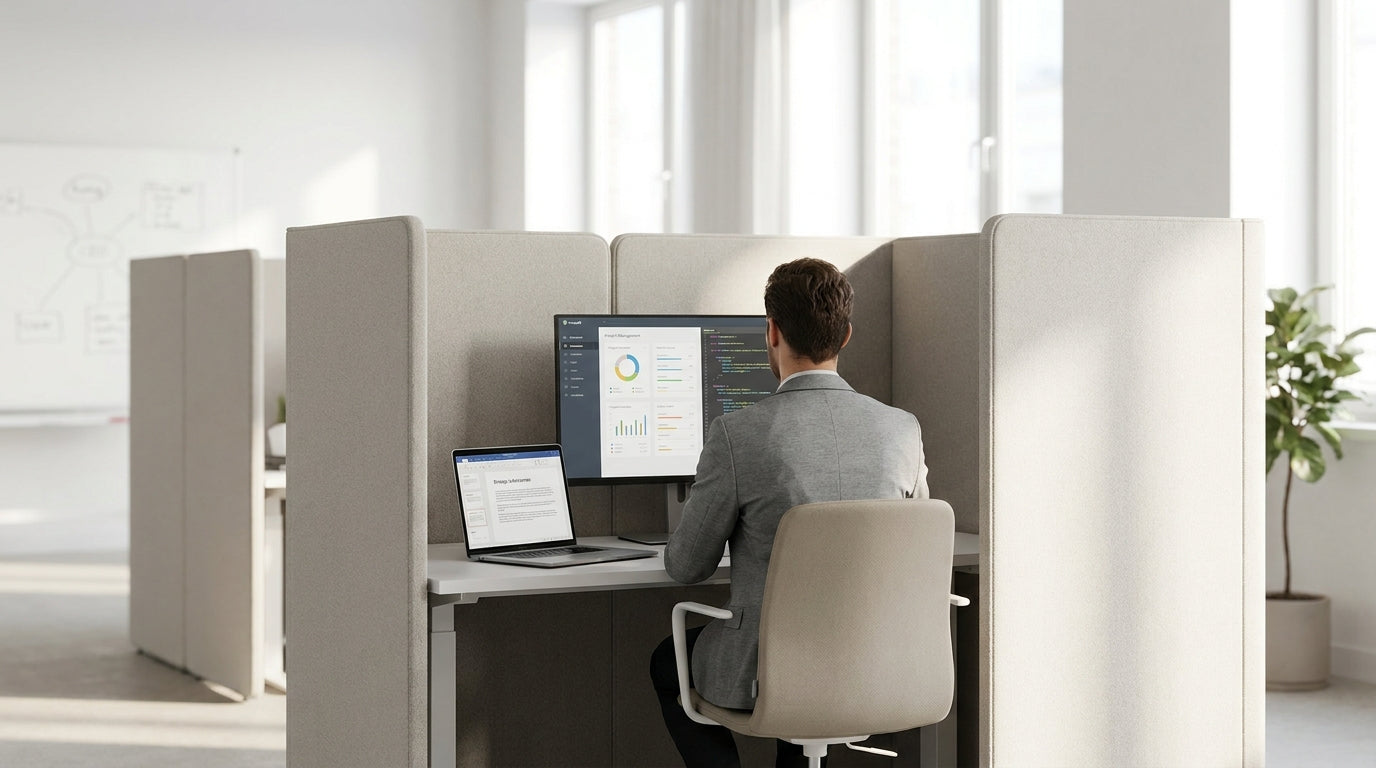
Understanding Floor Partitions in Modern Workspaces
Floor-based dividers are one of the simplest ways to carve usable zones out of an open-plan office. They stand directly on the floor, so you can rearrange them as your team and layout change.
Unlike fixed plasterboard walls, these dividers are semi-permanent, meaning you get privacy and acoustic control without committing to a full fit-out. Many modern Floor Partitions are lightweight, reconfigurable and compatible with existing desks, so you can trial different layouts before settling on a long-term arrangement. They’re especially useful in growing businesses where headcount and team structure shift regularly.
In contemporary Australian offices, these dividers often work alongside Office Pods and focus booths to create a varied landscape of quiet nooks, meeting zones and collaborative benches. When planned properly, they also improve circulation, helping staff move smoothly between Single Person Workstations, meeting spaces and breakout areas. The key is to treat them as part of your space planning toolkit, not just an afterthought to “hide” clutter.
For home offices or small studios, freestanding screens and Mobile Partitions can separate work from living zones without damaging walls, which is ideal for renters. This creates a clear psychological boundary between work time and downtime, while still allowing you to pack things away or open the space for entertaining when needed.
Planning Your Layout Before You Move a Single Screen
Before you start shifting panels around, map out how people actually use the space. A simple plan will stop your dividers from becoming obstacles.
Begin by sketching the room, marking doors, windows, power points and high-traffic paths. Note where natural light falls during the day so you don’t accidentally block it with a solid divider. Then list out your core activity zones: focused work, informal chats, formal meetings, and circulation. This helps you decide where visual privacy matters most and where openness will encourage collaboration.
Match each zone with the right furniture and screen style. For concentrated work, consider combining Partition Workstations with floor dividers to create deep-focus clusters. For small teams, 2 Person Workstations or 3 Person Workstations can be wrapped on two sides by acoustic panels, leaving one side open for quick collaboration.
Think in terms of circulation “loops” rather than dead ends. Place taller Floor Partitions away from main walkways so lines of sight to exits remain clear, which is important for both safety and comfort. For flexible meeting or project areas, keep some Mobile Partitions on wheels so teams can open up or close down the space depending on the task.
Combining Desks and Partitions for Practical Zoning
The most efficient layouts pair dividers with the right workstation shapes. This lets you zone areas without wasting floor space.
Start with your desk configuration, then “wrap” it with screens where they add the most value. L-shaped Corner Workstations can tuck neatly against a panel to create a semi-enclosed focus bay, ideal for deep work or sensitive tasks like HR or finance. Linear benching systems, such as 4 Person Workstations, work well in the centre of the room, with dividers defining the boundary between team zones and shared circulation.
If noise is a concern, pair freestanding screens with Desk Mounted Partitions to create layered acoustic barriers. The combination cuts down chatter travelling across the room while still allowing for quick eye contact and communication within each pod. For solo staff who need privacy but not a sealed booth, Single Person Workstations backed by tall acoustic panels can create quiet “work lanes” along walls or windows.
Where work is highly collaborative, don’t over-screen. Use low or semi-transparent Partition Workstations with modest floor screens at the ends of desk runs. This clearly defines team territory while keeping sightlines open, so staff can still see when colleagues are available or already in conversation.
Creating Privacy, Focus and Meeting Zones
Well-placed dividers can turn one large area into multiple high-function spaces. Focus on privacy levels and noise control for each type of zone.
For concentration areas, arrange taller Floor Partitions behind and beside workstations to block visual distractions and foot traffic. Acoustic panels, especially those used with Desk Mounted Partitions, help reduce ambient noise, which is crucial in open-plan spaces common across Australia. Keep entries to these zones narrow but obvious so people don’t cut through as a shortcut.
Meeting and collaboration spaces benefit from a mix of enclosure and accessibility. You can create quick huddle spots by forming a U-shape with Mobile Partitions around a small table, leaving one side open as the “door”. For more privacy, consider using semi-enclosed Office Pods for confidential discussions, performance reviews and virtual calls, while keeping them near team zones for easy access.
In hybrid offices, dividers also help separate video-call areas from general traffic. Position screens behind chairs used for online meetings to create a tidy, consistent backdrop and to buffer sound. Align these zones near power and data access, and, where possible, position them adjacent to 2 Person Workstations or 3 Person Workstations so small groups can quickly move from desk collaboration into a private call.
Practical Tips for Flexible, Future-Proof Arrangements
The best partition layouts can adapt as your team and technology evolve. Aim for flexibility rather than a fixed “forever” plan.
Use a combination of static and Mobile Partitions so you can create temporary project spaces without calling in a builder. Place fixed screens where services (like power rails or wall mounts) are, and keep the rest moveable. When choosing finishes, consider light-coloured or fabric options to brighten darker interiors and soften acoustics, especially in spaces with polished concrete or hard ceilings.
Regularly review how people are using different areas. If staff cluster in one corner while other sections sit empty, you may need to re-angle panels, adjust the mix of Partition Workstations, or add more enclosed focus options like Office Pods. Don’t be afraid to trial new desk groupings, such as converting 4 Person Workstations into smaller banks with screens between to suit changing team sizes.
Finally, factor in safety and accessibility. Keep aisles wide enough for mobility aids and trolleys, avoid blocking natural light and emergency exits, and ensure dividers are properly stabilised. By treating your Floor Partitions as a modular system that works with your Single Person Workstations, Corner Workstations and shared benches, you’ll create a space that can respond quickly to new projects, headcount changes and ways of working.


