

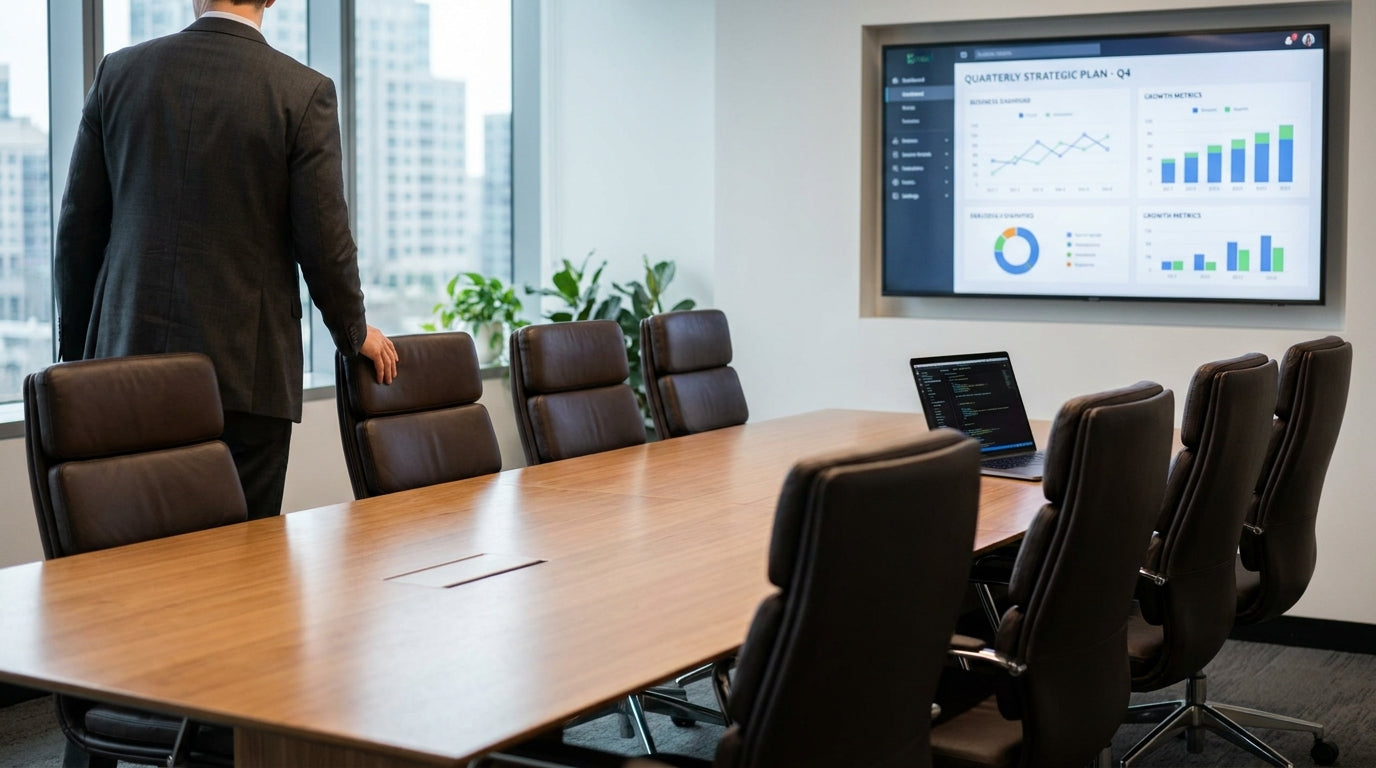
Understanding the Boardroom Space
Before you start moving chairs, you need to understand the space you’re working with. Room size, table shape and how the room is used each day will guide every decision.
Begin by measuring the room and the main table. Whether you’re working with compact meeting tables or large executive boardroom tables, note the length, width and any fixed features like columns, screens or storage units. This helps you calculate how many leather chairs can realistically fit without crowding. As a rule of thumb, allow at least 90–100 cm of clearance behind each chair so people can sit and stand comfortably.
Think about how the room is used across the week. Is it mainly for formal presentations, project workshops or quick client catch‑ups? Hybrid spaces that double as training rooms or collaboration hubs may benefit from flexible settings that combine meeting chairs, a central table and side seating. Match the layout to the dominant activity, not just how the room looks in a brochure.
Also consider technology and sightlines. Position chairs so everyone can see screens, projection boards & presentation accessories and any cameras clearly. Avoid creating “blind spots” where people are forced to twist awkwardly to view a magnetic whiteboard or display. This reduces fatigue during longer meetings and keeps attention focused where it needs to be.
Choosing the Right Leather Chair Styles
The type of leather seating you select will influence both comfort and how many people you can seat. Balancing ergonomics, visual impact and practicality is essential.
High‑back executive leather chairs project authority and are ideal for senior leaders or the chair of the meeting. However, they take up more space and can dominate smaller rooms. Mid‑back options are more compact and work well when you need higher seating capacity around standard office & meeting tables. Consider mixing styles subtly, such as executive chairs at the head positions and slimmer profiles along the sides.
Pay attention to adjustability and mobility. Chairs with swivel and tilt functions, along with height adjustment, support better posture during long sessions. If your boardroom also hosts workshops or breakout discussions, light, mobile meeting chairs in leather or leather‑look finishes can complement the primary seating and give you greater flexibility to reconfigure the room as needed.
Comfort isn’t just about cushioning. Quality upholstery, breathable materials and supportive armrests reduce distraction and fidgeting. When paired with an appropriately sized boardroom table, ergonomic leather seating encourages more engaged discussions and smoother decision‑making. Don’t overlook secondary seating either: matching or coordinating visitor chairs along the perimeter can accommodate observers or guests without cluttering the main table.
Optimal Layouts for Different Table Shapes
Table shape strongly affects how you should position leather seating. Each configuration has strengths for collaboration, presentations and video calls.
Rectangular and boat‑shaped boardroom tables are common because they’re versatile. Place your most prominent leather chairs at the ends if you want a more traditional, hierarchy‑focused layout. For a more egalitarian feel, use identical chairs all around and space them evenly, allowing at least 60–75 cm of table edge per person. Ensure end chairs don’t block circulation routes near doors or screens.
For round or oval meeting tables, focus on balance and clear movement paths. These shapes support more inclusive conversation because everyone faces the centre equally. Space chairs so armrests don’t clash and leave consistent gaps between each seat. In smaller rooms, a circular layout paired with slimmer meeting chairs can make the space feel more open while still impressing clients with premium leather finishes.
If you’re working with modular office & meeting tables that can form U‑shapes or conference layouts, think about the “front” of the room. Position chairs along the outside of the U facing any presentation accessories or displays. In hybrid meetings, avoid placing key participants with their backs to cameras; instead, angle leather seating slightly so faces are visible on screen while still oriented towards the main table.
Spacing, Comfort and Accessibility
Professional boardrooms must feel spacious and accessible, not cramped. Good spacing keeps people comfortable and supports safety requirements.
Start by setting a minimum spacing standard. Ideally, leave 10–15 cm between armrests on neighbouring leather chairs so people aren’t bumping elbows. Maintain clear walkways around the table—at least 90 cm, and more if the room handles frequent traffic. This is especially important when chairs are pulled out; test the layout by fully sliding each chair back and checking that people can still pass behind without difficulty.
Accessibility should be a core design consideration, not an afterthought. Allow wider routes for wheelchair users and anyone who may need extra space to manoeuvre. You can achieve this by reducing the total number of seats on one side of long boardroom tables or by keeping a flexible position free that can easily adjust to changing needs. Matching accessible seating with nearby visitor chairs ensures everyone can participate without feeling singled out.
Comfort goes beyond physical spacing. Factor in proximity to air‑conditioning vents, windows and doors. People seated directly under cold airflow or glare from windows can quickly lose focus. Adjustable layouts that combine your main leather seating with movable meeting chairs and side meeting tables give you options to respond to changing light, temperature and group sizes while keeping the core arrangement intact.
Integrating Technology and Flexible Zones
Modern boardrooms need to support presentations, video calls and breakout discussions. Your leather seating arrangement should work hand‑in‑hand with technology and flexible work zones.
Identify focal points such as screens, cameras and magnetic whiteboards, then angle or position leather chairs to maintain clear views. Try to minimise extreme side‑on positions where people must twist for the entire meeting. If your space includes multiple displays or projection boards & presentation accessories, decide which is “primary” and centre the seating around that point to avoid confusion.
Consider creating secondary zones within the same room. For example, you might pair the main table with a small collaboration area using an office pod or a high‑top office & meeting table. Surround these with lighter meeting chairs or smartly coordinated visitor chairs to provide a contrast to the more formal leather seating. This lets smaller groups break away for private discussions without booking another room.
If your boardroom doubles as a training or project space, look for layouts that can transition quickly. Choose mobile meeting tables and stackable chairs that complement your permanent leather seats in both style and colour. With a considered approach, you can maintain a premium executive look while still achieving the flexibility needed for agile working and fast‑paced collaboration.


