

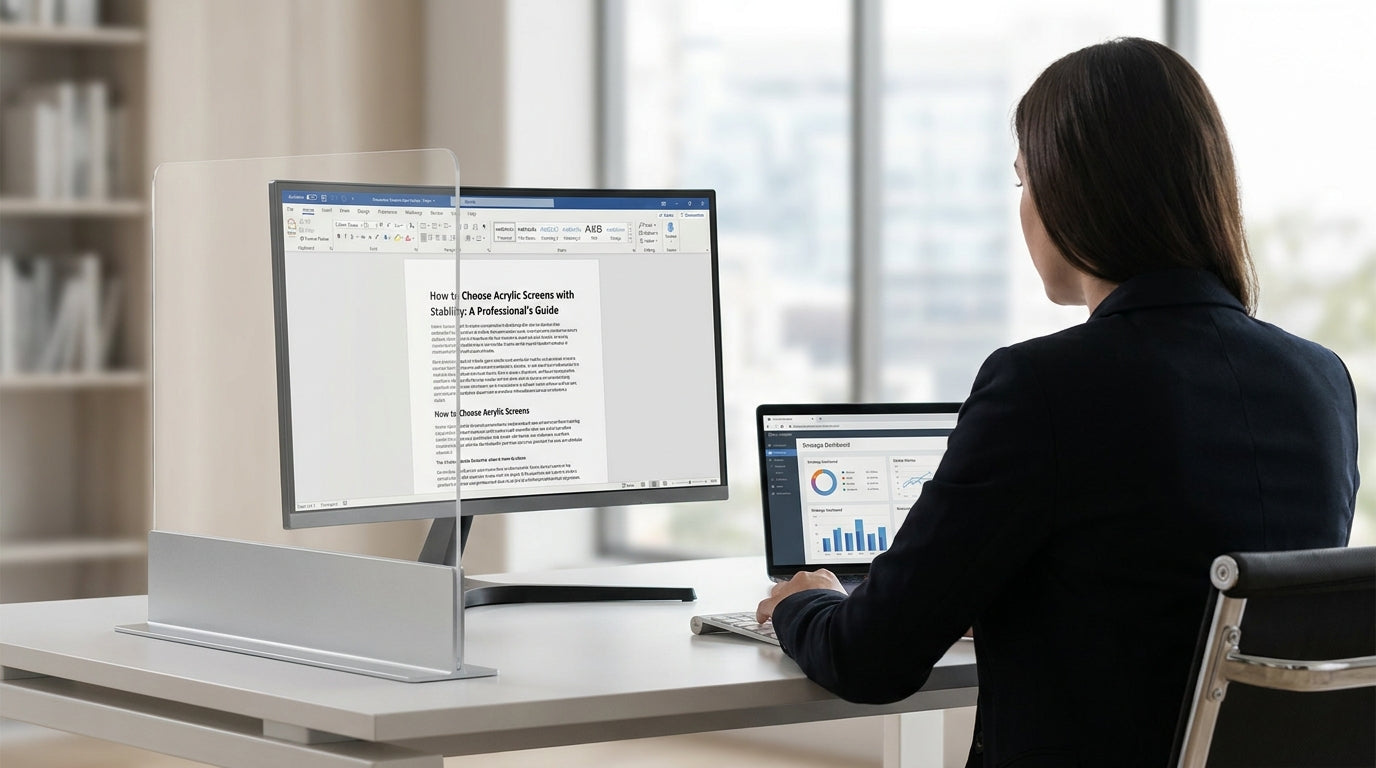
Understanding Acrylic Screen Stability
Stable acrylic screens are essential for safe, functional workspaces. They protect staff, define areas, and reduce distractions without wobbling or tipping.
Stability refers to how well a screen stays upright and secure under everyday use. In offices, this includes people brushing past, cleaning, moving chairs, and air movement from air-conditioning. A poorly supported panel can flex, rattle or even fall, creating a safety risk and constant annoyance. When assessing options, focus on how the screen is supported as much as how it looks.
Consider how acrylic compares with other solutions like fabric or glass partitions. Acrylic is lighter than glass but more rigid than many fabric screens, which means it can feel solid while still being easy to move or reconfigure. Pairing acrylic with secure bases, brackets or Screen Accessories will usually deliver better stability than relying on the panel alone.
Think, too, about where acrylic screens fit into your wider layout. They can work alongside Desk Mounted Partitions and Floor Partitions to build a layered system of privacy and protection. Understanding these relationships helps you choose the right type of screen support and avoid unstable combinations.
Key Factors That Affect Stability
Several design and installation factors determine how steady an acrylic barrier will be. Looking closely at these details before you buy will prevent issues later.
Panel thickness has a direct impact on rigidity. Thicker acrylic resists flexing and vibration, particularly on longer runs. However, thicker sheets are heavier, so they need stronger brackets and feet. For desk-mounted setups, confirm that the fixing system and desktop can comfortably handle the extra weight without bowing.
The support structure is just as important as the panel itself. Solid bases on Floor Partitions and Mobile Partitions should be wide enough to prevent tipping if someone bumps into them. For desks, quality clamps and brackets from the right Workstation Components range will distribute load evenly and limit movement. Avoid undersized or generic fittings that don’t match the screen’s dimensions.
Height-to-width ratios also influence stability. Very tall, narrow panels are more likely to sway, especially in high-traffic areas or near doors and vents. Where possible, use wider panels or link screens together in a run using compatible Acrylic Screens and Screen Accessories to create a more stable structure. For agile offices and collaborative zones, consider integrating screens with Partition Workstations or Single Person Workstations so the workstation frame itself helps support the panels.
Finally, think about floor surface and building movement. Carpet, uneven slabs or older buildings can introduce slight shifts that cause freestanding screens to wobble over time. This is where adjustable feet on Floor Partitions and solid caster locks on Mobile Partitions become crucial for long-term stability.
Choosing the Right Screen Type for Your Workspace
The most stable setup is the one that matches how your team actually works. Different zones in your office will benefit from different types of acrylic screening.
For individual desks and hot-desking areas, clamp-on or bolt-through Desk Mounted Partitions with acrylic infills are often the most secure option. Because they fix directly to the desktop, there’s less chance of tipping, and their stability is tied to the desk frame. Pairing these with modular Partition Workstations helps create consistent, safe runs of screens across an open-plan floor.
Shared zones, circulation paths and reception areas usually need more flexible solutions. Here, freestanding Floor Partitions and reconfigurable Mobile Partitions built with acrylic panels can define space without permanent construction. Look for wide, weighted bases or locking casters, and use linking kits where available to connect panels into stable L-shapes or U-shapes that resist movement.
In focus rooms and quiet spaces, you may want a mix of clear acrylic for visibility and acoustic materials for sound control. Combining acrylic panels with Office Pods or Acoustic Pods can create enclosed, stable areas that improve concentration while still allowing light to pass through. This layered approach often performs better than relying on a single, tall acrylic panel to do all the work.
If your space regularly changes configuration for training or project work, consider how fast and safely your team can move screens. Systems designed for agile layouts, especially those built around compatible Workstation Components and Acrylic Screens, make it easier to maintain stability even as you reconfigure zones.
Installation, Fixings and Accessories
Even premium screens can feel unstable if they’re installed poorly. Proper fixings and thoughtful placement are critical.
Start by matching the fixing style to the furniture and surface. For example, clamp-on brackets are ideal where you don’t want to drill into desks, while bolt-through options provide a more permanent, rigid connection. Check that your chosen Screen Accessories are rated for the thickness and size of your panels and suit the substrate, whether it’s melamine, timber or metal.
For freestanding setups, pay attention to base design and how it interacts with your flooring. On carpet, broader bases or T-feet on Floor Partitions distribute weight and resist tilting. With Mobile Partitions, always lock casters once the screens are in position, and avoid leaving tall panels on slight slopes. If you’re integrating with Single Person Workstations or Partition Workstations, follow the manufacturer’s assembly sequence to ensure frames and screens support each other correctly.
Accessories can further enhance stability and usability. Linking strips or connector posts between adjacent Acrylic Screens create a continuous, braced line of panels. Additional items in the Workstation Components range, such as cable trays and modesty panels, can also add rigidity to a workstation run, reducing the movement that might otherwise transfer to desk-mounted screens.
Finally, allow for cleaning and maintenance access. Technicians and cleaners will lean on or move screens from time to time. A well-thought-out installation, with robust brackets and secure accessories, minimises the risk of loosening over the life of your Desk Mounted Partitions and freestanding dividers.
Safety, Maintenance and Long-Term Performance
Stable screens are not just about comfort; they’re a safety requirement. Ongoing care keeps them performing well over time.
Regularly check all fixings for movement, especially in high-use areas. Screws, clamps and connectors on Acrylic Screens, Floor Partitions and Mobile Partitions can gradually loosen with daily bumps and cleaning. A quick inspection and tighten as part of your facilities routine will prevent most wobble issues before they become hazards.
Cleaning methods also matter. Use non-abrasive cloths and mild cleaners suited to acrylic to avoid scratching panels, which can weaken them visually and structurally over many years. When screens form part of Office Pods or Acoustic Pods, follow the pod manufacturer’s care instructions so seals, hinges and frames stay aligned and supportive.
If you rearrange your space, reassess stability each time. Moving screens to different surfaces, changing from solo desks to Partition Workstations, or adding extra weight like shelving can alter how forces act on your partitions. Check that bases remain flat, casters lock properly, and clamps sit squarely on desk edges, particularly where Single Person Workstations are repurposed for new staff.
Planning for the long term means choosing systems with interchangeable Workstation Components and readily available Screen Accessories. This way, you can upgrade or reinforce your screening as your office evolves, ensuring your investment in acrylic partitions continues to provide safe, stable and adaptable separation across the entire workplace.


