

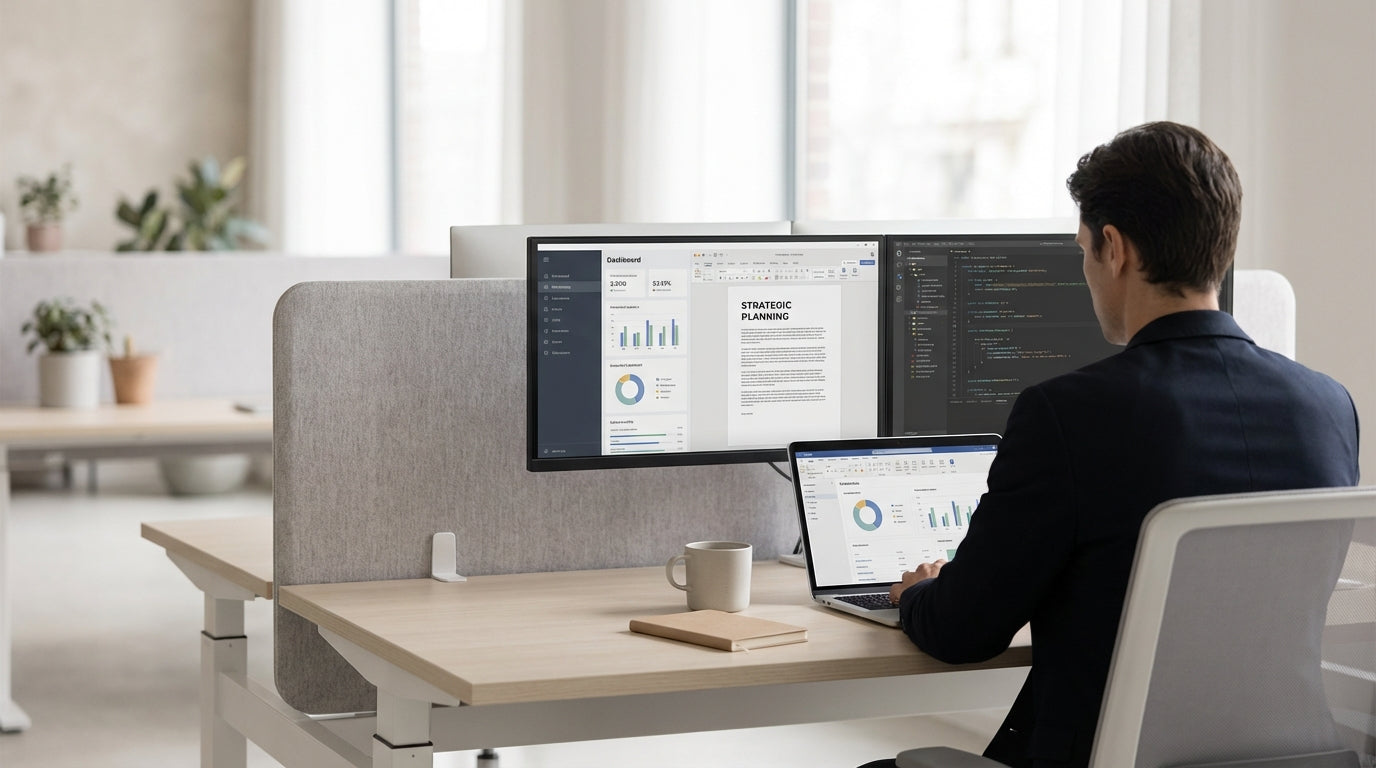
Understanding Desk-Mounted Privacy Screens
Desk-mounted screens are a simple way to create privacy and reduce distractions in open-plan offices. They attach directly to the worktop or frame to form a visual and acoustic barrier between workstations.
Unlike full-height office partitions, these modesty panels sit at desk level or slightly above, defining personal space without closing off the room. Many workplaces combine them with Desk Mounted Partitions to support focused work while still encouraging collaboration. Because they’re installed on existing desks, they’re a cost-effective option for growing teams that don’t want to redesign their entire floor plan.
Modern screens come in a range of materials including fabric, acoustic PET, laminate and acrylic, each with different levels of privacy and noise softening. For example, Acrylic Screens allow light to pass through while blocking direct line of sight, which helps maintain an open, bright feel. Understanding how each material behaves is the first step to choosing a setup that suits your staff and style.
These panels are especially useful when paired with shared benching systems or multi-user desks such as 2 Person Workstations, where boundaries between colleagues can otherwise feel blurry. By clarifying zones and reducing visual clutter, they can support better concentration, smoother conversations, and a more professional look for client-facing spaces.
Choosing the Right Height, Width and Material
Size and material determine how much privacy and sound control your screens will actually deliver. Get these wrong and the panels may look good but do very little.
Height is the most important decision. Lower screens (around 300–350 mm above the desk) are ideal when you just need cable concealment and a subtle boundary. Mid-height options (around eye level when seated) provide much better privacy and block direct eye contact, which is useful in busy offices or call-heavy teams. Taller panels offer the most separation but can feel more enclosed, so they’re often better suited to Single Person Workstations or spaces where deep focus is critical.
Width should match or slightly exceed the desk size to avoid awkward gaps. For shared configurations like 3 Person Workstations and long benches, consider continuous runs of screens for a cleaner look and simpler cable routing. Materials then fine-tune performance: fabric and acoustic panels soften noise and add warmth, while Acrylic Screens are easier to clean, more durable around food and drink, and great for hygiene-sensitive environments.
If you have a mix of tasks and roles, look at flexible systems within a broader Partition Workstations range. This lets you vary height and finish by team without having to change the underlying desk system. It also makes it easier to future-proof your layout if your privacy needs increase over time.
Balancing Privacy, Collaboration and Acoustics
Privacy screens should support how your team actually works, not just how the office looks on paper. Striking the right balance between focus and collaboration is crucial.
Start by mapping key activities: quiet tasks like report writing, confidential phone calls and HR conversations need stronger separation than casual project work. In quiet zones, higher fabric or acoustic panels on Single Person Workstations can reduce both visual interruptions and the feeling of being “on display”. In collaboration areas, lower or semi-transparent panels work better so people can still read body language and easily ask questions without walking around barriers.
Acoustic performance matters, but it’s important to set realistic expectations. Thin dividers alone won’t soundproof an office; they mainly break up direct sound paths and absorb some noise. For phone-heavy teams sharing 4 Person Workstations, pairing screens with soft finishes (like carpet tiles, ceiling baffles or wall panels) will make a noticeable difference. Where confidentiality is critical, add higher side and back panels within your Partition Workstations cluster to block sound leakage in multiple directions.
Finally, remember that too much separation can create silos. Consider keeping end-of-row screens lower or using clear Acrylic Screens at circulation points so teams still feel visually connected. Thoughtful zoning, rather than a single screen height everywhere, usually delivers the best workplace culture and acoustic comfort.
Compatibility with Existing Desks and Workstations
The best privacy solution is one that fits cleanly onto what you already have. Compatibility with your current desks and frames will save time, money and frustration.
Begin by checking how your desks are built: are they straight tops, corner returns, or bench-style systems such as 2 Person Workstations? Many Desk Mounted Partitions use clamp-on brackets that grip the worktop edge, while others bolt through pre-drilled holes or attach to the underframe. Measuring thickness and confirming if the edge is square or bevelled will help you choose the right fixing method and avoid damage to the surface.
If you’re planning a broader refresh, it can be more efficient to select desks and screens from the same family of Workstation Components. These systems are designed to align in height, colour and cable access, so your screens, modesty panels, power rails and monitor arms all work together. This is especially helpful in shared clusters like 3 Person Workstations, where consistent spacing and cabling make day-to-day use smoother and safer.
Where different teams use different styles of stations, such as mixing Single Person Workstations with larger 4 Person Workstations, look for screen ranges that offer multiple bracket types. That way you can maintain a unified look while adjusting the fixing method to each desk type. Adding purpose-built Screen Accessories like tool rails or document holders also helps standardise the user experience across different work areas.
Practical Features, Accessories and Maintenance
Beyond size and material, small practical details can make desk screens far more useful. Accessories and maintenance considerations are often overlooked but affect everyday comfort.
Think about how staff use their desks throughout the day. Do they need space to hang headphones, store stationery or keep documents visible but off the work surface? Dedicated Screen Accessories such as shelves, pen pots and paper trays can clip onto suitable panels, freeing up valuable desk space. Some Desk Mounted Partitions are designed with integrated rails that support these add-ons, turning a simple divider into a functional organising hub.
For hygiene and easy cleaning, especially in shared or hot-desking environments, materials matter. Smooth finishes like those on many Acrylic Screens can be wiped quickly with standard office cleaners, making them ideal near kitchens, reception counters or high-traffic areas. Fabric acoustic panels may need occasional vacuuming or spot cleaning, but they reward you with better sound absorption and a softer visual feel, which can make open offices more welcoming.
Finally, plan for future changes. Selecting screens from flexible Workstation Components and Partition Workstations ranges makes it easier to reconfigure as teams grow or shift. Modular brackets let you move panels from individual desks to shared 2 Person Workstations or larger pods without starting again. By considering accessories, cleaning and adaptability upfront, you’ll end up with a privacy solution that continues to work for your office long after installation.


