

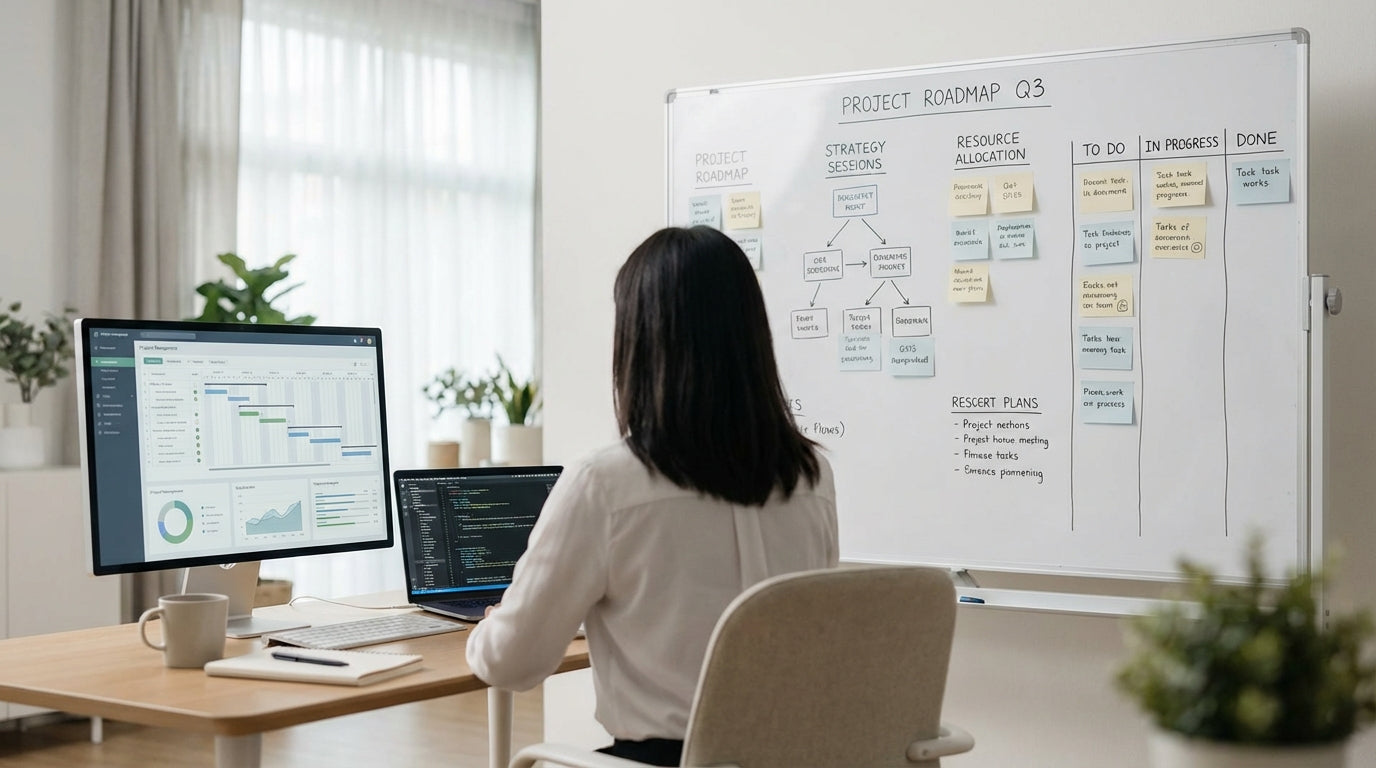
Understanding Planning Whiteboards in Modern Project Workflows
Planning whiteboards have evolved from simple scribble spaces into powerful visual management tools. Choosing the right board can make task tracking, stand‑ups, and deadlines far easier for your team.
At their core, planning boards give everyone a shared view of priorities, ownership, and timeframes. Whether you’re running agile sprints, complex construction schedules, or a marketing calendar, a clearly structured surface helps reduce confusion and email back‑and‑forth. Unlike digital tools that can feel “out of sight, out of mind”, a well‑placed board becomes a daily anchor for team focus.
Modern options range from classic Magnetic Whiteboards to fully digital Electric Interactive Whiteboards. Each style suits a different way of working, so it’s worth matching the board to the habits and size of your team. The right choice will support quick updates, clear visibility in meetings, and smooth collaboration between on‑site and remote staff.
Before looking at surfaces and frames, think about how your team currently manages work. Do you rely on sticky notes that keep falling off? Are tasks buried in software that only a few people open? Identifying these pain points will help you select a board that genuinely improves productivity instead of becoming office décor.
Choosing the Right Surface and Durability Level
The surface material affects how your board looks, how long it lasts, and how easy it is to clean. It also influences how well it copes with heavy, everyday use.
For high‑traffic project rooms or operations hubs, premium surfaces such as Porcelain Whiteboards are a strong investment. They resist ghosting (those faint marks left behind after erasing) and scratching, making them ideal for teams that update timelines, Gantt charts, or Kanban boards multiple times a day. The smoother the surface, the clearer your lines and colour‑coding will appear, which is crucial when people need to read tasks from across the room.
If you want a more contemporary look for client‑facing areas or design studios, consider Glass Whiteboards. They offer a sleek finish, vibrant colour contrast, and are easy to clean, while still providing a robust writing surface. Glass can also double as a backdrop for brainstorming during workshops, strategy sessions, and creative reviews without losing the professional appearance of the space.
Magnetic capability is essential if you plan to use status tags, printed schedules, or moveable task cards. Many premium board types are magnetic by default, but it’s always worth confirming before you buy. Pairing the right surface with suitable Whiteboard Accessories—like quality markers, erasers, and magnetic symbols—will help maintain the surface and keep information legible for longer.
Fixed, Mobile, or Interactive: Selecting the Best Format
The format of your board should match how your team actually collaborates. Think about whether you gather in one room or move around the workplace regularly.
For permanent project spaces such as war rooms, boardrooms, or control centres, wall‑mounted boards create a stable focal point. A large, fixed board makes it easy to map out roadmaps, dependencies, and milestones in one continuous view. If your planning space is more flexible, Mobile Whiteboards offer the freedom to roll your schedule between meeting rooms, hot‑desking zones, and training areas without losing context.
Teams that use a blend of physical and digital planning can benefit from Electric Interactive Whiteboards. These let you write, draw, and move items by hand while also saving sessions, sharing screens, and integrating with online tools. They’re particularly useful when some participants are dialling in remotely, as everyone can see the same board content updated in real time.
For specialist project needs, pre‑formatted options in Planner & Specialty Whiteboards can save setup time. These may include printed grids, calendars, production schedules, or staff rosters that are ready to use straight away. They’re ideal when you need consistent layouts that different team members can update without redrawing lines each week.
Designing Layouts, Zones, and Supporting Tools
A good planning board layout makes it easy to see what matters at a glance. Simple, consistent zones reduce confusion and speed up stand‑up meetings.
Start by dividing your board into logical sections that match your workflow—such as “Backlog, In Progress, Review, Done” for agile projects or phases like “Planning, Procurement, Delivery, Close‑out” for more traditional project management. Use bold lines, headings, and colour‑coded markers from your chosen Whiteboard Accessories to clearly separate these zones. Keep daily or weekly priorities in the most visible area so the team knows where to focus immediately.
Combine your whiteboard with other visual management tools where it makes sense. Pinboards & Corkboards are useful for displaying printed run sheets, permits, or reference documents alongside your main schedule. For public‑facing updates—like project milestones for stakeholders or safety notices—lockable Noticeboards & Display Cases keep information secure while still highly visible.
If your planning style relies heavily on moveable elements, choose a magnetic surface such as many Magnetic Whiteboards or suitable Glass Whiteboards. You can then use magnetic labels for task owners, due dates, and risk flags that can be shifted around without rewriting. This makes it easier to reallocate resources quickly, rebalance workloads, and highlight bottlenecks as they emerge.
Practical Tips for Implementation, Maintenance, and Team Adoption
Even the best board won’t help if it isn’t used properly. A little planning around maintenance and team habits goes a long way.
First, decide who is responsible for keeping the board current. This might be a project coordinator, scrum master, or rotating team member. Set clear rules about how often updates are made (for example, during daily stand‑ups or weekly progress meetings) and what each colour or symbol means. Consistency ensures new staff and stakeholders can read the board without a long explanation every time.
Look after your investment with the right cleaning and maintenance. Use suitable cleaners and erasers from your Whiteboard Accessories kit to prevent staining and ghosting, especially on high‑use boards like Porcelain Whiteboards. Avoid permanent markers unless they’re specifically designed for the surface, and schedule regular “reset” sessions where old information is archived and the layout is refreshed to match the next phase of work.
To encourage adoption, place your board where people naturally gather—near the main project area, not hidden in a distant meeting room. If you’re using Mobile Whiteboards, make bringing the board into meetings part of your routine so it becomes the single source of truth. Over time, your planning board will become central to how the team communicates priorities, tracks progress, and celebrates completed milestones.


