

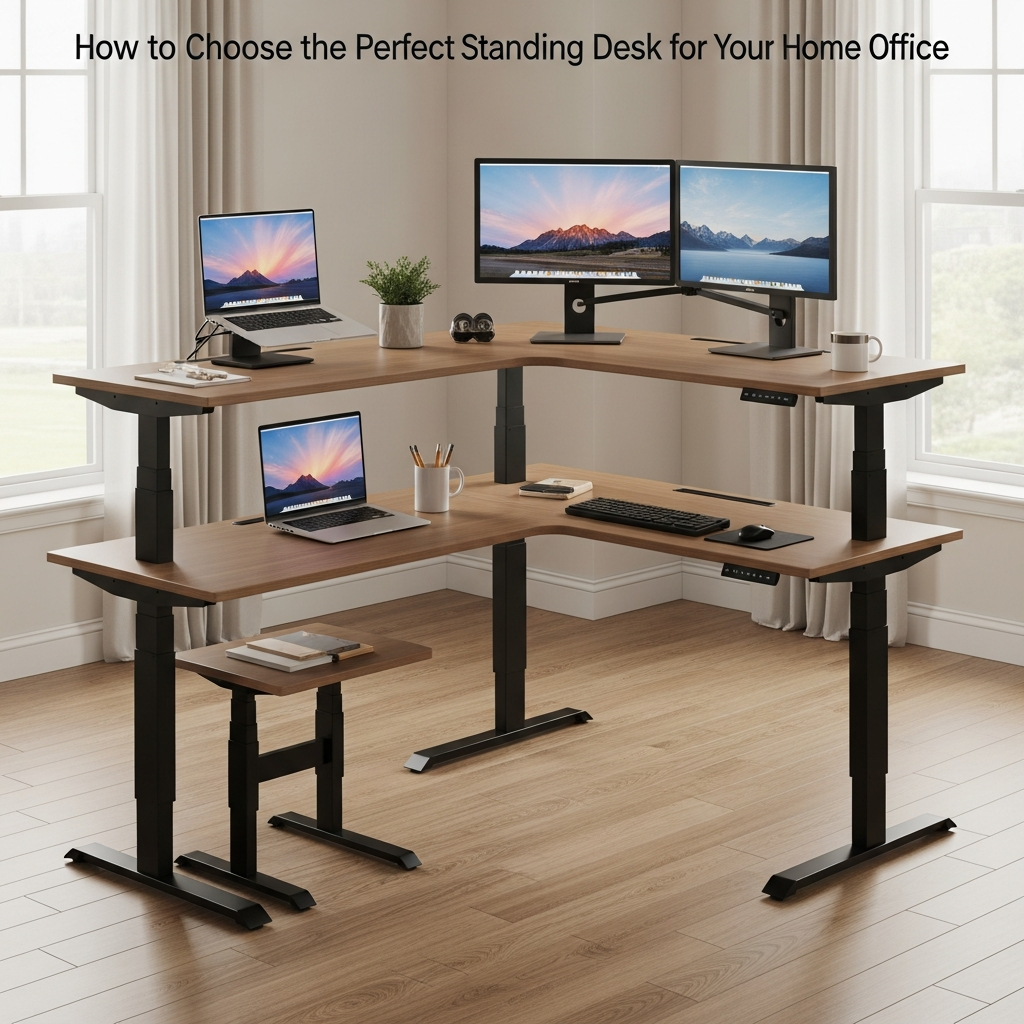
Understanding Standing Desk Benefits and Limitations
Standing desks are popular in Aussie home offices for good reason, but they’re not a magic fix. Knowing the real benefits and limits helps you choose a setup you’ll actually use.
The main advantage of a sit-stand desk is movement. Alternating between sitting and standing can reduce stiffness, ease lower back pressure, and help you feel more alert through the day. It’s less about standing all day and more about changing posture regularly. For many people, pairing a standing desk with an ergonomic chair and a supportive mat gives the best balance.
It’s also important to recognise common limitations. If the desk is wobbly, too small, or the height range doesn’t suit your body, you may end up with neck or shoulder pain. A well-designed workspace with the right accessories like Monitor Arms and good Cable Management will make a bigger difference than just switching to a standing surface.
Think about your work style too. If you’re using multiple screens or spreading out documents, you may need a larger setup such as Home Office Desks or even L-Shaped Desks with height-adjustable frames. Students or part-time remote workers might be better served by compact options found in Student Desks.
Choosing the Right Desk Size and Shape for Your Space
Before you fall in love with a stylish frame, measure your room. The size and shape of your desk will decide how comfortable and practical your home office feels.
Start by mapping out the footprint with masking tape where you plan to work. This helps you see how a standard rectangular option from Straight Desks will fit compared with more space-savvy Corner Office Desks. If you’re working in a small apartment or bedroom, a corner or compact workstation can free up walking space without sacrificing surface area.
For people juggling multiple screens, a printer, and paperwork, consider more generous shapes. Height-adjustable frames paired with L-Shaped Desks or modular Corner Workstations make it easier to separate “computer” space from “writing” or “reference” space. Solo workers who mostly use a laptop may find streamlined Single Person Workstations more than enough.
Desk depth matters as much as width. A surface that’s too shallow can force your monitor too close, straining your eyes and neck. Aim for enough depth to allow an arm’s length between your eyes and the screen, especially if you’re mounting displays on dedicated Monitor Arms. If you share the room with study spaces, you might choose matching styles across Home Office Desks and Student Desks for a consistent look.
Comparing Manual and Electric Height Adjustment
How your desk moves is just as important as how it looks. Manual and electric options both have pros and cons depending on your budget and routine.
Manual height-adjustable desks typically use a crank or quick-release mechanism. They’re often more affordable and have fewer electronic parts that can fail. However, if changing height feels like a chore, you’re less likely to switch between sitting and standing. That can defeat the purpose of investing in a sit-stand solution in the first place.
Electric models, commonly found in Height Adjustable Workstations, offer push-button control and often include memory presets. This means you can save the ideal sitting and standing heights and swap positions in seconds. For anyone working long hours or sharing the desk with another person, these presets can make daily use smoother and more consistent.
Also check the lift capacity and speed. If you use heavy monitors or dual-screen setups mounted on Monitor Arms, make sure the motor is rated to handle the weight without strain. Quiet operation is worth paying attention to as well, especially if your home office shares space with sleeping kids or a partner in virtual meetings.
Ergonomics: Getting Height, Screens, and Accessories Right
An adjustable desk only helps if it’s set up correctly. A few simple ergonomic tweaks can make standing and sitting more comfortable.
When standing, your elbows should rest at roughly 90 degrees with your wrists straight while typing. The desk surface needs to rise or lower to match this height, which is why well-designed Height Adjustable Workstations are so useful. Your monitor should sit so the top of the screen is at or just below eye level. This reduces neck strain and encourages an upright posture instead of hunching forward.
Using Monitor Arms is one of the easiest ways to fine-tune screen height and distance, especially on configurations like Corner Workstations or broad Straight Desks. You can tilt, swivel, and move each screen independently, which is handy for dual-monitor setups or when switching between tasks. Students and remote workers who rely on laptops should consider external keyboards and stands, turning a portable device into a more ergonomic workstation.
Don’t neglect the rest of the environment. A quality chair that supports your lower back, an anti-fatigue mat for standing, and neat Cable Management all contribute to comfort and safety. If your home office doubles as a study nook, integrating standing-friendly Home Office Desks with height-appropriate Student Desks ensures every family member works at a suitable level.
Planning for Storage, Cables, and a Tidy Setup
A standing desk still needs to deal with everyday clutter. Planning storage and cable control up front keeps your workspace functional and calm.
First, think about what actually lives on your desk: screens, laptop, speakers, notebooks, maybe a plant. Larger arrangements like L-Shaped Desks and Corner Office Desks can comfortably host printers or document trays, while slimmer Single Person Workstations may need wall shelves or mobile pedestals for storage. Keeping only daily-use items on the surface keeps transitions between sitting and standing smoother.
Cable control becomes more important when the desk moves up and down. Using dedicated Cable Management solutions like cable trays, clips, and flexible spines prevents cords from catching or pulling tight when the desk lifts. This is especially important for multi-monitor arrangements using Monitor Arms, where each screen has its own power and data leads.
Finally, aim for a coordinated look across your home or study area. Matching finishes across Home Office Desks, Corner Workstations, and Straight Desks can make even a small space feel more intentional and less cluttered. Whether you’re setting up a primary workstation or a compact study zone from Student Desks, a tidy, well-organised layout will help you get the most from your standing desk every day.


