

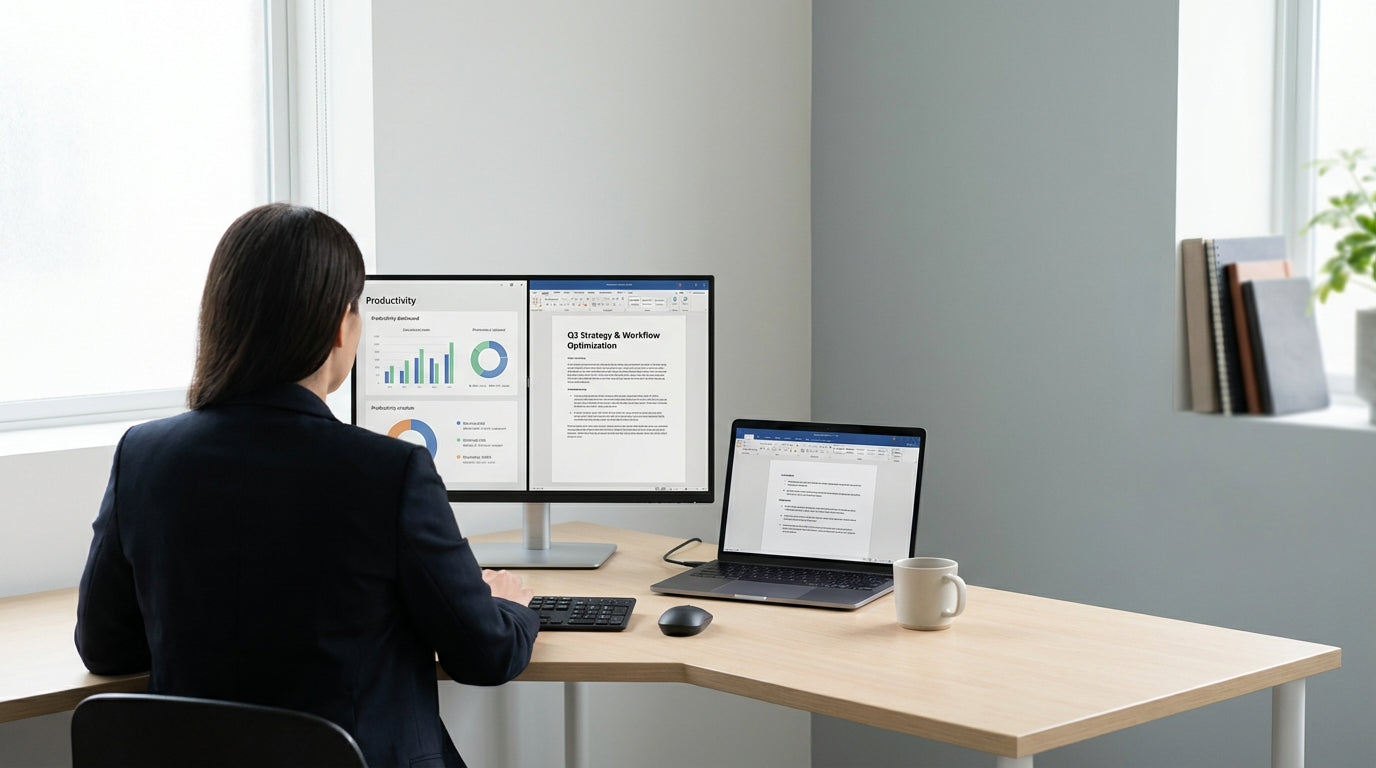
Planning Your Corner Workspace Layout
Getting the layout right is the foundation of a productive corner workstation. Start by considering how you actually work each day and what needs to be within arm’s reach.
Begin by measuring your available floor and wall space, including skirting boards and power points. This helps you choose the right configuration from options like dedicated Corner Workstations or more flexible L-Shaped Desks. Think about traffic flow in the room, door swing, and window placement so you’re not blocking natural light or bumping into furniture every time you stand up.
Next, map out “zones” on your desk: a primary zone directly in front of you for keyboard, mouse, and main monitor, a secondary zone for documents and notepads, and a storage zone for less-used items. If you’re sharing the space or hot-desking, compact Single Person Workstations can give each person a clear footprint without wasting precious corner space. Planning these zones on paper (or with painter’s tape on the floor) before you buy anything can save you time, money and frustration.
For home offices, think about the room’s overall purpose. If the space doubles as a guest room or hobby area, a streamlined corner setup using minimalist Home Office Desks helps keep things from feeling cluttered. Aim for a layout that lets you move smoothly between your chair, storage, and peripherals without twisting awkwardly or overreaching.
Choosing the Right Desk and Components
The desk is the anchor of your corner workstation, so the style and shape really matter. Choose based on space, work style, and how much surface you realistically need.
If you’re outfitting a corporate or executive space, robust Corner Office Desks provide a professional look with enough room for dual monitors, paperwork, and a phone. For more flexible setups, modular Workstation Components let you add returns, modesty panels, and storage as your needs change. This modular approach is ideal if your team or equipment is likely to grow over time.
Height is another key consideration. Height Adjustable Workstations allow you to switch between sitting and standing, which can reduce fatigue and improve posture. If you opt for a fixed-height desk, double-check that it works with your chair height so your elbows can rest at roughly 90 degrees while typing. Look for sturdy frames and quality hardware to minimise wobble, especially if you’re using multiple monitors or heavier equipment.
For smaller nooks in apartments or shared homes, compact Home Office Desks or space-efficient Corner Workstations can make the most of tight corners without feeling cramped. Pair them with add-on Workstation Components such as mobile pedestals or desk-mounted shelves so you keep the main work surface clear. The aim is a balance: enough room to spread out when needed, but not so large that you end up with piles of clutter.
Ergonomics: Chair, Monitor and Keyboard Positioning
Ergonomics is about setting up your corner workstation so your body works comfortably, not against you. Small adjustments to chair and monitor position can prevent long-term aches and pains.
Start with your chair. A good ergonomic seat, such as those in the Task Chairs range, should offer adjustable height, lumbar (lower back) support, and a stable base. Adjust your chair so your feet rest flat on the floor (or a footrest), with knees roughly at hip height. Then move your chair in so you can sit close to the desk without leaning forward; your back should be supported by the chair’s backrest.
Monitor height and distance matter just as much. Ideally, the top of the screen should be at or slightly below eye level, and about an arm’s length away. Using adjustable Monitor Arms makes this easy, especially in a corner where desk real estate is limited. They let you centre the main screen in front of you and angle secondary screens so you’re turning your head, not twisting your whole body.
Position your keyboard and mouse so your elbows stay close to your body and your wrists are straight while typing. With L-Shaped Desks and Corner Office Desks, it’s tempting to work on the side return, but try to do most of your typing at the central section so you’re facing directly into the corner. If you use a sit–stand setup from the Height Adjustable Workstations range, re-check monitor height and keyboard position whenever you change from sitting to standing.
Cable Management and Tech Organisation
A tangle of cords can quickly turn a neat corner desk into a mess. Good cable organisation keeps your workspace safer, easier to clean, and more professional-looking.
Start by identifying every device that needs power or data: monitors, docking stations, chargers, speakers, and lamps. Group cables by purpose and route them along the back or underside of your desk wherever possible. Dedicated Cable Management solutions such as trays, clips and spine channels help keep cords off the floor and out of the way of your feet and chair casters. This is particularly important with compact Single Person Workstations, where a loose cable can easily be kicked or unplugged.
Using desk grommets or cut-outs built into many Corner Workstations and L-Shaped Desks allows cables to drop neatly down to power boards mounted underneath. Combine this with adjustable Monitor Arms to keep monitor cables tucked close to the arm rather than draped across the desk. Label both ends of critical cables so swapping equipment is quick and doesn’t require tracing each cord by hand.
In home offices, visual clutter can be especially noticeable. Matching your Home Office Desks with discrete Cable Management channels or under-desk baskets lets your workspace blend into the room rather than looking like a server rack. For stand-up configurations using Height Adjustable Workstations, leave enough slack in cables and use flexible cable spines so nothing gets strained when you raise or lower the desk.
Making Your Corner Station Productive and Personal
Once the essentials are in place, refine your corner workstation so it supports focus and feels like your own. A bit of thoughtful personalisation can lift both mood and productivity.
Keep your primary work area clear by leaning on smart storage from Workstation Components such as mobile pedestals, shelves and organiser trays. With Corner Office Desks or larger L-Shaped Desks, designate one side of the return as your admin or storage area and leave the central section dedicated to focused work. This simple rule makes it easier to reset your desk at the end of the day.
Comfort also plays a big role in how long you can work effectively. Invest in supportive Task Chairs that match the height and style of your desk, and consider adding a small desk lamp to reduce eye strain, especially if your corner is away from a window. A plant, a photo frame, or a piece of artwork above the desk can make even compact Single Person Workstations feel inviting without crowding the surface.
If your corner setup is in a shared home environment, choose streamlined Home Office Desks or modern Corner Workstations that complement your décor. Combine them with adjustable Monitor Arms and neat Cable Management so everything can be tucked away when you clock off. Whether you’re in a CBD office or a spare bedroom, a well-planned corner workstation turns previously unused space into a productive, comfortable hub you’ll actually enjoy using.


