

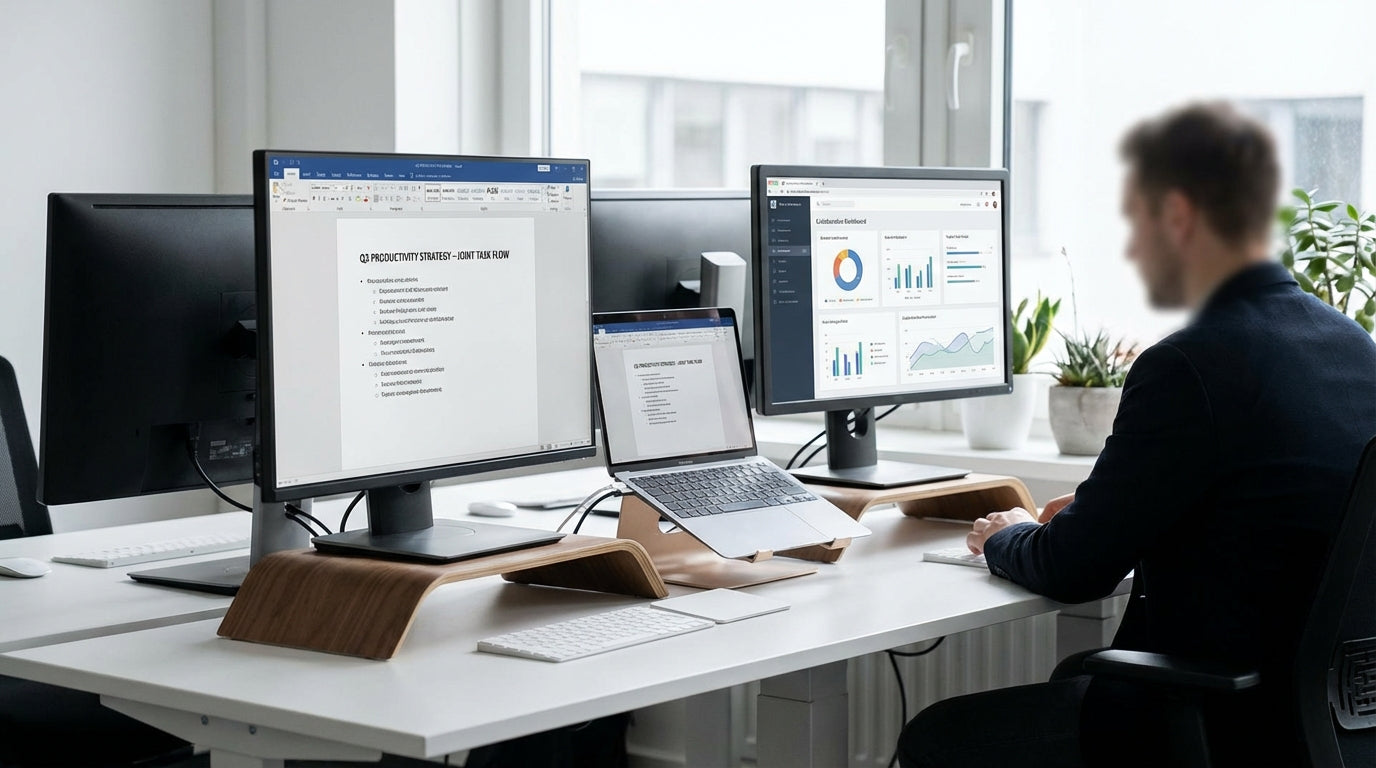
Planning the Ideal Shared Desk Layout
Before buying any furniture, map out how the space will actually be used. A considered layout prevents clashes, distractions, and wasted floor area.
Start by measuring the room and noting door swings, windows, and power points. This helps you decide whether back-to-back, side-by-side, or L-shaped setups make the most sense. Many teams find that dedicated 2 Person Workstations provide a compact footprint while still giving each person enough desk depth for laptops, paperwork, and accessories. Think about circulation too: allow clear walkways so people aren’t squeezing past chairs all day.
Noise and visual distractions are common productivity killers in shared spaces. Position the workstation so both users face away from heavy traffic areas where possible, and avoid placing screens directly opposite bright windows to reduce glare. If the room is tight or oddly shaped, consider Corner Workstations to make the most of every square metre while keeping both users within easy reach of storage and power.
Finally, plan for future changes. Leave room for extra storage, a small side table for collaboration, or even a third screen if workloads grow. A well-thought-out layout now will save you from costly rearranging later on.
Choosing the Right Desks and Workstation Style
The desk is the foundation of any shared workstation. Getting the size, shape, and adjustability right will have a direct impact on comfort and focus.
For two people sharing a zone, modular 2 Person Workstations are often more efficient than pushing two single desks together. They’re designed with shared leg frames, consistent cable access, and matching finishes, which creates a tidy, professional look. If you need to separate tasks or teams visually, look at Partition Workstations that integrate screens between users without taking up extra floor space.
Ergonomics matter, especially in Australian offices where long screen hours are the norm. Height Adjustable Workstations allow each person to switch between sitting and standing, even if they share a single frame or back-to-back configuration. This reduces stiffness, supports better posture, and lets each user fine-tune their own working height, which is particularly handy when team members have different body types or chair preferences.
If your workflows involve multiple monitors, reference materials, or large design layouts, pay attention to desktop depth and cable access. Incorporating Workstation Components such as modesty panels, desk-mounted shelves, and under-desk storage can help each person carve out their own organised zone without cluttering the shared surface. Aim for a balance: enough space to spread out, but not so large that communication feels distant.
Ergonomic Seating and Screen Setup for Two
A productive shared workstation must treat ergonomics as non-negotiable. Poor seating and screen placement quickly lead to fatigue and frustration.
Investing in quality chairs is one of the simplest ways to support health and productivity. Look for adjustable Task Chairs with lumbar support, adjustable armrests, and seat height controls so each person can fine-tune their posture. In warmer Australian climates or non-air-conditioned spaces, breathable Mesh Office Chairs help regulate body temperature and reduce discomfort during long sessions.
Screen position is equally important. Monitors should be roughly an arm’s length away, with the top of the screen around eye level for most people. Using adjustable Monitor Arms allows each user to customise height, tilt, and distance independently, even when they share a single desktop. This also frees up valuable desk space for notebooks, docking stations, and reference materials.
When two people share a workstation, clashing sightlines are a common issue—especially if one prefers a high monitor and the other prefers a low one. Independent Monitor Arms solve this by allowing completely separate configurations on the same frame. Combine this with appropriate chair adjustments so feet rest flat on the floor (or on a footrest if needed) and wrists remain straight while typing. These small changes compound over time, reducing strain and improving focus.
Managing Cables, Tech, and Workstation Accessories
Technology can quickly turn a shared desk into a tangle of cords and clutter. Good cable and accessory management keeps the workspace safe, tidy, and easier to clean.
With two people using laptops, monitors, phones, and perhaps docking stations, power and data access need careful planning. Make use of under-desk trays and spine systems from dedicated Cable Management ranges to route leads discretely. This prevents tripping hazards, stops plugs being yanked loose, and keeps vacuuming or mopping straightforward in a commercial environment.
Thoughtful Workstation Components such as CPU holders, monitor risers, and desk-mounted power rails further streamline the setup. By lifting equipment off the floor and clustering power outlets in easy-to-reach spots, you reduce desk clutter and avoid constant crawling under the workstation to plug in devices. Integrating these pieces during the planning phase is much easier than retrofitting them later.
For teams that regularly change devices or hot-desk, label power and data points clearly so each user knows which leads are theirs. Combine this with flexible Cable Management solutions that can handle additions or re-routing as hardware changes. The goal is a shared workstation that looks clean from every angle, functions smoothly day-to-day, and doesn’t need a full rewire every time someone upgrades their laptop.
Maintaining Privacy, Focus, and Collaboration
A two-person setup needs to balance collaboration with concentration. Smart use of partitions, layout, and routines can reduce distractions without isolating people.
Acoustic or visual screens are an effective way to create subtle separation in a shared zone. Integrated options on Partition Workstations block visual clutter, dampen sound, and define each person’s territory. Even low or mid-height screens can make a big difference, providing enough privacy for calls and focused work while still allowing quick conversation when needed.
Positioning the workstation thoughtfully supports this balance. Back-to-back or side-by-side 2 Person Workstations can be aligned so users don’t stare directly at each other’s screens, which helps reduce accidental screen peeking and visual distraction. If your work involves frequent Zoom or Teams meetings, choose layouts where microphones and speakers won’t clash, and where each person can take calls without constant background interruptions.
Etiquette matters as much as furniture. Set simple rules around headphone use, phone volume, and when it’s okay to interrupt. Combine these with furniture choices—such as Height Adjustable Workstations for movement, supportive Task Chairs, and adjustable Monitor Arms—to create a shared environment that feels considered rather than cramped. Over time, these habits and design choices turn a simple dual desk into a highly productive, comfortable station for both users.


