

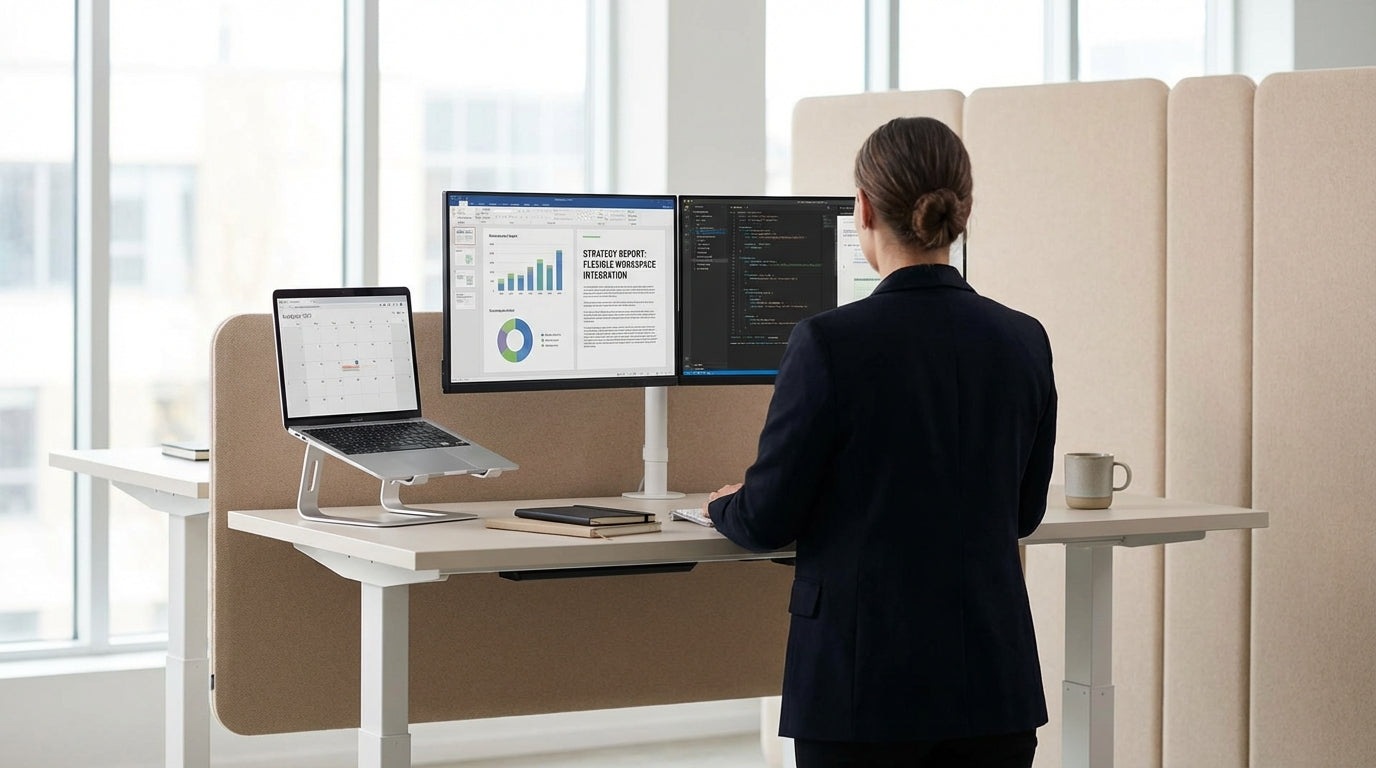
Why More Aussies Are Switching to Adjustable Desks
Standing desks have moved from trendy gimmick to everyday office gear in Australia. The big question is whether the extra cost actually delivers real value at work and at home.
With more of us working long hours at computers, concerns around posture, neck pain and general inactivity are front of mind. A quality sit-stand setup can help you shift positions easily through the day, instead of being locked into one posture for eight hours straight. That flexibility is a key reason many businesses are upgrading to dedicated Height Adjustable Workstations rather than sticking with fixed-height desks.
The other driver is the steady rise of hybrid and remote work, which has turned kitchen tables into permanent offices. People are discovering that a proper workstation isn’t just “nice to have” – it directly affects comfort, productivity and long‑term health. Whether you’re fitting out a corporate office or a spare bedroom, considering an adjustable option is becoming part of standard workspace planning.
Instead of thinking of a desk as a static piece of furniture, it’s worth viewing it as a tool that should adapt to you and your tasks. When your workstation height, chair, and screens are all dialled in together, you reduce physical strain and make it easier to focus. That’s the core promise of height adjustability – a workspace that moves with you, not against you.
Health, Comfort and Productivity: What the Research Shows
An adjustable desk won’t magically fix bad posture, but it can make healthy habits much easier. Used properly, it can reduce discomfort and help you feel more alert across the day.
Prolonged sitting is linked with stiffness, back pain and reduced circulation. Being able to change from sitting to standing encourages more movement, even if it’s just brief standing sessions each hour. Many workers report less lower‑back and neck discomfort after switching to a sit-stand arrangement, especially when they pair it with ergonomic Task Chairs and a correctly positioned screen using Monitor Arms. That combination allows your whole setup – not just the desktop – to support a neutral, relaxed posture.
Comfort often translates directly into focus. When you’re not constantly adjusting to relieve pain or tension, it’s easier to stay on task. Alternating between sitting and standing can also combat the mid‑afternoon slump many office workers experience, as standing encourages better blood flow and can make you feel more energised. Even small changes, like standing during phone calls or online meetings, can help break up static sitting time.
It’s important to note that “all day standing” isn’t the goal either. The sweet spot is regular variation: sit for tasks that require fine control or longer concentration, and stand for lighter, shorter or more interactive work. Adjustable desks simply make this shift simple and quick, removing the friction that usually stops people from moving more.
Types of Adjustable Desks and How to Choose
Not all adjustable desks are the same, and choosing the right type depends on your space, workload and budget. Understanding the main styles will help you avoid paying for features you don’t need.
For shared offices, electric Height Adjustable Workstations are a popular choice. They allow each user to set their own height with the push of a button, and many models include presets to store preferred sitting and standing positions. If you’re outfitting individual team members, you might combine these with dedicated Single Person Workstations designed for focused, solo work, or use adjustable frames paired with specific Workstation Components such as modesty panels and cable trays.
For the home office or smaller spaces, compact sit-stand options can be built around existing layouts. A corner room, for example, might suit Corner Workstations or Corner Office Desks that maximise the available wall area while still providing full height adjustability. If you prefer a more traditional layout, electric frames can often be combined with modern Straight Desks, or you can start fresh with purpose‑built Home Office Desks that integrate cable management and storage.
When comparing models, consider three main factors: adjustment range, stability, and noise. A good desk should lower enough for shorter users and raise high enough for taller ones to type comfortably while standing. It should stay solid and wobble‑free, especially if you use multiple screens on Monitor Arms, and operate quietly so you can adjust height without interrupting meetings or colleagues. These practical details matter more day-to-day than less critical extras like built‑in USB hubs.
Are Adjustable Desks Worth the Money?
Cost is often the main hesitation when people look at sit-stand desks. The value largely depends on how much time you spend at your workstation and whether you pair the desk with the right accessories.
If you’re at a desk for several hours most weekdays, a well‑designed adjustable setup can be seen as a long‑term investment in health and comfort rather than a one‑off splurge. When you factor in fewer chiropractor or physio visits, less time lost to discomfort, and better focus, the return on investment becomes more tangible. For businesses, reduced absenteeism and improved staff satisfaction can easily outweigh the upfront spend over the lifespan of a good desk, which is often many years.
To get full value, the desk should be part of an overall ergonomic setup, not a standalone upgrade. That means selecting an appropriate ergonomic chair from a range of Task Chairs, positioning monitors at eye level with suitable Monitor Arms, and choosing frames and tops that work with your preferred Workstation Components such as storage and cable management. When all elements are aligned, you’re more likely to use sit-stand features consistently, which is where the real benefits come from.
Maintenance and flexibility are worth factoring in as well. Electric mechanisms are generally reliable, and if your needs change – moving house, reshuffling teams, or changing layout – adjustable frames can often be repurposed with different tops or combined with new Home Office Desks or Straight Desks. Compared with replacing entire workpoints, reusing quality frames can be more cost‑effective over time.
Practical Tips for Setting Up and Using a Sit-Stand Workspace
Buying the desk is only half the story; how you set it up and use it each day determines the benefits. A few simple guidelines can help you avoid common mistakes.
Start with the basics of good ergonomics. When sitting, your feet should rest flat on the floor, hips slightly above knees, and your back supported by your chair’s lumbar curve. When standing, adjust the desk so your elbows are roughly at 90 degrees and your shoulders feel relaxed, not hunched. Use Monitor Arms to position screens so the top of the display is around eye level, whether you’re in a sitting or standing position. This reduces neck strain and makes transitions between positions smoother.
Introduce standing time gradually. Instead of jumping straight to hours on your feet, alternate in short blocks – for example, 20–30 minutes standing each hour – and listen to your body. Many people find it useful to stand during natural breaks in their workflow, such as while checking emails, reading documents or taking calls. Over time, you can experiment with what mix of sitting and standing leaves you feeling best by the end of the day.
Think about how your desk fits into the wider layout. If you’re designing a shared office, pairing adjustable frames with modular Height Adjustable Workstations, Single Person Workstations and Corner Workstations can help you make the most of available space. In a home environment, a compact sit-stand setup integrated with Corner Office Desks or standalone Home Office Desks can keep your work zone separate from the rest of the house.
Finally, revisit your setup regularly. As your tasks change or you add equipment, you might need to tweak height settings or rearrange Workstation Components. Treat your sit-stand workstation as an adjustable system – combining the desk, chair, monitors and accessories – and you’ll be better placed to get ongoing value from your investment.


