

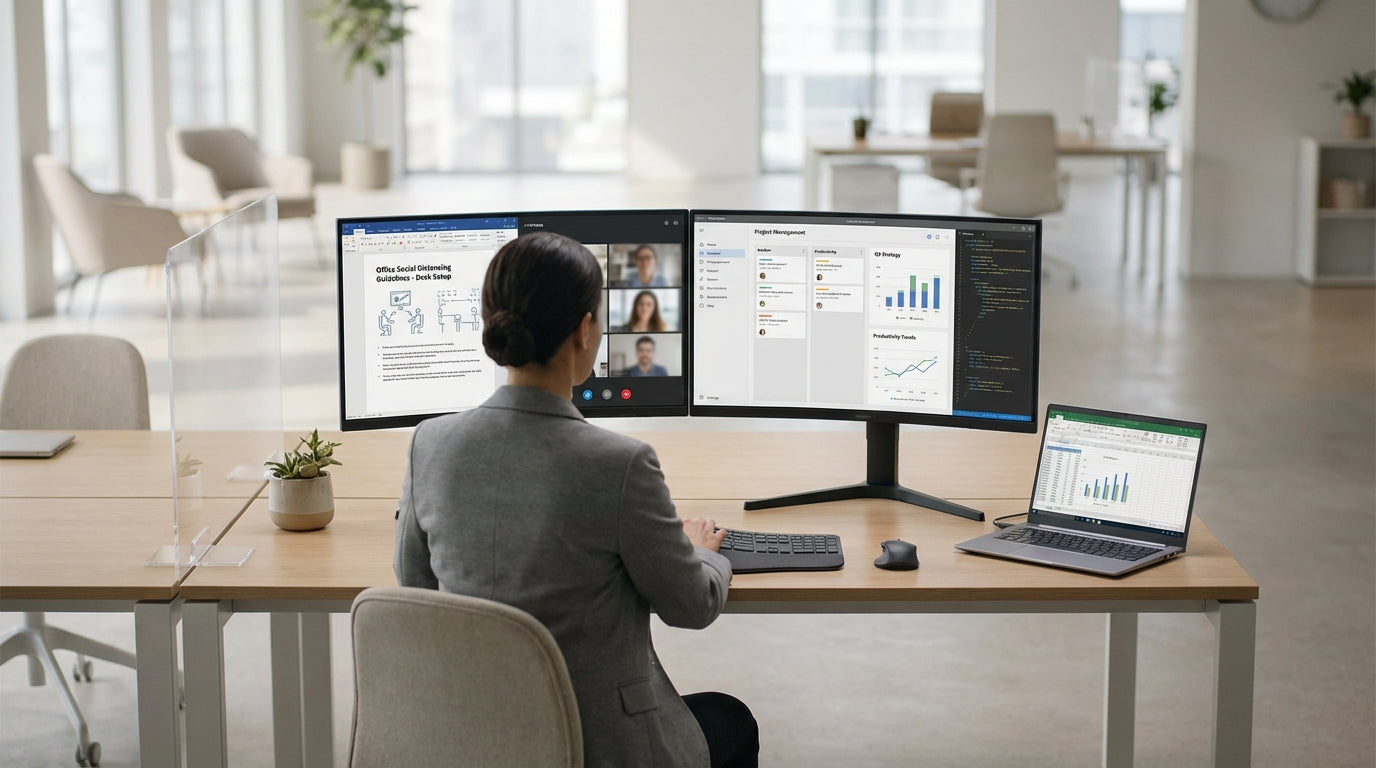
Understanding Desk Screens and Social Distancing
Desk screens create a physical barrier between workers, helping reduce the spread of airborne particles while people are seated. They support social distancing by clearly defining personal space without completely cutting off collaboration.
At its simplest, a screen is a panel fixed to or placed between desks to block direct respiratory droplets when staff talk, cough, or sneeze. Different screen types suit different layouts, from fixed Desk Mounted Partitions to freestanding Floor Partitions that can be moved as teams change. Choosing the right mix helps maintain recommended separation even when physical distance is limited by existing furniture.
Social distancing in offices is not just about spacing chairs apart; it is also about controlling airflow paths and face‑to‑face exposure. Clear barriers such as Acrylic Screens allow light and visibility while adding a protective layer between staff and visitors. When combined with careful desk positioning, cleaning protocols, and staggered schedules, screens become part of a broader risk‑reduction strategy rather than a standalone fix.
Choosing the Right Screen Types for Your Workspace
The best solution depends on whether your office uses benches, individual desks, or shared pods. It is often more effective to combine several screen styles than rely on a single product.
For fixed workstations where staff sit side‑by‑side, Desk Mounted Partitions add height between neighbours without replacing your existing furniture. They can separate monitors and keyboards, limiting direct breath zones while still allowing people to talk at a normal volume. If you are planning a refresh, purpose‑built Partition Workstations give each employee a defined, semi‑enclosed area that naturally supports distancing rules.
Open‑plan offices often need extra separation between rows of desks and shared pathways. In these cases, tall Floor Partitions or easily repositioned Mobile Partitions can create corridors and waiting zones without building walls. You can zone reception areas, meeting points, and hot‑desking spaces so that movement is channelled safely and people are less likely to cluster face‑to‑face.
Where visibility is important, such as reception counters or customer‑facing roles, clear Acrylic Screens help protect both staff and visitors while keeping communication easy. These are popular because they are simple to clean, non‑porous, and unobtrusive in modern interiors. Pairing the right screens with complementary Screen Accessories like brackets, clamps, and cable cut‑outs ensures they integrate neatly into your existing setup.
Positioning Screens for Maximum Protection
Placement matters as much as the type of screen you choose. The goal is to interrupt direct airflow between people while keeping work practical and comfortable.
Start by mapping where staff actually sit and face during the day. Screens should be high enough to cover the breathing zone (roughly mouth to just above head height) when people are seated. On shared benches, use Desk Mounted Partitions between each workstation and along the front edge to reduce direct face‑to‑face contact with the opposite row. In areas with crossing foot traffic, add Floor Partitions at the ends of desks to block direct exposure from passing colleagues.
For flexible teams and hot‑desking, Mobile Partitions can be rolled into place as headcount changes or project groups form. These are especially useful near collaboration spots, breakout areas, and printers, where people tend to gather without booking a formal room. By using movable barriers, you can quickly adjust your layout if distancing guidelines change.
Private focus zones such as Office Pods and Acoustic Pods offer enclosed spaces that naturally support separation while improving concentration. Position these pods slightly away from main thoroughfares to limit passing traffic and noise. When permanent changes are not possible, pairing pods with strategically placed Acrylic Screens around shared tables can achieve a similar protective effect in open zones.
Combining Screens with Workstation Design
Desk barriers work best when they are integrated into the overall workstation layout. Consider how people move, talk, and share equipment throughout the day.
Upgrading to dedicated Single Person Workstations immediately reduces the number of shared surfaces and makes traffic patterns easier to control. Each person has a defined area for their equipment, chair, and personal items, which simplifies cleaning as well as distancing. Adding Desk Mounted Partitions to these individual desks creates a layered defence that is practical for long‑term use, not just short‑term health measures.
If your team relies on shared spaces, Partition Workstations allow small clusters to work together with built‑in dividers between seats. These systems often include integrated cable management and storage, reducing clutter that can otherwise spread across neighbouring areas. You can further enhance safety by using Screen Accessories such as modesty panels, extension pieces, and mounting kits to fine‑tune coverage where people sit closest.
Enclosed or semi‑enclosed solutions like Office Pods and Acoustic Pods help separate noisy discussions and online meetings from quiet desk areas. This reduces the need for staff to lean in or raise their voices across open desks, both of which increase droplet spread. With careful planning, you can create a mix of quiet, shielded focus spots and more open collaboration spaces, all supported by the right combination of screens and workstation types.
Maintenance, Hygiene, and Long-Term Flexibility
Regular cleaning and smart product choices keep your distancing measures effective over time. Plan for easy maintenance from day one.
Non‑porous surfaces such as those on most Acrylic Screens are ideal because they can be wiped down quickly with appropriate disinfectants. Establish a cleaning schedule that covers all barriers, including Desk Mounted Partitions, high‑touch edges, and any shared controls or whiteboards. Attach wipes or sanitiser holders using compatible Screen Accessories so staff are reminded to clean surfaces they use frequently.
For long‑term resilience, choose solutions that can be reconfigured as your team grows or work patterns change. Freestanding Floor Partitions and Mobile Partitions give you the flexibility to open or close spaces depending on health advice or business needs. Combined with adaptable furniture such as Single Person Workstations and modular Partition Workstations, this means your investment in screens supports both safety and future workspace changes.
Finally, remember that distancing solutions should support comfort and productivity, not just compliance. Use a mix of clear and acoustic options, including Office Pods and Acoustic Pods, to manage noise while maintaining visibility where it is needed. When screens are thoughtfully specified, installed, and maintained, they become a discreet part of a healthier, more adaptable workplace.


