

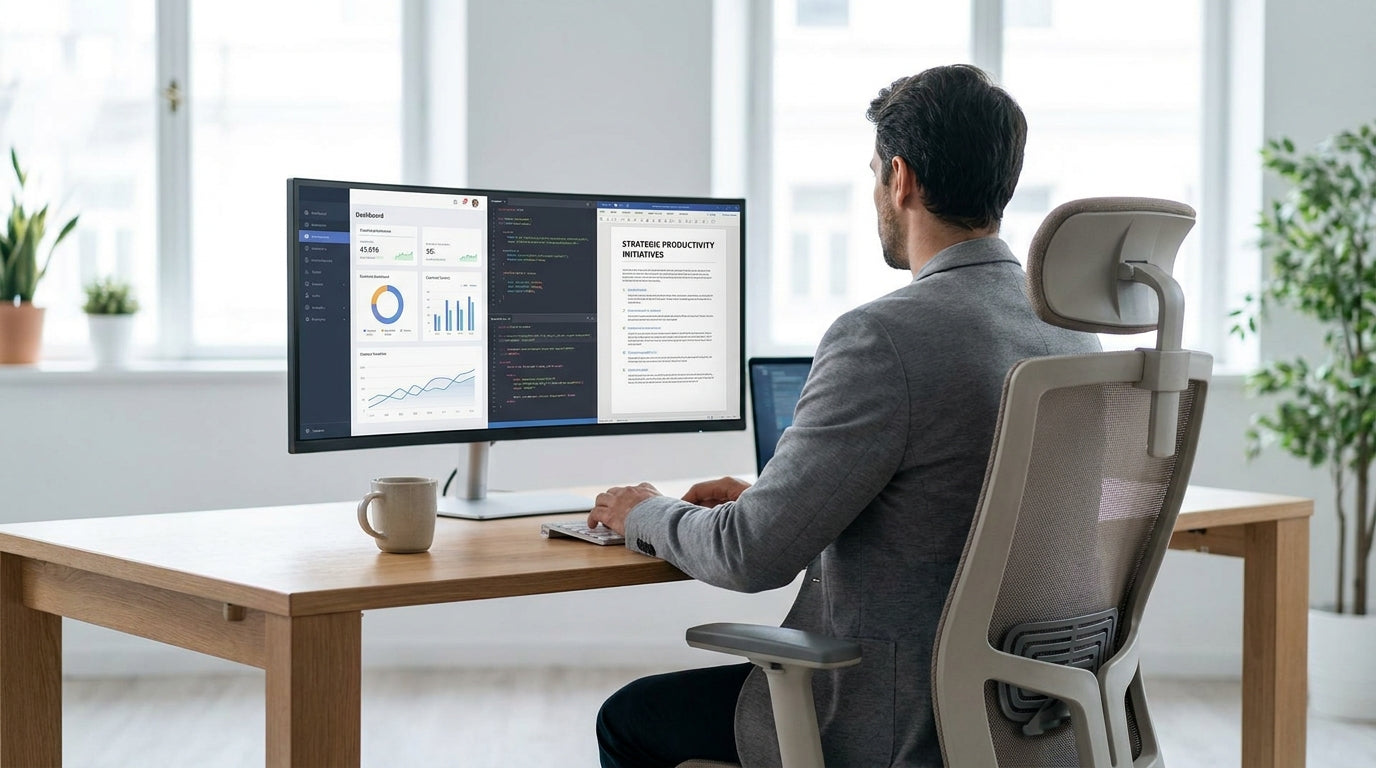
Understanding Peripheral Neuropathy and Sitting Pain
Peripheral neuropathy affects the nerves in your feet, legs and sometimes hands, causing pain, tingling, burning or numbness. Sitting for long periods can quickly make these symptoms worse, especially if your chair puts pressure on sensitive areas.
When nerves are damaged, they become more reactive to pressure, heat and vibration. A standard office chair that feels fine to others can feel like a blunt instrument on your thighs, tailbone or lower back if you live with neuropathy. That’s why choosing a supportive, pressure-relieving seat is just as important as medication, movement and footwear in your overall pain management plan.
Neuropathy can come from diabetes, chemotherapy, autoimmune conditions, spinal problems or even vitamin deficiencies. While the cause and medical treatment sit with your GP or specialist, the way you set up your workspace is very much in your control. An appropriate ergonomic chair helps reduce compression on nerves, improves circulation to your legs and feet, and encourages postures that place less strain on your spine.
Rather than chasing a single “magic” chair, it’s better to understand the features that matter most when your nerves are hypersensitive. From cushioning and adjustability to back support and fabric type, these details change how your body feels at the end of the day. With a bit of knowledge, you can match your symptoms and work style to the right type of seating.
Key Chair Features That Help Protect Sensitive Nerves
The right chair for neuropathy focuses on pressure relief, support and adjustability. Small design details can make a big difference to your comfort and nerve health.
Cushioning is often the first thing people notice, but it’s not just about softness. Look for a contoured seat with high-density foam or a hybrid cushion that spreads your weight across a larger area, so fewer pressure points form under your thighs and sit bones. A waterfall front edge (sloping gently down at the front of the seat) helps reduce pressure on the backs of your legs, which supports better blood flow to the feet.
The backrest should support the natural S-shape of your spine, especially in the lumbar (lower back) region. When your spine is supported, there is less pulling and pinching on the spinal nerves that can aggravate symptoms down the legs. Adjustable lumbar support, tilt tension and a reclining function let you change angles through the day, which reduces static load on any one area of your body.
Seat height and depth adjustments are crucial if you’re trying to relieve burning or tingling in the feet and calves. Your knees should be roughly at hip height, with your feet flat on the floor or on a footrest, and a small gap (about two to three fingers) between the seat edge and the back of your knees. This setup encourages good circulation and avoids compressing nerves behind the knee.
Armrests that adjust in height and width can offload tension from your neck and shoulders, which is helpful if your neuropathy also affects your upper limbs. Comfortable, breathable fabrics are another factor: breathable mesh, for example, can reduce heat build-up that sometimes worsens burning pain, while well-padded upholstered or Leather Chairs may feel better for those who prefer a cushioned, smooth surface.
Comparing Popular Office Chair Types for Neuropathy
Different chair styles suit different bodies and work setups, especially when nerve pain is involved. Understanding the pros and cons of each type helps narrow your choices quickly.
Mesh Office Chairs are popular because they’re breathable and naturally contour to your back. The mesh material allows airflow, which can reduce heat-related discomfort and sweating that some people with neuropathy find aggravating. Many mesh designs also feature flexible lumbar zones that move with you, helping keep your spine aligned even when you shift in your seat.
For focused computer work, ergonomic Task Chairs are often the best starting point. They usually offer multiple adjustments—seat height, seat depth, back angle, tilt and armrests—so you can fine-tune the support around your pressure-sensitive areas. If you’re taller, heavier, or sit for long hours, consider specialised Heavy Duty Chairs that maintain their cushioning and stability over time; a sagging seat pan can sharply increase pressure on your thighs and tailbone.
If you work at a standing desk or high counter, standard chairs may leave your feet dangling and compress nerves behind the knees. In that case, Drafting Chairs with an integrated foot ring can be a better option. They allow you to alternate between perched and seated positions while still supporting your legs and giving your feet a stable base. For people who struggle with standing up due to pain, weakness or balance issues, Power Lift Chairs can assist with gentle, powered transitions from sitting to standing, reducing strain on painful legs and feet.
Even spaces beyond your main workstation can affect neuropathy symptoms. Meeting rooms equipped with supportive Meeting Chairs and reception areas with well-padded Visitor Chairs can prevent flare-ups during longer sessions away from your desk. If you prefer to support local manufacturing, you can also look for ergonomic Australian Made Chairs that meet national standards and are designed with office comfort in mind.
How to Set Up Your Chair to Reduce Nerve Pain
Even an excellent ergonomic chair can cause discomfort if it’s not set up correctly. A few small adjustments can significantly reduce nerve compression and pain.
Start with seat height. Sit back in the chair and adjust until your feet rest flat on the floor and your knees are roughly at the same height as your hips, or just slightly below. If your desk is high and raising the chair helps your arms sit comfortably at 90 degrees, use a footrest to keep your feet supported; this prevents dangling legs, which can worsen tingling and numbness.
Next, look at seat depth. Slide your bottom all the way back into the chair and check the space between the front edge of the seat and the back of your knees. Aim for a small gap so the seat supports most of your thighs without pressing into the soft tissue behind the knees, where nerves and blood vessels are close to the surface. On many Task Chairs and Heavy Duty Chairs, you can move the seat pan in or out to get this spacing right.
Set the backrest so it supports your natural lumbar curve. If your chair has adjustable lumbar support, position it so it sits in the small of your back, not too high or low. Experiment with recline tension and angle: a slight recline (100–110 degrees, rather than bolt upright) can reduce pressure on the spine and hips, which in turn may calm radiating nerve pain down the legs. Some people with neuropathy find they feel better when they change posture every 20–30 minutes, so use the chair’s tilt mechanism and armrests to vary your position.
Finally, check how your whole workstation fits together. When your chair is correctly set, your forearms should rest lightly on the desk, your shoulders should feel relaxed, and you shouldn’t have to crane your neck forward to see the screen. If you regularly move between different work zones—such as a main workstation, a collaboration area with Meeting Chairs, or a lounge area with Leather Chairs—try to replicate these principles wherever possible to keep loads on your nerves consistent.
Choosing the Right Chair for Your Symptoms and Workstyle
Your ideal chair depends on where you feel neuropathic pain, how long you sit, and the type of work you do. Matching features to your specific symptoms helps you get the most relief.
If burning and tingling are worse in your feet and lower legs, focus on leg position and circulation. Prioritise a chair with a waterfall edge, adjustable seat depth and easy height control so your feet are always well supported. Breathable Mesh Office Chairs can be useful if heat builds up easily around your legs, while cushioned Australian Made Chairs often include tailored ergonomics that work well for everyday desk use.
For people whose neuropathy presents as numbness or hypersensitivity in the thighs or buttocks, cushioning and seat shape matter most. Look for a wider seat with quality foam that doesn’t bottom out, and consider Heavy Duty Chairs if you need long-lasting support over long shifts. The ability to adjust tilt and recline lets you redistribute pressure over different parts of your pelvis and thighs through the day, which helps prevent one small area from taking all the load.
If standing from a seated position triggers pain or you have balance issues alongside neuropathy, explore Power Lift Chairs for home offices or mixed-use spaces. These provide motorised assistance when you stand, so you don’t have to push through painful legs or feet. For taller work surfaces or sit–stand setups, Drafting Chairs with a stable foot ring can help you alternate between sitting and semi-standing without leaving your legs unsupported.
Finally, consider all the places you sit during a workday, not just your primary desk. If you spend time in collaborative spaces, choose rooms furnished with ergonomic Meeting Chairs and comfortable Visitor Chairs, rather than basic plastic shells that increase pressure on sensitive nerves. At home, pairing a supportive main desk chair with a more relaxed option—such as padded Leather Chairs for short laptop sessions—gives you variety without sacrificing support where it counts most.


