

Why Desk Spacing Matters in Modern Workplaces
Getting the distance between desks right affects comfort, safety, and productivity. In Australia, it’s also about meeting WHS expectations and making the most of expensive floor space.
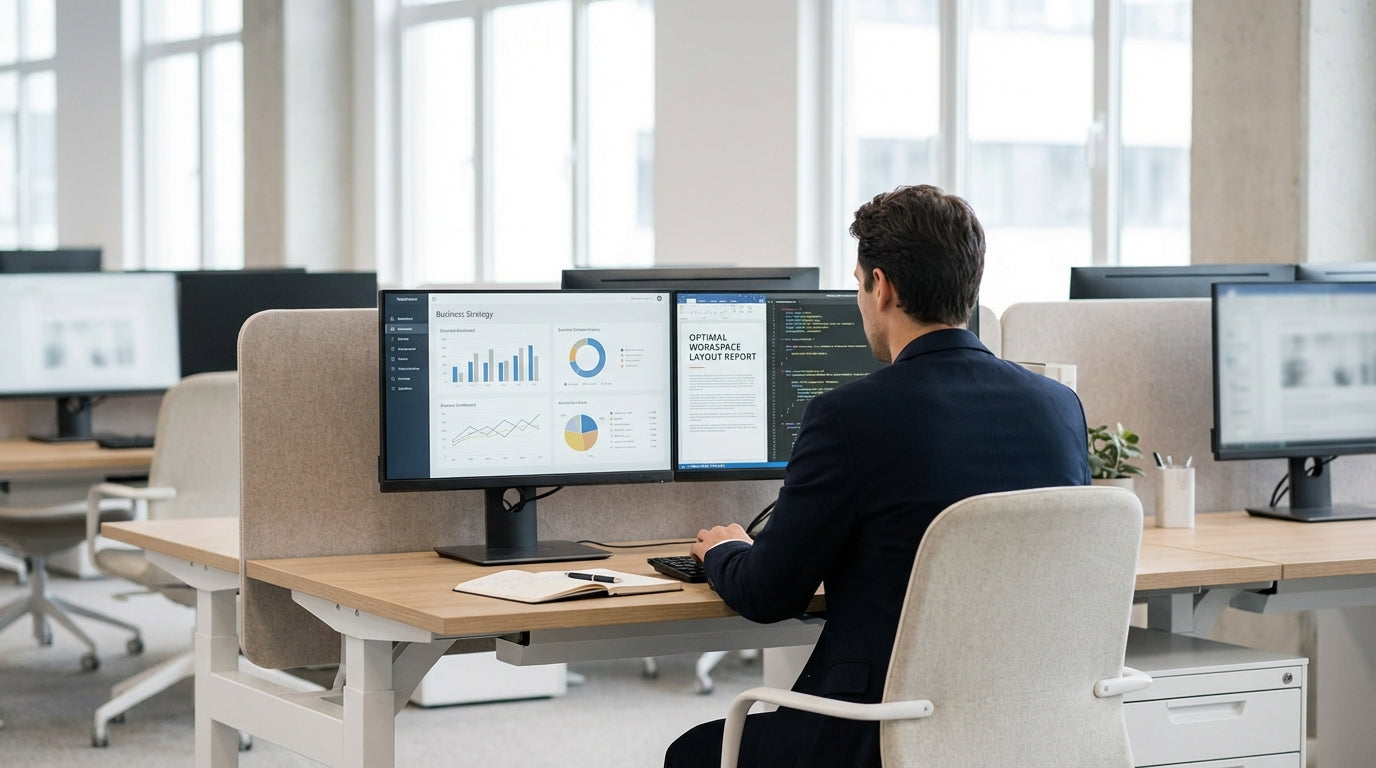
Office layout is no longer just about squeezing in as many people as possible. When workstations are too close, noise, visual distraction, and lack of privacy increase, which can quickly drain concentration. On the other hand, spacing desks too far apart can waste space and make collaboration harder. The sweet spot is a layout that supports movement, focused work, and quick conversations without people feeling cramped or exposed.
Desk spacing also works hand in hand with the style of furniture you choose. Compact Straight Desks can help maintain generous circulation in smaller offices, while larger configurations like L-Shaped Desks and Corner Office Desks may need extra clearance to avoid blocking walkways. Planning for the right clearances from the start avoids costly reconfigurations later.
As hybrid work patterns evolve, many organisations are moving from ad‑hoc desk placement to more structured layouts using Single Person Workstations or pod-style setups such as 2 Person Workstations and 4 Person Workstations. These systems are designed with spacing guidelines in mind, making it easier to create an office that feels ordered, safe, and efficient.
Recommended Clearances Around and Between Desks
Most Australian offices aim for a balance between compliance, comfort, and space efficiency. A few key measurements can guide almost any layout.
As a practical rule of thumb, allow at least 900 mm of clear walkway behind seating to let people pass without bumping chairs, and around 1,200 mm in main traffic corridors. Between desks that face each other, plan enough room for two chairs to be used comfortably plus a small passing space; this typically means about 1,800–2,000 mm between the front edges of opposing tops. Alongside desks, a minimum of 800–900 mm between edges usually works well for access and storage.
Individual work zones also matter. Each person should have enough depth and width for their screen, keyboard, and paperwork without constantly encroaching on a neighbour’s space. Modular systems like Height Adjustable Workstations and structured Single Person Workstations help keep these dimensions consistent, which makes it easier to keep gangways uniform across an open plan. In hot‑desking or shared areas, a tidy, repeated footprint prevents bottlenecks at peak times.
For smaller rooms or studies, such as those using Home Office Desks, you might not hit every ideal clearance, but you should still prioritise safe movement and comfortable chair use. If space is tight, consider shallower Straight Desks or compact Corner Office Desks to maintain at least one clear, unobstructed path to the door.
Balancing Collaboration, Privacy, and Noise
The right gap between desks does more than prevent people bumping elbows. It also helps control noise levels and visual distractions.
Teams that rely on frequent, informal chats can sit a little closer together, as long as pathways remain clear and conversations don’t spill into quieter areas. Pod layouts using 2 Person Workstations or 4 Person Workstations keep collaborators near one another while still maintaining a defined boundary between groups. Spacing pods slightly further apart than internal pod distances helps contain noise within each team zone.
Where staff need concentration and privacy, increasing spacing between clusters and using Desk Mounted Partitions can significantly reduce visual and sound interruptions. Even a modest screen between adjacent Straight Desks or Home Office Desks in shared studios can make each workstation feel more contained. The aim is to create a sense of personal territory without isolating people completely.
Different desk shapes also influence how close people can sit without feeling overlooked. For example, L-Shaped Desks allow screens to be angled away from high‑traffic zones, so even with similar clearances, they can feel more private than a row of straight benches. With Height Adjustable Workstations, remember that screens rise and fall with the top; pairing them with suitable partitions helps maintain privacy whatever height someone chooses.
Designing for Accessibility, Safety, and Compliance
Desk spacing must consider more than comfort; it also needs to support accessibility and emergency movement. Australian businesses should factor in a range of mobility needs when planning layouts.
Wheelchair access generally requires wider clearances, particularly in turning spaces and at corners. Allow generous passing zones in key areas and avoid creating dead-end rows where someone might struggle to turn around. Choosing flexible systems like Height Adjustable Workstations or modular Single Person Workstations can make it easier to adjust the layout later if accessibility needs change. When in doubt, err on the side of more generous circulation space rather than trying to squeeze in extra seating.
Fire egress and general WHS obligations mean exits and main routes must remain clear at all times. Desks should not encroach into evacuation paths, and chairs should have enough room to slide back without blocking the way. This is especially important with corner and L-Shaped Desks, which can unintentionally project into walkways if not measured carefully. Regular walk-throughs and simple tests—like having two people pass each other comfortably in every corridor—are an easy way to confirm that clearances are working as intended.
Partitions play a role here too. While Desk Mounted Partitions help control noise and define work areas, they should not create visual barriers that obscure exits or important signage. Slimline screens on Straight Desks or pod workstations provide privacy without turning corridors into blind corners. Keeping sightlines open while maintaining defined work zones leads to a safer, more navigable office.
Choosing the Right Desk Types to Support Efficient Spacing
The furniture you select will strongly influence how effectively you can use your floor plan. Different desk styles suit different spacing and workflow needs.
Linear layouts using Straight Desks are ideal when you want consistent spacing and a simple, expandable arrangement. They work especially well in activity-based spaces or hot‑desking zones, where clear rows and predictable walkways make navigation easy. In contrast, Corner Office Desks and L-Shaped Desks maximise usable surface in each workstation, which can reduce the total number of desks required and free up circulation space elsewhere.
For teams that need defined collaboration pods, purpose-built 2 Person Workstations and 4 Person Workstations maintain reliable distances within and between pods. These systems are designed to share legs and cabling, which keeps footprints tight without sacrificing personal elbow room. Adding Desk Mounted Partitions to pod systems helps balance openness with privacy, giving each person a clear boundary while preserving overall flow.
In home and hybrid offices, space is often at a premium. Compact Home Office Desks or slimline Straight Desks can deliver a professional work area without crowding living spaces. Where multiple people share a study, a small 2 Person Workstation or a pair of Height Adjustable Workstations can help maintain comfortable distances, even in compact rooms. Whatever configuration you choose, planning around clear circulation paths first—and filling in desks second—will consistently lead to a more functional, flexible workspace.


