

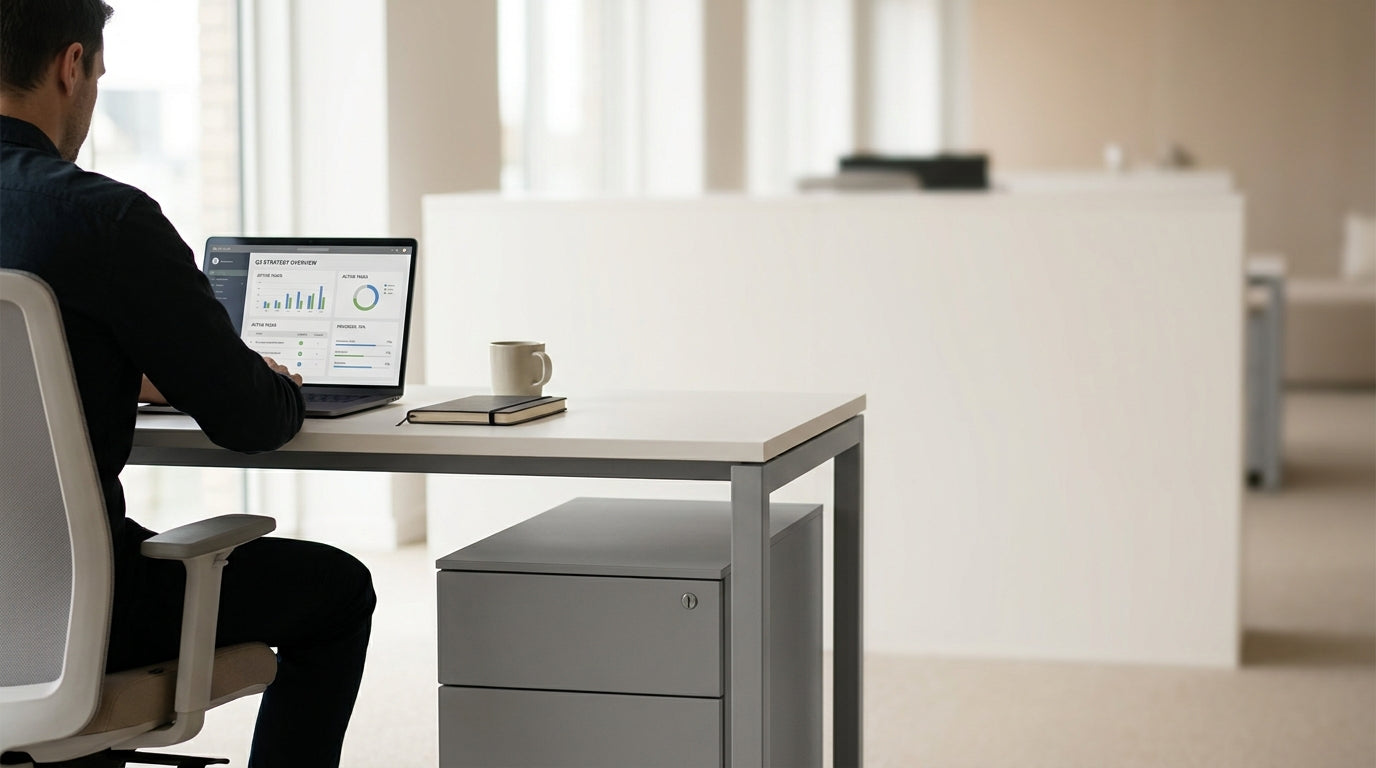
Typical Desk and Pedestal Dimensions in Australian Workspaces
Getting the right drawer unit for your workstation starts with knowing common sizes. Standard office desks in Australia typically sit at about 720–750 mm high.
Most under-desk drawer units are designed a little shorter than the desktop height so they slide under comfortably and leave room for your legs. A typical mobile pedestal is around 600–700 mm high, 390–500 mm wide, and 450–600 mm deep. This means it can fit neatly under many setups, from compact Home Office Desks to more expansive Manager Desks.
Depth is just as important as height. If your desk is a standard 600–750 mm deep, you’ll usually want a pedestal that’s 450–550 mm deep so it doesn’t stick out at the front or clash with cables and power points at the back. Matching depths becomes even more critical with fitted layouts, such as Single Person Workstations or Corner Workstations, where space is carefully planned.
Width is generally more flexible, but it still matters. Narrow units, often about 390–410 mm wide, are ideal where floor space is tight or multiple pedestals are placed side by side. Wider units, closer to 450–500 mm, give you larger file drawers and more surface area for items like printers or stationery organisers.
Measuring Your Desk Space Properly
Before buying any drawer unit, measure the gap under your desk accurately. A quick check with a tape measure can prevent an awkward or unusable fit.
Start with the clear height from the floor to the underside of the desk frame or return, not just the bench top. Subtract at least 20–30 mm to ensure the pedestal slides in easily and you can manoeuvre it without scraping. This clearance is especially useful with mobile units that have castors, as they often add an extra 40–60 mm to the overall height of the cabinet.
Next, measure the available width between legs, modesty panels and any fixed features like CPU holders. If you’re working with integrated systems such as Straight Desks or modular Student Desks, check that support rails and cables don’t reduce the usable width. Allow a few centimetres extra so you can slide the pedestal in and out, and so drawers can open fully without hitting table legs or neighbouring furniture.
Finally, check depth from the front edge of the desktop to any obstacles at the rear, such as a wall or cable tray. This is particularly relevant for deeper L-Shaped Desks and larger Corner Office Desks, where power and data rails are common. Matching pedestal depth to this usable space helps keep the front of your workstation flush, tidy, and comfortable for your knees and feet.
Choosing the Right Pedestal Style and Configuration
Once you know your measurements, think about how you’ll use the drawers day-to-day. Configuration affects both usability and how easily the unit fits under the desktop.
Pedestals come in a few standard layouts: “box/box/file” (two shallow drawers and one deep file drawer), “file/file” (two deep drawers), or multiple shallow drawers for stationery-heavy roles. For many individual workstations, a compact mobile pedestal from a dedicated Pedestal Drawer Units range offers enough storage without dominating the leg space. In contrast, managers or home users who store bulky files might opt for taller models with high-capacity bottom drawers.
Think about access as well as storage volume. If your desk is shared or used in a hot-desking environment alongside Single Person Workstations, a lockable pedestal with a smaller footprint makes it easy to secure personal items while leaving space for different users’ chair positions. In a dedicated home office, pairing a deeper pedestal with roomy Home Office Desks can create a semi-built-in look without the cost of custom joinery.
Don’t overlook surface alignment. A slightly taller fixed pedestal can double as a side return if aligned with the desktop height on a Straight Desks layout or as extra support on one end of a Manager Desks configuration. This hybrid approach gives you both vertical storage and extra workspace, but it demands careful checking of heights before purchase.
Matching Pedestals to Different Desk Shapes
Desk shape strongly influences how large your under-desk drawers can be. Each layout has its own constraints and opportunities.
Linear stations like Straight Desks and study-style Student Desks usually have the clearest space beneath, so a standard 600–700 mm high pedestal will fit comfortably. You can often position it on either side depending on whether you’re left- or right-handed. Just remember to allow room for your chair to move, particularly in narrow rooms or shared study environments.
With corner and return-style workstations, such as Corner Workstations and L-Shaped Desks, storage typically sits under the return or in the less-used side zone. This means you can sometimes accommodate a slightly deeper pedestal without affecting legroom in the main working area. However, support frames and cable channels are more common on these layouts, so confirm clear internal dimensions under both sides before choosing a width and depth.
For compact setups like home corners and small Corner Office Desks, consider a low, shallow pedestal that tucks right under the return. This keeps walkways open and avoids blocking heater vents or power points on adjacent walls. In executive-style arrangements that combine a large primary surface with extra storage, matching the finish of your drawers to Manager Desks can visually tie the workstation together even when sizes vary.
Practical Tips Before You Buy
A few quick checks can make sure your new drawers are comfortable to use and compliant with your workspace needs. It’s easier to tweak a plan on paper than to return bulky furniture later.
First, sit at your desk and mark out where your knees and feet naturally rest. Ensure your chosen pedestal height leaves enough clearance so you’re not forced into an awkward posture. This is especially important if your workstation doubles as a study space for kids, perhaps alongside Student Desks, where growing users need extra legroom. If you use a footrest, measure with that in place as well.
Next, think about how your drawers will open in real life. Check that there’s enough space between your desk and any walls, windows or neighbouring Home Office Desks for the bottom file drawer to extend fully. In multi-person environments with rows of Single Person Workstations or grouped Straight Desks, make sure drawer handles won’t clash with chairs or other storage units when everyone is seated.
Finally, confirm weight ratings and locking options, particularly for mobile units. If you’re storing heavy lever-arch files, look for quality runners and anti-tilt mechanisms in the Pedestal Drawer Units specification. Matching the finish and style to existing furniture – whether that’s streamlined Corner Workstations or contemporary L-Shaped Desks – will help your storage feel integrated and intentional, not like an afterthought squeezed under the desktop.


