

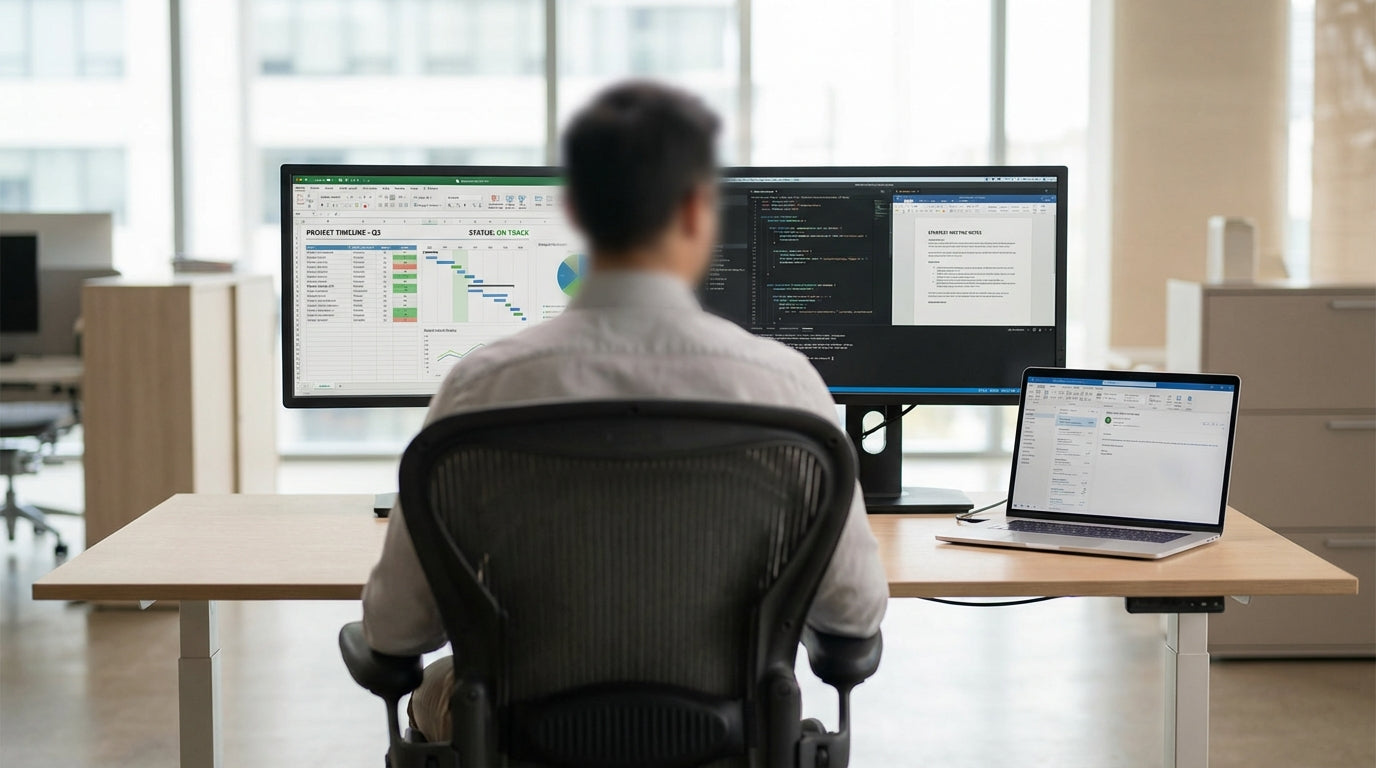
Key dimensions to get right for a dual‑screen workstation
Before you buy a sit–stand desk, it helps to understand the key measurements that actually affect comfort and usability. It’s not just about width – depth, height range and leg frame design all play a role.
For most dual‑monitor setups, a desktop width of 1200–1600 mm suits everyday office use, while 1800 mm or more suits designers, coders and anyone juggling multiple windows. Depth is just as important: aim for at least 700 mm so your screens can sit far enough away (about an arm’s length) and still leave room for a keyboard, notebook and accessories. Many modern height adjustable workstations are available in standard sizes like 1200 x 700, 1500 x 750 and 1800 x 750 mm, making it easier to match your equipment and room size.
The height range of the frame is what makes a standing desk truly ergonomic. Look for electric bases that comfortably cover around 620–1250 mm, which will suit most adults sitting and standing. If you’re particularly tall or short, check the spec sheet carefully; you’ll want your elbows at roughly 90 degrees while typing and your monitor tops at or just below eye level. Pairing the desk with adjustable monitor arms gives you more flexibility and stops screen height from limiting your desk choice.
Desktop shape can also influence the “usable” size. Straight rectangular tops maximise clear space, while corner and L‑shaped designs give you more surface area without needing as much wall length. Whichever way you go, make sure there’s enough room for cable routing and accessories like docking stations or a small printer, as these can quickly crowd a workstation that’s just wide enough for two screens and nothing more.
Matching desk size to your monitors and work style
Your monitor size and how you use them will largely dictate the width you need. Two 24–27 inch screens are now common in Australian home offices and workplaces.
As a general guide, two 24 inch monitors can fit comfortably on a 1200 mm desk, but you may find it cramped if you also keep reference documents, a notepad or a tablet within reach. Stepping up to 1500–1600 mm gives extra space for speakers and a laptop dock without feeling cluttered. If you’re running two 27 inch or ultrawide displays, a minimum of 1500 mm is sensible, with 1800 mm providing enough breathing room to angle the panels for better ergonomics.
Think about how you actually work across your displays. If you spend most of your time in the centre and glance to a secondary screen for email or chat, you may prefer a slightly narrower top that keeps everything closer. Power users who frequently drag windows across both screens will benefit from a wider single person workstation that allows both monitors to sit directly in front of you in a gentle curve. Designers, analysts and video editors often appreciate “oversizing” to 1800 mm or wider to avoid feeling hemmed in by equipment.
Monitor stands also influence usable space. Many heavier monitor bases eat into desktop depth, forcing the screens closer than is ideal. Using purpose‑built monitor arms frees up depth and lets you push screens back to a comfortable viewing distance. With arms, a 700 mm deep desktop can feel like a much bigger surface, which is handy in compact rooms where you can’t go deeper than standard sizes.
Choosing between straight, corner and L‑shaped setups
The shape of your sit–stand workstation affects both how much space you get and how it fits into your room. Different layouts suit different monitor configurations and office footprints.
Standard rectangular or straight desks are the most common choice for dual monitors, particularly in open offices or against a flat wall. They’re easy to position and measure up for, and a 1500 or 1800 mm straight top works for most two‑screen setups. For smaller bedrooms or studies, pairing a 1200 mm straight electric frame with compact screens and slimline home office desks can give you a surprisingly efficient workstation without dominating the room.
Corner and L‑shaped workstations use wall space more effectively and can give you more surface area without taking over the whole office. With an L‑shape, you can keep both monitors centred on the main side while using the return side for paperwork, a printer or reference gear. This makes L-shaped desks and dedicated corner office desks especially appealing for hybrid roles where you’re constantly switching between digital and physical tasks.
If you like to spread out or you’re working with three monitors, a sit–stand frame under a corner top can be ideal. Modern corner workstations designed for height adjustment let you keep your primary working zone in front of you while still accessing extra space with a small swivel of the chair. This reduces the temptation to place secondary screens at awkward angles that strain your neck.
Ergonomic positioning for comfort and productivity
Getting the right desk size is only half the equation; how you position everything on it matters just as much. Thoughtful layout can turn a basic setup into a genuinely ergonomic workstation.
For dual monitors, aim to have the seam between the two screens directly in front of you, with both angled slightly inwards like a shallow “V”. This stops you from twisting your neck towards a single display all day. If one screen is clearly your primary, keep it centred and angle the secondary slightly off to the side. A sufficiently wide height adjustable workstation lets you push the monitors back far enough that you can view them comfortably without excessive head movement.
Desk height should allow your forearms to sit level with the floor and your wrists straight while typing. Adjust your sit–stand frame so your elbows are at roughly 90 degrees when your shoulders are relaxed. When standing, avoid raising the desk so high that your shoulders creep upwards; if you’re tall and hitting the top of the adjustment range, you may need a frame with a higher maximum setting. Using single person workstations with appropriate height ranges ensures a better fit across both sitting and standing postures.
Don’t forget under‑desk and behind‑desk space. A desk that technically fits your monitors might still feel cramped if there’s no room for proper foot placement, a CPU tower or a mobile pedestal. Smart cable management keeps cords out of your leg area and stops them snagging when you raise and lower the desk. This not only looks cleaner but also protects your equipment and reduces trip hazards in busy offices.
Planning your space and future upgrades
When measuring up, consider both your current setup and what you might add later. It’s usually worth allowing a bit more width than you think you need.
Start by measuring the length of the wall or window you’ll be working against, then subtract space for doors, cabinets and storage. From there, you can see whether a straight top or an L-shaped desk will make better use of the footprint. In narrow rooms, a 1200–1500 mm sit–stand desk paired with slimline home office desks for extra storage can be more practical than trying to squeeze in a massive workstation that overwhelms the area.
If you’re likely to add another screen, a larger laptop, or more peripherals down the track, plan for it now. Choosing from flexible height adjustable workstations means you can reconfigure your layout without replacing the whole desk. Adding modular accessories like monitor arms and under‑desk cable management channels also gives you room to grow without turning your setup into a tangle of wires and stands.
Finally, think about how the desk will interact with the rest of your furniture. Coordinating finishes and dimensions with nearby corner workstations, straight desks or other corner office desks helps maintain a consistent look, especially in open‑plan spaces. A well‑sized sit–stand station that fits your dual monitors today and leaves room for tomorrow’s tech will deliver far better long‑term value than the smallest option that “just fits” on paper.


