

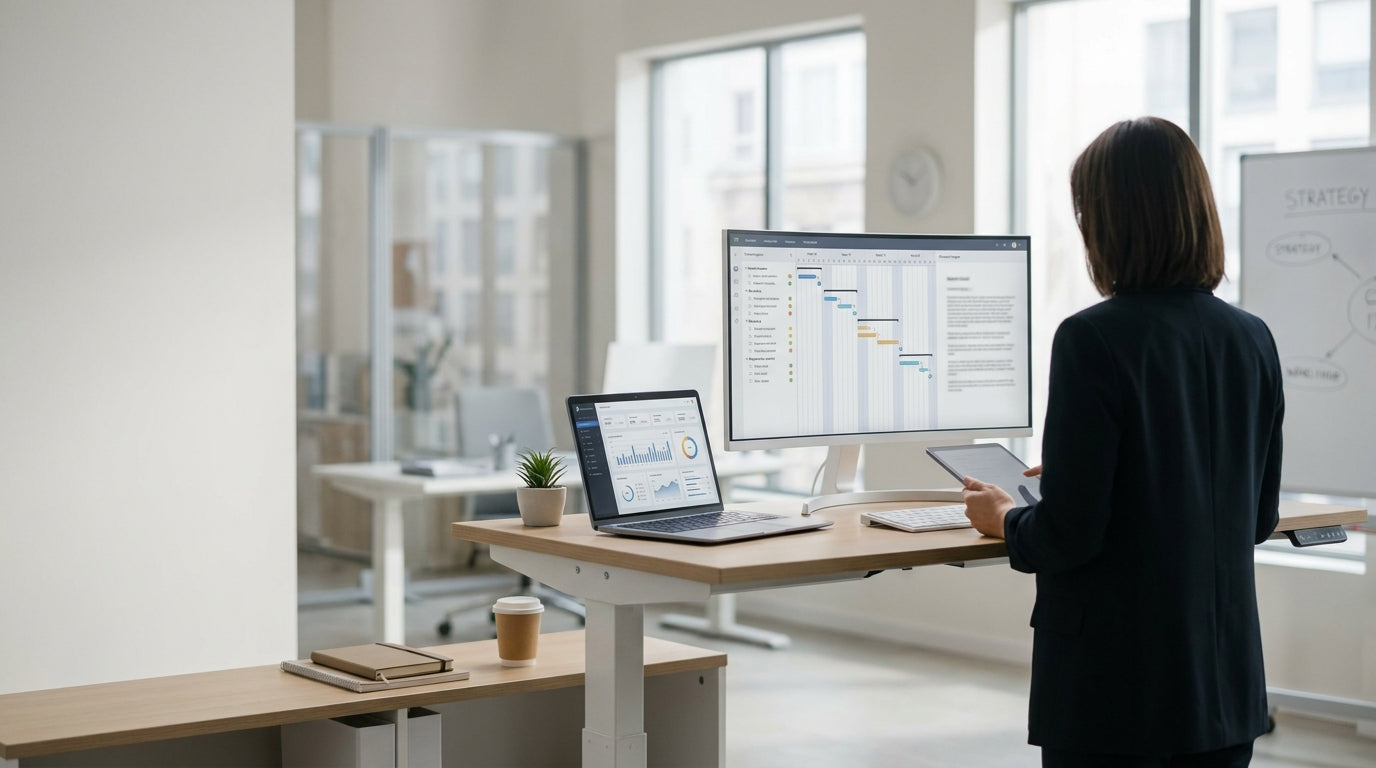
Understanding Standing Desks and All‑Day Use
Standing for long periods at work can improve circulation and reduce back pain, but the desk you choose makes a big difference. The goal is to support movement, not just keep you on your feet.
Most people are better off with a height-adjustable workstation rather than a fixed standing bench. A good setup lets you change posture through the day, switching between sitting, leaning and standing. Modern height adjustable workstations use either electric motors or simple manual mechanisms to raise and lower the surface. This flexibility is crucial for preventing fatigue, as even the best ergonomic posture becomes uncomfortable if you hold it too long.
When comparing options, look at stability, weight rating and ease of adjustment. A wobbly top or a desk that takes too much effort to move will end up stuck at one height, defeating the purpose. If you mainly work on a laptop or single monitor, compact single person workstations can give you the same benefits without dominating the room. For home setups, many people prefer streamlined home office desks that still offer sit–stand features but blend with the rest of the furniture.
Key Features to Look for in a Standing-Friendly Desk
Not every desk is designed for extended standing, even if it looks the part. Focus on adjustability, ergonomics and layout before worrying about style.
The most important feature is a height range that suits your body. Your elbows should rest at roughly a 90-degree angle when typing, with the screen at or just below eye level. Electric straight desks with programmable memory buttons make it easy to jump between ideal sitting and standing heights throughout the day. This kind of fine-tuning encourages you to adjust the desk more often, which in turn reduces static strain on your joints.
Desk depth and shape also matter. If you spread out with multiple screens, paperwork and peripherals, a simple rectangle may feel cramped. In that case, look at corner workstations or L-shaped desks, which provide extra surface area without stealing as much floor space. Curved fronts can bring the work closer to you, reducing the need to lean forward while standing, which helps protect your lower back.
Finally, check cable management, accessory mounting and legroom. All-day standing often goes hand in hand with active accessories like anti-fatigue mats and footrests. Systems such as corner office desks and other workstation frames that keep cables tidy and out of your footpath make it safer to move and shift weight during the day. Good leg clearance helps you vary your stance, use a drafting stool or perch, and avoid standing rigidly in one position.
Choosing a Desk Shape for Comfort and Space
Your workspace layout affects how easy it is to stand, move and stay comfortable. The right shape depends on your tasks, room size and how much equipment you use.
For small offices or study nooks, a simple rectangular top is often the most practical. Adjustable straight desks fit neatly along a wall, leaving room for circulation and storage. If you mainly work with a laptop, keyboard and one monitor, you can stand comfortably without needing extra depth. Pairing a straight surface with an under-desk mobile pedestal or shelves keeps essentials reachable without cluttering your standing area.
If you frequently switch between documents, screens and reference materials, wrap-around designs can be more efficient. Standing-friendly corner workstations let you pivot between zones with minimal stepping, which reduces fatigue when you’re on your feet all day. Similarly, L-shaped desks offer a clear “primary” side for keyboard and monitor, and a secondary wing for paperwork, printers or layout tasks. This division helps keep your main standing area ergonomically set up while still supporting complex workflows.
Specialist roles may benefit from more tailored shapes. Designers and architects often prefer drafting tables with tilt adjustment, allowing them to stand upright while keeping drawings at a comfortable viewing angle. Trainers, presenters and educators might lean towards mobile lecterns that support standing delivery, with a separate seated desk for focused work. Combining these with adjustable home office desks or compact single person workstations creates a flexible environment that supports both movement and concentration.
Ergonomic Setup Tips for Standing Most of the Day
Even the best workstation can cause discomfort if it’s set up poorly. A few simple adjustments will help you stand longer with less strain.
Start with your monitor position. The top of the screen should sit at or slightly below eye level, and an arm’s length away, whether you’re using a straight top or a corner office desk. If you share a desk between users, consider attaching your screens to a monitor arm so each person can quickly adjust height when moving from sitting to standing. On larger height adjustable workstations, keep frequently used items within a comfortable reach zone to avoid repeated stretching while upright.
Pay attention to your feet and flooring. An anti-fatigue mat reduces pressure on your joints and encourages subtle movement, particularly if you’re using solid surfaces with straight desks or compact single person workstations. Supportive shoes are just as important as the desk itself when you’re on your feet for extended periods. If you prefer to switch between standing and a higher perch, pairing your desk with a drafting stool works well, especially at deeper tops like drafting tables.
Finally, build regular movement into your routine. Use the memory presets on your adjustable desk to alternate between sitting and standing every 30–60 minutes, rather than trying to stand rigidly all day. On larger layouts such as corner workstations and L-shaped desks, take advantage of the extra surface by setting up “standing” and “seated” zones and rotating between them. This variation keeps muscles active, supports circulation and makes your investment in a quality workstation pay off over the long term.
Matching the Right Desk to Your Workstyle
The best workstation for long periods on your feet is the one that matches how you actually work. Consider your tasks, technology and space before deciding.
If your job is mainly computer-based with occasional paperwork, a versatile electric sit–stand frame with a simple rectangular top will suit most needs. Adjustable straight desks or compact home office desks are ideal for focused, individual workstations and can fit easily into typical Australian study rooms or open-plan offices. Where privacy or separation is important, modular single person workstations provide personal space while still letting each user control their own sit–stand height.
For people who manage multiple monitors, phones and reference documents—such as managers, project leads or consultants—expanded layouts make standing more comfortable. Configurable corner office desks and broader corner workstations keep everything within reach without crowding your stance. Creative professionals and technical drafters benefit from pairing drafting tables with standard sit–stand desks, so they can move easily between sketching, reviewing plans and digital work while staying upright.
Trainers, teachers and presenters may need a different configuration altogether. Mobile lecterns let you stand and speak comfortably, with notes and devices at the right height, while a secondary workstation handles administration and deeper tasks. In larger or shared offices, using a mix of height adjustable workstations, L-shaped desks and traditional tops can give everyone access to a standing-friendly setup that supports their particular role. Ultimately, the right choice is the one that encourages regular posture changes, supports your daily tasks and fits neatly into your available space.


