

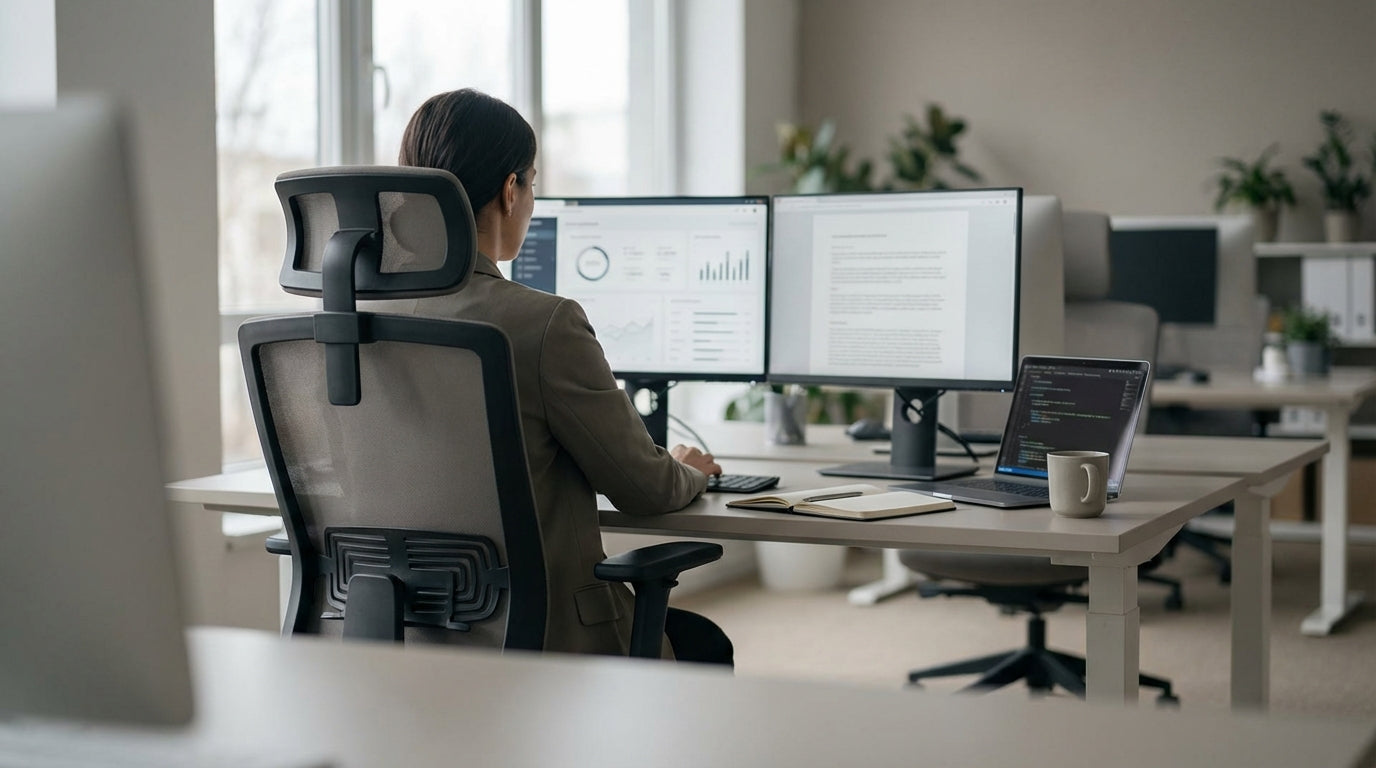
Understanding Lower Back Pain at the Desk
Hours at a desk can leave your lower back tight, sore, and fatigued. The right office chair won’t cure every problem, but it can remove a major source of daily strain.
Most lower back pain from office work comes from poor posture and lack of support. When your pelvis tilts and your spine collapses into a C-shape, the discs and muscles in your lumbar region work overtime to keep you upright. Over a long day, that constant load can lead to stiffness, pinching, and sometimes sharp pain down the legs.
Sitting isn’t “bad” in itself, but static sitting is. A good ergonomic chair encourages small, frequent movements and keeps your spine close to its natural S-curve. Pairing the right chair with a suitable desk setup, like an adjustable workstation or well-sized Single Person Workstation, helps keep your body in a neutral, low-stress position.
Back-friendly seating is most effective when combined with your overall workstation layout. Monitor height, keyboard reach, and desk height all influence how you sit. Supporting your back properly while also positioning screens with Monitor Arms and choosing practical Home Office Desks can greatly reduce the daily load on your spine.
Key Features a Back-Friendly Chair Must Have
A lower-back-friendly chair is less about looks and more about smart adjustability. Several core features make a big difference to how your spine feels by the end of the day.
First, lumbar support is essential. Ideally, the chair should have built-in lumbar cushioning that sits in the small of your back and is height-adjustable so it matches your body, not a generic template. This support should gently nudge your lower spine into its natural curve without feeling like a hard lump.
Next, look at seat depth and height. Your feet should rest flat on the floor with knees roughly at hip level, and there should be a small gap between the edge of the seat and the back of your knees. Chairs in categories like Task Chairs often provide these adjustments, making them a strong option for shared or hot-desk environments.
Recline and movement also matter. A good tilt mechanism lets you lean back slightly while keeping your back supported, which reduces pressure on your lumbar discs. Combining a supportive chair with Height Adjustable Workstations allows you to alternate between sitting and standing, further easing strain on the lower back throughout the day.
Comparing Chair Types for Lower Back Support
Different chair designs suit different bodies, jobs, and levels of back sensitivity. Understanding how common styles compare helps you decide what will actually work in your space.
For many office workers, breathable Mesh Office Chairs offer a strong mix of support and comfort. The tensioned mesh back can follow the shape of your spine while allowing airflow, useful in warmer Australian climates. Look for models with adjustable lumbar bars so you can place support precisely where your lower back needs it.
If you need robust construction and sit for long hours, especially in heavier weight ranges, Heavy Duty Chairs are built for durability and stability. These often feature reinforced frames, higher weight ratings, and thicker cushioning that resists sagging, which is important because a collapsing seat pan can quickly throw your pelvis out of alignment and aggravate lumbar pain.
For users who prefer a more traditional or executive feel, well-designed Leather Chairs can still be back-friendly, provided they offer proper lumbar shaping and tilt control. In standing or design-focused roles where the desk is higher, such as drafting or counter work, Drafting Chairs let you sit at elevated heights while maintaining foot support and posture, preventing you from perching on the edge of a seat or hunching over your work.
Choosing the Right Chair for Your Body and Workstyle
The best chair for you depends on your body size, job tasks, and any existing back issues. It’s worth matching the chair type to how you actually work each day.
For focused computer work where you need to move in and out of different tasks, adjustable Task Chairs are often ideal. They’re designed to support frequent posture changes, from typing to reading to short collaborative chats. Pair one with a well-sized Single Person Workstation so your keyboard, mouse, and documents are within easy reach, reducing the temptation to lean or twist.
If you split your time between sitting and standing, or you share a desk with others, connecting a supportive chair to Height Adjustable Workstations gives you more flexibility. You can raise or lower the work surface to match your ideal sitting posture and maintain that neutral spine position when you stand. Adjusting the workstation rather than compromising your posture helps keep consistent, back-friendly ergonomics.
For people with mobility limitations or those who struggle to stand up from a seated position, Power Lift Chairs offer controlled assistance. The lift function reduces strain on the lower back and hips when you get up, which can be especially important if pain flares during transitions. In a home office, combining a supportive lift or ergonomic chair with appropriately sized Home Office Desks ensures that your work setup supports your comfort instead of working against it.
Setting Up Your Workspace to Protect Your Lower Back
Even the best ergonomic chair can’t compensate for a poorly arranged workstation. Small setup tweaks can significantly cut down daily stress on your lower back.
First, align your chair and desk height so your elbows sit roughly at a 90-degree angle when typing, and your shoulders can relax. If you’re using Home Office Desks, check that your thighs fit comfortably underneath without you needing to hunch or reach up to the keyboard. With Height Adjustable Workstations, set a saved preset for your ideal sitting position so it’s easy to return to a spine-friendly height.
Screen positioning is another major factor. Your eyes should meet the top third of your monitor without you needing to tilt your head forward. Using Monitor Arms lets you fine-tune height, depth, and angle, helping you maintain a stacked head-and-neck position over your shoulders instead of craning forward, which often leads to compensatory lower back strain.
Finally, think about movement over the whole day. A comfortable, supportive option from ranges like Mesh Office Chairs or Task Chairs, used alongside a suitable Single Person Workstation, should allow micro-movements, easy posture shifts, and occasional standing breaks. Set reminders to stand, walk briefly, or switch positions every 30–60 minutes; this simple habit, combined with smart furniture choices, can have a powerful effect on ongoing lower back comfort.


