

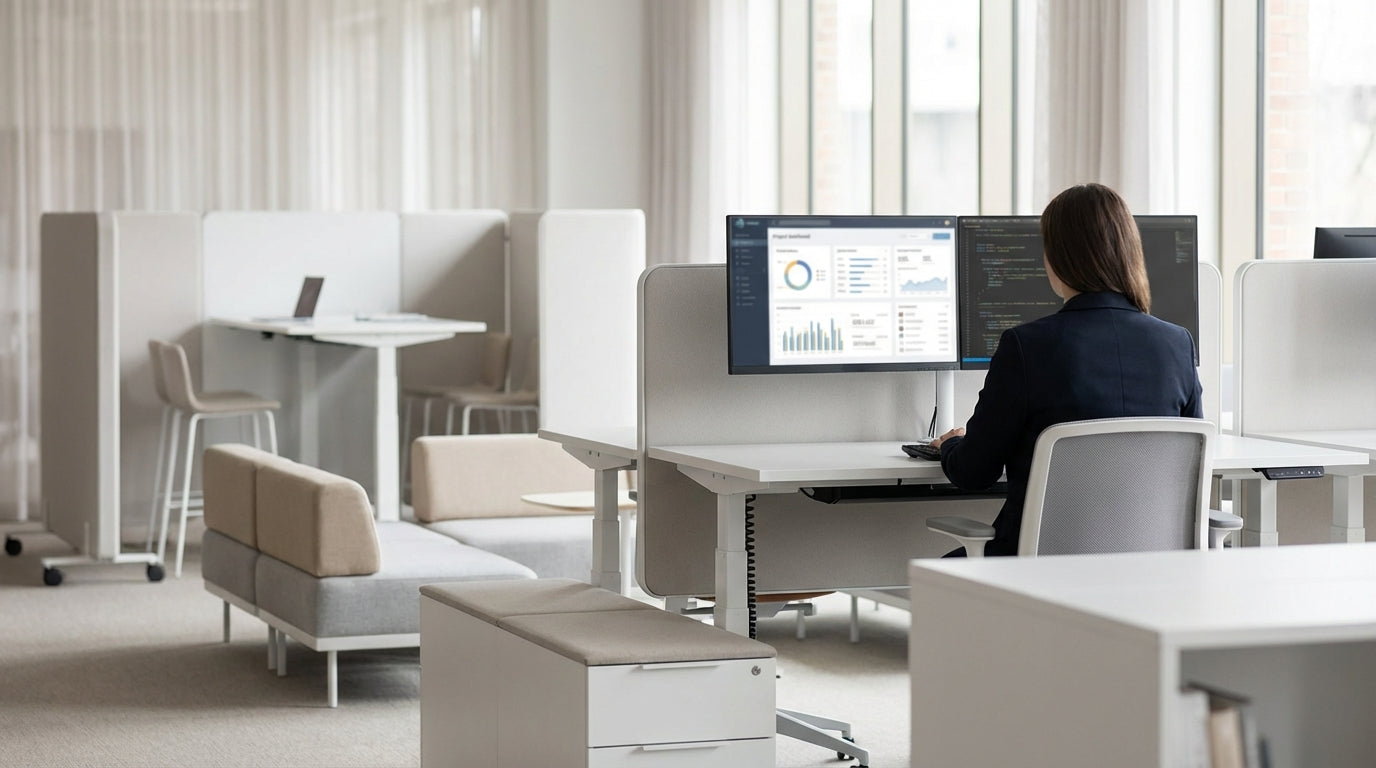
Understanding Modular Furniture in a Modern Office
Modular furniture is all about flexibility, adaptability, and making the most of your floorplan. Instead of fixed desks and bulky storage, you use pieces that can be reconfigured as your team and workflow change.
In practical terms, modular office furniture includes items like linked workstations, movable tables, freestanding partitions, and compact Office Pods. These elements can be added, removed, or rearranged without needing a full redesign or costly fit-out. For growing Australian businesses, that means you can scale seating, privacy, and collaboration areas quickly when new projects or teams come on board.
It also helps you support different work modes in the same space. Quiet focus work can sit comfortably alongside open collaboration zones when you use pieces like Partition Workstations and Height Adjustable Workstations to define zones. The goal is to create a layout that feels fluid, not fixed, so your office can keep up with hybrid work, hot-desking, and changing team structures.
Because most modular components share consistent dimensions and finishes, they are easy to join together or separate. If you start with Workstation Components, you can construct anything from simple desks to larger pods of 4–6 people over time. This modular system makes it easier to standardise on one range, simplifying maintenance, cleaning, and future upgrades.
Planning Your Layout for Flexibility and Flow
A flexible office starts with a clear layout plan, not just furniture shopping. Think about how people move, where they collaborate, and where they need quiet.
Begin by mapping your key zones: focused work, collaboration, private calls, and shared resources like printers or lockers. Focus areas can be anchored with Single Person Workstations for staff who need consistent desks, while agile project teams might suit banks of 2 Person Workstations or 4 Person Workstations. These clustered desks make it easy to sit functional teams together and then reshuffle later if reporting lines or projects change.
Plan generous walkways to avoid bottlenecks, particularly near entrances, kitchens, and meeting rooms. Modular pieces like Mobile Tables can double as touchdown surfaces in corridors or breakout zones without creating permanent obstacles. If your office supports hybrid work with hot-desking, consider placing a mix of fixed and moveable desks close to power and data, so people can plug in quickly without trailing cables across walkways.
Don’t forget acoustics and privacy. Use Corner Workstations in quieter corners of the office to create semi-enclosed spaces for deep focus work. For calls and video meetings, strategically position a few Office Pods away from the busiest circulation paths to cut down on background noise. Good planning here reduces distractions and makes it easier for your team to move between focus and collaboration throughout the day.
Creating Zones with Modular Workstations
Zoning is the key technique that turns a basic open-plan area into a functional, flexible workplace. Instead of building walls, you use modular workstations and screens to signal how each space should be used.
Start by grouping desks to match real-world work patterns. Project teams that collaborate closely can sit at shared 4 Person Workstations, which naturally create a neighbourhood feel and encourage quick conversations. Individuals who spend much of the day on concentrated tasks or confidential work are better supported with Partition Workstations that include acoustic or visual screens. These partitions don’t seal people off, but they do cut down on visual clutter and noise spill.
Where floor space is tight, Corner Workstations can transform unused corners into productive focus hubs. Pair them with slimline storage or open shelving to keep the area functional without feeling cramped. On the other hand, if you want highly adaptable project areas, consider mixing in 2 Person Workstations that can be pushed together or pulled apart depending on team size.
Don’t overlook ergonomics. Flexible offices still need to support healthy working postures, especially when staff move between desks. Introducing a proportion of Height Adjustable Workstations gives people the option to sit or stand, which is particularly useful in hot-desking or activity-based working environments. Because these sit-stand desks are modular, you can slot them into existing desk runs or upgrade individual positions as needed, rather than replacing entire banks of furniture.
Using Movable Tables and Pods for Agile Spaces
Mobile furniture lets your office transform quickly for workshops, training, or team events. With the right mix of tables and pods, you can reset a space in minutes instead of hours.
Mobile Tables are ideal for multi-use rooms that need to swing between training, project work, and casual catch-ups. Their lockable castors keep them steady in use, but you can unlock and rearrange them to form clusters, U-shapes, or classroom-style layouts. For even tighter storage, Flip Top Tables let you fold the surface vertically and nest several together along a wall, freeing valuable floorspace when the room is used for stand-up meetings or events.
Dedicated quiet spaces are just as important as open collaboration zones. Acoustic Office Pods provide enclosed spots for phone calls, video meetings, or focused work without needing to build permanent rooms. Because pods are self-contained and freestanding, you can shift them as your workplace evolves, relocating them closer to teams that need frequent private conversations or moving them to quieter corners if noise becomes an issue.
Consider how these mobile elements interact with your fixed workstations. For example, a bank of Single Person Workstations could sit near a shared area containing mobile or flip-top tables, so individuals can step into a nearby collaboration zone without booking a formal meeting room. This blend of fixed and agile furniture helps your office support both structured and spontaneous work.
Future-Proofing with Modular Components
Future-proofing means choosing furniture that can adapt as your business changes. Modular systems make it easier to reconfigure, expand, or refresh your setup without starting from scratch.
When you invest in a consistent family of Workstation Components, you gain long-term flexibility. Shared legs, frames, and cable systems let you re-use parts when you change layouts, so a run of desks for eight people today might become two separate clusters of 4 Person Workstations tomorrow. This lowers both cost and waste, which is particularly important for businesses aiming for more sustainable fit-outs.
Think about how different working styles may grow over time. If you expect more hybrid staff or contractors, add a proportion of Height Adjustable Workstations and 2 Person Workstations that can double as hot desks. For teams that may expand into new roles, modular partitions and Partition Workstations give you the ability to increase privacy and focus without relocating the entire team.
Finally, design for easy maintenance and incremental change. Choosing modular Corner Workstations, Single Person Workstations, and Mobile Tables in durable finishes means you can repair or replace individual pieces, not whole sets. As your technology, headcount, or work patterns shift, this approach lets your office stay current and functional without constant major refurbishments.


