

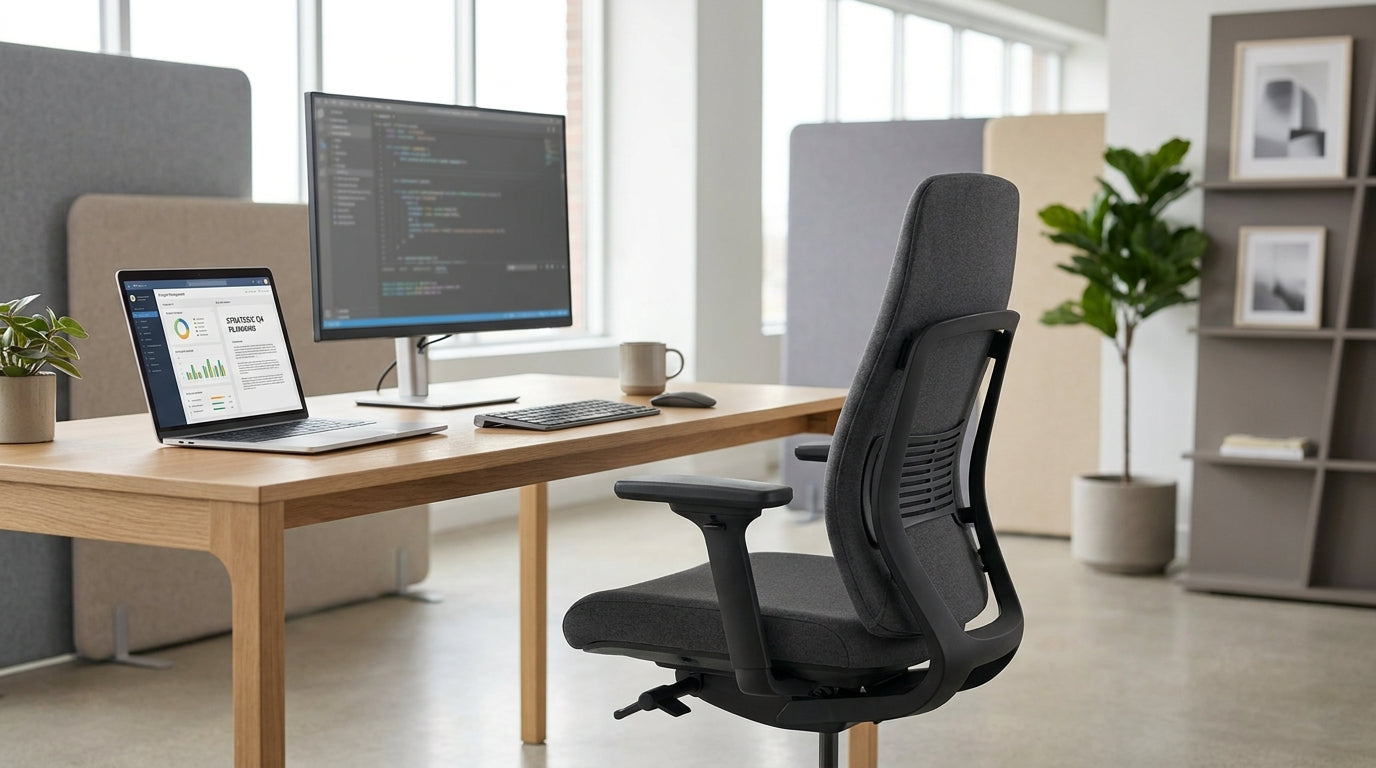
Why Self-Adjusting Office Chairs Are Changing The Way Australians Work
Self-adjusting seating is designed to move with you, not against you. Instead of constantly tweaking levers, the chair automatically responds to your posture and weight.
At its core, this style of ergonomic chair uses a mechanism that balances your body weight against the backrest, so you get the right amount of support without manual fine-tuning. As you lean back, the resistance adapts; when you sit upright, the support shifts with you. For people who move between emails, video calls and focused work, that smart adjustment can reduce fatigue across a full day at the desk.
Unlike older designs that lock you into one rigid position, modern self-adjusting models encourage what ergonomists call “micro-movements” – small shifts that keep your joints and muscles active. This movement-friendly approach helps relieve pressure on the lower back and hips, making it easier to stay comfortable for longer. It’s especially useful if you work at a fixed-height desk or in a shared space where several people use the same chair.
These chairs also pair well with other ergonomic furniture. For example, combining a responsive chair with height‑adjustable desks or compact Single Person Workstations can create a more adaptable set‑up in a home office or open‑plan workplace. The result is a workstation that adjusts around you, rather than forcing you to adapt to it.
Key Features To Look For In A Self-Adjusting Ergonomic Chair
A good self-adjusting chair should adapt smoothly, feel stable, and be simple to use. Look for a mechanism that feels intuitive, not fiddly.
The heart of these chairs is the tilt or synchro mechanism. A “synchro tilt” means the seat and backrest move together at a set ratio, usually allowing the back to recline further than the seat. When this is weight‑sensitive, the chair automatically sets the recline tension based on how heavy you are. That removes the guesswork involved in turning a tension knob and hoping you get it right.
Seat height and seat depth still matter, even when the recline is self-adjusting. A sliding seat pan (also called seat depth adjustment) lets you position the front edge of the seat a few centimetres behind your knees, which improves circulation and reduces numbness in the legs. Adjustable armrests that move up and down, and ideally in and out, help you maintain relaxed shoulders whether you’re typing, writing, or jumping on quick calls.
Choose a backrest that suits your climate and work style. Breathable options similar to Mesh Office Chairs can be ideal in warmer Australian offices, as they allow air to flow through and reduce heat build‑up on long days. If you are after something more executive, soft‑touch finishes inspired by Leather Chairs offer a more formal look while still working with self‑adjusting mechanisms. Whichever you pick, make sure the lumbar area feels supported when you first sit down – you should not have to force yourself into a comfortable position.
Comparing Self-Adjusting Chairs With Traditional Office Seating
Traditional office seating relies on manual adjustments; self-adjusting models aim to remove that ongoing hassle. Understanding the difference helps you choose the right style for your workspace.
Standard Task Chairs often include multiple levers for tilt, back angle, and tension. While this level of control can be helpful for some, it also means more time setting up the chair and a higher chance of leaving it configured poorly. Self-adjusting designs simplify this by automating tilt tension and sometimes even seat recline, giving you a “set and forget” experience once basic height and armrests are dialled in.
For heavier users, or shared environments where durability is critical, pairing self-adjusting technology with the strength of Heavy Duty Chairs can be a smart strategy. These chairs are built with higher weight ratings, reinforced frames and long‑lasting components, all of which support the more active movement that self‑adjusting mechanisms encourage. In contrast, lighter, budget chairs may wear faster when used all day with frequent reclining.
Not all seating in a workplace needs to be self-adjusting. In spaces used for quick catch‑ups or reception areas, simpler options like Meeting Chairs and Visitor Chairs are usually sufficient, as people tend to sit for shorter periods. For those who spend most of the day at their desk, however, the extra comfort and automatic support can make a noticeable difference to focus and energy.
Choosing The Right Chair For Your Body, Workspace, And Tasks
The best choice depends on how long you sit, the type of work you do, and any specific comfort needs you have. A little planning before you buy goes a long way.
Start by considering how many hours you spend seated each day. If you work full‑time at a desk, look for models tested for extended use and rated for 8‑plus hours, similar in build quality to premium Task Chairs. Taller users should pay attention to seat height range and backrest height, while more compact users often benefit from smaller seat pans that let their feet rest flat on the floor. Weight‑rated designs that draw on the engineering found in Heavy Duty Chairs are especially helpful if you want extra strength and peace of mind.
If you prefer a cooler feel in summer or work in a non‑air‑conditioned space, a self-adjusting chair with a ventilated back similar to Mesh Office Chairs can improve comfort. For home offices or executive suites, you might instead lean towards upholstered or leather‑style finishes that complement surrounding furniture, taking cues from Leather Chairs. In either case, the self‑adjusting mechanism should still feel smooth and supportive, no matter the surface material.
Australians who prefer to buy local can look at ranges designed and built here, such as Australian Made Chairs. Locally made options often provide better access to spare parts and service, as well as designs tailored to common Australian body types and office fit‑outs. Matching your chair with a suitable workstation, like compact Single Person Workstations, helps keep posture neutral by getting the right distance between your eyes, screen, keyboard, and armrests.
If you have mobility challenges or find it difficult to stand from a seated position, consider how your main work chair will interact with supportive options such as Power Lift Chairs. While lift chairs are typically used in lounge or healthcare environments rather than at a desk, planning the transition between seating types can reduce strain during your day. Think through your full routine – from focused computer work to meetings – and choose a set‑up that keeps every movement as easy as possible.
Practical Tips For Setting Up And Using Your New Chair
Even with a self-adjusting mechanism, correct set‑up is essential. A few simple steps can dramatically improve long‑term comfort.
Begin with seat height: adjust until your feet rest flat on the floor (or on a footrest) and your knees are roughly level with your hips. Next, slide the seat so there is a small gap between the front edge and the back of your knees. Set your armrests so your shoulders feel relaxed while typing, and your elbows sit close to a 90‑degree angle. These basics work alongside the automatic recline, allowing the chair to support you as you move rather than locking you into one position.
Integrate your chair into a broader ergonomic layout. Position your desk or Single Person Workstations so your monitor is at eye level and directly in front of you, which reduces neck strain. If you often move between your main workstation and spaces furnished with Meeting Chairs or Visitor Chairs, try to maintain similar posture in each location: feet grounded, back supported, and shoulders relaxed. This consistency helps your body adapt to healthy habits rather than re‑adjusting to poor positions throughout the day.
Finally, treat the self-adjusting nature of the chair as an invitation to move. Lean back during calls, sit more upright for detailed tasks, and shift positions every 20–30 minutes. Over time, this active sitting style can ease pressure on your spine, reduce stiffness, and make your workday feel less draining – whether you are in a corporate office, home study, or flexible space equipped with a mix of modern task seating and specialised options like Power Lift Chairs.


